

Quick Answer: The Linux architecture has four main layers: the hardware, the kernel (the core that manages hardware and resources), the shell (the interface that runs your commands), and the applications/utilities that users interact with. The kernel talks to the hardware; the shell and programs talk to the kernel through system calls.
The Layers of Linux Architecture
| Layer | Role |
|---|---|
| Hardware | Physical components — CPU, memory (RAM), disks, and peripherals. |
| Kernel | The core of the OS — manages hardware, memory, processes, and devices. |
| Shell | The command interpreter between you and the kernel. |
| Applications & Utilities | The programs and commands users run (editors, browsers, tools). |
1. The Kernel
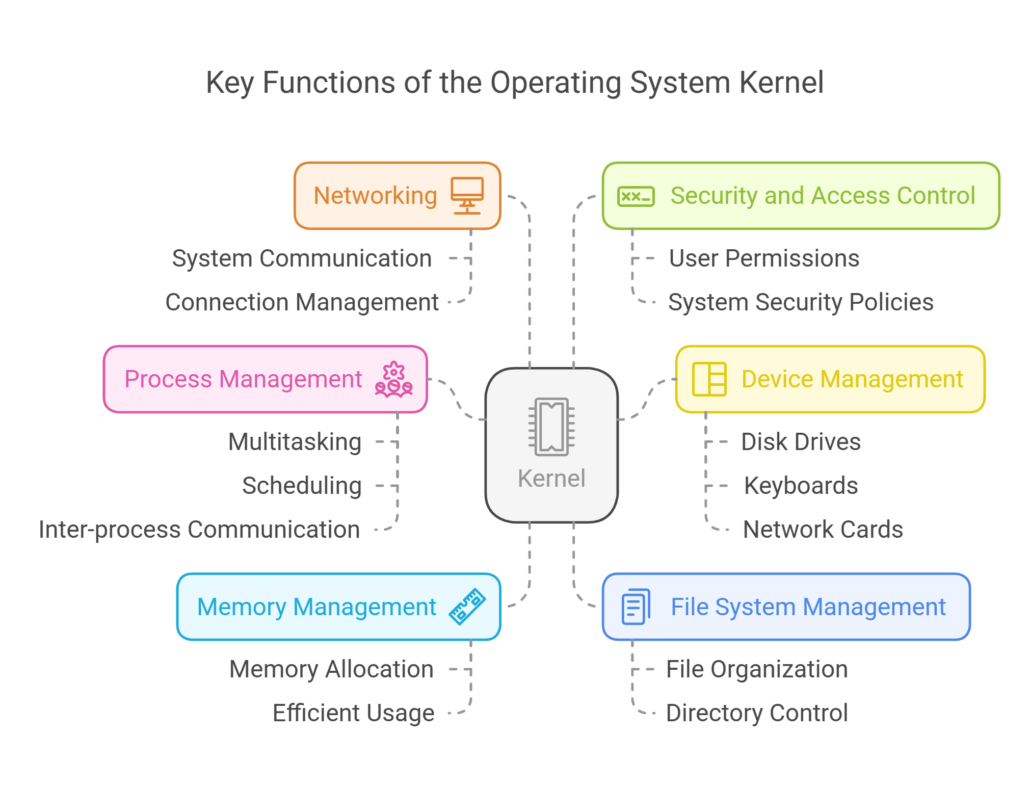
The kernel is the heart of Linux. It sits directly above the hardware and controls everything. Its main jobs are:
- Process management — scheduling which programs run on the CPU and when.
- Memory management — allocating and freeing RAM, handling virtual memory.
- Device management — talking to hardware through device drivers.
- File system management — reading and writing data on disks.
- System calls — the interface programs use to request kernel services.
Linux uses a monolithic kernel (with loadable modules), meaning core services run together in kernel space for speed, while drivers can be added or removed as modules.
2. The Shell
The shell is the layer between you and the kernel. It takes the commands you type, interprets them, and asks the kernel to carry them out. Common shells include Bash (the default on most distros), Zsh, and Fish. There are two broad types:
- Command-line interface (CLI) — text-based, like Bash in a terminal.
- Graphical user interface (GUI) — desktop environments like GNOME or KDE.
3. The File System
Linux organizes everything under a single root directory (/) following the Filesystem Hierarchy Standard (FHS). In Linux, “everything is a file” — even devices and processes are represented as files. Key directories:
| Directory | Purpose |
|---|---|
/ | Root — the top of the entire file system |
/etc | System configuration files |
/home | User home directories |
/bin, /usr/bin | Executable programs and commands |
/var | Variable data — logs, caches, spools |
/dev | Device files |
/proc | Virtual files exposing kernel/process info |
4. Applications & System Utilities
The top layer is everything users run: system utilities (the GNU core tools like ls, cp, grep), services and daemons, and end-user applications. These interact with the kernel through the shell and system calls.
How the Layers Work Together
When you run a command like ls: you type it into the shell → the shell asks the kernel via a system call → the kernel reads the directory from the hardware (disk) → the result travels back up to your screen. Every action flows through these layers, which is what makes Linux modular, stable, and secure.
New to Linux? Continue with What is Linux?, Essential Linux Commands, and Linux for DevOps Engineers.
Frequently Asked Questions
What are the main components of Linux architecture?
The four core layers are hardware, the kernel, the shell, and applications/utilities. The file system underpins how data is stored across them.
What type of kernel does Linux use?
A monolithic kernel with loadable modules — core services run together for performance, while drivers can be loaded or unloaded at runtime.
What is the difference between the shell and the kernel?
The kernel manages hardware and resources directly; the shell is the interface that takes your commands and passes them to the kernel.
