

Direct answer: CapCut is the best free AI voice generator for TikTok because it combines text-to-speech, captions, timing and vertical-video editing in one workflow, with downloadable audio and documented commercial use for generated speech. TTSMaker is the strongest browser-only alternative for commercial voiceovers, while TikTok’s built-in text-to-speech is the fastest option for a single in-app post.
The right TikTok voice tool is not simply the one with the most voices. Short-form creators need quick timing changes, captions, clean vertical exports and a license that matches personal, sponsored or business use. TikTok also requires disclosure for certain realistic AI-generated audio and prohibits harmful impersonation even when a post is labeled.
Reviewed September 2, 2026 for US availability. Free allowances, voices and regional access can change. This is a documentation-based comparison; GravityDevOps did not run a matched-script listening test or claim that one voice sounds most natural.
Best free AI voice generators for TikTok
| Tool | Best for | Free access | Main TikTok caveat |
|---|---|---|---|
| CapCut | Complete TikTok editing workflow | Core TTS is free; account required | Some voices and assets are Pro or separately licensed |
| TikTok text-to-speech | Fast narration inside the TikTok app | Built into eligible accounts | Voice selection varies and audio is not a standalone download |
| TTSMaker | Commercial voiceovers on a zero budget | 20,000 characters weekly | Free jobs can be only 500 characters |
| Canva | Template-led vertical videos | Free voices and previews | 1,000 characters per conversion; pooled AI limit |
| TikTok Symphony Creative Studio | Business and ad creatives | Free with TikTok for Business login | Exports are automatically AI-labeled |
| Microsoft Clipchamp | Desktop editing and 1080p export | Free TTS and eligible 1080p export | Less direct than CapCut for mobile posting |
| ElevenLabs | Noncommercial voice experiments | 10,000 monthly credits | Free output is noncommercial and requires attribution |
CapCut is the most practical default because narration, captions and video timing stay together. TTSMaker has the clearest no-cost commercial permission. ElevenLabs is useful for auditioning expressive delivery, but its Free license does not cover sponsored, client or monetized TikTok content.
How we compared free TikTok AI voice tools
We screened 11 services: CapCut, TikTok’s native text-to-speech, TTSMaker, Canva, TikTok Symphony Creative Studio, Microsoft Clipchamp, ElevenLabs, VEED, Narakeet, PlayHT and Google AI Studio. Seven made the ranking.
The criteria were recurring or one-time allowance, script length, voice and language choice, pacing controls, audio or video downloads, captions, vertical-video workflow, account and card requirements, watermarks, commercial-use language, privacy, consent and TikTok policy fit. Product limits below are verified from official documentation. Rankings are editorial analysis of workflow fit; we did not compare output quality with identical scripts.
1. CapCut: best free AI voice generator for TikTok
CapCut’s TikTok AI voice generator turns a script into speech, lets users filter voices by style, language and other attributes, and can download audio alone or audio with captions. The same project can then move into CapCut’s editing timeline for cuts, subtitles, aspect ratio and export. A free account is required, but no credit card is listed for the core TikTok voice workflow.
CapCut says its core text-to-speech feature is free and that generated speech can be used in commercial projects, including social media ads. It supports downloadable formats including MP3 and WAV. That is clearer than services that provide free credits without stating whether the result can be used for a sponsored TikTok.
The license still needs care. CapCut’s Materials License Agreement distinguishes noncommercial materials from items marked for commercial use. Permission for generated speech does not automatically clear every template, song, stock clip or effect in the same video. Business creators should use appropriately labeled commercial assets and keep proof of the applicable terms.
Pros: TikTok-oriented workflow; free core TTS; downloadable audio; captions and vertical editing; clear commercial statement for generated speech. Cons: account required; some voices and assets are paid; asset licenses vary.
2. TikTok text-to-speech: best for one quick in-app post
TikTok includes a native text-to-speech feature that converts on-screen text to voice. It is the fastest path when a creator is already editing in TikTok and does not need a reusable audio file. The text, timing, captions and post remain in one app.
Native access is free, but the available voices and controls can vary by account, app version and region. TikTok does not present the feature as a general-purpose audio downloader, so creators who want to archive narration, reuse it across platforms or edit waveforms should choose CapCut, TTSMaker or another downloadable tool.
Using a built-in voice does not make copied content original. TikTok’s Creator Rewards guidance says qualifying videos must be high-quality original content, and lightly modified third-party clips or looping images with text overlays may not qualify. A creator-written script, original footage and substantive editing still matter.
Pros: no separate service; rapid timing changes; native posting workflow. Cons: regional voice variation; limited audio editing; no standalone download workflow; unsuitable for cross-platform reuse.
3. TTSMaker: best no-cost option for commercial TikTok voiceovers
TTSMaker explicitly permits its generated audio on TikTok, including commercial use, and says attribution is optional. The current Free plan provides 20,000 characters per week across more than 100 languages and supports MP3, WAV, AAC, OGG and other downloads.
The practical friction is job length. TTSMaker’s pricing documentation lists only 500 characters per Free conversion, so even a one-minute TikTok script may need several sections. Creators must maintain the same voice, speed, pitch and volume, then assemble the clips in an editor. Captcha checks and lower-priority processing can slow repeated jobs.
Pros: recurring allowance; explicit TikTok and commercial permission; no required attribution; several formats. Cons: 500-character jobs; narration and video editing are separate; manual assembly for longer scripts.
4. Canva: best for template-led TikTok videos
Canva’s AI Voice generator can add narration to a vertical video template, then combine it with captions, animations and social sharing. Canva says users can create and preview selected voices for free and enter up to 1,000 characters per speech conversion.
An account is required before processing. Canva’s help center also says Free users may need to upgrade after reaching their pooled AI limit, but it does not publish one durable voice-generation quota on the feature page. Some voices, templates and stock assets are premium, so a preview that works for free does not guarantee every selected element can be exported without payment.
Pros: vertical templates; narration and visual design in one place; free voice selection; 1,000-character jobs. Cons: account and pooled credits; numeric monthly voice quota is unclear; premium assets can create an upgrade boundary.
5. TikTok Symphony Creative Studio: best free option for businesses and ads
Symphony Creative Studio is TikTok’s free AI creation suite for logged-in TikTok for Business users. Its video editor can generate text-to-speech, translate a script, create captions, add lip sync and combine the result with TikTok-oriented assets. It supports both organic and paid content.
This workflow is more relevant to brands than casual creators. TikTok says Symphony inputs and outputs are not currently used to train other AI models and that outputs belong to the user unless stated otherwise. It also automatically adds an AI-generated label to exported videos, and final posts remain subject to TikTok or Ads Manager moderation.
The automatic label is a transparency feature, not a performance guarantee. TikTok says Symphony has no direct connection to its recommendation algorithm. Businesses must still review claims, licenses, avatar consent and advertising policy.
Pros: free business tool; TikTok-first editor; voiceover, translation, captions and commercial workflow; automatic disclosure. Cons: TikTok for Business login; desktop-oriented; moderation and ad-policy review still apply.
6. Microsoft Clipchamp: best for desktop editing and clean 1080p export
Clipchamp creates text-to-speech directly on the video timeline. Users can choose a language and voice, preview delivery, adjust pitch or pace, split clips and add automatic captions. Microsoft’s Free personal tier allows eligible projects to export at up to 1080p.
Clipchamp is a good fit for creators assembling TikToks on a laptop from their own footage. It is less direct than CapCut for mobile-first posting, and scripts beyond the feature’s character ceiling must be split. Premium stock or effects can also create an upgrade requirement, so use free or owned assets when a zero-cost export matters.
Pros: free TTS; strong timeline; captions; eligible 1080p export. Cons: Microsoft account; desktop workflow; premium assets can block a free project path.
7. ElevenLabs: best for noncommercial TikTok voice experiments
ElevenLabs Free includes a monthly speech allowance and a broad range of expressive voices. It is useful for testing delivery, character styles and multilingual narration before deciding whether a paid workflow is justified.
The license boundary is decisive: Free output is for noncommercial use with attribution. Sponsored posts, client work, ads and other commercial TikTok uses require an eligible paid plan. Upgrading later does not retroactively change the license attached to audio generated on Free.
Pros: expressive controls; recurring monthly allowance; useful for prototypes. Cons: Free output is noncommercial; attribution required; account required; commercial TikToks need paid generation.
When must a TikTok AI voice be labeled?
TikTok’s AI-generated-content guidance includes synthetic audio. It requires labeling when realistic AI-generated or significantly edited content depicts a person saying something they did not say. TikTok encourages broader disclosure for content created or substantially edited with AI, and may apply an automatic label when it detects Content Credentials or platform AI effects.
A label does not legalize impersonation. TikTok prohibits certain misleading depictions of public figures, fake authoritative sources or crisis events, as well as unauthorized realistic likenesses of private figures and minors. Creators should never clone another person’s voice without informed permission or imply an endorsement that did not occur.
TikTok says enabling the AI-generated setting does not reduce distribution by itself when the content otherwise follows its rules. The label should be treated as context for viewers, not a penalty or a substitute for consent.
How to choose a TikTok AI voice generator
- Choose the publishing boundary. Use TikTok’s native tool for one in-app post, CapCut for a complete editable project, or TTSMaker for portable audio.
- Classify the use. Sponsored, affiliate, client and ad content may exceed a noncommercial license even when the account itself is not monetized.
- Keep the hook short. A concise first sentence makes timing, captions and pronunciation easier to control.
- Generate in sections. Split the script at natural pauses rather than in the middle of a sentence.
- Check captions manually. Fix names, jargon, punctuation and any words that the voice mispronounces.
- Review every asset license. Voice permission does not automatically cover music, templates, avatars, footage or celebrity likenesses.
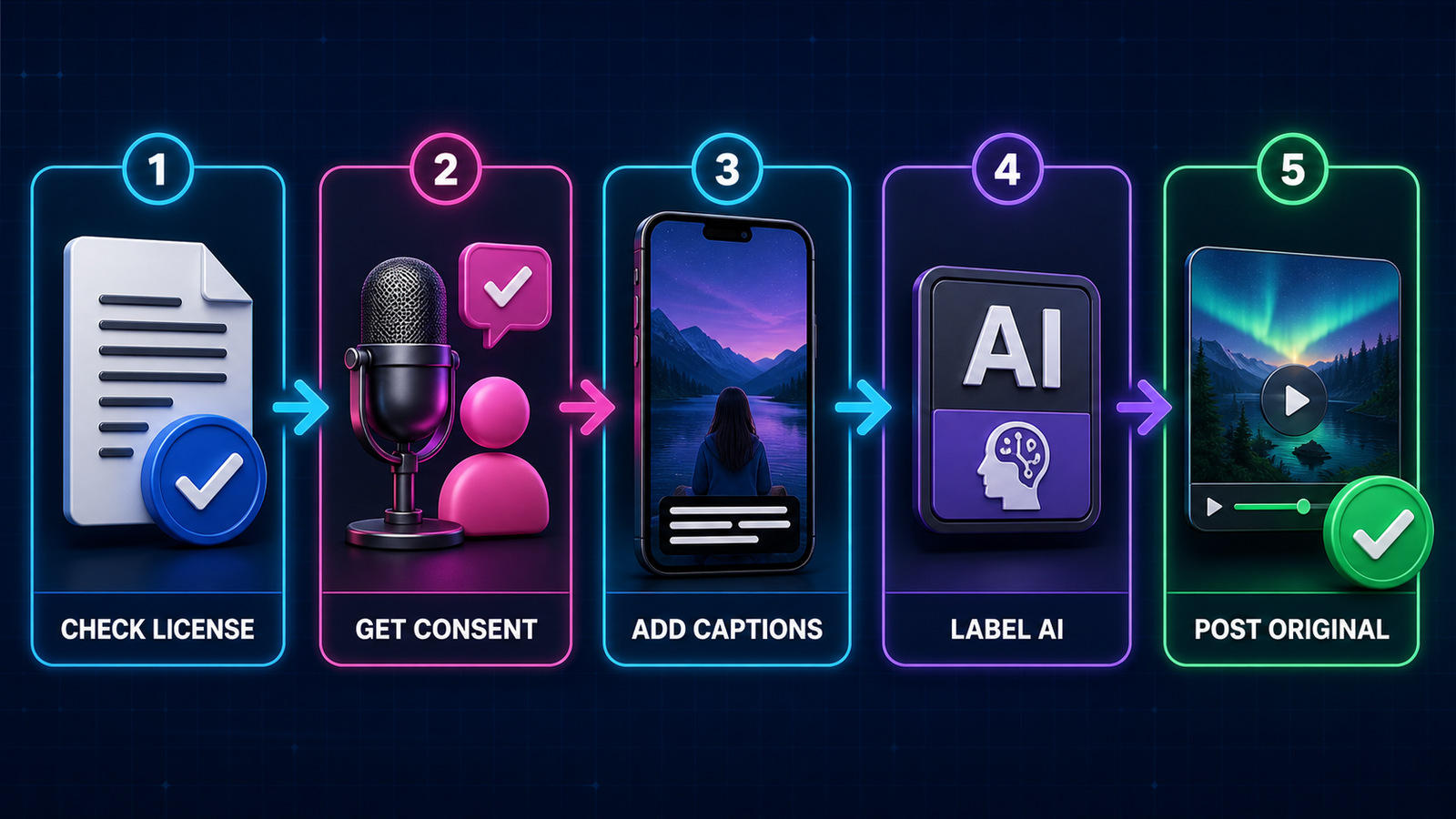
- Apply the correct disclosure. Label realistic synthetic speech and never use AI audio to deceive viewers.
For a platform-neutral comparison, see our free AI voice-generator guide. Creators repurposing longer videos can compare free AI video generators for YouTube and our YouTube-specific AI voice guide. Better instructions for tone and pronunciation begin with the techniques in our prompt-engineering guide.
Frequently asked questions
What is the best free AI voice generator for TikTok?
CapCut is the best all-round option because it generates speech, captions and a TikTok-ready vertical video in one project. TTSMaker is better when a creator needs downloadable audio with explicit free commercial permission.
Can I use ElevenLabs Free for a sponsored TikTok?
No. ElevenLabs says Free output is noncommercial and requires attribution. Generate sponsored or client narration under a paid plan that includes commercial rights.
Does TikTok allow AI voiceovers?
Yes, but the post must follow TikTok’s authenticity, intellectual-property and AI-content rules. Realistic synthetic speech that makes a person appear to say something they did not say requires disclosure and may be prohibited in harmful or deceptive contexts.
Will labeling an AI voice reduce TikTok reach?
TikTok says the creator-applied AI label does not affect distribution by itself when a post complies with the Community Guidelines. Originality, quality and policy compliance remain separate considerations.


