

A free AI character generator can turn a text description into an original character image without drawing software. Adobe Firefly is the clearest choice for commercial-minded concepts, Canva is best for finishing a character inside a design, and Microsoft Bing Image Creator offers the largest documented free prompt allowance. Every option still has limits involving accounts, credits, resolution, watermarks or usage rights.
This guide compares tools for creating a character’s first visual design: an original hero, game NPC, mascot, anime-style avatar or story reference. It does not rank AI companion chatbots, talking-avatar video services or tools for keeping one face identical across a whole book. For that last job, use our separate guide to free AI image generators for consistent characters.
We checked US-facing product pages, pricing and terms on September 18, 2026. Free allowances and model access change often, so confirm the live limit and license before beginning a large or commercial project.
Free AI character generators at a glance
| Tool | Best for | Free access checked | Main limitation |
|---|---|---|---|
| Adobe Firefly | Commercial-minded character concepts | Limited daily generations | No fixed free number is published |
| Canva | Characters placed into finished designs | Up to 20 pooled AI uses monthly | Allowance is shared across AI features |
| Bing Image Creator | High-volume personal exploration | 15 fast creations daily, then standard speed; up to 200 prompts daily | Account required, visible AI watermark and rights need care |
| Fotor | Trying a character generator before sign-up | Free credits; image generation costs one credit | The recurring allowance is not stated clearly |
| LightX | A small, predictable daily allowance | Five free AI credits and up to five images daily | Free exports are limited to 512 pixels |
| Pixelcut | Simple watermark-free character drafts | Free web generation and exports without a watermark | No durable numeric generation quota; commercial license is listed on paid plans |
How we selected these free AI character generators
We screened nine services and ranked six. The comparison considered character-specific workflows, prompt and style control, reference-image support, editing, download quality, published free access, watermark behavior, account requirements, privacy and commercial-use clarity. A tool needed a working zero-dollar route, not merely a credit-card trial or a public demo.
This is a documentation-based comparison. GravityDevOps did not run a controlled six-tool image-quality benchmark, so the order reflects practical access and workflow fit rather than a claim that one model always draws better characters. Independent testing from Tom’s Guide informed the broader quality context; official product, pricing and terms pages determined the limits below.
OpenArt was screened but not ranked because its current surfaces describe both trial credits and continuing basic-model credits without a single clear allowance. Picsart was also screened, but its help center sends users to an in-account credit balance instead of publishing a dependable Free-plan number. Leonardo.Ai remains useful for reference controls, but it is covered more appropriately in our consistency-focused comparison.
1. Adobe Firefly — best for commercial-minded character concepts
Adobe Firefly is the safest first stop when a character may become a business asset. Its dedicated AI character generator accepts text or image prompts and supports anime, digital-painting, realistic and other styles. Once the core design works, Generative Fill can replace clothing or props, while style and structure references help direct later variations.
Adobe says characters produced with its own Firefly models are commercially safe because those models were trained on licensed and public-domain material. That is a useful contractual and sourcing signal, not a promise that every output is automatically copyrightable or free of third-party rights. A prompt that imitates a protected character, brand or living artist can still create legal and platform-policy risk.
Free-plan reality: the Firefly plan page offers limited free daily generations but does not publish a fixed count. A free Adobe account is required. Check the active model before exporting: Adobe distinguishes its own Firefly models from partner models, whose terms and suitability can differ.
Choose Firefly if: you need a well-documented path from character concept to later editing and care more about rights clarity than the largest free quota.
2. Canva — best for turning a character into a finished design
Canva works best when the generated character needs to land immediately in a poster, presentation, social graphic or profile image. Its 3D character creator turns a description into character art and offers several visual treatments. Magic Media can produce other styles, after which Canva’s regular editor handles backgrounds, type, cropping and layout.
That integrated canvas is the main reason to pick Canva over a raw image generator. It reduces the number of exports and reuploads needed to finish a simple asset. Canva says users own content they create with Magic Media subject to its terms, but it also warns that AI output may not be exclusive and that recognizable people, brands or existing characters require the relevant permission.
Free-plan reality: Canva’s current AI allowance guidance gives Free users up to 20 uses of Standard or Premium AI tools per month. This is a pooled allowance across eligible Canva AI features, not 20 guaranteed character images; complex tasks or mixed tools can consume it differently. An account is required.
Choose Canva if: the character is one part of a larger graphic and convenient editing matters more than deep model controls.
3. Microsoft Bing Image Creator — best documented free prompt volume
Bing Image Creator is a flexible general image generator rather than a dedicated character studio, but it handles detailed character briefs well enough for concept exploration. Microsoft’s official product page currently lets users choose among models including MAI-Image-1, GPT-4o and DALL-E 3. That variety is useful when one model misses the intended face, costume or medium.
Microsoft documents 15 free fast creations per day. After those are used, generation continues at standard speed, with a published cap of 200 prompts in a 24-hour period. This is the largest clearly documented prompt ceiling in this list, although a “creation” may return more than one image and availability can vary by market, browser and device.
Free-plan reality: a Microsoft account is required. Microsoft says generated images include an AI watermark in the lower-left corner and C2PA content credentials. Consumer terms around commercial use have changed and differ between Bing and Designer surfaces, so do not assume a free Bing draft is cleared for client work; check the exact service terms in force for your account and intended use.
Choose Bing Image Creator if: you want many low-cost character directions for personal ideation and can accept slower generation after the daily fast allowance.
4. Fotor — best for trying a character generator before sign-up
Fotor’s AI character generator is more specialized than a generic text-to-image box. It supports text prompts, optional reference images, full-body or portrait framing and styles ranging from anime to realistic and 3D. Fotor also advertises high-definition, watermark-free downloads from this workflow.
The unusual advantage is access before registration. Fotor says it gives free credits whether or not a user has signed up. Its rewards page lists AI image generation at one credit per image and offers more credits through an app sign-up, daily check-ins and other activities.
Free-plan reality: Fotor does not state a stable recurring character-generation allowance on the checked English pages. “Free credits” therefore means a limited opportunity to generate, not unlimited free use. Reward mechanics can change, and the product-page claim of a watermark-free download does not by itself settle commercial licensing. Review Fotor’s current terms before using a character in paid media or merchandise.
Choose Fotor if: you want to test a character-specific prompt flow quickly without committing to an account first.
5. LightX — best for a predictable small daily allowance
LightX is a practical choice for one or two daily character experiments. Its generator and anime tools support text, photo and sketch inputs, so a creator can start with a written brief or transform a rough drawing. Style presets are useful for anime, chibi, 3D and illustrative looks, while the broader editor can handle simple cleanup.
The free terms are unusually concrete. The LightX pricing page lists five daily free AI credits and up to five images a day. It also states that free exports are watermark-free. This makes LightX easier to budget than services that expose only a variable “limited access” message.
Free-plan reality: free exports are capped at 512 pixels, and the same pricing table suggests only basic editing and limited access to some retouching or background tools. Paid plans raise output resolution to 4096 pixels. A small online avatar may be fine at 512 pixels; a print cover, game asset or large social crop will usually need a higher-resolution source and careful manual review.
Choose LightX if: a reliable five-credit daily routine matters more than high-resolution free output.
6. Pixelcut — best for simple watermark-free character drafts
Pixelcut’s character generator is deliberately simple: describe a character, choose an aspect ratio, generate and download. It supports cartoon, fantasy and realistic concepts and says its free web exports do not include a watermark. This low-friction flow suits a quick profile image, tabletop character reference or moodboard.
Free-plan reality: the live page labels generation free but does not publish a durable number of free AI credits. Its pricing table places 600 monthly AI credits, all-model access and a commercial license under Pro, while the Free row mentions only limited background removal, limited upscaling and watermark-free export. Because the same page also makes broad royalty-free claims, treat free commercial rights as ambiguous and obtain current written terms before monetizing an output.
Choose Pixelcut if: you want the shortest path to a clean, watermark-free character draft and do not need a guaranteed quota.
How to write a better AI character prompt
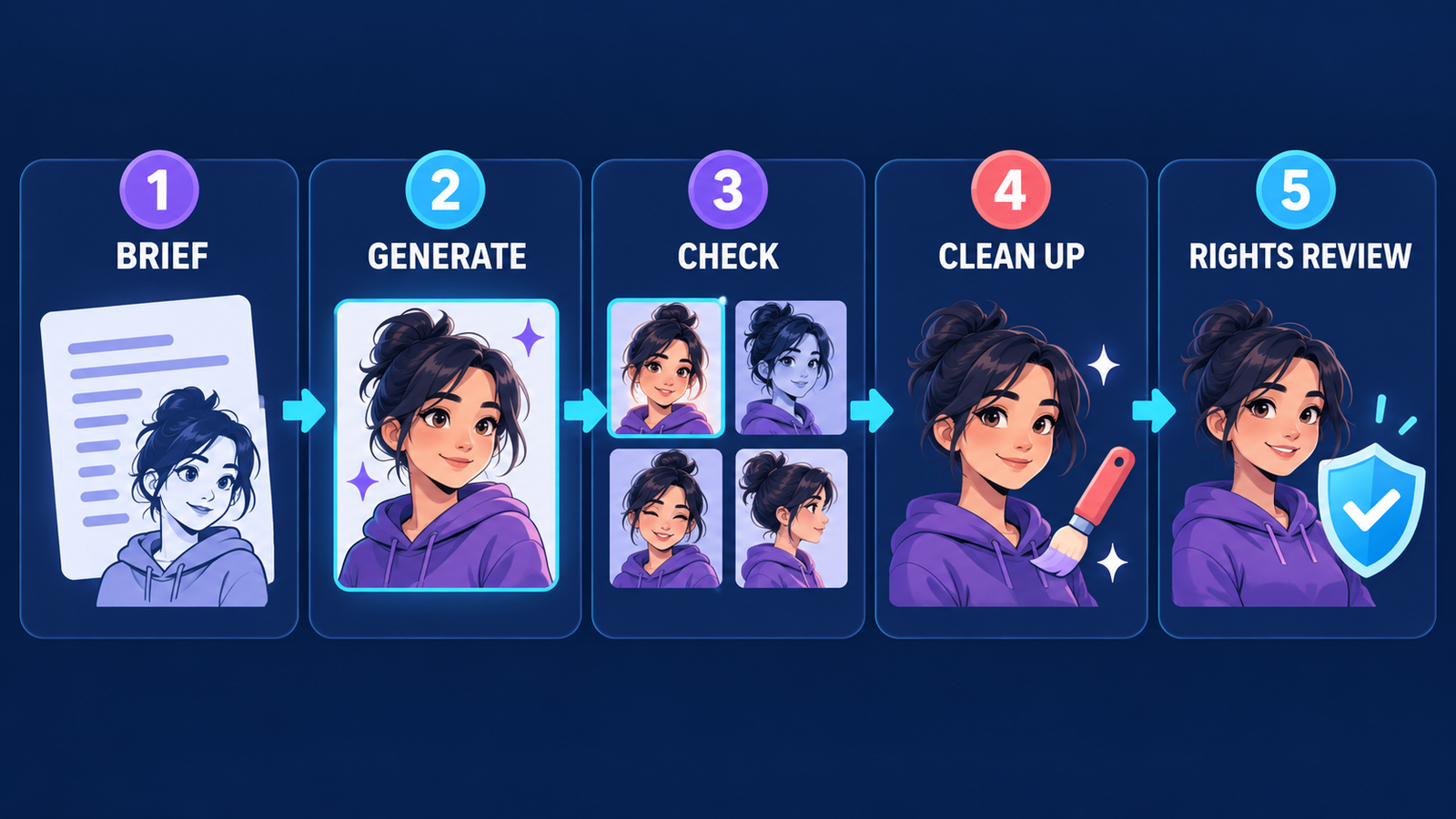
Start with a compact production brief rather than a pile of adjectives. Describe the character’s role, age range, silhouette, face, hair, clothing, two distinctive details, pose, camera framing, medium, lighting, palette and background. End with exclusions that actually matter, such as no text, no logo, no extra fingers and no cropped feet.
For example: “Full-body editorial concept art of an adult orbital mechanic, compact silhouette, short silver curls, navy pressure suit with orange repair patches, tool roll at the hip, relaxed three-quarter pose, clean cel-shaded illustration, cool rim light, pale hangar background, no words, no logo.” Our prompt engineering guide explains why clear constraints and iterative changes usually beat one oversized prompt.
Generate a neutral master image before asking for action scenes. Save the exact prompt, model name and aspect ratio. Change one variable at a time, and keep a short character bible listing immutable traits. If the design must recur across scenes, switch to a tool with explicit character-reference controls; a generic generator has no obligation to reproduce the same face from text alone.
Which free AI character generator should you choose?
- For commercial concept work: start with Adobe Firefly’s own models, then review the final asset for trademarks, likeness and copyright issues.
- For social posts and presentations: Canva combines generation and layout in one editor.
- For lots of personal experiments: Bing Image Creator publishes the highest prompt ceiling, but includes an AI watermark.
- For no-sign-up testing: Fotor is the clearest documented option, although the credit amount is not durable.
- For a predictable free habit: LightX lists five daily credits.
- For a quick watermark-free draft: Pixelcut is convenient, but its free commercial rights are not clear enough to assume.
If none fits, a broader free AI image generator may still create a good one-off character. The specialized tools mainly add presets, references or editing paths; they do not remove the need for creative direction and human cleanup.
Copyright, consent and privacy checks
“Original character” should mean original. Do not ask a model to reproduce a copyrighted hero, a living artist’s signature style or a real person’s face without permission. A platform may let you download an image while still requiring you to respect publicity rights, trademarks, copyright and its acceptable-use policy.
Commercial permission from a service is not the same as copyright ownership. In the United States, copyright protection for largely machine-generated material remains fact-specific and generally depends on meaningful human authorship. Keep notes on your prompt, sketches, selections and edits, and obtain legal advice when a character will anchor a valuable brand, game or publication.
Reference photos also create privacy risk. Avoid uploading children, confidential client art, identity documents or faces collected without consent. Check whether free generations are public, whether inputs may train models and whether deletion controls meet your needs.
Frequently asked questions
Is there a completely free AI character generator?
Yes, but “completely free” still comes with boundaries. Bing Image Creator continues at standard speed after 15 daily fast creations, LightX lists five daily credits, and Adobe offers limited daily generations. Accounts, resolution caps, watermarks or unclear commercial rights may still apply.
Can I make an AI character without signing up?
Fotor says it provides free character-generation credits with or without registration. Most other ranked tools require an account to track credits, store generations or enforce safety controls.
Can I use a free AI character commercially?
Sometimes. Adobe gives the clearest commercial-use position for output from its own Firefly models. Other services may reserve a commercial license for paid plans, impose attribution, or publish ambiguous terms. Always check the current plan and model-specific license before selling or advertising with an output.
Will the same character stay consistent in multiple images?
Not reliably from text alone. Save a master reference, keep the prompt and model fixed, and use explicit character-reference tools for a series. Even then, inspect facial features, clothing details, body proportions and props in every frame.
Do free AI character generators add watermarks?
It depends. Bing Image Creator says it places an AI watermark on every generated image. LightX and Pixelcut advertise watermark-free free exports, while provenance metadata or content credentials may still be present.

