

The best AI research report generators are ChatGPT Deep Research for controllable general research, Gemini Deep Research for Google-connected work, Perplexity Research for speed, Elicit for auditable evidence synthesis, Consensus for focused literature reviews, NotebookLM for a source-controlled brief, and Claude Research for internal-plus-web investigation. The right choice depends less on prose quality than on which sources you need to verify.
AI research tools can now plan searches, collect sources, synthesize disagreements and draft a cited report. They still do not replace source review. A polished paragraph can rest on a weak page, an outdated price or a misread paper. The useful question is therefore not “Which tool writes best?” but “Which tool makes its evidence easiest to inspect?”
This comparison was checked on August 28, 2026, using current US-facing product, help and pricing pages. Plans, allowances and regional availability can change. We reviewed documentation and accessible product surfaces; we did not run a controlled hands-on output-quality test, so the rankings reflect workflow fit, published capabilities and verifiability—not an invented benchmark.
Best AI research report generators at a glance
| Tool | Best for | Free or entry access | Main limitation |
|---|---|---|---|
| ChatGPT Deep Research | Controllable web and file research | Limited access on Free; account shows the remaining allowance | Exact allowance varies by plan |
| Gemini Deep Research | Google Search, Drive and Gmail workflows | Available to signed-in users with daily limits | Free capacity and concurrency can vary |
| Perplexity Research | Fast, shareable web reports | Limited Research access for free users | No stable public free Research quota |
| Elicit | Scientific evidence synthesis | Basic is free with limited pooled usage | Optimized mainly for research literature |
| Consensus Deep Review | Structured academic literature reviews | Up to 3 Deep Reviews monthly on Free | Not a broad web or business-research tool |
| NotebookLM | Reports grounded in a chosen source pack | Free users can use up to 50 sources per notebook | Its strength depends on source selection |
| Claude Research | Research across web and connected work context | Research requires a paid Claude plan | Sessions consume standard usage faster |
How we selected and ranked these tools
We screened nine credible products and ranked seven. A tool had to do more than summarize one page: it needed to gather or accept multiple sources, synthesize them into a substantial report and preserve citations or source links. We compared source scope, research-plan control, citation traceability, file support, report structure, export options, published free or paid access, privacy guidance and suitability for repeatable work.
The review is documentation-based. “Confirmed” means the vendor currently documents the capability or limit. “Analysis” means our judgment about fit based on those facts. We excluded generic chat writers that lack a dedicated research workflow, and we did not rank Scite because its current public plan and report-generation details were not documented clearly enough for a like-for-like comparison.
1. ChatGPT Deep Research: best overall for controllable general research
OpenAI’s Deep Research documentation confirms that the tool can search the public web or specified sites, work with uploaded files and enabled apps, propose an editable research plan, show progress, accept mid-run steering and produce a report with citations. Completed reports can be downloaded as Markdown, Word or PDF.
Why it ranks first: source controls and an editable plan make it suitable for market scans, policy briefs, vendor comparisons and technical research where the user needs to define the boundaries before synthesis begins. That control is often more valuable than a slightly faster first draft.
Limits: ChatGPT’s pricing page lists Deep Research as limited on Free, while paid plans offer more access. OpenAI no longer publishes one universal task count; the in-product counter is authoritative and fixed allowances reset 30 days after first use. Availability also depends on plan and country. Consumer research follows ordinary ChatGPT data controls, so check settings before uploading confidential material.
2. Gemini Deep Research: best for Google-connected research
Google’s Gemini Deep Research guide says Google Search is included by default and users can add files, NotebookLM notebooks, Gmail and Drive when the relevant connection is enabled. Gemini drafts a research plan before running, supports source selection and exports the finished report to Google Docs.
Why it stands out: it is the natural option when the evidence lives partly on the web and partly in Google Workspace. That makes it useful for competitor briefs, client research and internal planning documents.
Limits: all signed-in users can use a Thinking model for Deep Research, but daily and concurrent-request limits apply. Google says paid AI plans receive higher limits and that no-plan access can be reduced during high demand. The exact remaining count appears in the product. The $19.99-per-month US Google AI Pro plan shown on the Google One plans page adds higher Gemini limits and Pro-model Deep Research access. Connections also increase the privacy stakes: choose only the sources the report genuinely needs.
3. Perplexity Research: best for fast web research
Perplexity describes Research mode as an iterative workflow that performs dozens of searches, reads many sources, reasons over the material and produces a comprehensive report. Reports can be exported to PDF or a document, or shared as a Perplexity Page.
Why it ranks highly: Perplexity is built around search and citation-first answers, and the vendor says most Research tasks complete within several minutes. It is a practical choice for an initial landscape, current-events backgrounder or source-discovery pass.
Limits: free users receive limited Research access, but the current help page does not publish a fixed Research quota. Do not confuse Research with the separately documented five daily Pro Searches on a free account. Perplexity also chooses the model combination automatically in Research mode. Always open the cited pages; a citation can be real yet fail to support the sentence attached to it.
4. Elicit: best for auditable scientific evidence synthesis
Elicit Reports is designed around literature-review practice rather than the open web. Elicit documents the search, screening and synthesis steps, links claims to supporting passages and allows the user to change screening decisions and regenerate a report. This makes it a strong fit for scientific, clinical, policy and evidence-heavy questions.
Why researchers should consider it: sentence-level traceability and an auditable workflow are more useful for evidence review than a fluent general-purpose essay. Reports can be exported as PDF or Word on every plan, and references can be exported for a citation manager.
Limits: Elicit Basic is free with limited usage shared across Research Agent, Research Reports and systematic-review work. Elicit does not publish a simple number of free reports because work draws from a variable monthly pool. Plus is listed at $132 annually; higher plans expand usage and source scale. The product is optimized for predominantly English-language research literature, so it is not the first choice for a general web or local-market scan.
5. Consensus Deep Review: best focused literature-review generator
Consensus Deep Review searches a large academic-paper corpus, builds a multi-step search strategy and produces a cited literature review. Its current help documentation says a report can consider up to 50 papers and can be copied with citations or exported as PDF. Citation formats include APA, MLA, Chicago, Harvard, LaTeX and AMA/Numeric.
Why it belongs here: it offers one of the clearest free allowances in the category: up to three Deep Reviews per month, although each free Deep Review also uses one of the 15 monthly Pro-message credits. That makes it easy to evaluate without calling a trial “free.”
Limits: Consensus is for scientific literature, not general business intelligence or open-web reporting. Pro is currently $20 monthly or $144 annually and includes 15 Deep Reviews monthly. A cited review is still a starting point: inspect study design, sample, publication date and whether the system used full text or only an abstract.
6. NotebookLM: best when you control the source set
NotebookLM answers from materials added to a notebook and provides inline citations. It accepts PDFs, web pages, Word documents, slides, spreadsheets, images, audio, public YouTube transcripts and other formats. Free users can add up to 50 sources per notebook, with each uploaded source capped at 500,000 words or 200 MB.
Why it is different: NotebookLM is the safest choice here when “research” means synthesizing an approved packet rather than roaming the web. It can create briefing documents and other artifacts from that grounded collection. NotebookLM also offers a Deep Research route that can browse the web and import its report plus cited and uncited sources into the notebook.
Limits: source-grounded answers are only as complete and balanced as the source pack. Web URL imports capture page text, not nested pages, images or paywalled content. Free use requires a Google account and quotas can change. Google says NotebookLM files and chats are not used directly to train foundation models unless the user submits feedback, but Gemini chats connected to a notebook follow separate Gemini activity settings.
7. Claude Research: best paid option for connected context
Claude Research performs linked searches across the web and connected internal context, including Google services when enabled, then returns a cited response. It is useful when a research report must reconcile public information with a team’s existing documents and calendar or email context.
Why it makes the list: Claude’s connected-context workflow can reduce manual collection for internal briefs. It also searches iteratively rather than treating the first result page as the entire evidence base.
Limits: Research is a beta feature for paid Pro, Max, Team and Enterprise users; it is not included in Claude Free. Claude Pro costs $20 monthly in the US, or $200 annually, and Research uses the same allowance as ordinary conversations but may consume it faster. Web search must be enabled. Review Anthropic’s consumer data preferences before connecting sensitive material.
How to choose an AI research report generator
- Choose by corpus first. Use Elicit or Consensus for scholarly evidence, NotebookLM for a controlled source pack, and ChatGPT, Gemini, Perplexity or Claude for broader web research.
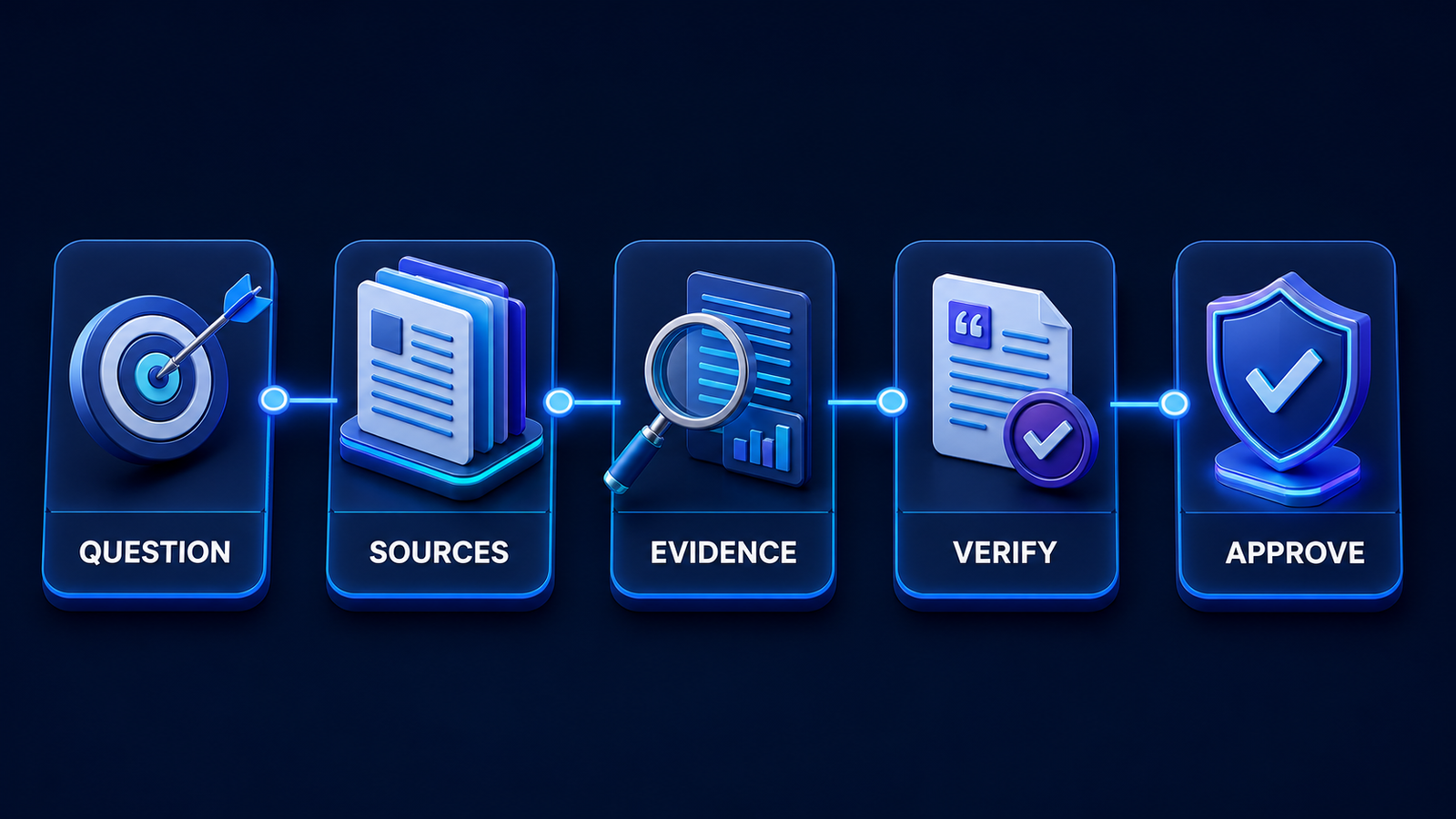
- Demand inspectable citations. Open a sample across supportive and contradictory claims. Verify that the cited page says what the report claims.
- Set the research frame. Specify geography, date range, source types, exclusions and the decision the report must support. Good prompt engineering starts with boundaries, not decorative wording.
- Separate evidence from analysis. Ask the tool to label confirmed facts, estimates, conflicts and unknowns. This is especially important when building a retrieval-augmented workflow.
- Protect sensitive inputs. Consumer settings, team plans and enterprise contracts can handle data differently. Minimize uploads and check retention, training and connector permissions.
- Keep a human approval gate. AI can accelerate collection and drafting, but a named reviewer should own the final claims. Teams operationalizing the process should also consider the evaluation and monitoring practices in this LLMOps guide.
A practical research prompt
Ask the tool to define the question, audience, geography and check date; list preferred primary sources; exclude affiliate summaries; show its plan before searching; separate verified facts from analysis; identify conflicts and missing evidence; attach a source to every changing number; and finish with decisions, risks and unanswered questions. For unfamiliar readers, this generative AI primer explains why fluent output still requires verification.
Frequently asked questions
Can AI generate a complete research report?
Yes, several tools can produce a structured, cited draft from web pages, files or academic papers. “Complete” should mean ready for human review, not automatically publishable. Verify citations, numbers, dates, quotations and material conclusions against primary sources.
Which AI research report generator is free?
ChatGPT, Gemini, Perplexity, Elicit, Consensus and NotebookLM all provide some no-cost access as of the check date, but their limits differ. Consensus clearly documents up to three free Deep Reviews monthly; several others expose variable allowances inside the account. Claude Research requires a paid plan.
Which tool is best for academic research?
Elicit is the strongest fit for auditable evidence synthesis, while Consensus is approachable for focused literature reviews. NotebookLM is useful when you already have an approved reading set. None replaces database-specific searches, protocol design, peer review or expert judgment.
Can I trust AI-generated citations?
No citation should be trusted only because it looks formal. Open the source, confirm authorship and date, locate the supporting passage and check whether contradictory evidence was omitted. For important decisions, record the search scope and review process alongside the report.
Bottom line: ChatGPT Deep Research is the most flexible general recommendation, but there is no universal winner. Match the tool to the evidence base, treat changing limits as provisional and make citation verification part of the workflow—not a final cosmetic check.


