
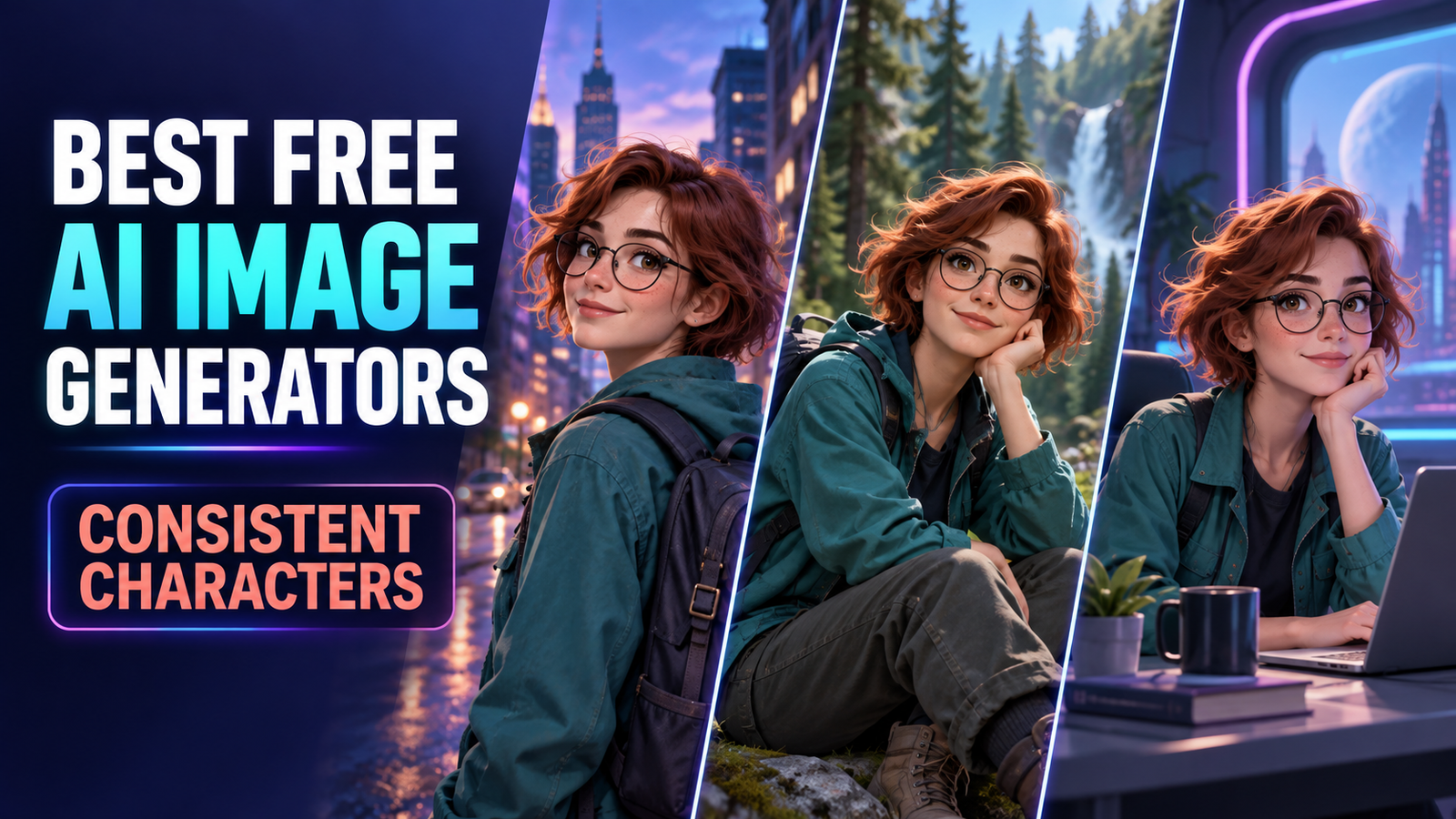

The best free AI image generators for consistent characters are Gemini, ChatGPT Images, Leonardo.Ai, Recraft, Adobe Firefly, Magnific and Ideogram. Gemini is the strongest starting point for reference-led scenes, while Leonardo and Ideogram offer more explicit character controls. Every free option has a meaningful limit, such as changing quotas, public generations, personal-use licensing or a short feature trial.
Character consistency is not the same as generating one attractive portrait. The harder test is whether a tool can keep the same face, hair, clothing cues and overall identity when the pose, camera angle, expression or setting changes. This comparison focuses on that repeated-image workflow, not general text-to-image quality.
Limits, availability and terms were checked on September 18, 2026, for US users. AI plans change frequently, so confirm the current allowance and license before starting a large project.
Best free AI image generators for consistent characters at a glance
| Tool | Best for | Free access checked | Main limitation |
|---|---|---|---|
| Gemini | Fast multi-scene character edits | Nano Banana 2 without a paid AI plan; compute-based limits | Limits change and free downloads are 1K |
| ChatGPT Images | Conversational iteration | Image creation and editing on the Free tier | Free image limits are variable and stricter than paid plans |
| Leonardo.Ai | Fine reference controls | 150 daily tokens | Free generations are public; token cost varies |
| Recraft | Illustrated characters and design exploration | Up to 30 free image generations daily | Free assets are public, Recraft-owned and noncommercial |
| Adobe Firefly | Style-consistent production assets | Limited daily generations | Style reference is stronger than exact identity locking |
| Magnific | Trying several reference-capable models | Up to 20 images daily | Free output is personal-use only and requires attribution |
| Ideogram | Testing a dedicated Character Reference | 10 Character Reference uses plus weekly slow credits | The character feature allowance is a limited trial |
How we selected these consistent-character image tools
We screened 11 services and ranked seven. The review considered whether a user can supply or reuse a character reference, preserve identity across new scenes, make local or conversational edits, control style and composition, download a usable result, and return for more free work. We also checked account requirements, public-versus-private generation, watermarks or provenance, licensing, privacy and the clarity of each free allowance.
This is a documentation-based comparison, not a claim that GravityDevOps ran a controlled seven-tool image benchmark. Product capabilities and limits were verified from official help, pricing and terms pages. Independent image-generator testing from Tom’s Guide and the blind-voting Artificial Analysis Image Arena informed broader quality context, but neither substitutes for testing your own character sheet across the exact scenes you need.
For readers new to the underlying technology, our generative AI beginner’s guide explains how prompt-driven models produce new media. Our broader free AI image generator comparison covers general-purpose creation, while the list below is deliberately narrower.
1. Gemini — best free starting point for multi-scene consistency
Gemini is the easiest first recommendation for most people because its current Nano Banana 2 workflow explicitly supports character consistency, multiple reference images and iterative editing. Google’s image-generation help says the model can maintain a person or character across generated images, blend multiple inputs and make local edits. It accepts references on the standard no-subscription tier, while Nano Banana Pro is reserved for paid Google AI plans.
The useful workflow is simple: upload one clear front or three-quarter view, ask for a neutral character sheet, then generate each new setting in the same conversation. Keep the identity description unchanged and vary only the action, camera or background. Google documents 1K downloads without an AI plan and 2K with one.
Free-plan reality: access is genuine and recurring, but Google uses compute-based five-hour and weekly limits rather than promising a fixed image count. Capacity can tighten, an account is required, and availability depends on country, language and age. Treat uploaded faces as personal data, get the subject’s consent and avoid using a real person’s likeness deceptively.
2. ChatGPT Images — best for conversational character iteration
ChatGPT Images works well when character continuity needs several rounds of natural-language correction. OpenAI’s current image help confirms that image creation and editing are available on every tier, including Free. A user can upload a reference, generate a scene, select an area and ask for a focused change without rebuilding the whole brief.
OpenAI says its current image model is better at preserving familiar subjects through new settings and maintaining earlier changes over multiple edits. That makes ChatGPT especially practical for storyboards, children’s-book drafts and social-media sequences where the creator wants to say “keep the character unchanged, but move the camera closer.” It is less parameter-heavy than Leonardo or Ideogram, which is helpful for beginners but limiting for artists who want seed and reference-weight controls.
Free-plan reality: OpenAI publishes no durable numeric image quota for Free. Its Free Tier FAQ says image creation has stricter rate limits than paid tiers. An account is required. Uploaded and generated images are saved to the account’s library, so review Data Controls or use Temporary Chat when the reference is sensitive.
3. Leonardo.Ai — best free option for explicit reference controls
Leonardo is the strongest choice here for creators who want a dedicated Character Reference control instead of relying only on conversational memory. Its Image Guidance documentation distinguishes character, content, style, pose, depth and edge references. Character Reference is designed to carry a subject’s likeness into new images, and the strength setting lets the user trade strict resemblance against scene flexibility.
Leonardo advises using a clear generated subject and repeating the important visual traits in the prompt. The tool can be combined with pose or style guidance on compatible models. That control is useful for comics and game concepts, although non-humanoid characters can be less reliable and model compatibility varies.
Free-plan reality: Leonardo’s generation guide lists 150 tokens per day for free accounts. Generation cost changes with the model, image count and guidance settings. Free creations are public; private mode requires payment. Leonardo says free users may use outputs commercially, but its terms give the service broad rights over public prompts, inputs and assets. Do not upload a confidential client character or an unconsenting person’s face.
4. Recraft — best for illustrated characters and design exploration
Recraft is appealing for stylized character work because its character generator advertises up to 30 free image generations a day, and its studio offers reference-driven models such as Nano Banana and Seedream. Recraft’s Nano Banana page describes multi-reference workflows intended to preserve face and character continuity, while its character generator covers realistic, cartoon and fantasy subjects.
The design-oriented interface also makes it easier to turn a good character into icons, vectors or layout elements. That is useful for personal concept exploration and moodboards. It is not, however, a free route to production-ready commercial IP.
Free-plan reality: Recraft requires an account. Its pricing page says Free-plan images are public, owned by Recraft and not licensed for commercial use. The terms also allow model-training use by default unless the user opts out. Use the free tier to learn and prototype; regenerate final business assets under terms that grant the rights you need.
5. Adobe Firefly — best for a consistent visual style around a character
Firefly is strongest when “consistent” means a stable visual language—palette, texture, lighting and composition—rather than an exact face across dozens of poses. Adobe’s Generative Match lets users upload a reference image and adjust style strength. Structure Reference and Generative Fill can then preserve layouts or repair drift.
This makes Firefly a sensible companion for brand mascots, editorial illustrations and campaign assets. Create the character master in a stronger identity-reference tool, then use Firefly to keep the treatment coherent and fix backgrounds or accessories. Adobe says its own Firefly models are trained on licensed and public-domain material and adds Content Credentials, but that does not eliminate the creator’s responsibility to clear a likeness, trademark or copyrighted character.
Free-plan reality: Adobe’s US plan page promises limited daily generations but does not state a fixed number. An Adobe account is required. Some partner models and advanced features can have different credit costs and terms, so check which model is active before assuming Adobe’s Firefly-model commercial-use position applies.
6. Magnific — best for comparing several reference-capable models
Magnific, the platform formerly branded Freepik, is useful when you want one interface for Google, Seedream, Flux, Ideogram and other models. Its AI Image Generator accepts visual references and says users can control character, style and composition. Because model behavior differs, the same character sheet can be tried against multiple engines without rebuilding the workflow elsewhere.
The catch is that Magnific’s trained Custom Characters feature is paid. Free users can still use the broader generator and reference-capable models, but they should not expect the same persistent LoRA-style identity lock. Use it for scene exploration, not as a promise of pixel-perfect continuity.
Free-plan reality: Magnific advertises up to 20 free images daily. Its AI-content licensing guide limits Free-plan output to personal use with attribution; commercial licensing starts on paid plans. An account is required, and model-specific credit costs or access can change.
7. Ideogram — best for testing a dedicated Character Reference
Ideogram’s dedicated Character Reference preserves facial features, hair and other traits from one image while changing the scene. A mask editor can include or exclude hair and accessories, which is valuable when the character should keep a face but change costume. Ideogram also combines the control with Remix and Magic Fill.
The feature is capable, but the word “free” needs a prominent boundary. Ideogram’s plan documentation lists only 10 Character Reference uses on the Free plan. The broader free account receives weekly slow credits, produces public images and downloads compressed JPGs. Paid plans unlock ongoing character use, privacy and higher-quality PNG output.
Free-plan reality: treat Character Reference as a 10-use trial, not a permanent free character-production system. Ideogram does not restrict how users may use outputs, but users remain responsible for third-party rights. Use the trial to determine whether its face-and-hair masking is worth paying for.
How to get more consistent characters from any generator
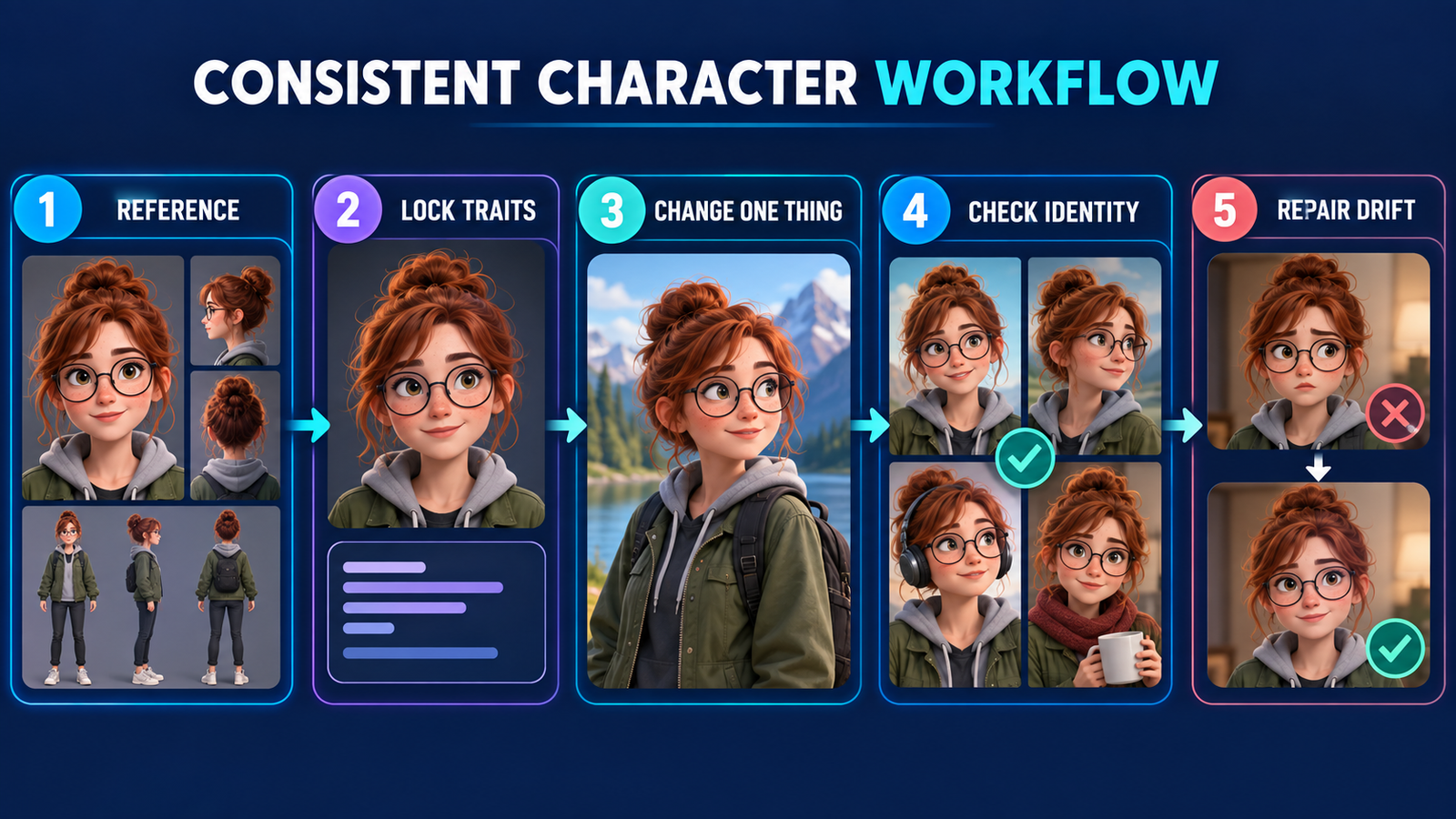
- Make a neutral reference sheet first. Include a front view, three-quarter view and full-body view with even lighting. Avoid busy scenery.
- Write a short identity block. Repeat the same age range, face shape, hair, signature clothing and two or three distinctive details in every prompt.
- Change one variable at a time. Lock the character, then alter the pose, background or camera—not all three in one jump.
- Reuse the strongest output. Feed the approved image back as the next reference rather than relying only on the original text.
- Inspect a contact sheet. Compare eye color, hairline, proportions, costume details and recurring props before continuing the sequence.
- Repair instead of regenerating. Use local editing or masking when only a hand, accessory or background has drifted.
Prompt quality still matters. The practical techniques in our prompt engineering guide apply here: separate stable constraints from scene variables, use explicit acceptance criteria and revise one failure at a time.
Which free consistent-character generator should you choose?
Start with Gemini if you want the simplest recurring free workflow and need to move one person or character through several scenes. Choose ChatGPT when you prefer conversational corrections and local edits. Pick Leonardo when explicit reference strength, pose and style controls matter more than privacy. Recraft suits personal illustration experiments, while Firefly is better for carrying a cohesive style into an Adobe editing workflow.
Magnific is useful for comparing several models under one login, but its free license is personal-use only. Ideogram is the clearest dedicated character tool to sample, yet its free Character Reference access stops after 10 uses. For realistic human work, also compare the privacy and anatomy considerations in our guide to free AI image generators for realistic photos.
Rights, consent and privacy matter more than a perfect likeness
Only upload a real person’s face when you have informed permission for the intended use. Do not create deceptive impersonations, non-consensual intimate imagery or misleading endorsements. A tool’s technical ability to preserve identity is not permission to use that identity.
For fictional work, avoid asking for a protected franchise character or a living artist’s signature style when you lack the relevant rights. Keep records of your prompts, reference ownership, plan terms and human edits. Free outputs may be public, noncommercial or licensed back to the provider. Copyright protection for predominantly AI-generated work also varies by jurisdiction, so material commercial projects deserve a rights review.
Frequently asked questions
Can a free AI generator keep a character exactly identical?
No. Reference models can preserve recognizable identity, but clothing details, age, proportions and accessories can still drift. Use a reference sheet, controlled prompts and local edits, then inspect every image before publication.
What is the best free tool for comic characters?
Gemini is the easiest free starting point for sequential scenes. Leonardo offers more control for stylized characters, while Ideogram’s 10-use Character Reference trial is useful for testing face-and-hair masking. Recraft is suitable for personal, noncommercial concept work.
Can I use free AI character images commercially?
It depends on the service and the underlying rights. Recraft Free is noncommercial, and Magnific Free is personal-use only with attribution. Leonardo says free outputs can be used commercially, while Adobe permits commercial use of Firefly-model outputs. You still must clear reference images, likenesses, trademarks and other third-party rights.
Do these tools work without an account?
No ranked tool here offers a dependable no-account character-consistency workflow. Saving references, managing credits and iterating across images generally requires sign-in.


