

The best free AI image generators for realistic photos are ChatGPT Images for precise briefs, Gemini for fast conversational edits, Adobe Firefly for provenance-conscious design, Leonardo.Ai for model control, Ideogram for photo-plus-text compositions, Recraft for personal experiments and Canva for turning a generated photo into a finished layout. Every option has a real zero-dollar path, but none is unlimited or risk-free.
Photorealism is only one part of the decision. A convincing portrait is not useful if the free plan makes it public, withholds commercial rights or runs out before you can fix a distorted hand. This guide was checked on August 29, 2026, against current US-facing product, pricing and policy pages. Free allowances change often, so confirm the counter and terms shown in your account before starting production work.
Best free AI image generators for realistic photos at a glance
| Tool | Best realistic-photo use | Documented free access | Main free-plan limitation |
|---|---|---|---|
| ChatGPT Images | Detailed scenes and iterative corrections | Image creation on ChatGPT Free with a separate usage limit | No durable public image quota |
| Gemini | Natural-looking edits and combining references | Image generation for signed-in users; limits are compute-based | Quota can change with demand and prompt complexity |
| Adobe Firefly | Marketing photos with a design workflow | Limited daily generations on selected models | Adobe does not publish one fixed daily number |
| Leonardo.Ai | Portrait and product-photo experimentation | 150 fast tokens per day | Free creations are public and Leonardo owns the output IP |
| Ideogram | Editorial photos that also need readable text | 10 slow credits weekly, up to 40 images | Free generations are public; editing needs priority credits |
| Recraft | Personal photorealistic concept testing | 30 credits daily; a raster image typically costs one credit | Free outputs are public, owned by Recraft and noncommercial |
| Canva | Lifestyle images placed into social or presentation layouts | Up to 20 Premium AI uses monthly on Canva Free | Allowance is pooled with other Premium AI tools |
How we selected and ranked the tools
We screened ten credible services and ranked seven with a documented, ongoing zero-dollar route in the United States. The comparison considered realistic skin and material rendering, prompt adherence, anatomy, editing control, reference-image support, output resolution, free allowance, reset period, visible watermark, account requirement, public-versus-private defaults, provider rights language and ease of exporting a usable image.
This is a documentation-based service comparison, not a claim that GravityDevOps ran a controlled image-quality benchmark. Free-plan and policy facts come from provider documentation. For an independent quality signal, we consulted the crowdsourced Artificial Analysis General & Photorealistic explorer and a Digital Camera World comparison that used matching photorealistic prompts across major models. Those tests help identify capable model families, but rankings still vary by subject, prompt and human taste.
Midjourney was screened but excluded because it does not offer an enduring general free tier. Krea documents daily free compute but does not publish a stable allowance on its product page. Microsoft Designer remains a useful free general image tool, but its current plan page does not publish a fixed credit quantity and it offers less specialist control than the tools ranked here. Local open-weight models can be free to run after hardware and setup costs, but they are a different workflow from the online services targeted by this guide.
1. ChatGPT Images: best for precise realistic scenes
ChatGPT Images is the most practical first choice when a photo brief contains several interacting details: a specific camera angle, time of day, wardrobe, background activity and a product that must remain recognizable. The conversational workflow also makes it easy to correct one problem without rewriting the entire prompt.
OpenAI’s Free Tier FAQ confirms that free users can create images, but image generation has a separate limit and no fixed public daily number. The interface reports when access resets. That is genuine free access for occasional images, not a predictable batch allowance.
Pros: strong instruction following; natural multi-turn revisions; direct image editing; downloadable output. Cons: variable quota; account required; consumer content may be used to improve models unless the user changes Data Controls or uses Temporary Chat.
Choose it for: editorial lifestyle scenes, product concepts or complex compositions that will need several small revisions.
2. Gemini: best for realistic edits and reference blending
Google’s Gemini image workflow can generate from text, edit an uploaded photo and combine multiple reference images through follow-up prompts. That makes it especially useful when realism depends on preserving a pose, object or visual relationship rather than inventing a scene from scratch.
Google says image access is available to signed-in users and describes Gemini Apps limits as compute-based. Limits can shift with demand, model and prompt complexity, so a number seen in one account should not be presented as a universal daily quota. Gemini-generated and edited images may carry SynthID provenance; that is not the same thing as a visible corner watermark.
Pros: capable natural-image generation; strong conversational editing; multiple reference inputs; straightforward downloads. Cons: changing quota; sign-in required; access depends on supported region, language and age rules.
Choose it for: revising a real photo, merging visual references or iterating quickly on natural-looking people and environments.
3. Adobe Firefly: best for provenance-conscious design
Adobe Firefly Free provides limited daily generations across image, video and audio on a curated set of models. Adobe does not publish one durable number for free daily image generations, so the allowance must be checked in the live interface. Firefly also gives users a direct path into Adobe Express and Creative Cloud editing.
The appeal is not a promise that every output is legally safe. It is Adobe’s clearer production context: its own Firefly models are trained on licensed and public-domain material, and some exports include Content Credentials. Partner models can have different terms, and enterprise indemnification applies only to eligible plans. A free account does not create a blanket warranty against trademark, likeness or copyright claims.
Pros: daily-refreshing free access; useful photo controls; established editing ecosystem; provenance features. Cons: undisclosed free quantity; premium models can consume allowance quickly; partner-model terms vary.
Choose it for: marketing-photo concepts that will move into a professional design or retouching workflow.
4. Leonardo.Ai: best for controlled portrait experiments
Leonardo.Ai Free includes 150 fast tokens each day, basic quality settings, presets and access to platform and selected third-party models. Token cost changes by model, resolution and operation, so 150 tokens does not equal 150 photos. Realism-oriented models and detailed controls make Leonardo useful for testing portraits, products and cinematic lighting.
The rights tradeoff is unusually important. Free creations are public. Leonardo says it owns the intellectual-property rights in free-tier outputs while granting the user a non-exclusive, royalty-free commercial-use license. Other users may access public assets through platform features. Do not upload a private client face, confidential product or unreleased campaign reference to the free workflow.
Pros: clear daily token reset; varied models and presets; granular creative controls; commercial-use license. Cons: public output; user does not own free-tier output IP; token cost varies.
Choose it for: learning how lens, lighting and model choices affect a portrait or product shot when public visibility is acceptable.
5. Ideogram: best for realistic photos with typography
Ideogram Free provides 10 slow credits each week, with up to four images per credit. It is best known for text rendering, which matters when a realistic editorial scene also needs a readable sign, package label or title treatment.
Free generations are public by default. AI editing and image-reference features require priority credits and are not available through the free slow queue. Ideogram’s terms say it does not claim ownership of user output or restrict commercial use, but that permission is not proof of copyright protection, uniqueness or third-party clearance.
Pros: useful photo-plus-text compositions; recurring weekly access; up to 40 images weekly; provider does not restrict output use. Cons: public generations; slow-queue delays; editing and references require paid credits.
Choose it for: editorial mockups, storefront scenes and social visuals in which legible text matters as much as photorealism.
6. Recraft: best for personal realism experiments
Recraft Free provides 30 credits every 24 hours. Its credit documentation says one raster generation normally costs one credit, although external models and advanced operations can cost more. The editor includes region changes, background replacement and upscaling tools that help refine photo-like concepts.
Recraft’s free tier is suitable only for personal exploration. Its ownership policy says free outputs are public, owned by Recraft and licensed only for personal purposes; commercial use is prohibited. Upgrading later does not transfer ownership of images made while free.
Pros: transparent daily allowance; integrated edits; generous quantity for practice. Cons: free output is public and noncommercial; Recraft owns it; uploaded material may also be exposed through the free workflow.
Choose it for: prompt practice, personal mood boards and noncommercial concept exploration—not client deliverables.
7. Canva: best for realistic photos inside finished layouts
Canva Free offers up to 200 Standard AI uses or up to 20 Premium AI uses monthly. Image generation is a Premium AI task, and the pool is shared with other Premium tools. Actual use can be lower when tasks are more complex or when several AI features draw from the same allowance.
Canva is strongest after generation: the photo can move directly into a social post, presentation, flyer or thumbnail with typography and layout tools around it. The tradeoff is less model-level control than specialist platforms. Canva permits lawful commercial projects but does not guarantee that an AI output is exclusive or cleared of third-party rights.
Pros: generation and layout in one place; clear estimated monthly ceiling; useful exports and templates. Cons: pooled allowance; some stock and editing features are paid; limited specialist model control.
Choose it for: lifestyle photos that are one component of a finished social, slide or promotional design.
How to make AI-generated photos look more realistic
Start with photographic decisions, not adjectives such as “hyper-real.” Describe the subject, environment, focal length or framing, light source, depth of field, surface texture and small imperfections that belong in the scene. A useful prompt might specify window light, a 50 mm eye-level composition, realistic fabric creases and a slightly cluttered background rather than asking only for “an ultra-realistic person.”
Generate several candidates, then inspect hands, teeth, eyewear, reflections, repeated background objects, text, shadows and contact points where objects touch. Change one variable at a time. Our prompt engineering guide explains why stable constraints and focused iterations are more reliable than continually rewriting the brief.
Do not upscale a flawed composition and expect it to become truthful. Upscaling can add texture, but it can also make invented details look more convincing. Keep the original prompt, source images and edit history when provenance matters.
Privacy, consent and commercial-use checks
A realistic image can be mistaken for a real event or person. Get permission before uploading someone’s face or creating a recognizable likeness. Do not make deceptive depictions, non-consensual intimate imagery or unauthorized endorsements. For a broader explanation of how these systems synthesize content, see our beginner’s guide to generative AI.
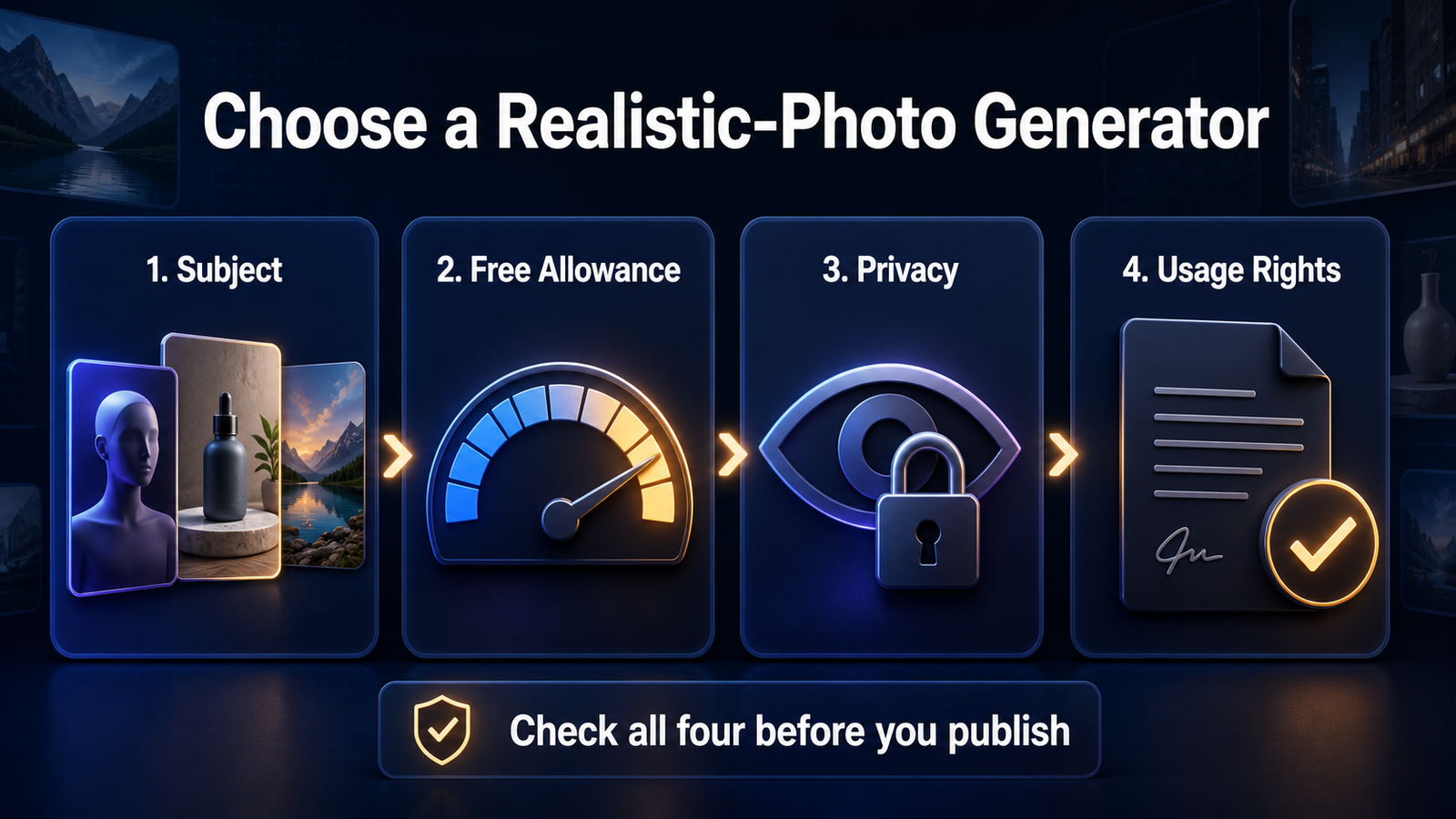
Before publishing, check four separate questions: whether the provider permits the use, whether the output was public, whether third-party rights are implicated and whether the platform where you will post requires an AI label. A provider’s commercial-use permission does not guarantee copyright ownership or freedom from trademark, publicity and privacy claims.
If account creation is the main constraint, compare the more limited options in our no-sign-up AI image generator guide. For a broader list that includes illustration and graphic-design strengths, use our general free AI image generator comparison. And if the final asset needs motion, free video tools usually impose tighter duration, credit and watermark limits than still-image services, as shown in our free AI video generator guide.
Frequently asked questions
Which free AI image generator makes the most realistic photos?
ChatGPT Images and Gemini are the strongest general starting points because they combine capable photorealistic models with conversational correction. Leonardo.Ai offers more visible model and style controls. The best choice changes with the subject, so compare two tools using the same brief rather than trusting one sample.
Can I use a free AI-generated photo commercially?
Sometimes. ChatGPT, Gemini, Adobe, Leonardo, Ideogram and Canva provide paths that can support lawful commercial use under their terms, but the scope and ownership differ. Recraft prohibits commercial use of free outputs. No provider permission automatically clears a real person’s likeness, a trademark or copyrighted source material.
Are free AI photos private?
Not always. Leonardo.Ai, Ideogram and Recraft make free generations public. Consumer AI services may also use content under their data policies unless account controls or private modes say otherwise. Never upload confidential references until you have checked the exact plan’s visibility and training settings.
Do these free tools add watermarks?
A visible corner logo is uncommon in the core image outputs ranked here, but provenance may still be embedded through Content Credentials or systems such as SynthID. A clean-looking download does not mean the image is private, commercially cleared or free of platform disclosure requirements.
Bottom line
Start with ChatGPT Images when the brief is complex and Gemini when reference-based editing matters. Use Firefly for an Adobe-centered production path, Leonardo for deeper creative controls, Ideogram when the photo needs legible text, Recraft only for personal experimentation and Canva when layout is the real deliverable. The best free AI image generator for realistic photos is the one whose allowance, privacy and rights fit the job after the first impressive image.


