


The best free AI caption generators for Instagram and TikTok are Buffer for an all-around workflow, Hootsuite for keyword-led captions, Ahrefs for fast variations, Grammarly for polished copy, Canva for design integration and Predis.ai for no-login generation. All six can produce captions at zero cost, but their account rules, quotas and data practices differ.
We reviewed these tools on September 27, 2026. Free access changes often, so check the linked product pages before building a recurring workflow. This guide covers written post captions for Instagram and TikTok—not subtitle files or speech-to-text. If you need visual assets too, see our comparison of free AI image generators for social media.
Best free AI caption generators for Instagram and TikTok at a glance
| Tool | Best for | Free access checked | Main limitation |
|---|---|---|---|
| Buffer | Best overall | 5 browser generations a day without an account; Buffer says its in-app AI Assistant is unlimited on a free account | Scheduling on Free is capped at 10 queued posts per connected channel |
| Hootsuite | Search-aware captions | Standalone caption and social SEO tools work in a browser without sign-in | Hootsuite does not publish a stable generation quota for the standalone tool |
| Ahrefs | Multiple caption variations | Free browser generator with five variants, tone, hashtags and emoji controls | No clear public allowance; its privacy notice says writing-tool inputs may improve models |
| Grammarly | Drafting plus editing | Free web writer; Free accounts include 100 generative prompts monthly | Less social-specific than Buffer or Hootsuite |
| Canva | Caption-to-design workflow | Magic Write is available on Canva Free | Official pages describe different Free allowances, so treat the quota as variable |
| Predis.ai | Simple no-login captions | Standalone caption generator is advertised as free with no login | The separate full-post product is only a card-required three-day trial |
There is no universal winner. Buffer is the strongest starting point for creators who want both caption drafting and publishing. Hootsuite is better when you want a keyword field and network-specific output without opening an account. Canva makes more sense when the caption and artwork belong in one design file.
How we selected and ranked the tools
We screened eight credible products and ranked six. The review was documentation-based: we compared current product pages, pricing, help material and privacy disclosures rather than claiming a matched-prompt output test. We evaluated real zero-dollar access, account and card requirements, published allowances, Instagram and TikTok controls, tone and variation options, hashtags, editing and scheduling, privacy signals, commercial-use guidance and documentation clarity.
Rytr and Later were screened as alternatives. Rytr has a useful free writing plan, but its 10,000-character monthly pool and general-purpose interface are less direct than the six caption-first choices. Later’s AI caption workflow is useful for existing Later customers, but we could not verify a stable standalone free-caption allowance strong enough to rank it here. We did not count a time-limited trial as a free plan.
“Best” here means best fit for a specific workflow, not a promise of higher reach. We did not score output quality without a controlled test. No generator can guarantee engagement, discoverability or sales, and every draft needs a human check for factual claims, brand voice and platform policy.
1. Buffer: best free caption generator overall
Buffer’s free social media post creator is the most complete zero-cost option in this group. The public tool generates up to five recommendations per day without an account. Buffer says a free account unlocks unlimited use of its AI Assistant inside the composer, with no credit card required. You can ask it to adjust tone, shorten or expand a post and adapt copy for different networks.
The advantage is workflow continuity. Buffer supports Instagram and TikTok and can move a generated caption into scheduling. Its Free plan connects up to three channels and holds 10 scheduled posts per channel at a time. That is a queue limit, not 10 posts for the life of the account; a slot reopens after publication.
Pros: useful without sign-up, stronger free account path, network-aware rewriting and integrated scheduling. Cons: the public generator’s five-a-day count includes retries and tone changes, and content entered in the AI Assistant is shared with Buffer’s model provider according to Buffer’s own disclosure.
Choose Buffer if: you want one free place to draft, adapt and schedule captions. Avoid pasting confidential launch details, customer data or unreleased campaign material into any public AI generator.
2. Hootsuite: best for social-search captions
Hootsuite’s free social SEO caption generator asks for the network, style, language, post description and target keyword. It explicitly supports Instagram and TikTok, which makes it more focused than a general chat box. Hootsuite also offers a simpler caption generator in its collection of browser tools.
The standalone tools require no login or credit card, according to Hootsuite’s current guidance. They are separate from OwlyWriter and Hootsuite’s paid management platform. Hootsuite describes the browser tools as a limited preview and does not state a durable daily or monthly generation quota, so do not assume unlimited production access.
Pros: no-account workflow, explicit Instagram and TikTok selection, keyword field, several tones and five supported languages. Cons: unclear standalone quota and no built-in brand memory in the public tool.
Choose Hootsuite if: you want a quick caption organized around the phrase people might search inside a social app. Use keywords naturally; repeating them does not guarantee recommendation or ranking.
3. Ahrefs: best for quick caption variations
The Ahrefs AI Social Media Caption Generator can return five variants and lets you choose a tone, social network, hashtags and emojis. That makes it useful when you have a clear post idea but want several openings or calls to action to compare.
Ahrefs labels the tool free, but its product page does not publish a stable daily allowance or promise uninterrupted no-account access. There is also a meaningful privacy caveat: Ahrefs’ California privacy notice says prompts and inputs entered into its AI writing tools may be used to train and improve its AI model.
Pros: five variants per request, useful tone controls, optional hashtags and a simple browser interface. Cons: weak quota transparency and a prompt-training disclosure that makes it unsuitable for sensitive campaign material.
Choose Ahrefs if: you want several public-facing caption concepts quickly and the prompt contains no confidential information.
4. Grammarly: best for captions that need editing
Grammarly’s free AI Writer includes Instagram captions as a content type and can generate copy from a topic, key details and tone. The standalone writer is free, while Grammarly’s broader Free plan currently includes 100 generative prompts per month.
Grammarly ranks here because a caption rarely needs generation alone. Its strength is the next pass: trimming awkward copy, correcting mechanics and checking tone in the places where you already write. It does not expose as many Instagram- or TikTok-specific controls as the dedicated tools above.
Pros: generation and revision in one workflow, clear 100-prompt Free allowance and broad app support. Cons: account required for the full assistant experience and fewer social-platform controls.
Choose Grammarly if: you already have the idea and need a cleaner, more natural final caption. Its output is still a draft; restore personal phrasing and verify every claim.
5. Canva: best when the caption and design belong together
Canva’s AI Instagram Caption Generator uses Magic Write inside the Canva editor, so the copy can stay beside the post, Reel cover or campaign design. It can draft captions from a short brief and is convenient for teams already working in Canva.
The free allowance needs careful wording. Canva’s current caption page says Free users start with 50 queries and that the limit refreshes monthly, while another official Magic Write page still says 25 total uses. Canva’s newer help center describes a shared monthly AI allowance for Free accounts. Because those statements do not align, treat the number shown in your account as authoritative and expect it to vary.
Canva allows generated text to be used for legal personal or commercial purposes under its terms, but it warns that output may not be exclusive and is not guaranteed to be cleared of third-party rights.
Pros: captions and visual production in one workspace, mobile access and useful commercial-use guidance. Cons: account required, inconsistent public allowance documentation and no guarantee of exclusive output.
Choose Canva if: your social workflow starts with a template or visual and you want the caption attached to the same project.
6. Predis.ai: best simple no-login generator
Predis.ai’s standalone caption generator asks for a post description, tone and language, with optional hashtags and emojis. Its FAQ says the tool is completely free and requires no login. That makes it a useful disposable option for a fast first draft.
Do not confuse it with Predis.ai’s full social media post generator. The broader product creates captions, images, carousels and videos, but its current pricing page describes a three-day trial that requires a card. The genuinely free promise applies to the standalone caption page reviewed here.
Pros: no login, quick controls, hashtags and multiple languages. Cons: no published quota, limited workflow features and a sharp boundary between the free caption tool and the card-required full product.
Choose Predis.ai if: you need a low-friction caption draft and do not need scheduling, saved brand voice or campaign collaboration.
How to choose the right free caption generator
Start with the job, not the brand name. Pick Buffer when a caption should move directly into a publishing queue. Pick Hootsuite when the caption needs a clear search phrase. Use Ahrefs when comparing several angles, Grammarly when editing matters most, Canva when copy and artwork live together, and Predis.ai for a quick no-login draft.
A good prompt should state what is actually shown, who the post is for, the intended action, the brand tone and anything that must not be claimed. For example: “Write three concise TikTok caption options for a 20-second demo of our reusable water bottle. Audience: U.S. college students. Tone: practical, not slang-heavy. Mention the leak-resistant lid, but do not claim it is leakproof. Add one clear call to action and at most three relevant hashtags.”
That specificity matters more than piling on adjectives. Our prompt engineering guide explains why constraints and examples produce more controllable output, while the comparison of AI writing tools for marketing copy covers longer campaign workflows.
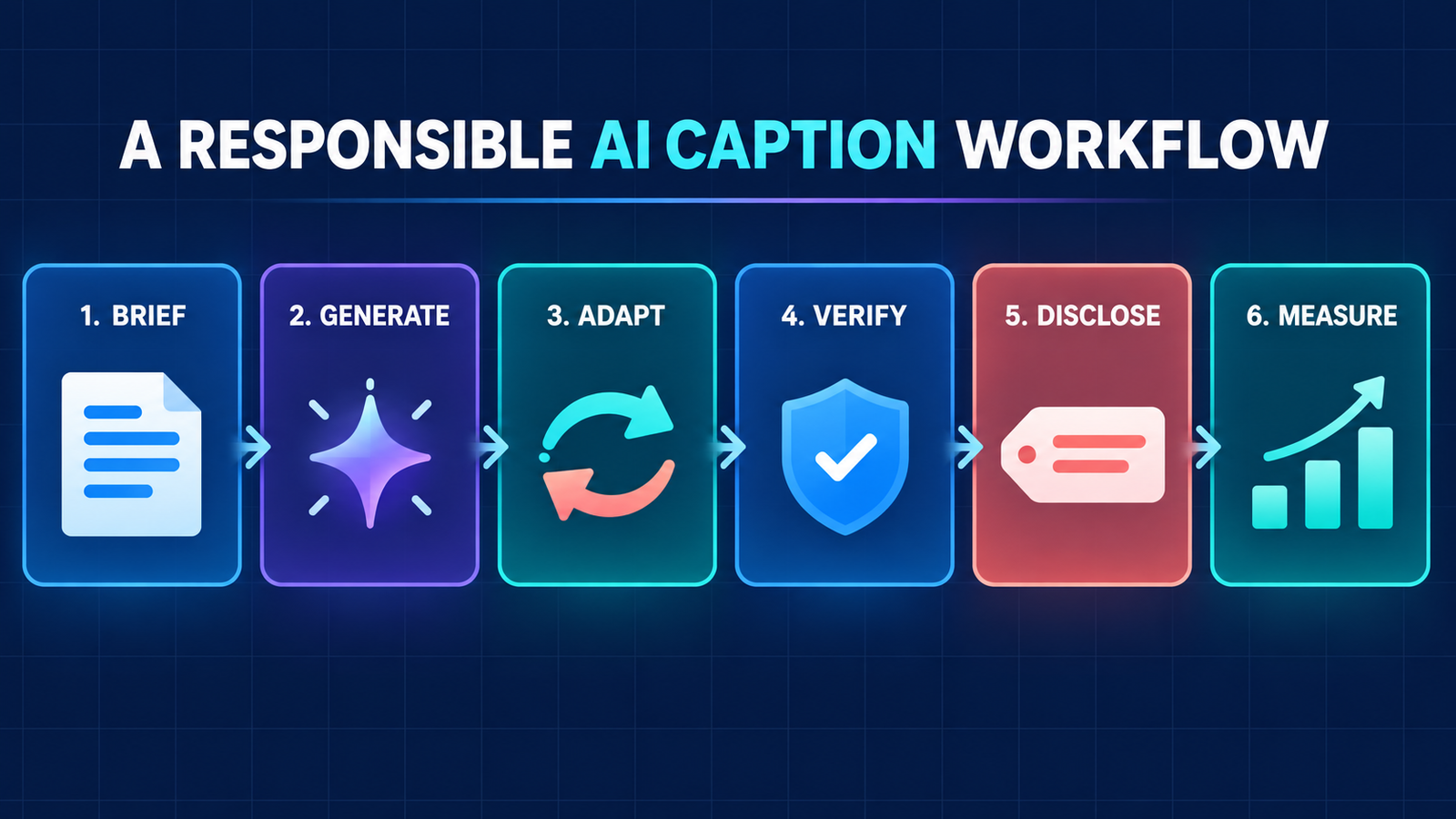
Five checks before you publish an AI caption
- Match the media. Confirm that every product detail, location, person and result in the caption is visible or independently true.
- Rewrite the opening. Replace generic hooks with a concrete reason to keep watching or reading.
- Adapt by platform. An Instagram caption can carry more context; TikTok copy often benefits from a faster premise and language that matches the video.
- Review rights and privacy. Do not paste customer data, confidential launches or private creator briefs into a public generator. Avoid copying a living creator’s distinctive voice or implying an endorsement that does not exist.
- Add required disclosures. The FTC says material connections should be clear and hard to miss. Put plain-language disclosures with the endorsement, not buried after a long hashtag block, and do not rely only on a platform toggle.
AI can accelerate drafting, but it does not know whether a product claim is substantiated or a partnership disclosure is adequate. Human review is especially important for health, finance, employment and other claims that could mislead viewers. If you are new to the underlying technology, start with our beginner’s guide to generative AI.
Frequently asked questions
Can I use these caption generators without paying?
Yes, each ranked tool offered a zero-cost path when checked. Buffer, Hootsuite, Ahrefs, Grammarly and Predis.ai expose browser tools; Canva requires a free account. Some impose quotas, and a vendor’s broader product may be paid even when its standalone generator is free.
Do any free caption generators work without sign-up?
Hootsuite and Predis.ai explicitly describe their standalone generators as no-login tools. Buffer allows five daily browser generations before an account is needed for its larger workflow. Ahrefs and Grammarly expose free web generators, but access rules can change or trigger account prompts.
Will an AI-generated caption make a post go viral?
No. A generator can supply a draft, but reach depends on the media, audience fit, retention, timing, relevance and platform systems. Treat claims that a caption tool guarantees virality or ranking as marketing, not evidence.
Who owns an AI-generated social caption?
Terms differ, and copyright protection for purely AI-generated text is not assured. Canva, for example, permits legal commercial use under its terms but warns that output may not be exclusive or cleared of third-party rights. Review the tool’s current terms and add meaningful human authorship.
Bottom line
Buffer is the most practical free starting point for Instagram and TikTok captions because it combines generation, rewriting and scheduling. Hootsuite is the better no-account choice for keyword-led captions, while Grammarly and Canva fit editing and design-heavy workflows. Whichever tool you choose, feed it accurate context, keep sensitive data out, rewrite the draft in your own voice and verify disclosures before publishing.

