
Short answer: Supermeme.ai is the clearest dedicated free AI meme generator for prompt-to-template results, while Imgflip is best for classic formats and Canva or Adobe Express are better when you want an original visual and full design control. “Free” is not the same across these tools: some reset monthly, some watermark exports, and Kapwing’s AI allowance is a starter allocation rather than a lasting free AI tier.
Checked November 19, 2026 for US-facing web access. This is a documentation-based comparison, not a hands-on quality benchmark. Limits can vary by account, feature and region, so confirm the allowance shown in your workspace before starting a campaign.
Free AI meme generators: quick comparison
| Tool | Best for | Free AI access | Free export catch |
|---|---|---|---|
| Supermeme.ai | Prompt-to-template memes | 10 creation credits each UTC month | Small Supermeme watermark |
| Imgflip AI Meme | Classic meme formats | 25 GPT generations per month in the web tool | Imgflip watermark; AI API is paid |
| Simplified | Fast text-to-meme variations | Free-forever access claimed; exact current allowance is not published | Check the workspace before relying on volume |
| Canva | Original images plus polished layouts | Limited monthly AI access on Canva Free | Premium elements can require a license |
| Adobe Express | Original Firefly images and templates | Free daily generations; Adobe does not publish one fixed count | Some assets and advanced tools are premium |
| Kapwing | Image, GIF and video memes | 50 AI credits to test the product, not a recurring free allowance | Free exports are watermarked |
If you only need to add your own caption to an existing image, a traditional meme editor may be faster than AI. The tools below earn a place because they can suggest captions, match a prompt to a template, generate an image, or automate part of the layout—not merely put text on a picture.
How I compared the tools
I checked each company’s current product, pricing, help and licensing pages for four questions:
- Can a US user reach a usable result without paying or entering a card?
- Is the free access recurring, a one-time starter allowance, or only a trial?
- Does the free download carry a watermark or asset restriction?
- Can you edit the AI result before export, and what rights warning matters?
I did not score humor or caption quality because that would require repeatable hands-on prompts and multiple accounts. AI humor is subjective, and one lucky generation is not a useful benchmark.
The 6 best free AI meme generators
1. Supermeme.ai: best dedicated prompt-to-meme workflow
Supermeme.ai starts with a situation or idea, matches it to meme templates, and writes editable captions. It also supports image uploads, GIF memes and generation in more than 110 languages. That makes it the most focused choice when you have a joke but do not know which template fits.
The lasting free tier is unusually clear: 10 creation credits per UTC calendar month, no card required. One generation may return several options. Free downloads include a small Supermeme.ai watermark; paid plans remove it. The company also warns that familiar templates can contain third-party images or characters, so a generated meme is not automatically cleared for advertising or merchandise.
Choose it when: you want AI to select both the format and caption. Skip it when: a watermark is unacceptable or you need high-volume production.
2. Imgflip AI Meme: best for recognizable classic templates
Imgflip’s AI Meme tool can generate captions for familiar templates. Its GPT option currently lists 25 free generations per month with login. A separate classic model is trained on public user-generated memes and is explicitly described as uncensored, so unsuitable language can appear. Review every output before sharing it from a brand account.
There is an important boundary: free web generations do not mean free automation. Imgflip’s AI meme API requires API Premium, while the ordinary API can still caption templates for free. Free meme exports retain an Imgflip watermark; paid plans remove or customize it.
Choose it when: the audience already recognizes the template. Skip it when: you need original commercial artwork or an unwatermarked free download.
3. Simplified: best for quick text-to-meme variations
Simplified’s AI Meme Generator accepts a topic, generates multiple options, and lets you edit text, fonts, colors and layouts. Its official pages describe a Free Forever plan and basic meme generation without a subscription.
However, Simplified does not publish a precise current meme-generation allowance or reset rule on the generator page. Treat “free” as access to the basic workflow, not a promise of unlimited AI generations. Check the counter and export screen in your own account before planning recurring content. The same page mixes product documentation with broad marketing claims; those claims are not evidence that a meme will improve engagement.
Choose it when: you want several editable directions from one idea. Skip it when: you need a documented monthly quota before committing to a workflow.
4. Canva: best for polishing an AI idea into a branded design
Canva’s meme maker combines templates, uploads and a drag-and-drop editor. Canva Free also provides limited access to Canva AI, so you can generate an original image or design idea and then refine the text, spacing and format in the same workspace. The standard meme maker says free exports have no Canva watermark when you use free content.
The allowance is shared across AI features. Canva’s US pricing page currently describes limited Free access, with the available uses depending on the model and task; the account counter is the reliable source. Canva says AI output may be used in personal or commercial projects under its terms, but output may not be unique and you remain responsible for permissions involving people, brands, characters and existing art. Premium stock or templates have separate license rules.
Choose it when: design control and multiple social sizes matter more than automatic template matching. Skip it when: you want a one-prompt dedicated meme workflow with a clearly published generation count.
5. Adobe Express: best for original Firefly visuals
Adobe Express offers a free meme maker with templates and downloads, while its generative tools can create an original image, template or text effect. The US Free plan requires no card and lists free daily generations, but Adobe does not promise one universal daily number because usage can vary by feature and account.
Adobe says non-beta Firefly outputs can be used commercially under its terms, and its Free plan includes limited royalty-free Adobe Stock assets. That does not clear every prompt: uploading someone else’s photograph, copying a character, or implying endorsement can still create rights problems. Keep Content Credentials and other provenance metadata intact.
Choose it when: you want an original visual rather than a recycled template. Skip it when: you need a fixed, published free-generation quota.
6. Kapwing: best for GIF and video memes, with a free-tier warning
Kapwing’s meme maker supports images, GIFs and video, offers more than 2,000 templates, and can generate meme ideas with AI. Its free plan is useful for editing and currently gives users 50 AI credits to test the product.
That 50-credit allocation is a starter amount, not a monthly reset, so Kapwing should not be described as an unlimited or lasting free AI generator. Free exports include a Kapwing watermark and are limited to 720p; current help pages also say free projects may be deleted after three days. Download finished work and keep your own source files.
Choose it when: your meme needs motion, timing, audio or social-video formatting. Skip it when: you need recurring free AI generations or clean free exports.
Which free AI meme generator should you choose?
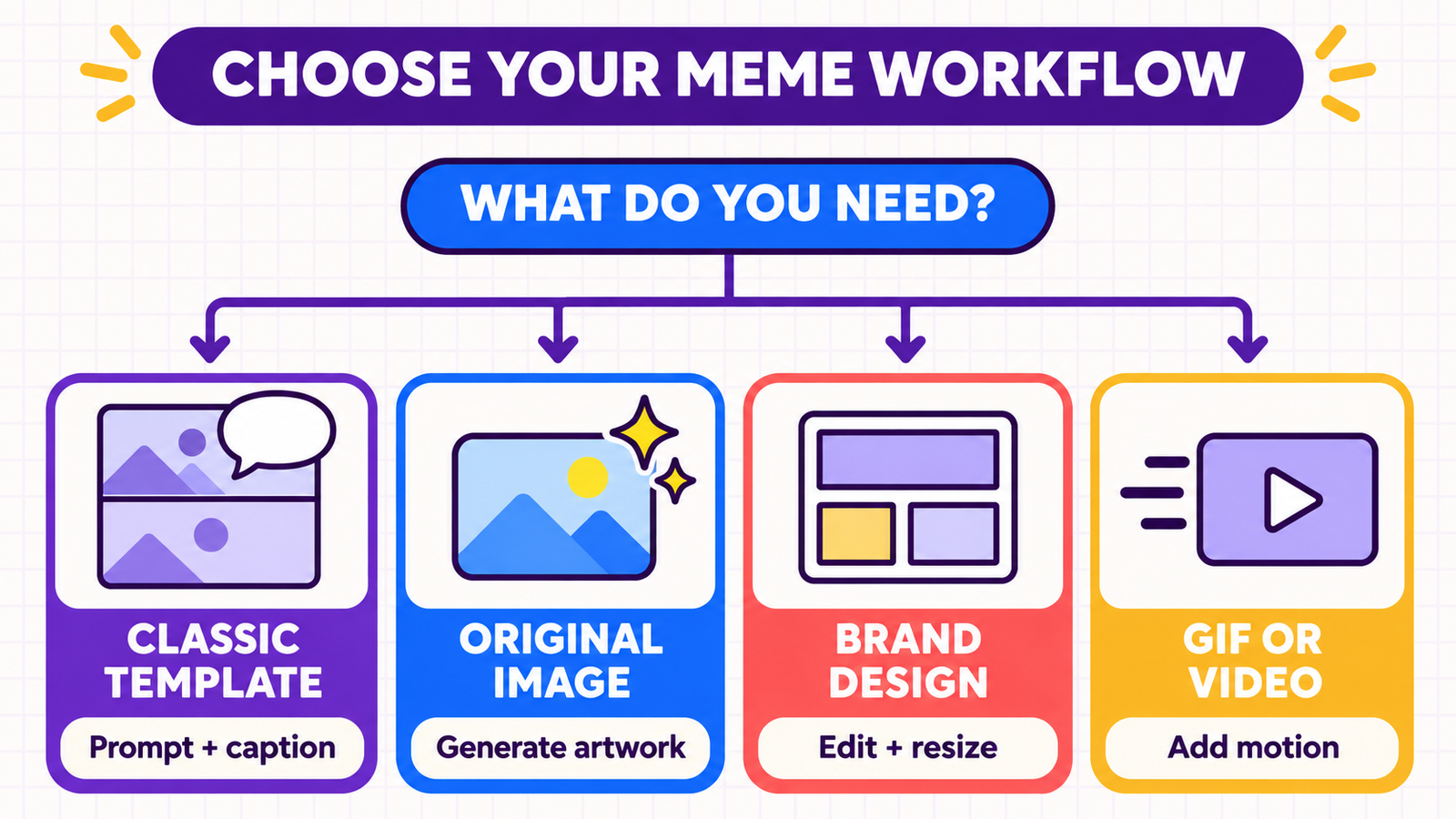
- Fastest prompt-to-template result: Supermeme.ai.
- Classic meme library: Imgflip.
- Several editable caption variations: Simplified.
- Brand layout and social sizing: Canva.
- Original AI-generated artwork: Adobe Express.
- GIF or video meme: Kapwing, if the watermark is acceptable.
For adjacent creator jobs, compare our guides to AI caption generators for Instagram and TikTok, AI poster generators, free AI video generators, and AI video script generators. Those pages solve different jobs; they are not substitutes for a meme-specific template and punchline workflow.
A responsible 7-step meme workflow
- Write the audience insight first. Name the situation your audience recognizes before asking AI for a joke.
- Prompt for options, not a final post. Ask for several short captions with different tones.
- Choose a template you can justify using. Prefer your own photo, licensed stock, public-domain material or original AI art for commercial campaigns.
- Edit the caption yourself. Remove clichés, unexplained references and anything that targets a protected or vulnerable group.
- Check facts and context. A meme can still spread false information or misrepresent a person.
- Review the export. Look for watermarks, premium assets, clipped text, low resolution and unwanted AI artifacts.
- Disclose when context requires it. Do not use an AI-generated image or likeness to deceive people about a real event, endorsement or identity.
Copyright, likeness and commercial-use cautions
A meme template being easy to download does not make it public domain. The US Copyright Office explains that fair use is a case-by-case analysis based on purpose, the nature and amount of the copied work, and market effect. There is no automatic “meme exception.” Commercial advertising and merchandise deserve stricter review.
Use your own or properly licensed image when the meme will promote a product, solicit donations, appear in paid media, or be sold. Get consent before using a private person’s likeness, and avoid prompts that imitate a living artist, copyrighted character or real person in a misleading situation. Platform permission to generate or download an output does not necessarily give you rights to every person, logo or source image inside it.
Frequently asked questions
Are any AI meme generators completely free?
Some have lasting free allowances, but none should be assumed unlimited. Supermeme currently resets 10 credits monthly, and Imgflip lists 25 free GPT generations monthly. Canva and Adobe Express provide limited free AI access without one universal count. Simplified does not publish a precise current quota. Kapwing’s 50 AI credits are a starter allocation.
Can I remove a watermark from a free meme?
Do not crop or erase a platform watermark to bypass its plan terms. Choose a tool that exports without one, use your own editor and licensed assets, or pay for the plan that permits watermark-free export.
Can I use an AI-generated meme commercially?
Possibly, but check every component. The tool’s output terms, the template or stock license, logos, characters, music and a person’s likeness can all carry separate restrictions. Original AI artwork does not guarantee exclusivity or copyright protection.
Will an AI meme go viral?
No tool can guarantee reach, engagement or virality. Relevance, timing, distribution and audience trust matter, and AI-generated humor often needs human editing.
What is the safest option for a business account?
Start with an original idea and an image you own or license. Use AI for caption variations, then have a person review tone, facts, brand fit, accessibility and rights before publishing.
Bottom line: begin with Supermeme.ai for a dedicated recurring free allowance, Imgflip for classic templates, or Canva and Adobe Express when original imagery and design control matter. Treat Simplified’s exact quota as account-dependent and Kapwing’s AI credits as a trial-like starter allocation—not an unlimited free promise.

