

The best free AI chatbots for websites are Jotform AI Agents for forms and actions, Tidio Lyro for small support teams, Chatbase for a quick knowledge-base bot, Botpress for custom workflows, Chatling for a simple hosted agent, and Dify for technical teams. Every option has a real limit: credits, conversations, branding, storage, or infrastructure.
A free website chatbot is useful for proving one narrow job, such as answering product questions or collecting qualified leads. It is not a free replacement for a support team. We checked plans and documentation on September 16, 2026, focusing on access available to users in the United States. Limits and model costs can change, so confirm the allowance inside your account before deployment.
Best free AI chatbots for websites at a glance
| Tool | Best for | Free allowance checked | Main limitation |
|---|---|---|---|
| Jotform AI Agents | Forms, lead capture and actions | 5 agents and 100 conversations a month | Sessions, voice, SMS and knowledge also have limits |
| Tidio Lyro | AI support beside live chat | 50 Lyro conversations | The AI quota is lifetime, not monthly |
| Chatbase | Fast website and document Q&A | 1 agent and 50 message credits a month | Free agents are deleted after 14 inactive days |
| Botpress | Custom logic and integrations | 1 bot, 500 incoming events and $5 AI credit monthly | Branding remains; AI use varies with model costs |
| Chatling | Small hosted knowledge bots | 1 agent, 200 AI credits and 500,000 knowledge characters | Credit use varies by model; deeper actions are paid |
| Dify | Cloud prototypes or self-hosting | 200 cloud message credits or free Community software | Cloud credits are small; self-hosting still costs money |
Quick recommendation: choose Jotform when the conversation must submit a form or trigger an action, Tidio when a person may take over in the same inbox, and Chatbase when the main task is answering from a compact help center. Botpress and Dify give developers more control. Chatling is a practical middle ground for a small hosted bot.
How we chose and ranked these free website chatbots
We screened ten credible products: Jotform AI Agents, Tidio Lyro, Chatbase, Botpress, Chatling, Dify, Voiceflow, HubSpot, Zoho SalesIQ and Intercom. The ranking is documentation-based. We did not run a controlled answer-quality benchmark, connect paid accounts or test production traffic. We reviewed official pricing, product, deployment, help and policy pages, then used Zapier’s hands-on chatbot-builder comparison and TechRadar’s current small-business assessment of Tidio as independent context.
We compared each tool on seven practical criteria:
- Real free access: an ongoing free tier, a clearly labeled lifetime allowance, or free self-hosted software—not a demo presented as free forever.
- Website deployment: a documented widget, embed, web app or supported website channel.
- Knowledge grounding: the ability to answer from approved pages, documents or a knowledge base.
- Control: instructions, deterministic flows, actions, escalation and response review.
- Operating limits: messages, conversations, credits, agents, storage, inactivity rules and branding.
- Privacy: visibility into data handling and third-party model processing.
- Ease of maintenance: how much work is needed to keep sources, prompts and failure paths current.
“Free” below means the documented zero-dollar boundary, not unlimited use. All six require an account or, for self-hosted Dify, your own infrastructure. We did not find a credible hosted option that is simultaneously unlimited, private, unbranded and free.
1. Jotform AI Agents: best for forms and business actions
Jotform is the most useful free choice when a conversation needs to do more than answer questions. Its agent can collect structured information, help complete forms, send emails, call an API, trigger a workflow or schedule an appointment. Jotform documents several website embed styles, including a chatbot format, so the same agent can sit on a landing page or support area.
Free limit: Jotform’s current guidance lists five agents, 100 monthly conversations, 10,000 monthly sessions, 50 voice minutes and a 10-million-character knowledge base on the Starter tier. The company’s AI Agents pricing page says conversation, session, voice, SMS and knowledge limits apply by plan. An account is required.
Privacy caveat: Jotform says it does not use personal data from an AI-chat interaction to train its underlying systems, but its AI policy also says AI providers may process submitted data and some form content may train the customer’s personal agent. Do not collect sensitive information until your privacy notice, retention settings and provider terms have been reviewed.
Pros: generous recurring allowance, useful actions, forms and several embed formats. Cons: multiple quotas to monitor, complex data flows and broader automation create more privacy and failure modes than a basic FAQ bot.
2. Tidio Lyro: best when AI and human chat share an inbox
Tidio is a natural fit for a small store or service business that wants an AI agent beside live chat. Lyro answers from supplied knowledge and can pass a conversation to a person. The surrounding Tidio Free plan also includes live-chat and rule-based Flow allowances, making it easier to keep a useful contact channel after the AI quota ends.
Free limit: Tidio’s Lyro limit documentation is unusually clear: a new project gets 50 AI conversations, but the quota does not renew. A thread closes after 15 minutes of inactivity, so a returning visitor can consume another conversation. Tidio describes this as a way to test Lyro, which makes it closer to a product trial than a permanent free AI service. Registration is required, but Tidio says no card is needed for the free account.
Pros: straightforward setup, live-agent handoff and an established website widget. Cons: the 50-conversation AI allowance is lifetime, branding removal costs extra and broad support automation needs a paid Lyro package.
3. Chatbase: best for a fast knowledge-base chatbot
Chatbase concentrates on turning business content into an embeddable agent. That focused workflow is helpful when the bot’s job is limited to product documentation, policies or a small help center. It is less attractive when the conversation must coordinate a complicated sequence of back-office actions.
Free limit: the Chatbase Free plan includes limited model access, 50 message credits each month and one workspace member. The critical catch is inactivity: Chatbase says a free agent is deleted after 14 days without activity. Paid integrations, analytics, attachments, help-desk features and automatic retraining begin on higher tiers.
Pros: fast path from source material to a website agent, recurring monthly credits and low setup friction. Cons: a tiny allowance, inactivity deletion and important operating features reserved for paid plans.
4. Botpress: best for custom workflows and developer control
Botpress is the strongest option here for a technical team that wants visual flows, code, knowledge retrieval and integrations in one builder. Its Webchat documentation provides an embed path for self-hosted websites and specific guidance for WordPress, Wix and Webflow.
Free limit: Botpress’s pay-as-you-go plan starts at $0 and includes one bot, one collaborator, 500 incoming messages or events per month and $5 of monthly AI credit. AI usage consumes that dollar credit according to the selected model and workflow. The free widget keeps Botpress branding, and removing it requires Plus or above. Botpress says no card is needed to begin building, but a payment method is relevant if you raise the AI-spend limit.
Pros: flexible logic, documented web embed, recurring AI credit and a visible spending cap. Cons: more setup, model-dependent consumption, branded widget and no human handoff on the free plan.
5. Chatling: best simple hosted alternative
Chatling sits between a narrow document bot and a developer platform. It offers a hosted agent with a knowledge base while keeping the initial configuration lighter than Botpress or Dify. This makes it worth considering for a low-traffic FAQ bot where one administrator owns the content.
Free limit: the Chatling Free plan lists one AI agent, one seat, 200 AI credits and 500,000 knowledge-base characters. Credit consumption varies by the model. Actions, API access, analytics, voice input, automatic source syncing and fuller visual customization are shown on paid tiers, so the free plan is primarily a proving ground.
Pros: clear numeric limits, more knowledge capacity than the smallest plans and no infrastructure to manage. Cons: credits are not equal to conversations, key operations are paid and the public pricing page does not make every deployment or retention boundary equally prominent.
6. Dify: best for cloud prototyping or self-hosting
Dify is the most flexible choice for a team comfortable with models, retrieval settings and deployment. It supports chatbot and agent applications, knowledge documents and published web apps. The cloud Sandbox is useful for a prototype; the Community edition gives developers a route to operate the software on their own infrastructure.
Free limit: Dify’s Sandbox plan includes 200 message credits, five apps, 50 knowledge documents, 50 MB of knowledge storage, 10 knowledge requests per minute and 30 days of logs. Credits are consumed at different rates by different models. The pricing page says you can switch to your own model-provider key after the included credits run out. Treat the 200 credits as a small starter allocation, not 200 guaranteed visitor conversations. The Community software is free, but hosting, model inference, maintenance and security are not.
Pros: model choice, cloud and self-hosted paths, substantial workflow control and a documented knowledge layer. Cons: a steeper learning curve, small included cloud credits and real operating costs even when the software license is free.
Why Voiceflow, HubSpot and Zoho are not ranked
Voiceflow remains a credible conversation-design platform, but its current public pricing page emphasizes a no-card trial rather than a durable numeric free production allowance. A trial can help evaluate a builder; it is not the same as a free website chatbot.
HubSpot offers a free rule-based chatbot builder for lead qualification, meetings and scripted support. Its generative Breeze Customer Agent is different: HubSpot says free users cannot use the required credits, and supported Professional or Enterprise customers receive only a time-limited free-access period before credit consumption. Choose the free bot for deterministic flows, not because it is a free generative agent.
Zoho SalesIQ also has a useful free live-chat plan, but the current SalesIQ comparison table places bot sessions and custom Zobot chatbots on paid plans. Intercom’s Fin agent is similarly a paid support product. These tools may be better operational fits for an existing customer, but they do not satisfy this article’s ongoing zero-dollar AI criterion.
How to choose a free AI chatbot for your website
Start with the visitor outcome, not the model name. For answers from a small help center, Chatbase or Chatling is enough. For form submissions and business actions, Jotform is more useful. For a shared support inbox and human takeover, start with Tidio. Choose Botpress or Dify when you need conditional logic, APIs or tighter control and can maintain the system.
Then estimate usage from real traffic. Vendors count messages, credits, sessions, events and conversations differently. A 50-message allowance may support far fewer than 50 visitors if a typical support thread contains several questions. Lifetime credits are suitable for evaluation, not an ongoing service promise.
Finally, price the paid path before embedding anything. Include message overages, AI-model consumption, extra agents, branding removal, automatic knowledge refresh, human handoff, analytics and data-retention requirements. A cheap prototype can become expensive when public traffic arrives.
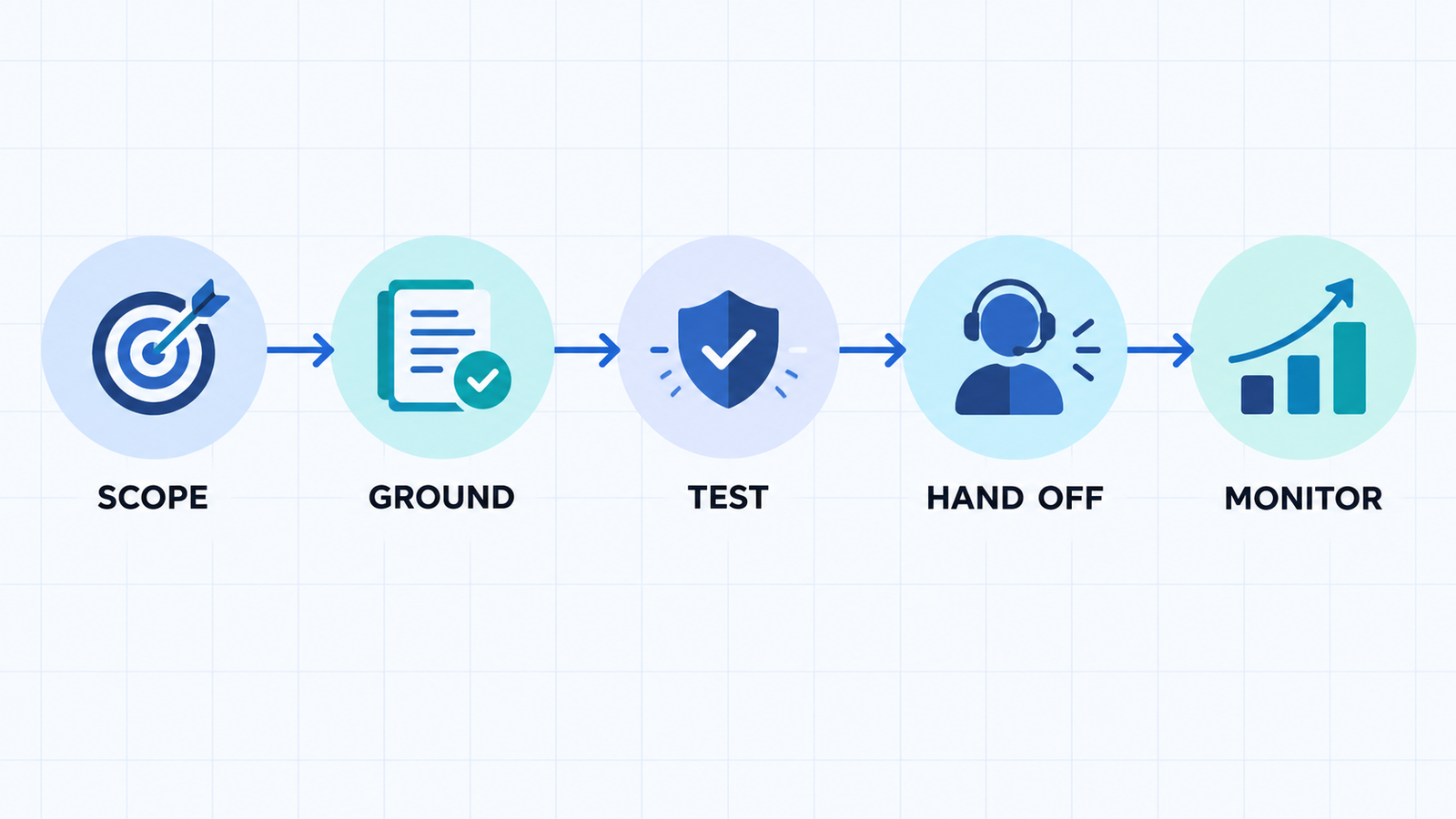
A safer launch checklist
- Give the bot one job. Define the questions it may answer and the actions it may take.
- Use approved sources. Start with current product pages, policies and help content. Our guide to retrieval-augmented generation explains why source quality matters.
- Write refusal and handoff rules. The bot should stop guessing when a question is sensitive, ambiguous or outside its knowledge.
- Test adversarially. Try outdated prices, prompt-injection attempts, unsupported refund requests and requests for private information.
- Disclose the AI. Tell visitors they are speaking with an automated system and explain how conversation data is used.
- Review logs and outcomes. Track incorrect answers, unresolved intents, handoffs and the real cost per useful conversation.
Clear instructions improve behavior but do not make a chatbot reliable on their own. See our prompt engineering guide for practical constraints, and use an LLMOps workflow when the bot becomes a production service. If the website itself is still being built, compare the current free AI website builder options separately; site generation and support automation have different risks.
Frequently asked questions
Can I add a free AI chatbot to WordPress?
Yes. Botpress documents a Webchat embed for WordPress, and hosted tools such as Tidio, Chatbase, Jotform and Chatling provide website deployment paths. Installation may use a plugin, a tag manager or an embed snippet. Test the widget on mobile, verify consent behavior and avoid placing secrets in client-side code.
Is any free AI website chatbot unlimited?
No credible hosted option in this comparison is unlimited. Plans cap conversations, messages, credits, agents, storage or activity. Self-hosted software removes some vendor-plan limits, but you still pay for infrastructure, model inference, monitoring and maintenance.
Can a free chatbot safely answer customer-support questions?
It can handle a narrow set of low-risk questions when answers come from approved sources and a person reviews failures. Do not let an untested bot invent prices, approve refunds, give legal or medical advice, expose account data or make irreversible changes. Provide a clear human escalation path.
Bottom line
Jotform AI Agents offers the most practical recurring free allowance for action-oriented conversations. Tidio is better when live support sits beside the bot, while Chatbase is the fastest focused knowledge-bot option. Botpress and Dify reward technical teams with more control, and Chatling is a simpler hosted alternative. Treat every free plan as a bounded pilot, measure it with real questions, and choose the paid or self-hosted path only after the bot proves useful and safe.


