

Quick answer: Wix is the best free AI website builder for most beginners because it can generate a complete site and publish it on free hosting. Webflow and Framer offer more design control, HubSpot suits lead-generation sites, and Dorik documents two free AI site generations. Every option requires an account and limits domains, branding or AI use.
A free AI website builder can turn a short description into a draft layout, copy and images, but “free” rarely means a custom domain, no platform branding and unrestricted AI use. This comparison focuses on tools that let a US user build or publish without paying, not products that only advertise a refund period or card-required trial. Limits were checked against official documentation on September 15, 2026, and can change.
Best free AI website builders at a glance
| Tool | Best for | What is genuinely free | Main limitation |
|---|---|---|---|
| Wix | Most beginners | AI site creation, editor, hosting and Wix subdomain | Wix branding; custom domain and payments require Premium |
| Webflow | Learning professional web design | AI site builder, two pages and webflow.io publishing | Two-page ceiling without a paid Workspace or Site plan |
| Framer | Portfolios and polished landing pages | 500 one-time AI credits, hosting and Framer subdomain | Free plan is positioned for non-commercial use and shows branding |
| Dorik | Testing multiple generated concepts | Two AI site generations on the documented Free plan | Official pricing pages conflict; confirm the checkout boundary |
| HubSpot | Lead-generation sites tied to a CRM | Website builder, hosting, forms, CRM and AI content tools | Official page does not publish a durable AI-generation quota |
There is no universal winner. Choose around the site you need to publish, not the most dramatic generation demo. A portfolio, a two-page product site and a lead-capture website have different requirements.
How we selected and ranked these tools
We screened ten credible website builders and ranked five using current documentation. The criteria were whether a user can start without paying, whether the AI creates a meaningful site rather than one paragraph, whether the result can be edited and published, free hosting and domain boundaries, page and bandwidth limits, platform branding, forms and CMS support, export or portability, privacy controls and ease of use.
This is a documentation-based comparison, not a controlled design benchmark. We did not run an identical paid prompt through every platform or claim that generated copy, accessibility, search optimization or security is automatically correct. Independent testing from TechRadar’s September 2026 comparison and Zapier’s testing of more than 50 builders informed the usability context, while plan limits come from the builders themselves.
1. Wix: best free AI website builder for most beginners
Wix’s AI website builder asks about the site’s purpose and produces a structured draft with pages, copy, images and relevant business features. You can continue prompting its Aria assistant or switch to the visual editor. That handoff matters: a generated homepage is only useful if you can correct it without fighting the tool.
Wix says users can start free without a credit card, publish on a Wix subdomain and use its AI creation tools. The tradeoff is visible Wix branding and no custom domain until you buy Premium. Advanced business capacity and payments also sit behind paid tiers.
Best for: a beginner who wants one platform for pages, forms, appointments or a future store.
Limitation: the free site is suitable for testing or a small project, not a polished business launch on your own domain.
2. Webflow: best for learning professional design control
Webflow’s AI site builder creates a responsive structure, theme and content from a description. Unlike a locked generator, it feeds into Webflow’s visual development environment, which gives experienced users more control over spacing, styles, components and responsive behavior.
The free Starter Site plan publishes to a webflow.io subdomain. Webflow documents a two-static-page limit, excluding the generated style guide. The AI site builder does not consume normal Webflow AI credits, but without a paid Workspace or Site plan the generated site remains limited to two pages.
Best for: designers and learners who value a production-style visual editor more than instant simplicity.
Limitation: two pages make the free plan impractical for a substantial company or editorial site.
3. Framer: best for a polished portfolio or landing page
Framer’s AI canvas agent can create editable pages, sections, copy, visuals and code components. Its strongest distinction is design control: generated elements remain on the canvas, so a user can adjust responsive layouts and fine details instead of accepting a static template.
Framer’s current pricing gives a free workspace 500 AI credits to try, a Framer domain and 1 GB bandwidth. Framer describes Free as ideal for non-commercial use, and connecting a custom domain requires a paid plan.
Best for: a visually ambitious portfolio, event page or product landing page.
Limitation: the AI allowance is a one-time trial pool rather than a monthly free refill.
4. Dorik: best for comparing multiple generated concepts
Dorik AI generates multi-page layouts, copy and images from a short description, then opens the result in a no-code editor. Its official help-center plan table lists two AI site generations on Free, along with publishing, forms and CMS features. AI text and image generation after the initial site creation are listed as paid.
Dorik’s public pages were inconsistent at review time: its help center describes a permanent $0 plan, while parts of the AI product and pricing pages emphasize a seven- or 14-day trial. That discrepancy does not make the tool unusable, but it means you should confirm the exact plan shown inside your account before investing time.
Best for: generating two different site directions before choosing a design.
Limitation: conflicting official plan descriptions make the long-term free boundary less predictable than Wix or Webflow.
5. HubSpot: best for a free site connected to lead management
HubSpot’s free website builder combines hosting, responsive themes, forms and CRM records. Its product page also includes an AI website generator and AI content tools, making it more useful than a visual-only generator when the goal is to capture and follow up with leads.
HubSpot says the website builder is free without a credit card. Its help center says free accounts receive a HubSpot-branded domain ready for publishing, and removing HubSpot branding requires a paid Content Hub plan. The checked pages do not state a durable numeric AI-generation allowance. AI features must also be enabled by a Super Admin.
Best for: a small business that wants its site, forms and contact records in one system.
Limitation: the AI quota and feature boundary can be harder to understand than a simple page limit.
Why Canva, WordPress.com, Jimdo, Squarespace and Hostinger did not rank
Canva provides genuine free hosting for up to five sites on a my.canva.site address and limited AI use, but its official pages did not document a full prompt-to-multipage website generator as clearly as the ranked tools. Jimdo has a no-time-limit free site and guided generation, but its newest AI workflow is rolling out by market. Both remain useful alternatives for simple pages.
WordPress.com has permanent free hosting, but its current pages conflict: the free-site page advertises a guided AI builder with limits, while the dedicated AI-builder help article says the feature is on paid plans. Squarespace offers a trial rather than permanent free publishing. Hostinger bundles its AI builder with paid hosting. A trial, refund period and free plan are different offers.
How to choose a free AI website builder
Start with the publishing requirement. If a platform subdomain and branding are acceptable, the five ranked tools can put a basic project online without a hosting bill. If the site must use your own domain, remove badges, accept payments or support many pages, expect a paid upgrade. “Free domain for one year” usually means the domain is bundled with an annual paid plan, not that the production site is free forever.
Next, decide whether you need a website or a web application. A brochure site, portfolio and lead form fit the tools above. Authentication, databases, user roles and custom workflows belong in an app builder; see our AI app builders for beginners comparison before forcing those requirements into a website generator.
Finally, check portability and ownership. Some builders let you export code; others require continued hosting on their platform. Read the current terms for AI-generated images, stock assets and templates before commercial use. Never assume the generator verified a testimonial, product claim, accessibility label, privacy notice or copyright status.
A safer workflow from prompt to launch
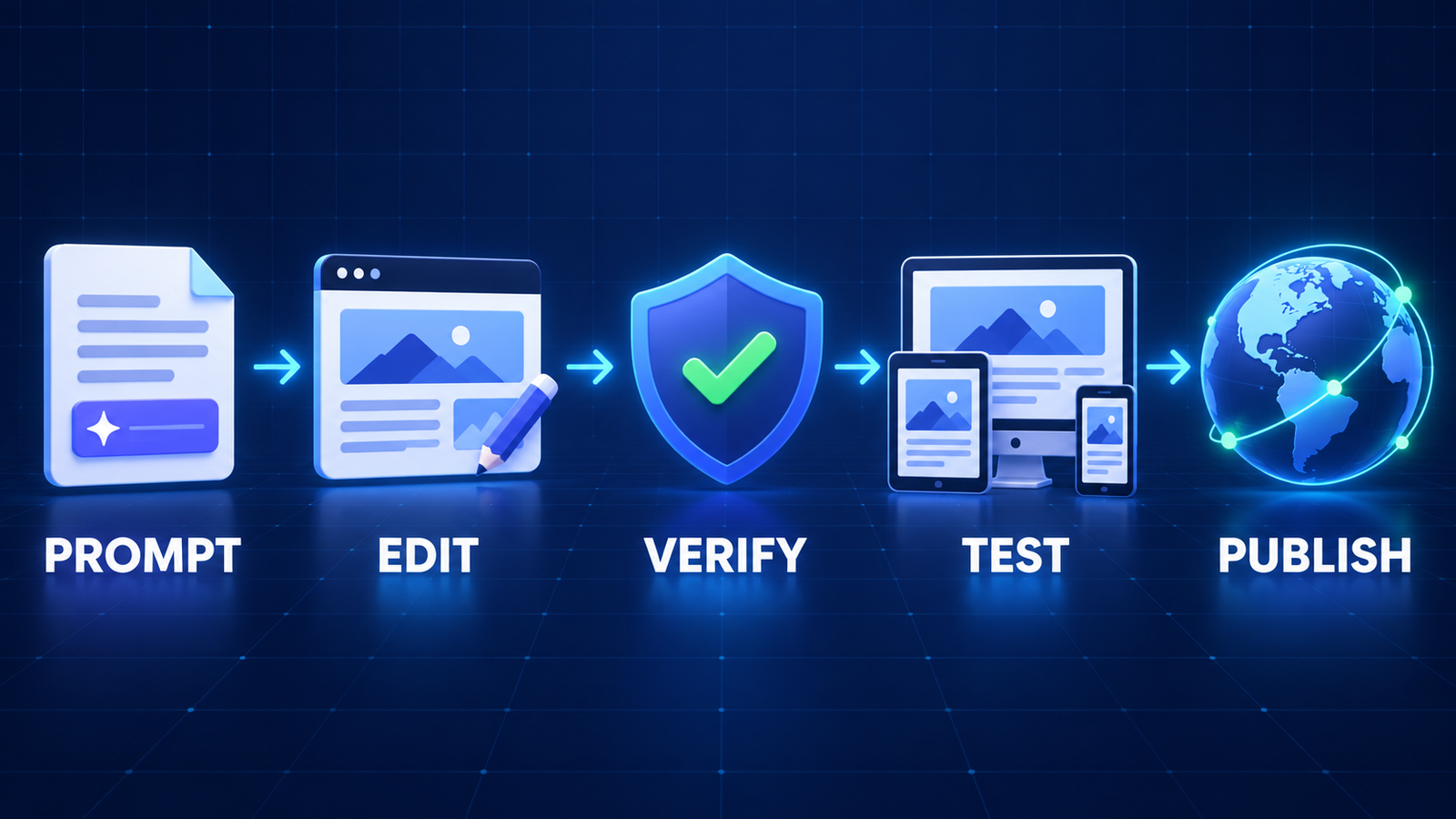
- Write a concrete brief. State the audience, pages, primary action, brand tone and facts the site may use. Our prompt-engineering guide explains how constraints improve generated drafts.
- Generate structure, not truth. Treat headlines, pricing, testimonials and legal language as placeholders until a human checks them.
- Replace generic assets. Use images and logos you own or are licensed to use. The beginner’s guide to generative AI covers why plausible output still needs verification.
- Test the real experience. Check mobile navigation, keyboard use, contrast, alt text, forms, confirmation emails, broken links and page speed.
- Review privacy and operations. Know where form submissions go, who can access them, how to delete records and what happens if you stop paying.
- Polish the copy. If the site will support ongoing publishing, compare the workflows in our AI writing tools for website content guide rather than relying on one-click filler.
Frequently asked questions
Can I build and publish an AI website completely free?
Yes, if you accept a platform subdomain, branding and plan limits. Wix, Webflow, Framer, HubSpot and Dorik document a free publishing route, although Dorik’s pages conflict on the AI allowance. Custom domains, branding removal, ecommerce and larger sites commonly require payment.
Which free AI website builder is easiest?
Wix is the most balanced choice for a beginner who wants generation plus business features. Framer is stronger for a polished landing page, while HubSpot is practical when forms and CRM follow-up matter.
Do I own a website made by AI?
Ownership is not one simple promise. You may control your original copy and uploads while templates, stock media, fonts and platform code remain separately licensed. Review the builder’s current terms, keep source files, and avoid using protected logos, likenesses or copied text without permission.
Can a free AI website rank in Google?
A free subdomain can be indexed, but the generator does not guarantee visibility. Useful original content, crawlable pages, descriptive titles, accessible structure, performance and reputable links matter more than the AI label. Platform limits can also restrict analytics or advanced search controls.
Bottom line
Use Wix for the broadest beginner-friendly free start, Webflow or Framer when design control matters, HubSpot for CRM-connected leads, and Dorik for quick concept generation after confirming the in-account limit. Build the draft for free, but price the production requirements before moving your domain or collecting customer data.


