

The best free AI coding tool for most developers is GitHub Copilot Free if they want a quick IDE assistant, while Cursor Hobby or Devin Desktop Free fits developers who want an AI-first editor. For maximum control, open-source tools such as Aider, Cline, Tabby and OpenHands can run with local models—but free software does not always mean free inference or free infrastructure.
This guide compares 12 options that have either a continuing no-cost plan, a no-cost personal starter allowance or open-source software you can run yourself. It separates a real free tier from a trial, and it calls out accounts, quotas, model costs and hardware requirements. Limits change frequently, so verify the linked official page before standardizing a tool for a team.
What does “free AI coding tool” mean?
There are three different offers hiding behind the word free:
- Hosted free tier: the vendor pays for model inference but caps requests, credits or features. This is the easiest route for a beginner.
- Free editor or agent: the software costs nothing, but you bring a paid API key, an existing subscription or a local model.
- Local open-source stack: software and inference can both avoid a recurring bill, but you supply hardware, electricity, setup time and maintenance.
A short trial is not a durable free plan. This list includes trials only as a secondary benefit when the product also has a continuing free path. It also avoids calling an open-source agent “zero cost” when its default model provider charges by the token.
12 free AI coding tools compared
| Tool | Free path | Best fit | Main limit or cost |
|---|---|---|---|
| GitHub Copilot Free | Hosted personal tier | IDE completion, chat and CLI | Monthly completion and AI-credit allowances |
| Google Antigravity | Personal starter access | Google’s agent-first desktop and CLI workflow | Usage quota; exact free prompt count is not published |
| Cursor Hobby | Hosted editor tier | Trying an AI-native editor | Limited Agent, Chat and Tab usage |
| Devin Desktop Free | Hosted editor tier | AI editor with completion and agent usage | Some agent usage; model availability differs from paid plans |
| Amazon Q Developer Free | Perpetual hosted tier | AWS-aware IDE and CLI help | 50 agentic requests per month |
| JetBrains AI Free | Hosted IDE tier | JetBrains users who want native integration | 3 AI Credits per 30 days; IDE eligibility applies |
| Zed Personal | Free editor plus limited predictions | Fast editor with BYOK or local models | Hosted LLMs require Pro; external inference may cost |
| Continue | Open-source agent | Configurable IDE and terminal workflows | Requires a Continue account, API key or model access |
| Cline | Open-source client | Approval-driven agent work in editor or CLI | Provider or subscription usage still applies |
| Aider | Open-source terminal client | Git-centered pair programming | Cloud API charges or capable local hardware |
| Tabby | Open-source self-hosted server | Private completion and chat infrastructure | You operate the server and models |
| OpenHands | Open-source local agent | Sandboxed, multi-step software tasks | Docker plus model and substantial compute requirements |
The table is a starting point, not a performance ranking. This comparison uses public vendor documentation for plan access, interfaces and stated limits. It does not claim hands-on testing or assume that a larger quota produces better code.
Best hosted free AI coding tools
1. GitHub Copilot Free: best default for broad IDE support
GitHub’s current Copilot plan page lists a $0 personal option with 2,000 code completions per month, limited chat and agent usage, Copilot CLI and no credit-card requirement. It works across supported editors and GitHub surfaces, making it the simplest first choice for developers who already have a GitHub account.
The tradeoff is the quota and feature boundary. Cloud-agent delegation, code review and broader usage sit on paid plans. Treat the free tier as an everyday completion tool and a way to evaluate chat or agent behavior, not as an unlimited autonomous developer.
2. Google Antigravity: best for trying Google’s new agent workflow
Google retired Gemini Code Assist for individuals in its older IDE extension and CLI path in June 2026 and directed personal users toward Antigravity. Google’s official Antigravity getting-started lab says a personal Gmail account receives starter access, while Google AI Pro or Ultra changes the available quota.
This is a meaningful free starting path, but not one to budget around using a fixed request number: Google does not publish an exact stable free prompt allowance. Choose it if you want to evaluate the Antigravity desktop or CLI experience and can tolerate changing quotas.
3. Cursor Hobby: best free taste of an AI-native editor
Cursor’s official pricing help describes Hobby as free access to core features with limited Agent, Chat and Tab completion usage through the Auto model. No credit card is required. It is useful for testing repository-aware edits and an AI-first interface before paying for sustained agent work.
Cursor does not publish a dependable exact Hobby request count, so avoid workflows that assume a fixed daily budget. The free tier is best for occasional use and evaluation; a developer who delegates tasks throughout the day is likely to meet the limit.
4. Devin Desktop Free: best alternative AI editor
Windsurf is being renamed Devin Desktop, with the existing IDE experience and plans carried forward. The official Devin Desktop page lists a $0 plan with free access to its proprietary coding model, unlimited tab completion and some agent usage. It is a practical comparison point for Cursor because both put AI workflows near the center of the editor.
Confirm regional availability and the model attached to the free tier before migrating. Free access may cover the vendor’s own model while frontier-model usage, team controls and heavier agent work remain paid.
5. Amazon Q Developer Free: best for AWS-oriented developers
AWS lists a perpetual free tier with 50 agentic requests per month, IDE and CLI access, reference tracking and the ability to suppress suggestions that resemble public code. A free personal Builder ID works in supported IDEs and the command line without requiring a paid AWS account.
The free tier lacks the admin dashboard, policy management and IP indemnity of Pro. It is attractive for individual AWS learning and occasional assistance, but an organization should assess the paid governance path separately.
6. JetBrains AI Free: best for eligible JetBrains IDE users
JetBrains documents AI Free as 3 AI Credits per 30 days, plus code completion and access to AI features in eligible IDEs. Availability depends on IDE version and license: the free tier is not available in Android Studio or in the free Community paths called out by JetBrains.
This is a strong option when the IDE’s language-aware navigation, debugger and refactoring tools already anchor the workflow. The quota is modest, so reserve cloud-model actions for tasks where repository context matters and use deterministic IDE features for routine refactors.
7. Zed Personal: best free editor for local or external agents
Zed Personal is free forever and includes 2,000 accepted edit predictions plus unlimited use with your own API keys or external agents. Zed’s hosted models require Pro, but its documentation supports external agents and local servers such as Ollama and LM Studio.
Zed is therefore free as an editor and orchestration surface, not necessarily as a cloud-model service. It becomes genuinely no-subscription when paired with a local model your machine can run, or it can reuse an API key or agent subscription you already maintain.
Best open-source AI coding tools
8. Continue: best for configurable IDE and terminal workflows
Continue is an Apache-2.0 open-source coding agent with IDE and terminal surfaces. The CLI can edit files, run commands and complete multi-step tasks, and it supports configurations for models, rules and MCP servers. The client is free; authentication or model access still determines inference cost.
9. Cline: best for explicit approval and provider choice
Cline’s official CLI documentation describes shared agent behavior across its CLI, VS Code extension, JetBrains plugin and SDK, including plan/act modes, checkpoints, rules and provider configuration. You can bring a provider key, use supported subscriptions or connect a compatible local endpoint.
Cline can read, write and execute commands, so its approval controls matter more than the price of the extension. Start with manual approval, a disposable branch and no production credentials.
10. Aider: best for Git-centered terminal pair programming
Aider is an Apache-2.0 terminal pair programmer that builds a repository map, edits files, integrates with Git and can run lint or test commands. It connects to many cloud and local models. That flexibility makes the client free, while the chosen inference path decides whether ongoing use is free.
11. Tabby: best for self-hosted completion infrastructure
Tabby is a self-hosted, open-source coding assistant with IDE clients, completion, chat and an OpenAPI interface. It does not require a managed cloud service and can run on consumer-grade GPUs, making it appealing to teams that want to control where code and model traffic go.
Self-hosting transfers responsibility to you. Capacity planning, model licensing, updates, logs, access control and vulnerability management are real costs even when there is no SaaS bill.
12. OpenHands: best for isolated multi-step agent work
OpenHands Agent Canvas is open source and can run agents across local or remote backends. Its official local-model guide supports LM Studio, Ollama, vLLM and SGLang, but warns that local models can have limited functionality and may need substantial GPU memory.
OpenHands is a better fit for developers comfortable with Docker, sandboxes and agent permissions than for someone seeking simple inline completion. Local execution can reduce data exposure, but it does not make unsafe tool calls harmless.
How to choose a free AI coding tool
- Pick the interface first. Choose completion for flow, chat for explanations, or an agent for multi-file work. The AI editor vs IDE comparison helps with the environment decision.
- Calculate the real cost. Include API tokens, local hardware, setup time, failed generations and code-review time—not just the subscription price.
- Check the data path. Learn what reaches the vendor, model provider, extension host and telemetry service. Local models only help if the rest of the toolchain stays local too.
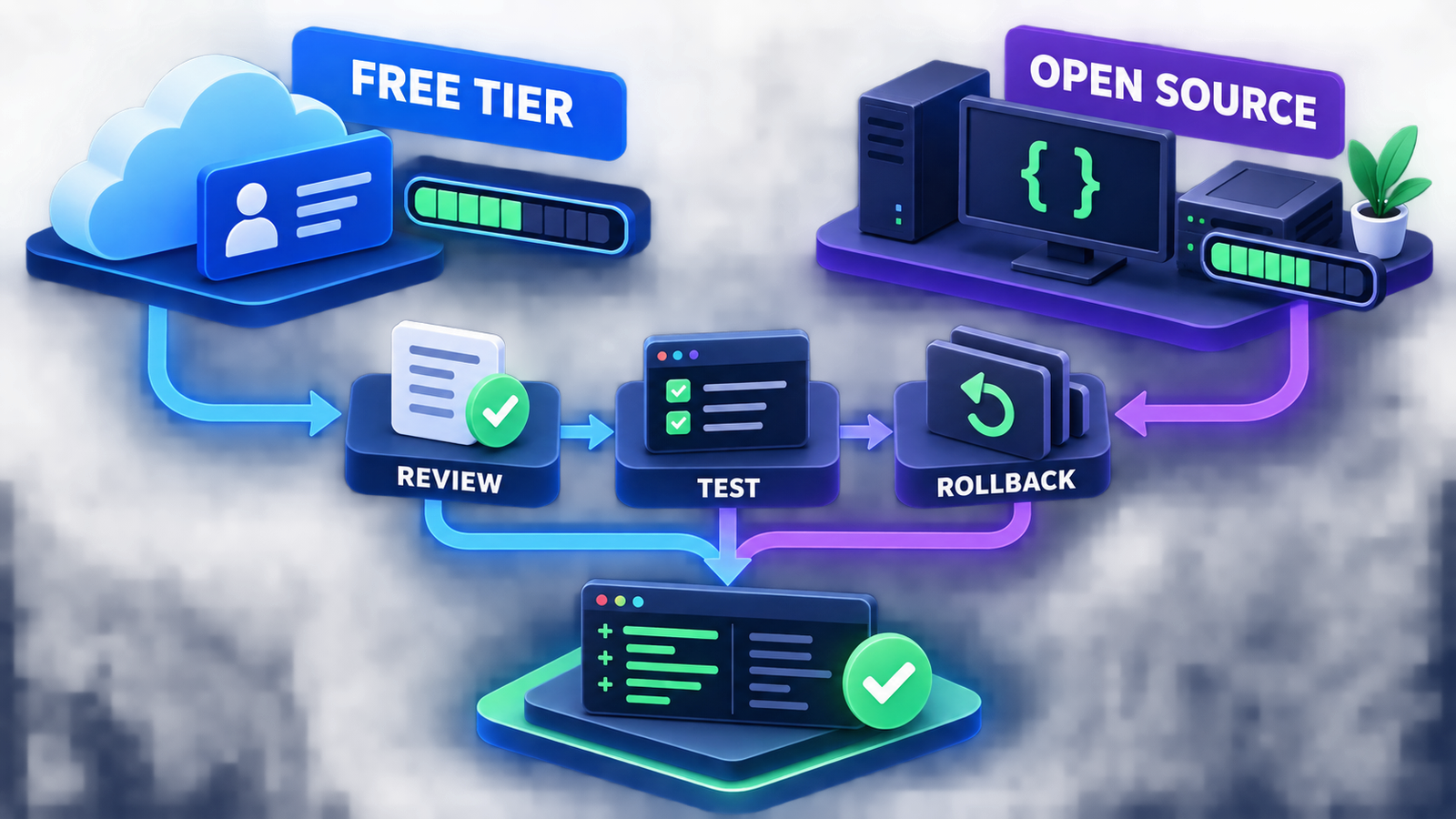
- Constrain actions. Use a sandbox or worktree, least-privilege credentials, command approval, network controls and a clean rollback point.
- Verify every change. Review the diff, run tests and linters, scan new dependencies and inspect generated configuration. The AI code generator guide explains this loop in more detail.
A free tool should not receive broad repository, cloud or production access merely because the account costs nothing. Prompt injection can arrive through source files, issues, documentation or package output. The AI agent security guide covers sandboxing and tool permissions, and the NIST Secure Software Development Framework is a useful baseline for review and testing controls.
Frequently asked questions
Which free AI coding tool is best for beginners?
GitHub Copilot Free is the easiest general starting point because it integrates with familiar editors and requires little infrastructure. Use small tasks and inspect every suggestion rather than accepting large patches blindly.
Can I use an AI coding agent completely free?
Yes, if the agent is open source and you connect it to a capable local model on hardware you already own. The result still has infrastructure and time costs, and smaller local models may be less reliable on multi-step work.
Are free tiers safe for private company code?
Do not assume so. Review the exact plan’s data retention, training, subprocessors, content-exclusion and administrator controls. Many free individual tiers lack the enforceable policies and indemnity offered on business plans.
Do free AI coding tools support every language?
Most support many text-based languages, but quality depends on training coverage, language-server integration, repository context and the task. Test your actual framework, build system and monorepo rather than relying on a broad language list.
What happens when I reach a free quota?
Depending on the product, you may wait for a reset, switch to a cheaper model, add an API key or upgrade. Set a spending cap before enabling paid overage, especially for agents that can make many model calls per task.
Bottom line
Start with a hosted free tier when convenience matters, and choose an open-source or local path when control matters enough to justify setup and hardware. The best free AI coding tool is the one whose limits, data path and action permissions you understand—and whose output still passes review, tests and rollback checks.


