
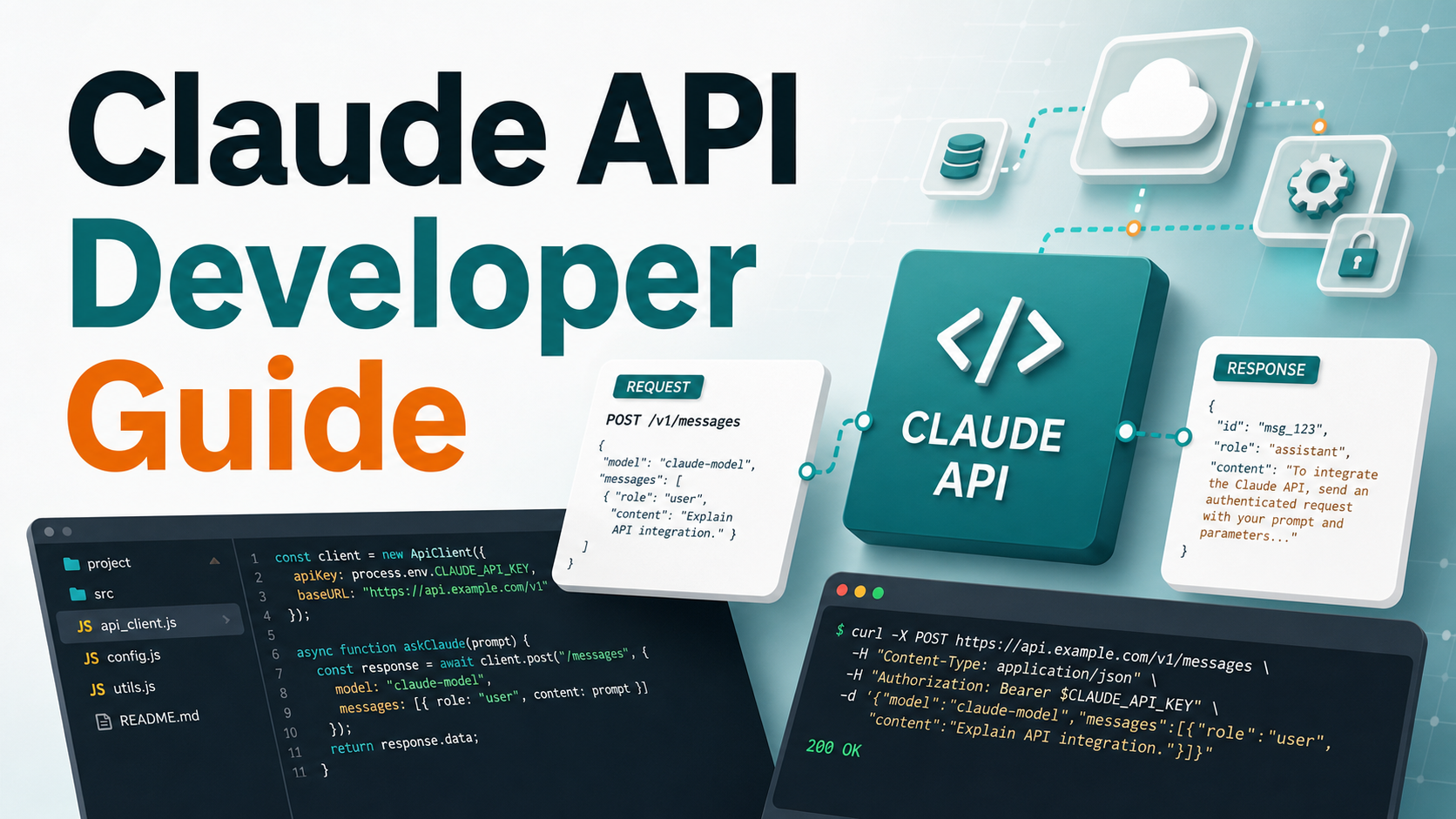

SEO excerpt: Learn how to use the Claude API in 2026 with Python, TypeScript, Messages API examples, model selection, streaming, tool use, cost controls, rate limits, and production deployment tips.
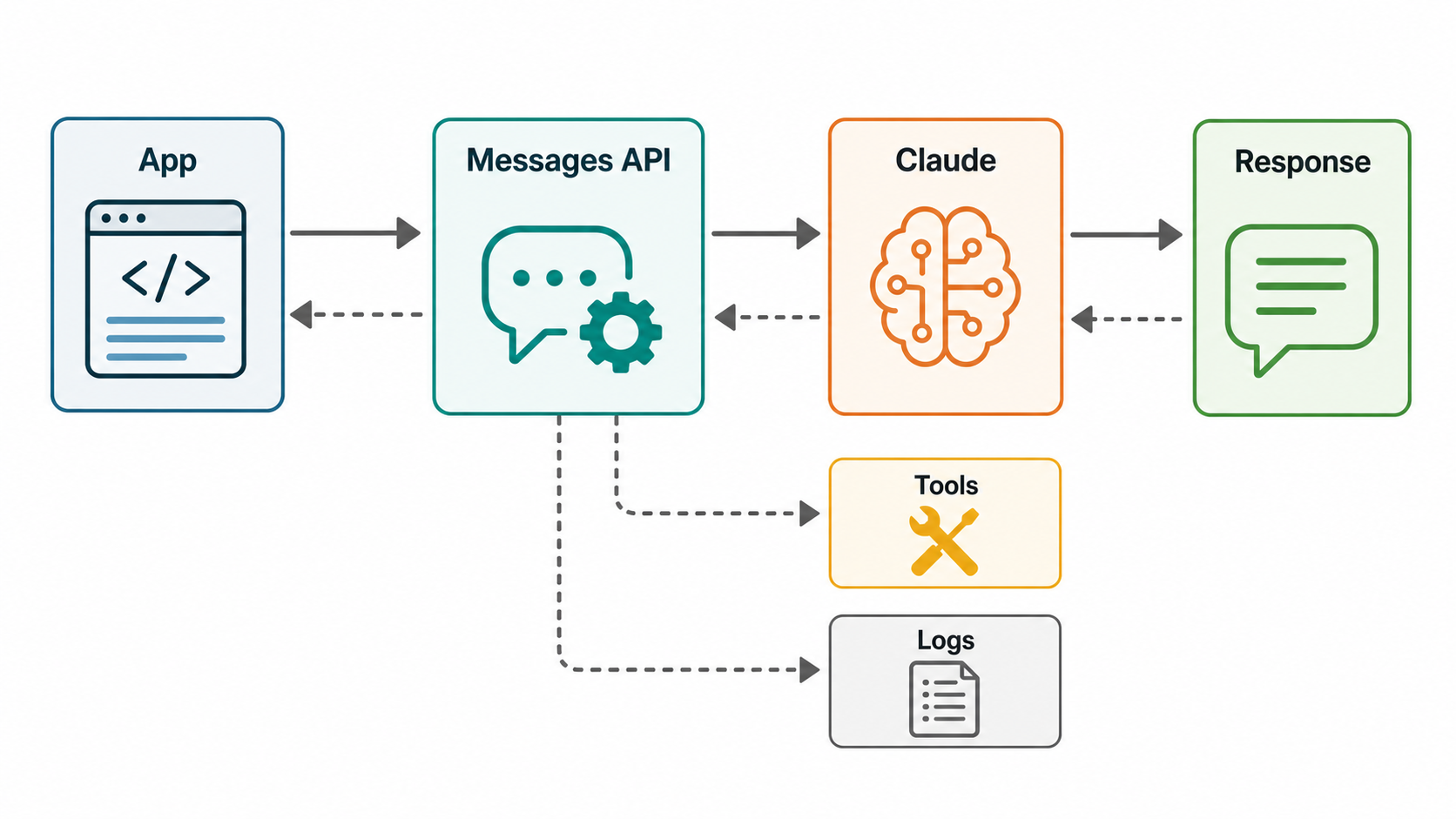
Quick Answer
The fastest way to use the Claude API is to create an Anthropic API key, install the official SDK, set ANTHROPIC_API_KEY as an environment variable, and call the Messages API with a current model such as claude-sonnet-5, claude-opus-4-8, or claude-haiku-4-5. For most developer apps, start with Sonnet for balanced quality and cost, use Haiku for fast low-cost automation, and reserve Opus or Fable for complex reasoning, long-running agentic workflows, or high-value tasks.
What Is the Claude API?
The Claude API is Anthropic’s developer interface for building applications on top of Claude models. In practical terms, it lets your application send prompts, documents, images, tool definitions, and conversation history to Claude, then receive text or structured responses that your software can use.
Most teams begin with the Messages API. It gives direct model access: you manage the conversation state, choose the model, set token limits, and decide what to do with the output. Anthropic also offers higher-level surfaces such as Managed Agents, but direct Messages API usage is still the right starting point when you want tight control over prompts, tools, retries, observability, and cost.
According to Anthropic’s current documentation, Claude models are available through the Claude API and through major cloud platforms, including Amazon Bedrock, Claude Platform on AWS, Google Cloud, and Microsoft Foundry. That matters for production planning: some teams prefer the native Claude API for feature access and simplicity, while enterprise teams may route access through an approved cloud marketplace or IAM model.
When Should Developers Use Claude?
Claude is especially useful for software workflows that involve language, code, analysis, transformation, and reasoning. Typical developer use cases include:
- Developer assistants: code review helpers, test generation, pull request summarizers, and documentation bots.
- Knowledge apps: support assistants, RAG systems, internal search, policy Q&A, and onboarding copilots.
- Data transformation: extracting fields from tickets, converting unstructured notes into JSON, and classifying incidents.
- Agentic workflows: multi-step tasks that call tools, inspect files, query APIs, and produce a final result.
- Content operations: draft generation, editorial review, summarization, and localization workflows where human review remains important.
If you are new to AI application architecture, read What is Generative AI? A Beginner’s Guide first. If you are planning a retrieval system around Claude, pair this article with GravityDevOps guides on RAG, vector databases, and LLMOps.
Claude API Building Blocks
Before writing code, it helps to understand the core pieces you will configure in almost every request.
| Concept | What It Means | Practical Tip |
|---|---|---|
| Model | The Claude model that handles the request. | Use a pinned model ID or documented alias intentionally; do not assume model names are evergreen. |
| Messages | The conversation turns sent to the API. | Keep only the useful context; long histories increase cost and latency. |
| System prompt | High-level behavior and constraints for the assistant. | Put role, boundaries, output rules, and safety constraints here. |
max_tokens | The maximum output budget for the response. | Set this deliberately; oversized limits make cost harder to predict. |
| Temperature | Controls output variation. | Use lower values for extraction, classification, and repeatable workflows. |
| Tools | Functions your app exposes for Claude to request. | Validate tool inputs server-side; never let model output bypass authorization. |
| Streaming | Incremental response delivery. | Use it for chat UX, long answers, and progress-sensitive developer tools. |
Step 1: Create an API Key
Create a Claude API key from the Anthropic Console and store it as an environment variable. Never hard-code the key in source code, commit it to Git, paste it into logs, or ship it to a browser client.
export ANTHROPIC_API_KEY="your_api_key_here"For local development, use a secret manager, shell profile, encrypted dotenv workflow, or your framework’s local secret system. In production, use your platform’s secret storage: AWS Secrets Manager, Google Secret Manager, Azure Key Vault, Kubernetes Secrets with external secret sync, Doppler, Vault, or a similar tool.
Step 2: Install the SDK
Anthropic provides official SDKs for popular languages. Python and TypeScript are the most common starting points for backend services, developer tools, and AI prototypes.
Python
python -m venv .venv
source .venv/bin/activate
pip install anthropic
TypeScript or Node.js
npm install @anthropic-ai/sdkYou can call the REST API directly with curl, but SDKs reduce boilerplate and make streaming, errors, and typed request shapes easier to manage.
Step 3: Make Your First Claude API Call
Here is a minimal Python example using the Messages API.
import anthropic

client = anthropic.Anthropic()

message = client.messages.create(
    model="claude-sonnet-5",
    max_tokens=500,
    messages=[
        {
            "role": "user",
            "content": "Explain Kubernetes liveness probes in simple terms."
        }
    ],
)

print(message.content[0].text)
The SDK reads ANTHROPIC_API_KEY from the environment by default. The important fields are model, max_tokens, and messages. A message has a role and content. Your application is responsible for storing or reconstructing prior turns when you want a multi-turn conversation.
TypeScript Example
import Anthropic from "@anthropic-ai/sdk";

const client = new Anthropic({
  apiKey: process.env.ANTHROPIC_API_KEY,
});

const message = await client.messages.create({
  model: "claude-sonnet-5",
  max_tokens: 500,
  messages: [
    {
      role: "user",
      content: "Create a checklist for reviewing a Terraform pull request."
    }
  ],
});

console.log(message.content[0].text);
Step 4: Add a System Prompt
A system prompt sets the assistant’s behavior. Use it to define the role, audience, output format, and non-negotiable constraints.
message = client.messages.create(
    model="claude-sonnet-5",
    max_tokens=800,
    system=(
        "You are a senior DevOps engineer. "
        "Give concise, production-focused answers. "
        "When recommending commands, explain risk before destructive operations."
    ),
    messages=[
        {
            "role": "user",
            "content": "How should I rotate Kubernetes secrets with zero downtime?"
        }
    ],
)
Good system prompts are specific. Weak prompts say “be helpful.” Strong prompts say who the assistant is, what quality bar it should meet, what format to return, and what it must avoid.
Step 5: Choose the Right Claude Model
Model selection is a cost, quality, and latency decision. Anthropic’s current model overview says the latest Claude family includes options such as Claude Fable 5, Claude Opus 4.8, Claude Sonnet 5, and Claude Haiku 4.5. The same docs recommend Opus 4.8 for complex agentic coding and enterprise work, while Fable 5 is positioned for the highest available capability.
| Model Family | Best For | Developer Guidance |
|---|---|---|
| Claude Haiku | Fast, lower-cost tasks | Use for classification, short extraction, routing, simple summaries, and high-volume background jobs. |
| Claude Sonnet | Balanced app workloads | Use as the default for many production apps: support assistants, coding helpers, RAG answers, and workflow automation. |
| Claude Opus | Complex reasoning and coding | Use when the task value justifies higher cost: architecture review, complex code changes, deep analysis, or difficult agent loops. |
| Claude Fable | Highest-capability workloads | Use selectively for long-running agents, strategic reasoning, or tasks where answer quality is more important than unit cost. |
One important 2026 detail: Anthropic documents that newer model IDs may be pinned snapshots even when they do not include a date. Treat model updates as dependency changes. Test prompts, output formats, latency, and cost before changing production model IDs.
Step 6: Stream Responses for Better UX
For chat interfaces and developer assistants, streaming makes the app feel faster because users see tokens as they arrive instead of waiting for the full response.
with client.messages.stream(
    model="claude-sonnet-5",
    max_tokens=1000,
    messages=[
        {
            "role": "user",
            "content": "Write a step-by-step incident response checklist for a failing Kubernetes deployment."
        }
    ],
) as stream:
    for text in stream.text_stream:
        print(text, end="", flush=True)
Use streaming when the output is user-facing. For background jobs, batch evaluation, or data extraction, a normal non-streaming request is often simpler.
Step 7: Use Structured Outputs for Reliable App Logic
If your app needs JSON, ask for JSON explicitly and validate it. Do not assume natural language will always parse cleanly.
import json
import anthropic

client = anthropic.Anthropic()

response = client.messages.create(
    model="claude-sonnet-5",
    max_tokens=600,
    system="Return only valid JSON. Do not include Markdown.",
    messages=[
        {
            "role": "user",
            "content": """
Classify this incident:

The checkout service is returning 503 errors after a new deployment.
CPU is normal, but database connection errors increased.

Return:
{
  "severity": "low|medium|high|critical",
  "likely_cause": "...",
  "first_action": "..."
}
"""
        }
    ],
)

data = json.loads(response.content[0].text)
print(data["severity"])
In production, validate the result with Pydantic, Zod, JSON Schema, or your language’s equivalent. If parsing fails, retry with a narrower repair prompt or route to manual review.
Step 8: Add Tool Use Carefully
Tool use lets Claude request actions from your application: search a database, fetch a ticket, call an internal API, run a calculation, or look up a document. The model does not magically execute the tool. Your code receives a tool request, validates it, executes the tool, and sends the result back.
A safe tool pattern looks like this:
- Define a small tool with a clear purpose.
- Use a strict input schema.
- Authorize the user before executing the action.
- Validate model-provided parameters server-side.
- Log the tool call without exposing secrets.
- Return only the data Claude needs to continue.
For example, a DevOps assistant could have a read-only get_deployment_status tool. That is much safer than giving it unrestricted shell access. Start with read-only tools, prove the workflow, and add write actions only when you have approval gates, audit logs, rollback plans, and least-privilege credentials.
Step 9: Build a Practical RAG Workflow
Many Claude API apps become more useful when connected to your own knowledge base. A common pattern is retrieval-augmented generation, or RAG:
- Chunk your documents into searchable passages.
- Create embeddings and store them in a vector database.
- Retrieve the most relevant passages for each user question.
- Send those passages to Claude with instructions to answer from the provided context.
- Include citations or source references in the final answer.
RAG is often better than fine-tuning when you need answers grounded in changing company docs, runbooks, policies, or product information. For deeper architecture choices, read GravityDevOps guides on RAG, vector databases, and generative AI fundamentals.
Step 10: Control Cost Before Production
Claude API cost depends on input tokens, output tokens, model choice, and optional features. Anthropic’s pricing documentation lists different input and output prices by model and also documents discounts or modifiers for capabilities such as batch processing, prompt caching, long context, data residency, and fast mode where available.
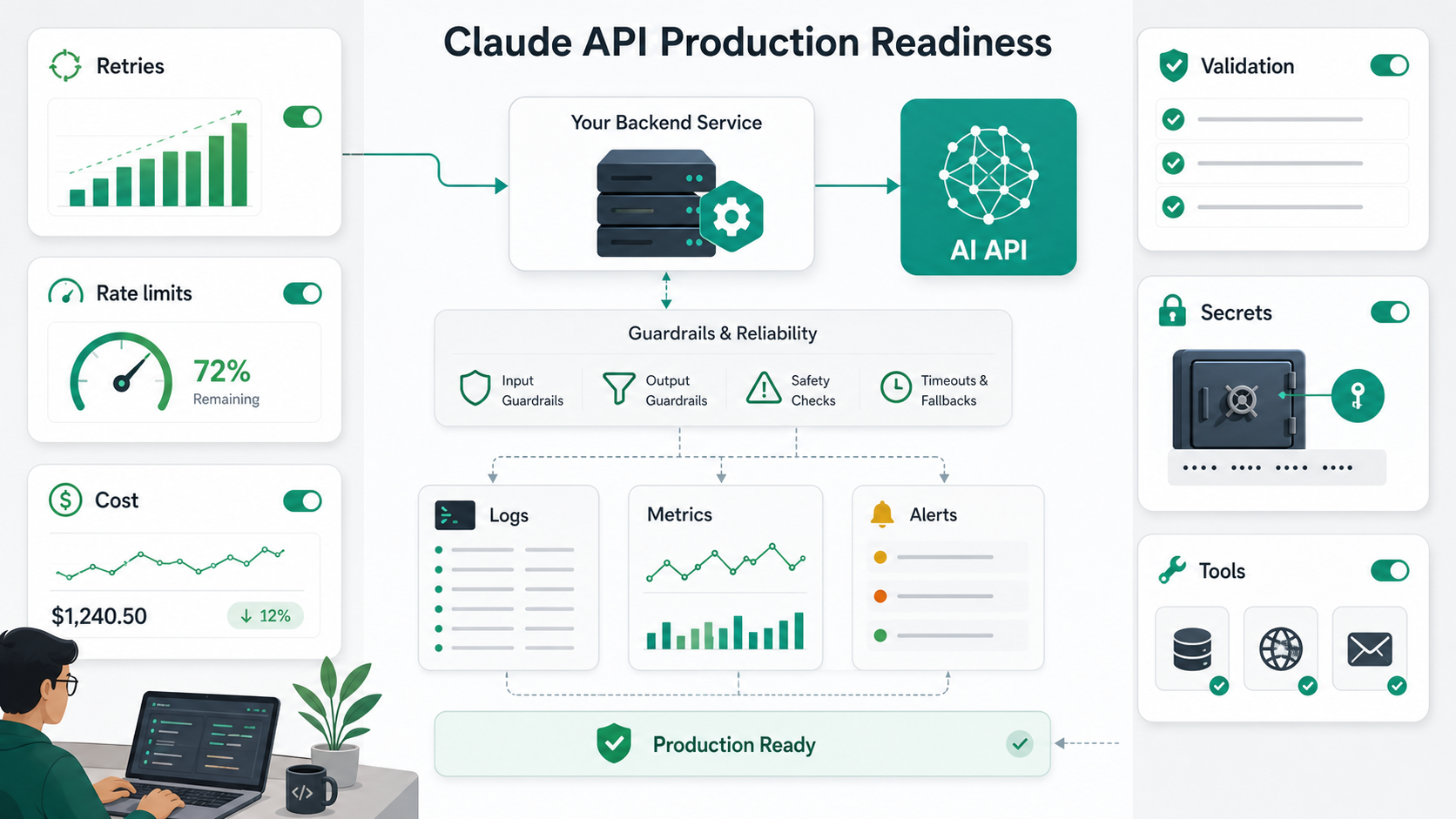
Cost control is an engineering feature, not an accounting afterthought. Add these controls before launch:
- Set output limits: use realistic
max_tokensvalues per route. - Trim context: summarize or remove old conversation turns that no longer matter.
- Choose models by task: route simple work to cheaper models and reserve premium models for hard tasks.
- Cache stable prompts: reuse shared context where prompt caching fits your workload.
- Use batch processing: for offline high-volume jobs where latency is not user-facing.
- Track token usage: log usage per customer, feature, route, and model.
- Add budget alerts: monitor spend and rate-limit abusive or accidental loops.
Step 11: Handle Rate Limits and Errors
Anthropic documents two important limit types: spend limits and rate limits. Rate limits constrain request and token throughput, while spend limits cap monthly usage. Limits are enforced at the organization level, and short bursts can still trigger rate limit errors even when your per-minute average looks acceptable.
Your app should handle errors with predictable behavior:
import time
import anthropic

client = anthropic.Anthropic()

def ask_claude(prompt: str, retries: int = 3) -> str:
    for attempt in range(retries):
        try:
            response = client.messages.create(
                model="claude-sonnet-5",
                max_tokens=700,
                messages=[{"role": "user", "content": prompt}],
            )
            return response.content[0].text
        except anthropic.RateLimitError:
            if attempt == retries - 1:
                raise
            time.sleep(2 ** attempt)
        except anthropic.APIError:
            if attempt == retries - 1:
                raise
            time.sleep(1 + attempt)

    raise RuntimeError("Claude request failed after retries")
Use exponential backoff with jitter, avoid retry storms, and make your jobs idempotent. If a user action created a request, show a useful error instead of silently repeating expensive calls.
Step 12: Keep Secrets and User Data Safe
Security mistakes in AI apps usually come from normal software engineering gaps: leaked API keys, overly broad tools, weak logging hygiene, and missing authorization checks. Treat Claude API integrations like production services.
- Never expose API keys in frontend JavaScript.
- Proxy API requests through your backend.
- Apply authentication and authorization before calling Claude.
- Redact secrets from prompts, logs, traces, and error reports.
- Limit tool permissions by user role and environment.
- Do not let model output directly execute shell commands or database writes.
- Review data retention, privacy, and compliance requirements for your organization.
If you are building CI/CD or DevSecOps workflows with Claude, also read Best CI/CD Tools in 2026 and related GravityDevOps security articles before wiring AI into deployment paths.
Native Claude API vs OpenAI SDK Compatibility
Anthropic provides an OpenAI SDK compatibility layer, which can be useful when you want to test Claude quickly inside an app already using OpenAI-style chat completions. The current Anthropic docs describe it as a compatibility layer for evaluation, but they also state that the native Claude API is preferred for the full feature set, including capabilities such as PDF processing, citations, extended thinking, and prompt caching.
| Option | Use It When | Watch Out For |
|---|---|---|
| Native Claude API | You are building a production Claude integration from scratch. | Requires learning Anthropic request and response shapes. |
| OpenAI SDK compatibility | You want a quick evaluation inside an existing OpenAI SDK app. | Some features and behavior differ; do not assume perfect drop-in parity. |
Production Checklist
Before shipping a Claude API feature to users, run through this checklist:
- API keys are stored in a secret manager, not in code.
- Prompts are versioned or stored where changes can be reviewed.
- Model IDs are chosen deliberately and tested before updates.
- Inputs are validated and sensitive data is minimized.
- Structured outputs are schema-validated before app logic uses them.
- Tool calls are authorized, audited, and least-privilege.
- Costs are tracked by feature, tenant, and model.
- Rate limit handling uses backoff and idempotency.
- Failures have a user-visible fallback or manual review path.
- Evaluation tests cover real examples, edge cases, and unacceptable answers.
Common Mistakes
Using the Most Expensive Model for Every Request
Premium models are valuable, but not every task needs them. Route simple classification, formatting, and short summarization to faster, cheaper models. Save top-tier models for tasks where quality materially changes the outcome.
Sending Too Much Context
More context is not always better. Long prompts increase cost, latency, and distraction. Retrieve or include only what the model needs.
Trusting JSON Without Validation
If the response drives application behavior, validate it. A malformed or unexpected value should not crash your app or trigger an unsafe action.
Giving Tools Too Much Power
A model should not have unrestricted access to production systems. Start read-only, use explicit approvals for writes, and isolate credentials by environment.
Ignoring Model Versioning
Model changes can affect tone, formatting, latency, and cost. Treat model upgrades like dependency upgrades: test, compare, and roll out gradually.
Example: A Simple DevOps Runbook Assistant
Here is a practical architecture for a Claude-powered runbook assistant:
- User asks, “Why is checkout returning 503 after deployment?”
- Your backend authenticates the user and checks which services they can access.
- The app retrieves relevant runbook chunks, recent deployment metadata, and read-only service health.
- The Messages API call includes the question, retrieved context, and a system prompt requiring cautious troubleshooting.
- Claude returns likely causes, first checks, and commands that are read-only by default.
- If the user asks for a write action, the app requires explicit approval and executes through a controlled tool.
- The full interaction is logged with secrets redacted.
This pattern is more reliable than a generic chatbot because the model receives current operational context and your app controls what actions are allowed.
FAQ
Is the Claude API good for developers?
Yes. The Claude API is useful for developer assistants, code review, documentation, support bots, RAG apps, incident workflows, and structured data extraction. It is strongest when you combine good prompts with validation, observability, and safe tool design.
Which Claude model should I start with?
Start with a balanced Sonnet model for most application workloads. Use Haiku for high-volume simple tasks, Opus for complex coding and reasoning, and Fable for the highest-capability workloads where answer quality is worth the higher cost.
Can I use the Claude API with Python?
Yes. Install the official anthropic Python SDK, set ANTHROPIC_API_KEY, and call client.messages.create() with your model, token limit, and messages.
Can I use the Claude API with Node.js or TypeScript?
Yes. Install @anthropic-ai/sdk, create an Anthropic client, and call the Messages API from your backend service. Do not expose your API key in browser code.
Does Claude support streaming responses?
Yes. Streaming is useful for chat interfaces, developer copilots, and long answers because users can see output as it arrives.
Can Claude call tools or functions?
Yes. You can define tools that Claude may request, but your application must validate, authorize, and execute those tools. Keep tools narrow and least-privilege.
Should I use Claude API or the OpenAI SDK compatibility layer?
Use the native Claude API for production Claude apps and full feature access. Use OpenAI SDK compatibility mainly for quick evaluation or migration experiments in an existing OpenAI-style codebase.
How do I reduce Claude API costs?
Choose the right model per task, limit output tokens, trim unnecessary context, cache stable prompt sections when appropriate, batch offline jobs, and monitor token usage by feature and customer.
Schema-Ready FAQ Structure
{
  "@context": "https://schema.org",
  "@type": "FAQPage",
  "mainEntity": [
    {
      "@type": "Question",
      "name": "Is the Claude API good for developers?",
      "acceptedAnswer": {
        "@type": "Answer",
        "text": "Yes. The Claude API is useful for developer assistants, code review, documentation, support bots, RAG apps, incident workflows, and structured data extraction."
      }
    },
    {
      "@type": "Question",
      "name": "Which Claude model should I start with?",
      "acceptedAnswer": {
        "@type": "Answer",
        "text": "Start with a balanced Sonnet model for most application workloads. Use Haiku for high-volume simple tasks, Opus for complex coding and reasoning, and Fable for the highest-capability workloads."
      }
    },
    {
      "@type": "Question",
      "name": "Can I use the Claude API with Python?",
      "acceptedAnswer": {
        "@type": "Answer",
        "text": "Yes. Install the official anthropic Python SDK, set ANTHROPIC_API_KEY, and call the Messages API with your model, token limit, and messages."
      }
    },
    {
      "@type": "Question",
      "name": "How do I reduce Claude API costs?",
      "acceptedAnswer": {
        "@type": "Answer",
        "text": "Choose the right model per task, limit output tokens, trim unnecessary context, cache stable prompt sections when appropriate, batch offline jobs, and monitor token usage."
      }
    }
  ]
}
Internal Link Suggestions
- What is Generative AI? A Beginner’s Guide
- Best CI/CD Tools in 2026
- What is RAG (Retrieval-Augmented Generation)?
- Vector Databases Explained (pgvector, Pinecone)
- What is LLMOps?
- Fine-Tuning vs RAG: When to Use Each
- Platform Engineering & Backstage: A Guide


