

The best AI document creation tools for small businesses are Zoho Writer for a genuinely free word processor, Microsoft 365 Copilot for Word-based teams, Gemini in Google Docs for Google Workspace users, Canva Docs for visual proposals, Notion AI for internal knowledge, Grammarly Docs for polishing important copy, and Gamma for fast visual briefs.
The right choice depends on the document, not on which assistant produces the longest first draft. A client proposal needs clean export and brand control; an operating procedure needs permissions and version history; a recurring letter may need templates, data merge and approvals. This comparison was checked on August 29, 2026, against current US-facing product, pricing, help and privacy pages. Plans and AI allowances can change.
Best AI document creation tools for small businesses at a glance
| Tool | Best for | Lowest practical access | Main limitation |
|---|---|---|---|
| Zoho Writer | Free business documents and document automation | Free editor and Zia AI; 200 automation credits per organization monthly | Advanced merge and signature workflows consume automation credits |
| Microsoft 365 Copilot | Word documents grounded in Microsoft work files | Business Standard with Copilot: $23.50 per user monthly, paid yearly | No ongoing free tier; eligibility depends on the Microsoft 365 license |
| Gemini in Google Docs | Collaborative drafts using Drive and Gmail context | Workspace Business Standard: $14 per user monthly annually, or $16.80 monthly | Gemini in Docs requires an eligible Workspace or Google AI plan |
| Canva Docs | Visually polished proposals, briefs and handouts | Free Docs plus up to 200 Standard or 20 Premium AI uses monthly | AI allowance is pooled, and formal word-processing controls are lighter |
| Notion AI | Internal SOPs, project pages and team knowledge | Limited AI trial on Free and Plus; Business is $20 per seat monthly | Full AI is not included indefinitely on the lower plans |
| Grammarly Docs | Rewriting and quality control for customer-facing copy | Free plan with 100 generative AI prompts monthly | Better as a writing layer than a document-automation system |
| Gamma | Visual briefs, one-pagers and web-style documents | 400 non-renewing starter AI credits; no card required | Free exports carry Gamma branding and there is no native DOCX export |
Prices are US list prices visible on August 29, 2026, before tax and promotions. A free tier is different from a trial: Zoho Writer, Canva, Grammarly and Gamma have documented zero-dollar access, while Notion’s lower plans provide only trial AI usage. Microsoft and Google may offer trials, but their in-document business AI is paid.
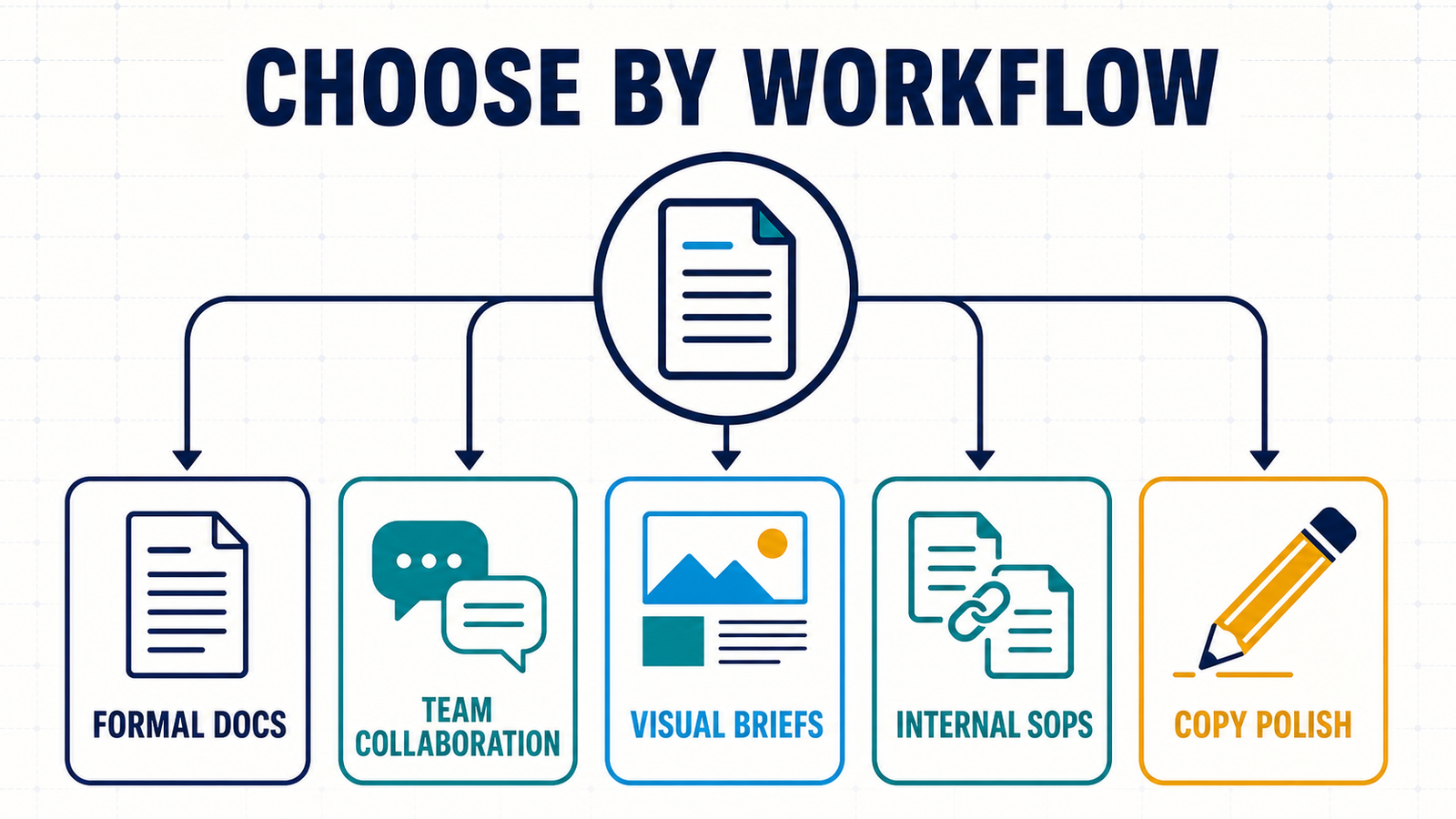
How we selected the best AI document creation tools
We screened ten credible products and ranked seven. The review considered first-draft creation, rewriting, templates, layout control, source grounding, collaboration, approvals, version history, DOCX and PDF export, recurring document automation, published AI allowances, account and card requirements, privacy statements and fit for a small team. Adobe Acrobat Studio, ChatGPT Canvas and Coda AI were useful alternatives, but the selected tools offered a clearer fit for common small-business document workflows.
This is a documentation-based comparison. We verified product claims and plan boundaries from official pages, but did not buy every plan or run a controlled output-quality benchmark. No dependable independent benchmark measures proposals, policies and client letters against the same private business context. Rankings therefore reflect workflow fit and verifiable controls, not invented hands-on testing.
1. Zoho Writer: best free AI document creator for small businesses
Zoho Writer is the strongest zero-dollar option in this comparison because the AI assistant lives inside a full word processor rather than a separate chat window. Zia can generate, shorten, summarize, rephrase and revise text, and Zoho says its own generative AI is available to Writer users at no cost without a published user-level usage limit. The editor supports collaboration, approvals, templates, DOCX and PDF export, offline desktop apps and integrations with Zoho CRM, Books, Invoice and Sign.
The distinction between writing and automation matters. Zoho says Writer is free, while data-driven generation uses credits. Its current pricing page lists 200 free automation credits per organization monthly for the individual edition and 1,000 for business WorkDrive customers. Creating templates does not consume credits; generating merged documents does.
Pros: unusually complete free editor; integrated AI; DOCX and PDF compatibility; approvals and recurring templates. Cons: account required; merge, fillable-form and signature automation has a separate credit model; teams already standardized on Microsoft or Google may create another content silo.
Choose it for: proposals, letters, reports, policies and repeatable customer documents when budget matters more than staying inside an existing office suite.
2. Microsoft 365 Copilot: best for Word-based businesses
Copilot in Word can draft from a prompt, outline, notes or a referenced file; rewrite selected passages; summarize a document; turn text into a table; and suggest document-wide changes for review. Its practical advantage is continuity: a business can keep Word formatting, comments, tracked review and familiar DOCX delivery while using files, emails and meetings as context where the license and admin settings allow it.
There is no perpetual free business tier. On the US Copilot pricing page checked for this review, Microsoft 365 Business Standard with Copilot was $23.50 per user per month paid yearly, and the Copilot Business add-on started at a promotional $18 per user per month annually for organizations with a qualifying Microsoft 365 plan. Trials were advertised, but a trial is not free ongoing access.
Pros: native Word workflow; strong DOCX fidelity; business context and collaboration. Cons: meaningful per-seat cost; licensing can be confusing; generated claims still require review.
Choose it for: a small company already paying for Microsoft 365 that produces formal client documents, policies or sales material in Word.
3. Gemini in Google Docs: best for Google Workspace collaboration
Gemini in Google Docs can draft and refine content, create personalized documents, summarize Drive files and Gmail messages, reference other workspace files and insert generated output into a shared Doc. That makes it useful for project updates, customer briefs and operating documents whose source material already lives in Google Workspace.
Google says the feature requires an eligible Workspace or Google AI plan. The US Workspace AI page listed Business Standard at $14 per user per month with an annual commitment or $16.80 billed monthly at review time, with a trial. Google also states on that page that company data is not used for model training or ads. Businesses should still configure sharing carefully and avoid granting a generated draft broader Drive access than its reviewers need.
Pros: excellent real-time collaboration; useful Gmail and Drive grounding; familiar export and commenting workflow. Cons: paid eligible plan required; availability can vary by language, account and admin settings; the live side-panel conversation can disappear if it is not inserted into the document.
Choose it for: teams already working in Gmail, Drive and Docs that want AI drafting without moving content to another platform.
4. Canva Docs: best for visual proposals and branded handouts
Canva Docs combines a collaborative document surface with templates, banners, charts, media and Magic Write. It is a better fit than a traditional word processor when the output needs to look like a designed proposal, event brief, media kit or customer handout. Magic Write can create a first draft, then shorten, expand, rewrite or polish selected text inside the layout.
Canva Docs itself is free. The US pricing page estimated up to 200 Standard AI uses or 20 Premium AI uses monthly on Canva Free, pooled across eligible AI tools. Canva’s page says text tools such as Magic Write may not count against the same monthly allowance depending on the plan and feature, so the live account meter is the final source of truth. Free storage was listed at 5 GB.
Pros: strong visual templates; fast brand-friendly layouts; easy collaboration and PDF-style sharing. Cons: free stock and AI boundaries can be easy to mix up; long, heavily structured Word documents are not its strength; users must verify rights for uploaded and generated media.
Choose it for: short proposals, lead magnets, media kits, one-page plans and branded internal guides.
5. Notion AI: best for SOPs and internal knowledge
Notion AI can generate and edit pages, use workspace and connected-app context, create databases and help maintain living documents alongside projects and tasks. It is particularly useful for standard operating procedures, onboarding guides, meeting-derived action plans and policies that need links, owners and continuous updates rather than a final DOCX attachment.
The Free and Plus plans only include limited complimentary AI responses intended for evaluation. Notion’s current pricing page listed Business, which includes Notion AI, at $20 per seat per month. The provider also documents six-hour and monthly usage windows for some AI features rather than promising unlimited use.
For privacy, Notion says workspace data is not used to train its models or subprocessors by default, permissions are respected, and non-Enterprise model providers generally retain customer data for 30 days or less. Teams should confirm the settings, subprocessors and retention terms that apply to their workspace.
Pros: documents live with tasks and knowledge; useful workspace context; good permissions and reusable templates. Cons: lower plans provide trial AI, not an ongoing free allowance; page exports are less natural for strict Word formatting; usage windows can pause heavy work.
Choose it for: internal operating documents that should remain searchable, linked and owned rather than emailed as static files.
6. Grammarly Docs: best for rewriting and quality control
Grammarly Docs gives teams a focused writing surface with AI chat and writing agents for generating ideas, revising tone, checking clarity and improving a professional report or customer message. It is strongest late in the workflow, when a human already knows what the document must say and needs help making it concise, consistent and readable.
The official plans page listed 100 generative AI prompts per month on Free, 2,000 per member on Pro and unlimited prompts on Enterprise at review time. Grammarly Pro was listed separately by its support center at $30 per member when billed monthly. The prompt allowance is concrete, but this is not a mail-merge, approval or sophisticated layout system.
Pros: clear free monthly quota; helpful sentence-level revision; works well for customer-facing language. Cons: limited document automation and layout; free prompts can disappear quickly during repeated rewrites; teams must assess data controls before adding confidential material.
Choose it for: polishing proposals, reports, web copy and important messages after the business facts have been verified.
7. Gamma: best for visual briefs and web-style documents
Gamma can turn a prompt or imported material into a visual document, deck, site or social asset. Its card-based format works well for a project brief, sales leave-behind, product explainer or lightweight report where scannability matters more than Word-style pagination.
The free plan includes 400 starter credits that do not refill, requires no payment card and supports PDF, PPTX, PNG and Google Slides export. Credit cost varies by model and task. The export documentation confirms that free exports retain Gamma branding; paid plans remove it. Gamma does not offer native DOCX export, and its help center suggests converting a PDF when a Word file is required.
Pros: fast visual structure; free starter allocation; several export formats. Cons: credits do not renew; free watermark; no native DOCX; card layouts can be a poor fit for formal contracts and long policies.
Choose it for: a visual one-pager or interactive brief that will be shared as a link, PDF or presentation rather than edited in Word.
Which AI document tool should your business choose?
- Choose Zoho Writer when you need a capable free word processor or want to automate recurring documents gradually.
- Stay with Microsoft 365 Copilot or Gemini in Docs when your files, permissions and review habits already live in that suite.
- Use Canva Docs or Gamma for short, visual material; prefer Canva for design editing and Gamma for rapid card-based briefs.
- Pick Notion AI for living internal documentation connected to projects and knowledge.
- Add Grammarly when language quality is the bottleneck, not document layout or automation.
Before committing, test one non-sensitive document from outline through export. Our prompt engineering guide explains how to define audience, constraints and sources. If your input is a spreadsheet, compare the AI tools that turn data into reports. For evidence-heavy work, the AI research report generator comparison focuses on citation traceability.
A safe small-business document workflow
- Define the owner and audience. State who approves the document, who can see it and what decision it supports.
- Provide approved source material. Use current prices, policies, contracts and product facts rather than asking the model to guess.
- Generate structure before prose. Approve the sections and required evidence, then draft one section at a time.
- Verify every consequential claim. Recheck numbers, dates, legal obligations, warranties, employment language and customer promises against the source.
- Review privacy and rights. Do not paste personal data, confidential deals or third-party copyrighted material into a service without an appropriate agreement and settings.
- Export and inspect. Open the PDF or DOCX outside the original app and check fonts, page breaks, tables, links, alt text and comments.
Our beginner’s guide to generative AI explains why fluent output can still be inaccurate. AI may draft and revise; a named person remains accountable for truth, approval and distribution.
Frequently asked questions
What is the best free AI document creation tool?
Zoho Writer is the most complete genuinely free option in this comparison because it combines an AI writing assistant with a full editor, collaboration, common exports and limited free automation credits. Canva and Grammarly also have recurring free access, while Gamma’s 400 starter credits do not refill.
Can AI create a complete Word document?
Yes. Microsoft Copilot can draft directly in Word, and Zoho Writer can create and export DOCX files. Other tools may export PDF or require conversion. Always inspect the final file because page breaks, tables, references and brand styles can change during export.
Are AI document generators safe for confidential business data?
Not automatically. Review the provider’s business terms, training policy, retention, subprocessors, permissions and admin controls before uploading confidential information. Use the least sensitive source material possible, restrict sharing and keep legal or regulated documents in an approved system.
Can a small business use an AI-generated contract or employee policy?
AI can help organize a draft, but it should not be the final authority. Contract, tax, employment and compliance rules vary by jurisdiction and situation. Use truthful inputs and have a qualified human review consequential language before anyone signs or relies on it.
Bottom line
Zoho Writer offers the best free all-around starting point. Microsoft 365 Copilot and Gemini in Docs make more sense when a business already pays for those ecosystems, while Canva, Notion, Grammarly and Gamma solve narrower visual, knowledge and editing jobs. Choose on final format, review workflow, privacy and recurring cost—not on the first draft alone.


