

The best free AI voice generators are TTSMaker, Microsoft Clipchamp, PlayHT, ElevenLabs, Google AI Studio, Narakeet and VEED. TTSMaker is the most generous simple download tool, Clipchamp is best for video voiceovers, and PlayHT is a strong monthly option. The catches include character limits, account requirements, personal-only licenses, regional credits and data-use terms.
A free AI voice generator turns written text into downloadable or editable speech without an upfront payment. The useful question is not simply which voice sounds most human. It is whether the free allowance resets, whether the output can be published or monetized, whether an account or billing setup is required, and whether the service can handle a full script without forcing dozens of tiny generations.
Free plans, terms and US availability were checked on August 31, 2026. Providers can change limits without notice, so confirm the allowance and license shown in your account before recording a long or commercial project.
Free AI voice generators at a glance
| Tool | Best for | Free allowance | Main caveat |
|---|---|---|---|
| TTSMaker | Downloadable narration without a subscription | 20,000 characters weekly; some voices unlimited | 500 characters per conversion on Free |
| Microsoft Clipchamp | Voiceovers inside a video editor | Text to speech included on Free | Microsoft account; audio-only export uses M4A |
| PlayHT | Short monthly MP3 projects | 10,000 credits monthly | Free-plan commercial rights are not stated clearly on pricing |
| ElevenLabs | Voice variety and expressive narration | 10,000 credits monthly | Personal, noncommercial use with attribution |
| Google AI Studio | Developer experiments and steerable speech | Gemini 2.5 Flash Preview TTS is free within rate limits | Unpaid inputs and outputs may improve Google products |
| Narakeet | No-sign-up testing | 20 audio files | 1 KB scripts and no commercial use on Free |
| VEED | Short voice clips in a browser editor | Up to 10 minutes monthly in eligible regions | Free credits are regional; clips can be limited to 12 seconds |
How we selected the best free AI voice generators
We screened 11 credible services and ranked seven. The methodology weighs zero-dollar access, recurring versus one-time allowance, script length, voice and language choice, pacing controls, audio download formats, account and card requirements, watermark or attribution, commercial-use language, privacy, consent controls and workflow fit. We also checked Amazon Polly, Google Cloud Text-to-Speech, NaturalReader and Canva; they are discussed as alternatives where their setup, licensing or undocumented quota makes them less suitable for the main list.
This is a documentation-based comparison, not a GravityDevOps listening test. Limits and rights statements are verified from official pricing, help and terms pages. We did not run a controlled voice-quality benchmark or test paid accounts. Voice quality varies by language, model, script and pronunciation, so preview your actual names, numbers and technical terms before choosing.
1. TTSMaker: best free AI voice generator for downloadable narration
TTSMaker is the strongest starting point when the goal is a straightforward audio file rather than a full production studio. Paste text, select a language and voice, adjust speed, volume and pauses, then download the result. It supports MP3 and other formats and does not force a paid subscription before the first useful export.
TTSMaker’s free generator lists 20,000 characters per week, with some marked voices available without counting against that quota. Its current plan comparison adds a crucial boundary: Free permits only 500 characters per conversion, includes ads and CAPTCHA, and keeps conversion history for 30 minutes. TTSMaker states that downloaded audio can be used commercially, but users remain responsible for script, music, trademark, likeness and platform rights.
Best for: short narration, pronunciation checks, social clips and users who want a recurring allowance.
Pros: 20,000 weekly characters, downloadable files, many languages, pacing controls and stated commercial use.
Cons: the 500-character job limit means long scripts must be split and joined, while CAPTCHA, ads and limited history make batch work tedious.
2. Microsoft Clipchamp: best for adding AI voice to video
Clipchamp is the better choice when the voiceover belongs in a YouTube video, tutorial or social clip. Its text-to-speech tool sits directly on the editing timeline, with language and voice selection plus pitch and pace controls. You can revise the script and have the timeline asset update without rebuilding the entire edit elsewhere.
Microsoft’s Clipchamp feature comparison includes automatic text-to-speech voiceovers on the Free personal plan and permits free 1080p export. Microsoft also says Clipchamp does not add a watermark; if a project contains a paid asset, export is blocked until that asset is removed or the plan is upgraded. Audio-only export is available, although Microsoft notes that the downloaded file uses M4A even when the menu refers to MP3.
Best for: creators who need narration, captions and video editing in one browser workflow.
Pros: text to speech on Free, no watermark, free 1080p video export and integrated audio editing.
Cons: a Microsoft account is required, the workflow is heavier than a simple text box, and project licensing still depends on every stock asset used.
3. PlayHT: best recurring free plan for short MP3 projects
PlayHT combines a conventional voice-generation studio with a free monthly allowance. It is useful for short narrations where a user wants a reusable account, MP3 files and access to newer speech models without learning a cloud API.
The PlayHT Starter plan is free without a credit card and provides 10,000 credits each month, one voice-clone slot, one seat and MP3 output. Free credits reset monthly and do not roll over. The pricing page does not clearly grant commercial rights for Starter, so treat free output as evaluation or personal-use material unless the current account terms explicitly authorize the intended publication.
Best for: short monthly scripts, model exploration and MP3-first workflows.
Pros: recurring credits, no card, MP3 output and a simple path from testing to higher-volume plans.
Cons: 10,000 credits is modest, WAV and broader studio features are paid, and the public pricing page leaves the Free commercial-use boundary unclear.
4. ElevenLabs: best for voice choice and expressive delivery
ElevenLabs is a strong option for testing expressive narration, accents and pacing across a large voice library. Its studio is easy to learn, and the same account can explore text to speech, sound effects and other audio tools. The free plan is useful for prototypes, but its license matters more than its headline quality.
ElevenLabs Free includes 10,000 credits per month. Standard text-to-speech models often consume about one credit per character, while some faster models may use fewer credits. The company’s publishing guidance says Free output is personal and noncommercial; shared free output requires attribution to ElevenLabs. Commercial licensing begins on a paid plan.
Best for: noncommercial demos, voice auditions and creators prioritizing expressive voice options.
Pros: polished interface, broad voice library, recurring monthly credits and useful delivery controls.
Cons: Free output cannot be monetized, attribution is required when publishing it, and cloning or imitating a real person requires explicit permission.
5. Google AI Studio: best for developer experiments with steerable speech
Google AI Studio is the most technical choice here, but it is valuable when a developer wants to prompt delivery style or prototype speech inside an application. Gemini 2.5 Flash Preview TTS can generate audio through AI Studio or the Gemini API, while the Pro TTS model remains paid-only.
The Gemini API pricing page lists free input and audio output for Gemini 2.5 Flash Preview TTS within rate limits. Google warns that preview models can change and have tighter limits. The major privacy caveat is documented in the Gemini API terms: for unpaid services, submitted content and generated responses may be used to improve Google products, and human reviewers may process samples. Do not submit confidential, personal or unreleased scripts to the unpaid tier.
Best for: developers, prototypes, dialogue experiments and users comfortable with model settings.
Pros: no-cost Flash TTS within limits, steerable generation and an API path for experimentation.
Cons: preview status, changing rate limits, a more technical interface and unsuitable data terms for confidential Free-tier work.
6. Narakeet: best no-sign-up AI voice generator for testing
Narakeet offers the cleanest anonymous test in this comparison. A visitor can paste text, choose a narrator and download an audio file without creating an account. The voice catalog covers more than 100 languages, and paid workflows can accept documents and subtitles.
Narakeet permits 20 free audio files without registration. Its account comparison limits free audio scripts to 1 KB and explicitly excludes commercial use, automation, SSML and batch creation. This is a real free allowance, not a credit-card trial, but it is intended for evaluation, education and personal work.
Best for: trying voices before creating an account, classroom use and noncommercial prototypes.
Pros: no sign-up, 20 files, downloadable audio and a large multilingual catalog.
Cons: one-time rather than recurring capacity, short scripts and no monetization or commercial use.
7. VEED: best for very short voice clips in a browser editor
VEED places text to speech inside a web video editor, making it convenient for captions, vertical video and quick social edits. Its voice tool supports more than 50 languages and can place generated speech directly on the timeline.
VEED’s text-to-speech help page says Free can provide up to 10 minutes per month, but only in regions where Free accounts receive AI credits. Even there, individual free generations may be limited to 12 seconds, with a maximum of 5,000 characters per generation. Free video exports carry a VEED watermark, so this is best treated as a testing or rough-cut workflow.
Best for: short social voice clips, captioned rough cuts and users already editing in VEED.
Pros: integrated editor, multilingual voices and a potentially useful monthly allowance.
Cons: Free credits are region-dependent, short generation caps interrupt longer narration, and free video exports are watermarked.
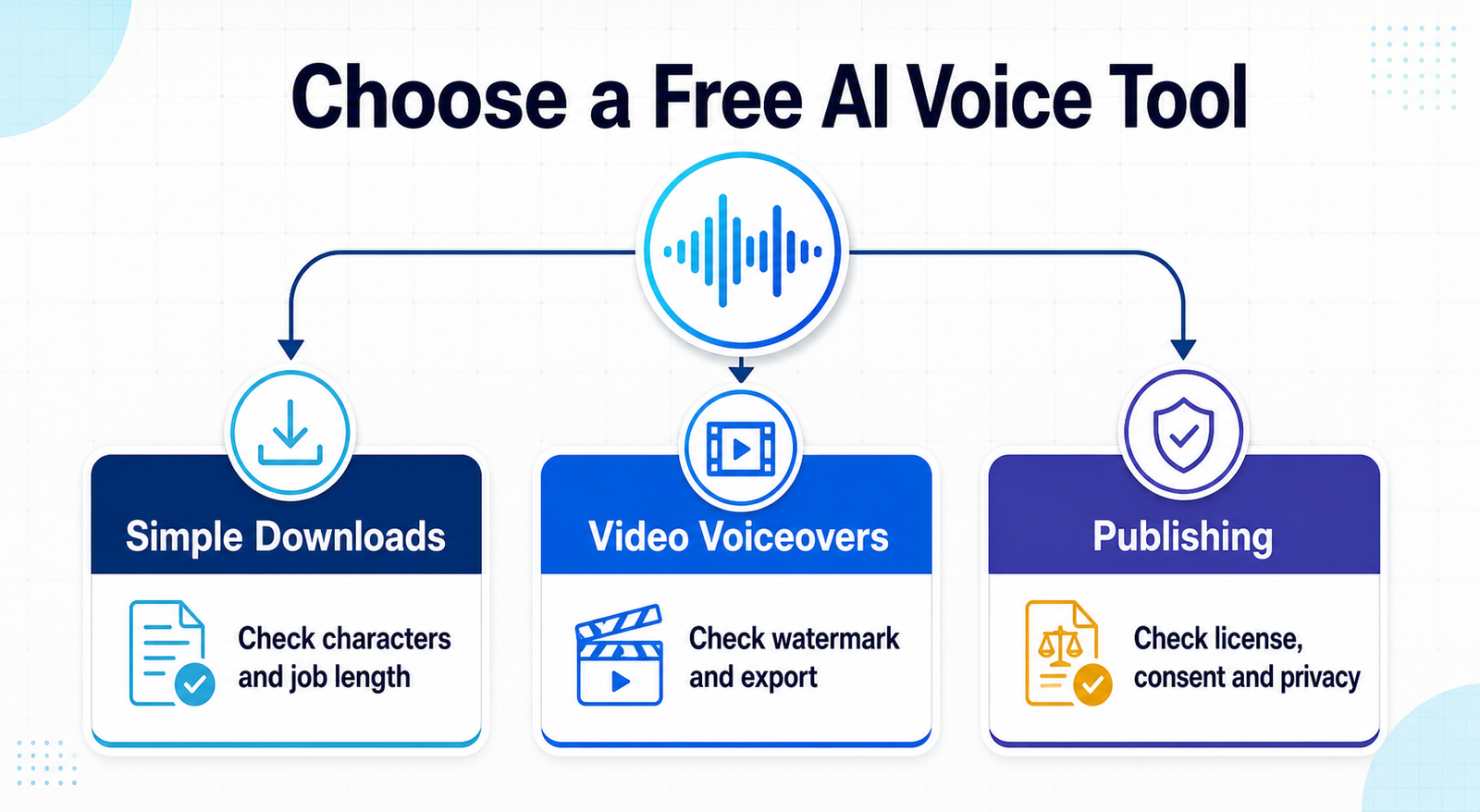
Which free AI voice generator should you choose?
- For the largest simple recurring allowance: use TTSMaker, provided splitting scripts into 500-character sections is acceptable.
- For YouTube or tutorial editing: use Clipchamp for voiceover, captions and watermark-free 1080p video in one project.
- For short reusable MP3 projects: try PlayHT, but confirm rights before publishing.
- For expressive noncommercial demos: ElevenLabs has the clearest voice-focused workflow.
- For an application prototype: Google AI Studio offers free Flash TTS, with a serious privacy caveat.
- For no-sign-up testing: Narakeet gives 20 short files.
- For tiny clips inside a browser editor: VEED is convenient where Free AI credits are available.
If the narration will accompany generated footage, compare the free AI video generator options before committing to a workflow. YouTube creators should also check the more focused guide to free AI video generators for YouTube. A clear script and pronunciation instructions matter as much as the model; the prompt-engineering guide explains how constraints improve repeatability.
Other free and trial options worth knowing
Google Cloud Text-to-Speech has a substantial monthly free usage limit, including up to one million characters for several advanced voice classes, but billing must be enabled and overages charge automatically. Amazon Polly offers millions of characters during its new-customer Free Tier, but that benefit is time-limited and requires an AWS account. Both are better developer services than casual online generators.
NaturalReader is useful for listening to personal text, but its noncommercial license prohibits public or commercial redistribution. Canva now exposes text-to-speech from its AI tools pages, yet the Free allowance is drawn from a changing pooled AI-credit limit rather than a stable voice-specific quota. These can be useful, but neither offers a simpler, clearer Free promise than the ranked options.
A safe workflow for AI-generated voices
- Write for the ear. Use short sentences, expand ambiguous numbers and mark intentional pauses.
- Test a representative paragraph. Include names, acronyms, dates and technical terms before generating the full script.
- Confirm the license before publishing. Save the plan and terms pages with the generation date. A free download is not automatically monetizable.
- Use only authorized voices. Do not clone or imitate a real person without informed permission, especially for political, financial, medical or reputational content.
- Avoid deceptive presentation. Do not make a synthetic voice falsely imply that a person endorsed, recorded or witnessed something.
- Keep sensitive text out of consumer free tiers. Review privacy and training terms before uploading client scripts, personal data or unreleased material.
- Listen end to end. Correct mispronunciations, unnatural emphasis and factual errors, then follow platform disclosure rules for materially synthetic media.
AI speech models generate audio patterns from text; they do not understand consent, context or the consequences of impersonation. For a broader explanation of this technology class, read what generative AI is and how it works.
Frequently asked questions
Is there a completely free AI voice generator?
Yes, but “completely free” still has boundaries. TTSMaker offers a recurring weekly allowance and states that downloads may be used commercially. Clipchamp includes text-to-speech on its Free plan. Narakeet gives 20 files without sign-up, but Free output is noncommercial. No credible hosted service reviewed here combines unlimited generation, unrestricted rights, private processing and every premium voice at zero cost.
Can I use a free AI voice on YouTube?
Only if both the service license and your source material allow it. Clipchamp and TTSMaker are the clearest candidates in this list. ElevenLabs Free and Narakeet Free prohibit commercial use, which includes monetized content. YouTube may also require disclosure when realistic synthetic content could mislead viewers.
Which free AI voice generator works without signing up?
Narakeet allows 20 short audio files without an account. TTSMaker can also begin in the browser, although CAPTCHA and per-conversion limits apply. Account-free access should not be confused with private processing; never paste confidential information without reading the current privacy terms.
Can I clone someone else’s voice for free?
Technical access does not create permission. Clone only your own voice or a voice for which you have explicit, informed authorization. Do not use synthetic speech to impersonate a public figure, deceive a listener, bypass authentication or fabricate an endorsement.
Bottom line
TTSMaker is the most practical free AI voice generator for downloadable short narration, while Clipchamp is the best zero-cost choice for voiceovers already destined for video. PlayHT and ElevenLabs are useful monthly studios with different licensing cautions; Google AI Studio fits developers, Narakeet wins for anonymous testing, and VEED suits very short browser-based clips. Choose by allowance, export workflow, privacy and publishing rights—not by a demo voice alone.


