

Direct answer: TTSMaker is the strongest genuinely free AI voice generator for YouTube because its current documentation permits commercial use and does not require attribution. Microsoft Clipchamp is the best all-in-one option for generating narration, editing video and exporting watermark-free 1080p. Other free tools are useful, but several restrict monetization, attribution, clip length or data privacy.
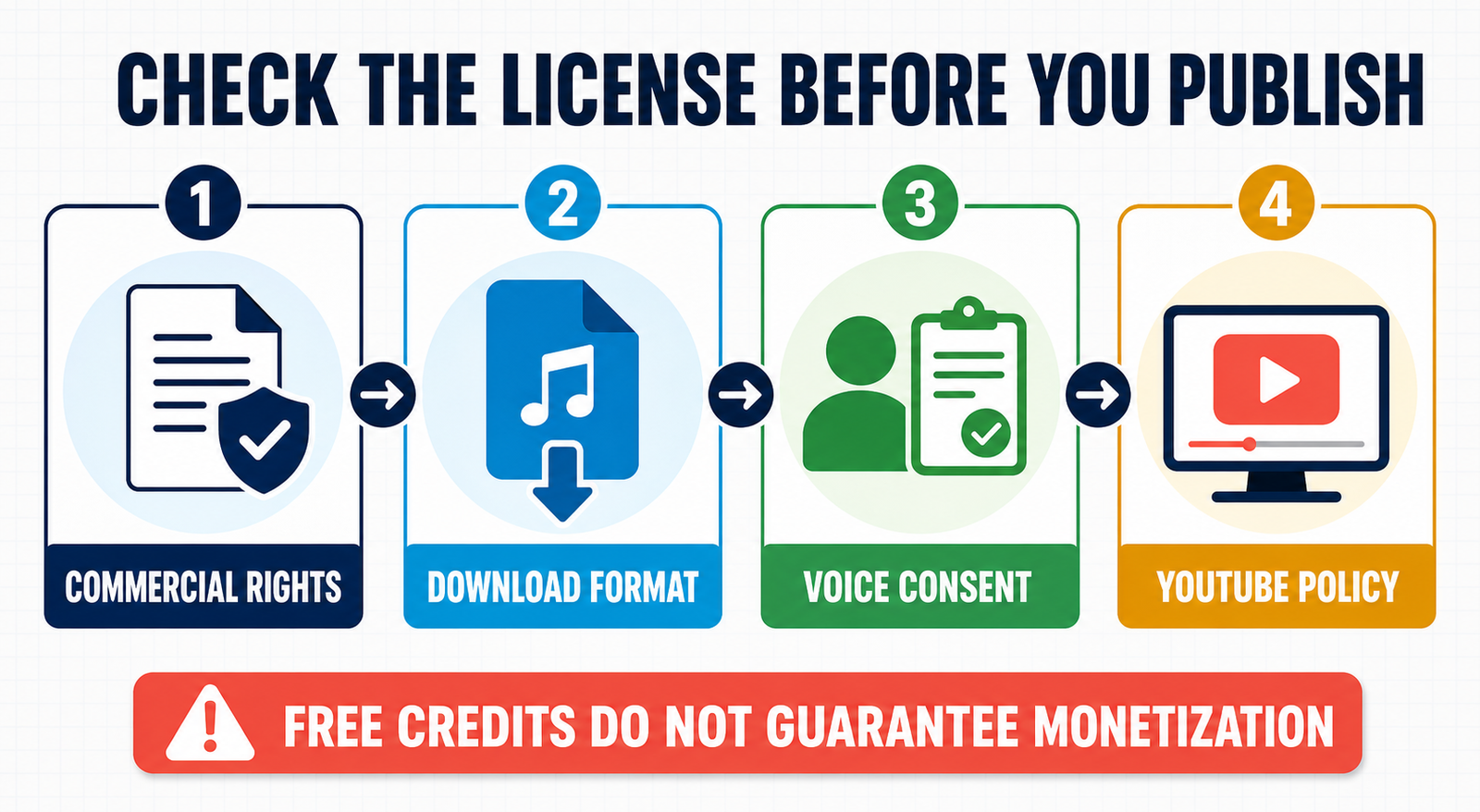
A free voice allowance does not automatically make audio safe for a YouTube channel. Creators also need downloadable files, usable pacing, clear publishing rights and enough quota for a real script. Monetized channels must be especially careful: some popular free plans are explicitly noncommercial, while others do not clearly grant commercial rights.
Reviewed September 1, 2026 for US availability. Limits and licenses can change. This is a documentation-based comparison; GravityDevOps did not run a controlled listening test or claim that one voice sounds best.
Best free AI voice generators for YouTube
| Tool | Best for | Free allowance | YouTube caveat |
|---|---|---|---|
| TTSMaker | Monetized videos on a zero budget | 20,000 characters weekly; 500 per conversion | Captcha, ads and short jobs |
| Microsoft Clipchamp | Voiceover plus video editing | Free TTS and up to 1080p export | Microsoft account; avoid premium assets |
| PlayHT | Testing voices with MP3 output | 10,000 credits monthly | Free commercial rights are not clearly stated |
| Google AI Studio | Controllable speech for technical users | Gemini 3.1 Flash TTS free within limits | Unpaid data may be reviewed and used to improve products |
| ElevenLabs | Noncommercial channel experiments | 10,000 credits monthly | Free output is noncommercial and needs attribution |
| VEED | Short narration inside a browser editor | Up to 10 minutes monthly in eligible regions | Free clips can be only 12 seconds; video exports are branded |
| Narakeet | No-sign-up voice tests | 20 short files; 1 KB audio scripts | Free output is not licensed for commercial use |
For a monetized channel, TTSMaker has the clearest free permission among these choices. Clipchamp is practical when the narration and edit need to stay in one project. ElevenLabs and Narakeet are useful for testing but their free licenses do not cover commercial YouTube use.
How we compared free YouTube voice tools
We screened 11 services: TTSMaker, Microsoft Clipchamp, PlayHT, Google AI Studio, ElevenLabs, VEED, Narakeet, NaturalReader, Canva, Amazon Polly and Google Cloud Text-to-Speech. Seven made the ranking.
The criteria were recurring or one-time allowance, script length, voice and language range, pronunciation and pacing controls, MP3 or video export, watermark or attribution, account and card requirements, commercial-use language, privacy, consent safeguards and fit with a YouTube editing workflow. Product limits are verified facts from official documentation. Rankings are editorial analysis of workflow fit; we did not compare voice naturalness with matched scripts.
1. TTSMaker: best genuinely free option for monetized YouTube videos
TTSMaker is unusually explicit about YouTube rights. Its site says generated audio may be used commercially, including on YouTube and TikTok, without mandatory attribution. The Free plan provides 20,000 characters per week, more than 600 voices, 100-plus languages and unlimited downloads.
The practical restriction is job size: the pricing page lists a maximum of 500 characters per Free conversion, even though the main generator may show a different limit for selected voices. Long narration therefore has to be split into sections and reassembled in an editor. Free users also encounter ads, captcha checks and lower queue priority.
TTSMaker exports MP3, WAV, AAC, OGG and other formats, and supports pauses, speed, volume and pitch adjustments. That is enough control for explainers, tutorials and list videos, provided the creator reviews pronunciation and maintains consistent settings across every segment.
Pros: clear commercial permission; no required attribution; recurring weekly quota; several download formats. Cons: 500-character jobs; manual assembly for long scripts; captcha and variable queues.
2. Microsoft Clipchamp: best all-in-one YouTube workflow
Clipchamp generates text-to-speech directly on the video timeline. Users can choose a language and voice, preview narration, adjust pitch or pace, split clips and synchronize them with footage. This is more convenient than exporting dozens of audio sections from a separate website.
Microsoft’s current feature comparison includes automatic voiceovers, captions, audio-only export and up to 1080p video on the personal Free tier. Clipchamp also supports direct YouTube sharing, and does not add a watermark. If a project uses premium stock or effects, however, export is blocked until those elements are removed or the user upgrades.
Pros: narration and editing in one place; watermark-free eligible exports; 1080p Free video; captions and direct YouTube upload. Cons: account required; long scripts need multiple TTS clips; premium assets can block Free export.
3. PlayHT: best for testing a downloadable MP3 workflow
PlayHT Starter is free without a credit card and includes 10,000 credits per month, MP3 output and one voice-clone slot. The monthly reset makes it useful for occasional narration tests, short intros or sampling voices before choosing a paid tool.
The pricing page does not clearly say that Starter output carries a commercial license. That omission matters for monetized YouTube uploads. Do not infer a commercial grant from the presence of an MP3 download; obtain written confirmation or use a plan whose terms explicitly cover the channel’s use. Voice cloning also requires the speaker’s informed permission.
Pros: no-card recurring tier; MP3 export; clear 10,000-credit meter. Cons: commercial rights unclear on the Free pricing page; account required; small allowance for frequent uploads.
4. Google AI Studio: best controllable option for technical creators
Google’s Gemini 3.1 Flash TTS Preview currently has free text input and audio output within rate limits. It is designed for controllable speech generation and can be used in Google AI Studio, making it attractive to creators who are comfortable prompting a model and handling downloaded audio outside a video editor.
The privacy boundary is prominent. Under Google’s Unpaid Services terms, prompts and responses may be used to improve products, and human reviewers may process them. Do not submit confidential scripts, personal information or unreleased client material. Google says it does not claim ownership of generated content, but the creator remains responsible for lawful use and any required attribution.
Pros: free preview TTS; controllable speech; useful for technical workflows. Cons: preview availability and rate limits can change; more setup than consumer tools; unpaid-data review caveat.
5. ElevenLabs: best for noncommercial YouTube experiments
ElevenLabs Free provides 10,000 credits per month, Text to Speech, Voice Design and three Studio projects. It is a capable way to prototype delivery, accents and pacing before paying.
Its publishing boundary is explicit: Free output is not licensed for commercial use. Noncommercial publishing requires attribution to ElevenLabs in the title. Audio generated outside a paid subscription does not become commercially usable simply because the account is upgraded later. Monetized channels should generate final narration under an eligible paid plan.
Pros: recurring allowance; broad creative toolset; useful Studio workflow. Cons: no Free commercial license; attribution required for noncommercial publishing; account required.
6. VEED: best for very short narration inside a browser editor
VEED Text to Speech adds generated narration directly to a video timeline, where it can be trimmed and mixed. It supports more than 50 languages and has a 5,000-character ceiling per generation.
Free access is inconsistent. VEED documents up to 10 minutes per month only in regions where Free accounts receive AI credits, and individual Free files can be limited to 12 seconds. Free video exports also carry VEED branding. This makes the tier more useful for Shorts experiments and timing tests than for regular long-form production.
Pros: integrated video editor; broad language support; easy trimming and placement. Cons: region-dependent credits; 12-second Free clips; branded Free video exports.
7. Narakeet: best for quick no-sign-up tests, not monetization
Narakeet can create short text-to-speech samples without registration. The Free account permits 20 conversions and audio scripts up to 1 KB, which is convenient for auditioning voices or checking pronunciation.
The account comparison explicitly excludes commercial use from Free accounts. It also omits SSML, batch creation and automation. Use the free workflow to evaluate the product, not as a source of narration for a monetized channel.
Pros: quick access; 20 files; useful voice previews. Cons: no Free commercial use; tiny script limit; no batch or SSML tools.
Can YouTube videos with AI voices be monetized?
AI narration by itself does not make a video ineligible. YouTube says monetizable content must be original, non-repetitious and covered by the necessary commercial rights. Its inauthentic-content policy specifically warns against generic, mass-produced AI templates that add little original insight. A creator-written script, substantive editing, original analysis and meaningful visuals matter more than whether the narrator is synthetic.
YouTube also says realistic altered or synthetic content may require disclosure. Cloning your own voice for narration is listed as production assistance that generally does not require disclosure, but impersonating another person or making someone appear to say something they did not say can trigger disclosure and policy concerns. A disclosure label alone does not reduce monetization eligibility.
How to choose a free AI voice for a YouTube channel
- Decide whether the channel is commercial. Ads, sponsorships, affiliate links and client work can all make a noncommercial license unsuitable.
- Confirm the grant, not just the quota. A download button and free credits do not equal commercial permission.
- Estimate script length. Roughly 130 to 160 spoken words make one minute of narration, depending on pacing.
- Test names and technical terms. Fix pronunciations with phonetic spelling, punctuation or short sentence segments.
- Keep proof of the terms. Save the plan page and generation date because licenses and allowances change.
- Review the full video. Check unnatural pauses, clipped words, volume, music licensing, captions and factual accuracy.
For broader options, see our general free AI voice-generator comparison. Creators building the rest of the production stack can compare free AI video generators for YouTube. Better instructions also improve pronunciation and tone, as explained in our prompt-engineering guide and generative AI introduction.
Frequently asked questions
What is the best free AI voice generator for monetized YouTube videos?
TTSMaker has the clearest current free commercial-use statement and says YouTube attribution is optional. Creators should still archive the terms, use only lawful scripts and recheck the license before publishing.
Is ElevenLabs Free allowed on YouTube?
It can be shared for noncommercial use with the required attribution, but ElevenLabs says Free output has no commercial license. Generate monetized narration under an eligible paid plan.
Does YouTube penalize AI voiceovers?
Not merely for being AI-generated. YouTube focuses on originality, authenticity, rights and disclosure. Mass-produced or repetitive template content may be ineligible for monetization even when every asset is licensed.
Can I clone someone else’s voice for a video?
Only with informed authorization and a lawful purpose. Do not impersonate creators, celebrities or private individuals, and do not make a person appear to endorse or say something they did not.


