

The best free AI sound effect generators are Adobe Firefly, ElevenLabs, MyEdit, Stable Audio, Canva, Kapwing and Media.io. Adobe is the strongest fit for timing effects to video, ElevenLabs is fast for generating multiple variations, and MyEdit offers the clearest recurring free allowance. “Free” does not always mean commercial use, however, so check the license attached to the exact plan that created your audio.
AI sound generators are most useful when a stock library cannot match a specific cue: a wet boot on a metal stair, a soft interface confirmation, or rain heard from inside a parked car. They are less reliable for legally sensitive imitations, exact branded sounds or finished mixes. This comparison, checked on September 7, 2026, separates renewable free access from starter credits and trials, and puts download rights ahead of marketing claims.
Best free AI sound effect generators at a glance
| Tool | Best for | Free access checked | Main limitation |
|---|---|---|---|
| Adobe Firefly | Timing sound to video | Daily free generations with an Adobe account | Adobe does not publish a fixed daily number on the product page |
| ElevenLabs | Fast prompt variations | 10,000 shared monthly credits | Free output is noncommercial and requires attribution |
| MyEdit | Frequent short effects | Up to 15 effects per day | Effects are limited to 10 seconds |
| Stable Audio | Longer ambience and open workflows | 24 starting credits in the web app; open-weight options | Starter credits are not a recurring monthly promise |
| Canva | Effects inside designs and videos | Up to 20 shared AI uses monthly on Free | One sound generation competes with other AI tools for allowance |
| Kapwing | Generate, edit and place in one workspace | Limited lifetime credits on Free | Official pages disagree on whether new Free accounts receive 10 or 50 credits |
| Media.io | Longer WAV effects and four variations | Free bonus credits after sign-up | No stable numeric free quota; licensing pages need careful review |
How we selected and ranked these AI sound effect generators
We screened 11 credible services and ranked seven using current product, pricing, help and terms pages. The criteria were prompt control, clip length, number of variations, export format, renewable allowance, account and card requirements, commercial rights, attribution, privacy signals, editor integration and ease of use. Adobe Firefly, ElevenLabs, MyEdit, Stable Audio, Canva, Kapwing and Media.io made the final list. FineVoice, Pika SFX, Meta AudioGen and Ludo.ai were screened but not ranked because their consumer quota, permanent free access or setup was less suitable for this general search intent.
This is a documentation-based comparison, not a matched-prompt listening test. Where an independent reviewer had tested a tool, that evidence is labeled. Published quotas and license terms are confirmed facts; “best for” labels are our analysis of those capabilities. Generated audio still needs human listening, trimming, loudness control and a rights check.
1. Adobe Firefly: best free AI sound effect generator for video timing
Adobe Firefly’s sound effect generator accepts a text prompt, a voice performance or reference audio. The voice option is unusually practical: you can vocalize the rhythm and intensity of a whoosh, knock or impact, then place generated effects on a video timeline. Adobe supports WAV for audio-only downloads and MP4 when exporting video with audio.
Adobe says a free account receives daily generations, but its public product page does not promise a fixed number. That makes Firefly genuinely free to try and potentially useful every day, but not something to budget around as an unlimited service. The generative-credit guide says audio can consume credits and that costs vary by feature.
Why it ranks first: Firefly is the only service here built around performing the timing of an effect and aligning it with video. Adobe says sound generated with the commercially released Firefly model may be used commercially under its guidelines. A recent TechRadar hands-on review found the new audio tools fast, while noting that better prompts materially improved generic first results.
Limitation: The free allowance is described as daily but not quantified, and commercial-use confidence applies to the released Adobe model—not automatically to every third-party model that may appear in Firefly.
2. ElevenLabs: best for generating four variations quickly
ElevenLabs Sound Effects creates four variations per website generation. It can choose a duration automatically or accept a set duration up to 30 seconds, and it can generate loops. Its current credit guide lists 200 credits for an automatic-duration website generation, or 40 credits per second when duration is fixed. The Free plan includes 10,000 shared monthly credits, so the theoretical maximum is 50 automatic-duration generation actions if none of the credits are spent on voice, music or other features.
Why it ranks second: Four candidates per prompt make comparison and iteration efficient, and the duration and looping controls cover many game, podcast and video cues.
Limitation: ElevenLabs’ general terms and publishing help say Free output is noncommercial and requires attribution. One ElevenLabs landing page describes free sound effects as commercially usable, but the account-level terms are more restrictive; follow the terms attached to your plan and treat Free output as noncommercial unless ElevenLabs confirms otherwise in writing. Standalone resale or relicensing of generated effects is also prohibited.
3. MyEdit: best recurring allowance for short effects
MyEdit’s text-to-sound tool is one of the clearest free offers in this category. Its current product documentation says users can generate three effects per action, up to five actions daily—15 clips in total—with a maximum duration of 10 seconds. It supports MP3, WAV, FLAC and M4A downloads and accepts prompts up to 800 characters.
Why it ranks third: A recurring daily allowance is more useful than a one-time demo for creators who need short transitions, interface sounds, impacts or foley. The broad format support also reduces conversion work.
Limitation: Ten seconds is too short for sustained ambience. MyEdit calls the results royalty-free and copyright-free, but those phrases are not a guarantee that a US court will recognize copyright in a purely AI-generated file. Avoid prompts that imitate a recognizable recording, franchise cue or person.
4. Stable Audio: best for longer ambience and open-weight control
Stable Audio covers music, samples, ambience and sound effects rather than only short one-shots. The current sign-in page advertises 24 free starting credits. That is useful for evaluation, but Stability does not describe those credits as a permanent monthly refill. Its web workflow and newer Stable Audio 3 family support longer, more iterative generation than most simple SFX pages.
Technical users also have an unusually strong alternative: Stable Audio Open Small is an open-weight model designed for short effects on local hardware. Stability says it can create up to 11 seconds of audio on supported Arm devices and is free for commercial and noncommercial use under its Community License. Other Stable Audio 3 open weights are intended for longer material.
Why it ranks fourth: Stable Audio is the most flexible choice here for people who want both browser generation and a privacy-conscious local path.
Limitation: The hosted free offer is starter credit, not a renewable plan promise. Self-hosting removes a vendor quota but adds hardware, installation and model-license obligations, especially for organizations above the Community License revenue threshold.
5. Canva: best for effects already inside a design
Canva’s Music and Sound Effect Generator is useful when the destination is already a Canva video, social post or presentation. Rather than generate a file elsewhere, you can create the cue and place it on the design timeline.
The current Canva AI allowance guide classifies music and sound effects as a Premium AI tool. Canva Free provides up to 20 shared Standard-or-Premium AI uses per month, while paid and Education plans receive larger allowances. A Canva account is required.
Why it ranks fifth: It minimizes handoffs for people already assembling visual content in Canva, and its timeline makes rough placement easy.
Limitation: The allowance is shared across AI features, so 20 uses does not mean 20 guaranteed sound effects. Canva also advises users to assess whether AI output is appropriate for commercial use; do not assume every generated element is exclusive or protectable.
6. Kapwing: best combined generator and browser editor
Kapwing’s AI Sound Effects Generator lives inside its conversational Kai workspace. You can request a duration, refine the result with another instruction, edit it with video and download an MP3. Kapwing says generated effects are royalty-free and may be used commercially.
The free boundary needs care. Kapwing’s August 2026 subscription FAQ says Free users receive 50 lifetime credits and Kai audio costs 10 credits per song or effect, which implies five generation actions. Its pricing page currently displays 10 Free credits instead. New users should rely on the balance shown in their own workspace rather than either marketing number.
Why it ranks sixth: It is a convenient all-in-one choice when an effect needs immediate placement, trimming, captioning or video export.
Limitation: The allowance appears to be lifetime rather than renewable, the official quota pages conflict, and Free video exports carry a Kapwing watermark even though a standalone audio download has no visual watermark.
7. Media.io: best for longer WAV variations
Media.io’s AI Sound Effect Generator supports effects from five to 40 seconds, up to four variations per prompt and WAV downloads. That combination makes it attractive for ambience and longer scene beds, not just clicks and impacts. A free account receives bonus credits to try the generator.
Why it ranks seventh: Forty-second output and four simultaneous alternatives are generous functional limits for a browser tool.
Limitation: Media.io does not publish a stable numeric free allowance. Its sound-effect page advertises commercial royalty-free use, while its general terms say the service is generally private and noncommercial except where commercial use is expressly provided. Save the applicable product and license terms with a production project, and get confirmation for paid client work if the account does not state the grant clearly.
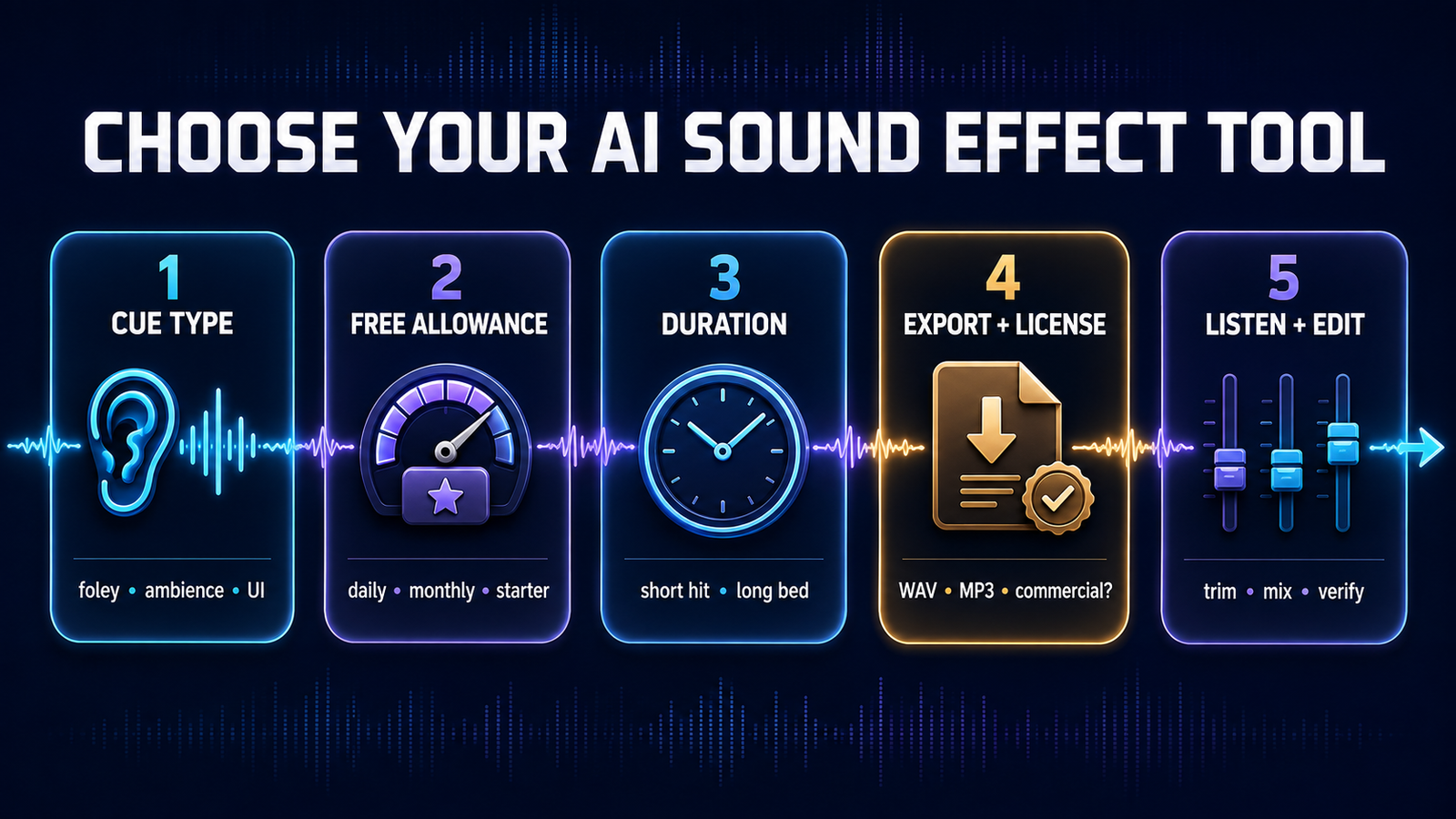
How to choose the right free AI sound effect generator
- For a cue synchronized to picture: start with Adobe Firefly because a vocal performance can guide timing and energy.
- For many quick alternatives: use ElevenLabs, but keep Free output noncommercial and attribute it.
- For recurring zero-dollar use: MyEdit has the clearest daily allowance, as long as 10-second clips are enough.
- For longer ambience: compare Stable Audio and Media.io.
- For an integrated editor: choose Canva for design projects or Kapwing for browser-based video work.
- For private or local generation: consider Stable Audio’s open models and review the Community License.
Write prompts in layers: source, action, material, space, distance, intensity and duration. “Wooden crate dragged slowly across rough concrete in a small empty warehouse, close microphone, no music, eight seconds” gives a model far more direction than “crate sound.” The same principle applies to image and text models; our prompt-engineering guide explains how specificity and constraints improve repeatability.
Free does not settle copyright or commercial rights
Royalty-free means a license does not require a recurring royalty; it does not necessarily mean public domain, exclusive or automatically copyrightable. In the United States, copyright protection depends on human authorship. A provider may give broad contractual usage rights even when copyright in a purely generated clip is uncertain.
Before publishing, record the tool, plan, generation date, prompt and terms version. Do not prompt for a famous studio ident, game sound, branded notification or a living performer’s recognizable voice. Combine the generated cue with human editing—selection, layering, trimming, equalization and mixing—and run a similarity check when the result will represent a brand. For broader context on generative systems and their limits, see our generative AI primer.
Creators choosing between effects and background tracks may also find our comparisons of free AI music generators and AI music generators for YouTube useful. Music licenses often differ from a provider’s sound-effects license, even inside the same account.
Frequently asked questions
Can I generate AI sound effects for free?
Yes. Adobe Firefly, ElevenLabs, MyEdit, Stable Audio, Canva, Kapwing and Media.io all provide zero-dollar access, but the allowance may be daily, monthly, lifetime or promotional. An account is required for most tools.
Which free AI sound effect generator allows commercial use?
Adobe says commercially released Firefly output can be used commercially under its guidelines, MyEdit markets generated effects as royalty-free, and Stable Audio provides output rights subject to its terms and license. ElevenLabs Free is explicitly noncommercial. For every tool, save the exact plan terms and confirm that the output is not from a beta or third-party model with different rules.
Do AI-generated sound effects have watermarks?
Standalone audio files do not normally carry a visible watermark. The more important constraints are attribution, commercial-use rights, export format and whether a free video editor adds branding to the finished video.
Can I sell AI-generated sound effects as a library?
Usually not without additional permission. Several services allow effects inside a larger video, game or podcast but prohibit selling or relicensing the isolated output as stock audio, samples or a competing sound library.
Bottom line
Start with Adobe Firefly for video-timed effects, ElevenLabs for rapid variations and MyEdit for a renewable short-clip allowance. Stable Audio is the better technical and long-form option; Canva and Kapwing suit integrated editing; Media.io is useful when you need longer WAV candidates. Whichever tool you choose, treat the free quota and license as separate questions, and listen critically before publishing.


