
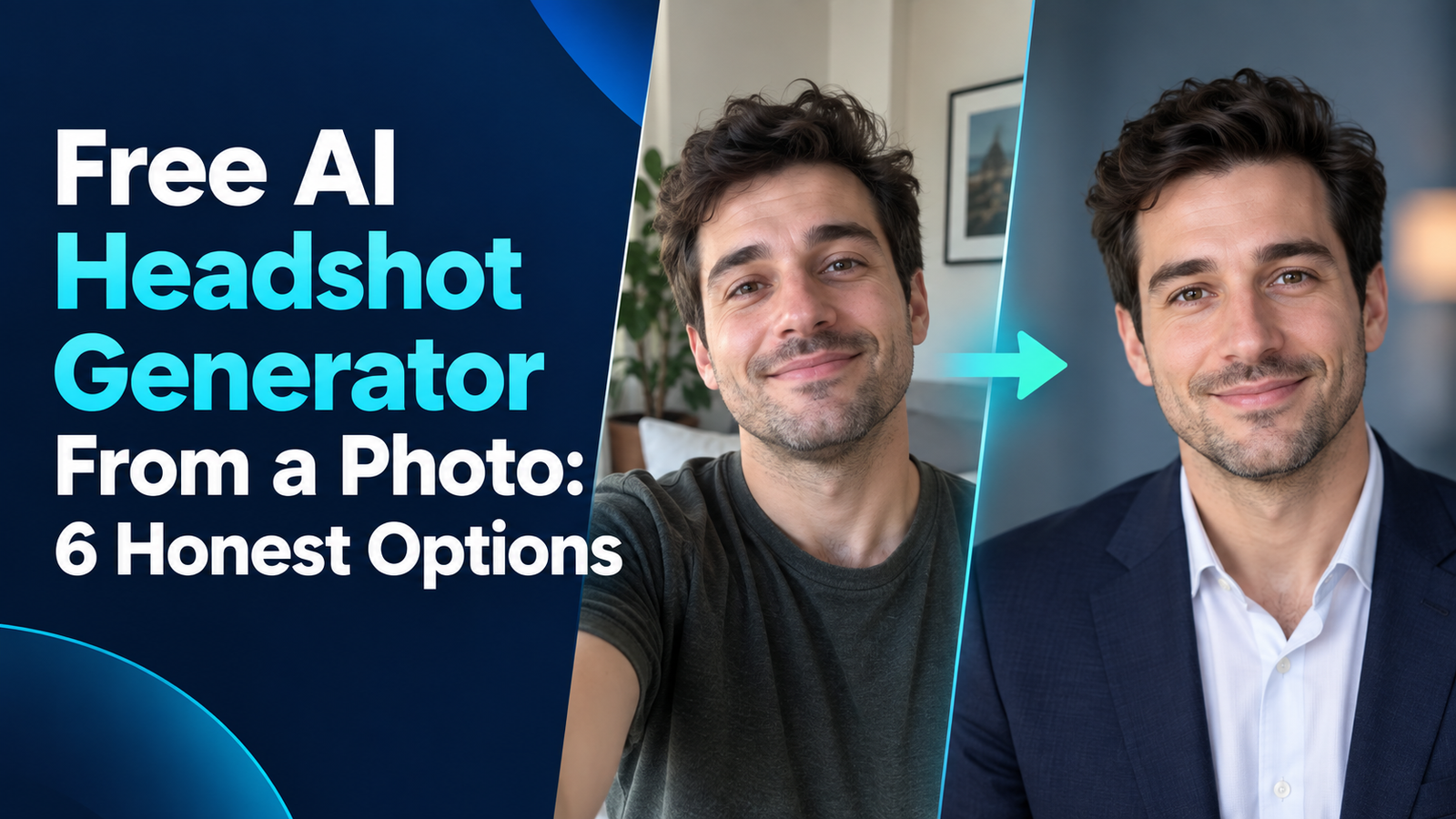

A free AI headshot generator can turn one clear photo into a usable professional portrait, but “free” rarely means unlimited. PFPMaker is the simplest no-sign-up option for cleaning up an existing selfie, while Canva, LightX and Adobe Firefly provide limited free AI transformations. BetterPic offers a true 4K generation path, but its free queue can take months.
The important distinction is whether a service edits your real photo or generates a new portrait that merely resembles you. The first is usually faster and more faithful. The second can change clothing, lighting and pose, but may also change facial features. This guide was reviewed on September 19, 2026, using current US-facing product pages, pricing, help documentation and privacy terms. Free plans can change without notice.
Best free AI headshot generators from a photo
| Tool | Best for | Verified free boundary | Main limitation |
|---|---|---|---|
| PFPMaker | Fast cleanup without an account | Free download, no sign-up, no watermark | Mostly improves the original selfie rather than generating a new photo shoot |
| Canva | Easy headshots inside a design editor | Two headshot credits, refreshed after 24 hours | Uses a third-party app and requires a Canva account |
| LightX | Recurring daily experimentation | Five daily AI credits; Starter comparison lists up to two headshots | Free export is 512-pixel JPG |
| Adobe Firefly | Prompt and editing control | Limited free daily generations | Adobe does not publish a stable daily number |
| BetterPic | Free 4K generated headshots | Ten 4K headshots and commercial license | Free queue is 60–90 days and accepts broader photo-use permissions |
| AI Ease | Many ready-made professional styles | Daily free credits after sign-in | No durable numeric free quota; Headshot Pro packages are paid |
Quick recommendation: choose PFPMaker when you already like your expression and only need a cleaner background, crop and finish. Try Canva or LightX when you want an instant new professional look. Use Firefly when prompt control matters. BetterPic only makes sense if 4K output matters more than speed and you accept its free-tier privacy tradeoff.
How we selected the free AI headshot tools
We screened ten services and ranked six. The comparison considered whether a user can start from a real photo, complete a generation or useful edit without paying, download the result, understand the allowance, avoid a credit card, preserve likeness, control clothing and background, review privacy terms and identify commercial-use restrictions. We also checked account requirements, watermark statements, resolution and turnaround time.
This is a documentation-based comparison, not a controlled face-by-face output test. GravityDevOps did not upload one person’s biometric image to every service or claim that the vendors produce equivalent likeness. That would require informed consent, consistent source photos and a repeatable scoring protocol. Independent image tests still suggest that modern general image models can transform portraits convincingly, but vendor-specific results vary by face, source quality and prompt.
1. PFPMaker: best free headshot cleanup without sign-up
PFPMaker’s free headshot generator takes one selfie, removes or replaces the background, sharpens the image and presents about 30 professional styles. Its official page says the guest tool needs no email, account or credit card, adds no watermark and permits a free download.
That convenience comes from a narrower workflow. PFPMaker is primarily improving the photo you supplied rather than training a custom likeness model and inventing many new outfits or poses. This is often an advantage for a résumé, company bio or speaker page: a polished version of a real photo is less likely to create an unrecognizable jawline, eye shape or hairstyle.
Free limit: the guest cleanup workflow is free with no published numerical cap on the product page. The separate full AI headshot product is a paid offering. PFPMaker says guest images are generally not retained beyond the active session, while its product page says uploaded photos are automatically deleted every 24 hours. The more detailed PFPMaker privacy policy should be treated as authoritative and notes that third-party processors may handle images.
Best for: people who have a good, recent selfie and want a fast professional background and crop without creating an account.
Limitation: it is not the right choice if you want a fully new wardrobe, pose or multi-image studio gallery.
2. Canva: best free AI headshot generator for easy editing
Canva’s AI headshot generator transforms one clear, front-facing photo and then opens the result in Canva’s familiar editor. That makes it easy to crop for LinkedIn, place the portrait into a résumé or add it to a company bio layout without moving between apps.
Free limit: Canva documents two free headshot credits and says they refresh after 24 hours. A Canva account is required, and the headshot experience is delivered through an app inside Canva. The related profile-picture app has a different allowance, so do not assume all portrait tools share the same quota.
Canva’s AI product terms say users remain responsible for uploaded photos and outputs, may use outputs for legal purposes and should disclose that content was AI-generated. They also tell users not to put sensitive personal data into AI inputs. For a headshot, upload only your own image or one you have explicit permission to use.
Best for: a beginner who wants a generated professional look plus manual design tools in one browser workflow.
Limitation: two attempts are not enough to establish consistent quality, and a poor source photo can consume the allowance quickly.
3. LightX: best recurring free allowance
LightX starts from one JPEG, PNG or WebP photo and offers presets or a custom prompt for clothing, background and pose. Its pricing documentation is unusually specific: the Starter tier includes five daily AI credits, while the feature comparison lists up to two headshots.
Free limit: five daily AI credits, with the headshot row capped at up to two. The free export is 512-pixel JPG and the pricing page lists no watermark. LightX says no credit card is required for the Starter plan. The exact credit cost can vary by action, so check the counter before regenerating.
The tool’s terms distinguish user content from LightX assets. Do not assume every template, stock element or generated result carries identical commercial rights. If the portrait is for a business campaign rather than a personal profile, confirm the selected assets and current license inside the editor.
Best for: comparing a few looks over multiple days without purchasing a package.
Limitation: 512 pixels is adequate for many profile avatars but gives little room for a hard crop or print use.
4. Adobe Firefly: best for controlled prompting and refinement
Adobe Firefly’s professional headshot workflow lets you upload a reference image, describe the clothing, background, framing and lighting, then refine the result with Adobe editing tools. Adobe documents JPEG, PNG and WebP reference uploads up to 100 MB with a minimum 512-by-512 dimension, plus high-resolution PNG output.
Free limit: Adobe says free accounts receive daily generations, but it does not publish a durable number on the headshot page. That makes Firefly legitimately free to try, not predictably unlimited. An Adobe account is required.
Adobe says it does not train Firefly on customer content and trains its models on licensed and public-domain sources. Its Firefly data and training explanation is stronger than a generic “secure” marketing claim. However, Adobe’s generative-AI guidelines also say prompts and outputs can be reviewed automatically or manually for abuse prevention, and outputs still require human review.
Best for: people who want to specify a restrained corporate background, believable lighting and clothing instead of choosing only a preset.
Limitation: the unpublished daily quota makes capacity hard to plan, and a detailed prompt can still produce a face that is not quite yours.
5. BetterPic: best free 4K option if you can wait
BetterPic’s free tool offers ten 4K headshots, up to five outfit and background combinations, five editing credits and a commercial license without a credit card. On specifications alone, this is the most generous fully generated option in this list.
Free limit: one free flow for ten images, but the current shared queue is 60–90 days. BetterPic’s support documentation warns that demand can stretch delivery to three months. Paid packs move ahead of the free queue.
The largest caveat is not time. BetterPic says the free exchange includes permission to use results for marketing and AI training, although users can request deletion. That is materially different from its paid privacy boundary. Do not upload sensitive, private or third-party photos merely to get the 4K allowance.
Best for: a non-urgent profile refresh where resolution matters and the user has reviewed the free-tier consent language.
Limitation: the wait is impractical for an application deadline, and the privacy tradeoff will be unacceptable to many people.
6. AI Ease: best for preset variety with an uncertain quota
AI Ease accepts one photo up to 10 MB and presents a wide selection of business, studio and casual styles. The service advertises daily free credits and free image downloads after sign-in, making it usable before a purchase.
Free limit: daily credits are available, but the current product and pricing pages do not state a stable numerical allowance for the standard headshot flow. Its Headshot Pro packages are separate one-time purchases, currently beginning with 30-headshot bundles. Treat the free access as a limited sampler, not a guaranteed recurring production plan.
The vendor says uploaded images are handled for the requested service, but the product page’s general privacy wording is not a substitute for a specific retention schedule. Users with strict employer, client or regional privacy requirements should choose a service with clearer deletion terms.
Best for: quickly browsing many ready-made styles before deciding whether a specialized paid package is worthwhile.
Limitation: the missing numeric quota and less specific retention statement make the free offer difficult to compare.
Why Fotor and paid headshot specialists are not ranked
Fotor labels its headshot page “free” and its Basic plan includes limited credits, but the dedicated headshot pricing section centers on one-time paid packages and does not clearly connect a recurring free credit count to the complete headshot workflow. We screened it but did not rank it as a dependable free option.
HeadshotPro, Aragon and Secta are dedicated paid services rather than free generators. HeadshotPro starts at $29, while Secta’s current individual offer is paid. A refund promise or free redo is not the same as a free plan. These services may offer more training photos and a larger gallery, but they do not satisfy the zero-dollar intent of this guide.
How to create a believable headshot from one photo
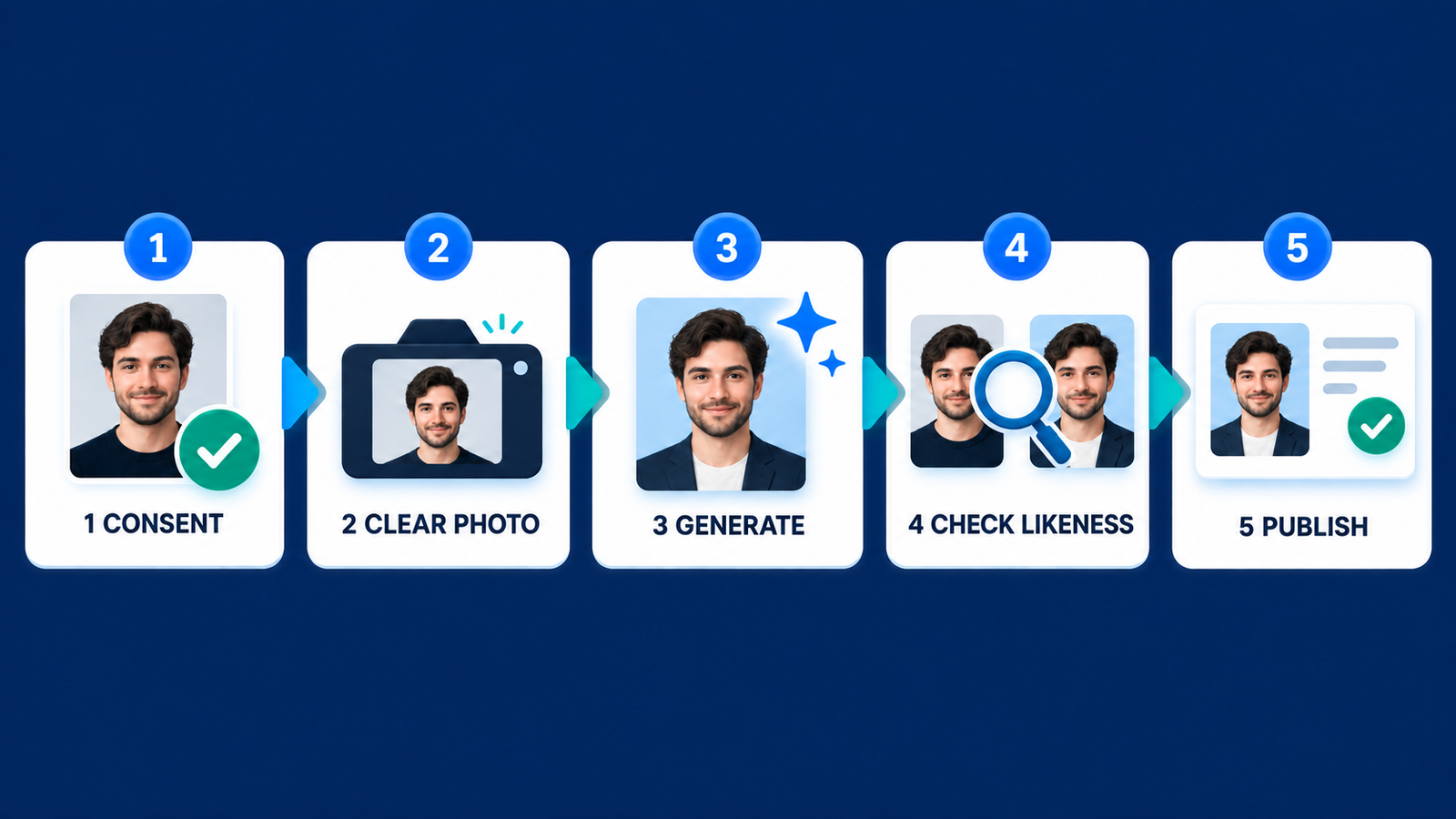
- Start with a current, front-facing image. Use even daylight, a neutral expression, visible shoulders and no sunglasses, beauty filter or severe side angle.
- Choose editing before generation when possible. If the original expression already looks like you, changing only the background and crop reduces identity drift.
- Use a restrained prompt. Describe realistic clothing, soft studio lighting, a plain background and natural skin texture. Avoid requests that materially change age, body shape or facial structure.
- Compare facial landmarks. Check eye spacing, nose shape, teeth, hairline, skin marks and asymmetry against the source photo. Reject any result that could mislead someone about your identity.
- Inspect at profile size. Test a circular crop at about 400 pixels. Make sure hair and shoulders are not clipped and the background does not compete with the face.
- Keep the original. Employers, clients or event organizers may request a current unaltered image. Never use a generated portrait for a passport, access badge or identity-verification process.
Privacy, consent and professional-use cautions
A face photo is sensitive personal information even when a vendor does not formally classify every upload as biometric data. The US Federal Trade Commission warns that biometric technologies can create privacy, security, bias and discrimination risks. Read the retention and training terms before uploading, remove location metadata where practical and use only photos of yourself or people who gave informed permission.
For a résumé or professional profile, the image should remain recognizably and truthfully you. An AI headshot cannot guarantee more interviews, better ranking or favorable employment outcomes. Follow the employer’s application rules, and consider using a normal phone portrait when the platform or organization discourages generated imagery.
If you want to understand how reference images influence outputs, the GravityDevOps guide to prompt engineering explains how clearer constraints reduce unwanted changes. Our generative AI beginner’s guide covers the underlying concept, while the comparison of free AI image generators for realistic photos is more useful when you need a broader creative tool rather than a headshot-specific workflow. For repeated identity across scenes, see the guide to consistent-character image generators.
Frequently asked questions
Is there a completely free AI headshot generator?
Yes. PFPMaker offers a no-sign-up cleanup workflow, Canva provides two credits that refresh after 24 hours, and LightX provides daily free credits. Each has a boundary: PFPMaker mostly edits the source photo, Canva limits attempts, and LightX limits free resolution.
Can I use a free AI headshot on LinkedIn or a résumé?
Usually, if the image truthfully represents you and the tool’s current terms permit the use. Review employer rules and the service’s commercial-use language. Do not use a materially altered face or claim that an AI-generated scene documents a real photo shoot.
Will an AI headshot look exactly like me?
Not necessarily. Generative tools can alter facial geometry, hair, age cues and skin texture. A background-replacement tool is generally safer when likeness is the priority. Compare every result with the original and ask someone who knows you to review it.
What photo works best?
Use a recent, sharp, front-facing head-and-shoulders photo with even light, a neutral background and no face-obscuring accessories. Avoid group photos, heavy filters, low-resolution crops and images for which you lack permission.
Bottom line: PFPMaker is the most honest instant free option when you want to polish a real selfie. Canva and LightX are the most practical free generative choices for quick experimentation. Firefly offers better prompt control, while BetterPic trades speed and tighter privacy for 4K output. Whichever tool you choose, human likeness review matters more than a polished background.

