

A free AI poster generator from text can create an editable poster draft without payment, but the best choice depends on what you need to download. Piktochart offers the clearest prompt-to-poster workflow and published free limits. Canva is better for templates and social formats, while Adobe Express is the strongest option for commercially minded editing.
The word “free” needs qualification. Some tools provide recurring AI credits; others give a one-time allowance, watermark the export or restrict free output to personal use. This comparison was checked on September 23, 2026, against current US-facing product, pricing, help and licensing pages. Plans can change, so confirm the allowance and export screen before beginning a deadline-sensitive or commercial project.
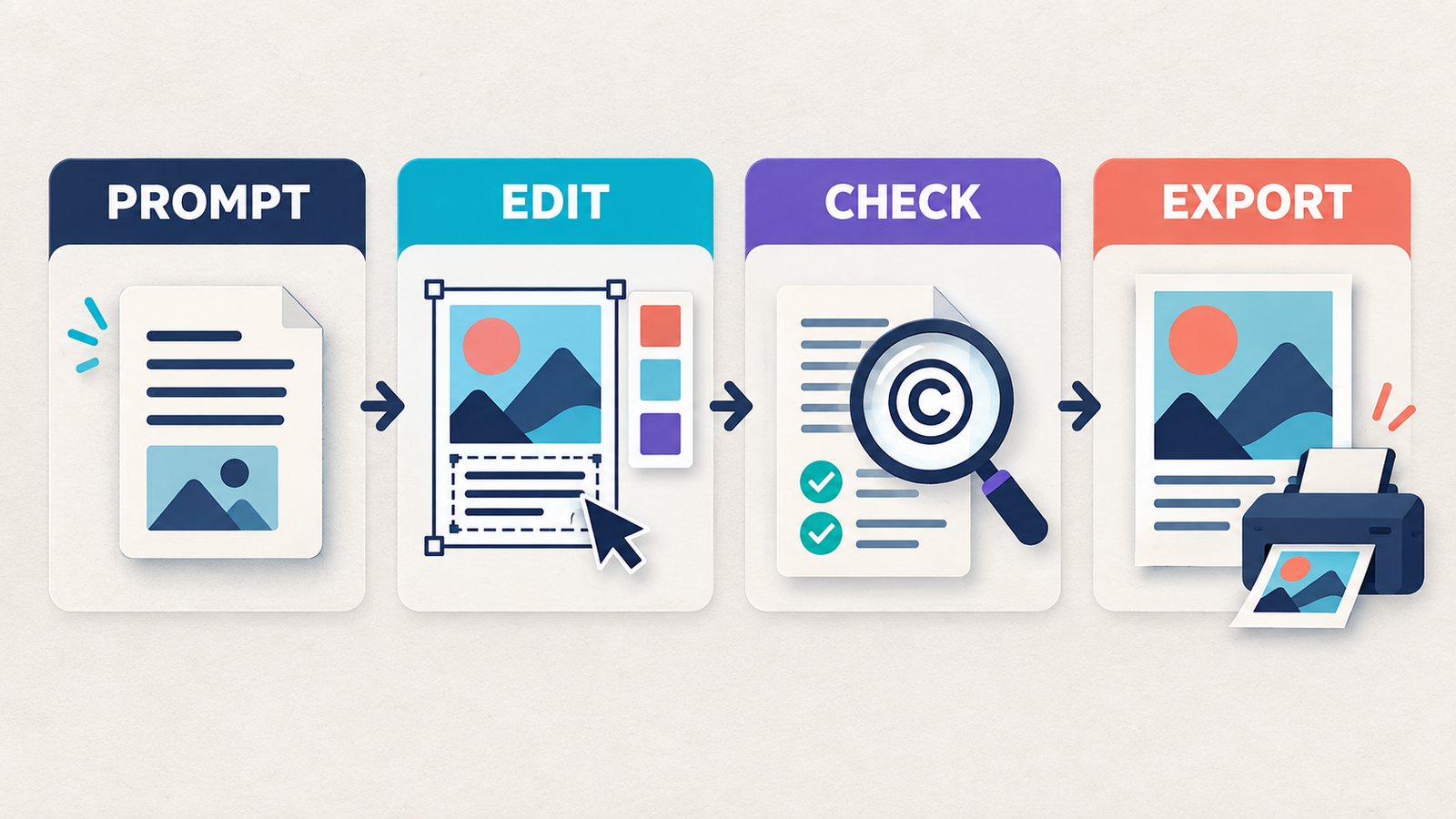
Best free AI poster generators from text at a glance
| Tool | Best for | Free access checked | Main limitation |
|---|---|---|---|
| Piktochart | Complete editable posters from a prompt | 60 monthly AI credits and two PNG downloads | Free downloads are extremely limited; no free PDF export |
| Canva Magic Design | Templates and social poster variants | Up to 20 pooled Standard or Premium AI uses monthly | Pro assets are watermarked on Free; allowance is shared |
| Adobe Express | Commercial-minded poster editing | Free plan with limited daily AI generations | Adobe does not publish a fixed free daily count |
| Kittl | Typography-heavy poster concepts | 100 one-time AI tokens and low-resolution exports | Free designs are personal-use only; no recurring token grant |
| Fotor | Quick poster variations | Variable free daily credits | Basic exports are watermarked and the quota is not fixed |
| Microsoft Designer | Personal posters and simple graphics | Free monthly AI credits with a Microsoft account | Consumer Designer is licensed for personal, noncommercial use |
How we selected the best free AI poster generator from text
We screened seven credible browser-based services: Piktochart, Canva, Adobe Express, Kittl, Fotor, Microsoft Designer and Venngage. We compared whether a US user can turn a written prompt into a poster without paying, whether the result stays editable, account and credit-card requirements, recurring or one-time limits, watermarks, download formats, print suitability, licensing, privacy signals and the clarity of published terms.
This is a documentation-based comparison, not a controlled matched-prompt image-quality test. GravityDevOps did not open paid accounts, measure print color accuracy or claim that one model produces objectively better art. Rankings favor a useful free workflow, honest limits and editable text over a flashy preview that cannot be downloaded.
An AI poster generator should create a layout, not merely an image containing accidental letters. Dates, prices, addresses and calls to action need to remain editable as real text. For that reason, a tool with reliable layers and a modest AI allowance can be more useful than a more powerful image model that flattens every word into pixels.
1. Piktochart: best free AI poster generator from text overall
Piktochart’s AI Poster Generator is the most direct match for the query. Enter a short brief describing the poster type, audience, message and style, and the service generates a complete design with headline text, imagery, colors and hierarchy. The result opens in a drag-and-drop editor, so copy, images and layout can be corrected before export.
The current Piktochart Free plan includes 60 AI credits per month, unlimited visual projects and two PNG downloads. Its credit guide lists a topic-prompt generation at one credit, although the cost varies for other AI actions. The two-download allowance is the real constraint: Piktochart’s help center says those download credits do not refresh once used. PDF and PowerPoint exports require the Business plan.
Best for: a user who wants AI to build an editable event, classroom, marketing or internal-communications poster rather than just generate a background image.
Limitation: treat the two free downloads as final exports. Proof carefully in the editor, and do not assume a print-ready PDF is included.
2. Canva Magic Design: best for templates and social posters
Canva Magic Design turns a prompt into editable layouts and explicitly supports posters, flyers, cards, invitations and social formats. The practical advantage is Canva’s broader workflow: after choosing a generated direction, you can replace text, upload a logo, adjust colors and create a related Instagram post or story inside the same editor.
Canva’s current pricing documentation estimates that Free accounts receive up to 20 monthly uses of Standard or Premium AI tools. That allowance is pooled across AI features, so poster generation competes with image generation and other AI actions. Free designs can be downloaded when they contain free assets. If Magic Design inserts Pro content, it appears watermarked until you replace it, buy the asset or upgrade.
Best for: posters that need quick size variants or must fit an existing social-content workflow.
Limitation: inspect every generated element before export. A layout can begin free and still contain a Pro photo, illustration or template asset that triggers a watermark.
3. Adobe Express: best for commercially minded editing
Adobe Express’s AI poster generator creates poster-template options from a written prompt, then hands the chosen direction to the Express editor. You can upload product imagery or a logo, change the wording, adjust the color system and download JPG, PNG or PDF. Adobe describes the Firefly-powered generator as designed to be commercially safe, while still advising users to check whether a particular beta feature carries a different restriction.
The Adobe Express Free plan requires no credit card and includes limited assets, standard editing and free daily generations for templates, images and text effects. Adobe no longer publishes a fixed number of daily free generations; availability is a limited daily allotment. Premium assets, one-click Resize and larger AI allowances sit behind paid plans.
Best for: a small business or creator who values a capable editor, PDF output and clearer commercial-use language more than a predictable generation count.
Limitation: “free daily generations” is not a durable numeric quota. Confirm that the assets in the final design are included in Free and that the generator is not labeled beta for personal use only.
4. Kittl: best for typography-heavy poster concepts
Kittl combines AI generation with a design editor built around typography, effects, illustrations and print-style layouts. It is a useful place to explore vintage, merchandise or display-type poster directions, then rebuild the important wording as editable text instead of trusting text rendered inside an image.
Kittl’s current token guide gives Free users 100 one-time AI tokens, enough to explore its AI features but not a renewable monthly plan. The free tier also limits users to low-resolution exports. More importantly, Kittl’s license says Free-plan Kittl content is restricted to personal, noncommercial use, and free AI-generated images become part of the shared content library. Paid plans provide higher-resolution and vector export plus commercial licensing.
Best for: personal concept exploration and strong display-type inspiration.
Limitation: do not use a Free-plan Kittl poster for a client, product campaign or paid event. The one-time token pool and personal-use license make it a try-before-you-buy path rather than a recurring commercial free tier.
5. Fotor: best for quick poster variations
Fotor’s AI Poster Generator accepts a prompt, produces multiple poster directions and allows generated text, images, colors and layout to be edited. Its Image to Layer feature can also separate an uploaded flat poster into editable elements, which is useful when the original source file is missing.
Fotor says eligible users receive free daily credits, but the available amount varies by account and plan. Its pricing page labels Basic as free forever with limited credits; Basic JPG, PNG and PDF exports are watermarked. Fotor’s rewards page offers additional credits through sign-in and daily check-ins, so zero-dollar access exists but is less predictable than Piktochart or Canva.
Best for: generating several visual directions before rebuilding or exporting elsewhere.
Limitation: the free quota is not a stable published number, and watermark-free high-definition output requires payment. Do not call a watermarked Basic export a finished free poster.
6. Microsoft Designer: best for personal posters
Microsoft Designer offers free monthly AI credits for creating designs and editing images with a Microsoft account. It can turn words into a visual, apply a size, add editable text and export the result. Microsoft also attaches content-credential metadata to AI-generated images, providing a provenance signal without necessarily placing a visible watermark on every file.
The licensing boundary decides its ranking. Microsoft’s current Designer FAQ says the consumer product is for personal, noncommercial use. It also warns that words drawn inside an AI-generated image can be misspelled. Microsoft separately offers a poster workflow in the Microsoft 365 Copilot app, but that path requires an eligible Microsoft 365 subscription and should not be confused with the free consumer allowance.
Best for: a school-club, family, hobby or other personal poster created with an existing Microsoft account.
Limitation: avoid the free consumer route for client or business campaigns, and retype important poster copy as editable text.
Why Venngage did not make the ranked list
Venngage’s AI poster generator can produce an editable design from a prompt, and the company says generated posters may be used personally or commercially. However, its current Free plan permits five designs and public sharing but places PNG and high-resolution exporting on Premium. That makes the free tier useful for testing the editor, not for obtaining a finished poster file, so it was screened but not ranked.
How to prompt an AI poster generator
A useful prompt should specify the job, audience and information hierarchy. Start with the poster type, then add the exact headline, essential facts, visual direction and output context. For example: “Create an A3 community workshop poster for first-time gardeners. Use a clean botanical style. Headline: Urban Gardening Basics. Include Saturday, 10 AM, Central Library, and a short Register Free call to action. Leave space for a QR code.”
Keep the first prompt concise. Once the tool has chosen a layout, edit the copy manually. Our prompt engineering guide explains why explicit constraints and iterative refinement work better than a vague request for something “professional.”
Poster checks AI should not make for you
- Copy: verify every name, date, address, price, URL and phone number. Replace image-rendered words with live text layers.
- Hierarchy: the headline should read first, the action second and logistical details third. View the poster at thumbnail size.
- Print setup: confirm physical dimensions, resolution, bleed, margins and the printer’s preferred PDF settings. A web PNG is not automatically print-ready.
- Accessibility: use sufficient contrast, readable type sizes and a QR code paired with a written URL or instruction.
- Rights: confirm the license for generated images, stock assets, fonts and uploaded logos. Do not imitate a living artist, copyrighted character or recognizable person without permission.
- Privacy: avoid uploading confidential event lists, unreleased product images or personal information until you have reviewed the provider’s data controls.
If the main need is original artwork rather than a finished layout, compare our free AI image generators. For channel-ready templates, see the guide to free AI image generators for social media. A business creating several related assets may also need the free AI logo generator comparison. New users can review what generative AI is before trusting generated copy or imagery.
Frequently asked questions
Can AI create a complete poster from one text prompt?
Yes. Piktochart, Canva, Adobe Express and several alternatives can generate a layout with copy, imagery and colors from one prompt. Treat it as a draft: manually verify spelling, facts, visual hierarchy and rights before publishing.
Which free AI poster generator gives an editable design?
Piktochart is the clearest overall option because its prompt-generated poster opens in a drag-and-drop editor and its Free plan publishes a 60-credit monthly allowance. Canva and Adobe Express also provide editable generated layouts, with pooled or variable daily limits.
Can I download a free AI poster without a watermark?
Piktochart includes two free PNG downloads, and Adobe Express and Canva can export designs made only with eligible free assets. Canva adds a watermark when a design contains Pro content. Fotor’s Basic exports are watermarked, while Venngage reserves downloads for paid plans.
Can I use a free AI-generated poster commercially?
It depends on both the tool and the assets inside the poster. Adobe describes its generator as designed to be commercially safe, Canva permits many commercial uses under its content license, and Venngage states that generated posters are royalty-free. Kittl Free and Microsoft Designer’s consumer free route are personal-use options. No provider can guarantee that a design is non-infringing.
Bottom line
Choose Piktochart when you need a prompt to become an editable poster and two final PNG files are enough. Use Canva for template variety and social variants, or Adobe Express when PDF output and commercially minded editing matter more than a fixed AI quota. Kittl, Fotor and Microsoft Designer are useful for exploration, but their one-time tokens, watermark or personal-use boundaries make them weaker free production tools. Whichever service you choose, retype critical copy, check every asset license and proof the actual export—not just the AI preview.


