

A free AI logo generator online can produce a usable first logo without payment, but the download matters more than the preview. VistaPrint is the strongest current option for genuinely free AI-generated SVG, PDF and transparent PNG files. Namecheap is better for fast, guided icon-and-type combinations. Adobe Express and Canva offer deeper editing, with more free-tier restrictions.
“Free” is unusually slippery in logo software. Some sites let you design at no cost and charge at download; others provide only a small raster file, reserve transparent backgrounds or SVG export for paid plans, or use shared assets that may be unsuitable for an exclusive trademark. This comparison was checked on September 22, 2026, against current US-facing product, pricing, help and legal pages. Plans and rights terms can change, so recheck the final download screen before adopting a mark.
Best free AI logo generators online at a glance
| Tool | Best for | Useful free output | Main limitation |
|---|---|---|---|
| VistaPrint AI Logomaker | Generative AI plus print-ready files | SVG, PDF and transparent PNG | Account unlocks most generations; AI output may lack exclusive IP protection |
| Namecheap Logo Maker | Fast guided logo combinations | SVG and PNG, no watermark | Account required to save, share or download |
| Adobe Express | Editing a generated concept | Free logo download; PNG/JPG/PDF options | Premium assets and generative credits are limited |
| Canva | Templates and collaborative editing | PNG, JPG and PDF with free assets | Transparent-background export is paid; library graphics cannot be trademarked |
| LOGO.com | A simple starter brand package | A limited number of free PNG logos | Current official pages disagree on the exact free-logo count; vector formats are plan-dependent |
| FreeLogoDesign | A tiny web or profile placeholder | 200×200 PNG | Too small for serious print work; high-resolution and vector files cost extra |
How we selected the best free AI logo generator online
We screened ten credible services: VistaPrint, Namecheap, Adobe Express, Canva, LOGO.com, FreeLogoDesign, DesignEvo, Fotor, Wix Logo Maker and Looka. Six made the ranked list. We compared whether a US user can generate or assemble a logo without paying, whether an account or credit card is required, free-generation limits, watermarks, editing control, transparent backgrounds, raster and vector exports, resolution, commercial-use language, asset licensing and trademark caveats.
This is a documentation-based comparison, not a controlled visual-quality benchmark. GravityDevOps did not register a trademark, purchase a plan or test every export path. We gave extra weight to an actually downloadable file and transparent limits. TechRadar’s current hands-on comparison and separate VistaPrint test supplied independent workflow context, while vendor pages were used for plan and licensing facts.
1. VistaPrint AI Logomaker: best free AI logo generator overall
VistaPrint AI Logomaker is the clearest match for someone who wants generative AI rather than a template shuffler. You describe the business and visual direction, then refine the generated mark with conversational changes and conventional controls. The tool starts with four free generations and unlocks 60 more after sign-in.
The unusually strong part is the export package. VistaPrint says the free download includes full-color and transparent-background versions in SVG, PDF and PNG, with raster files at 4000×4000 pixels and no watermark. That makes it suitable for a website, social avatar, business card or a handoff to a designer. TechRadar’s hands-on review also confirmed a one-click ZIP containing those three formats.
Best for: a small business that wants an AI-generated concept and editable vector output without paying.
Limitation: VistaPrint grants business-use rights but says it does not transfer intellectual-property rights in the generated logo. Its own guidance warns that a largely AI-generated result may not qualify for exclusive copyright or trademark protection. Use the output as a starting point, then add meaningful human design work and perform clearance checks.
2. Namecheap Logo Maker: best for fast, guided combinations
Namecheap Logo Maker asks you to choose fonts, colors and icons, then uses its matching system to produce many combinations. It is less open-ended than a text-to-image generator, which can be an advantage: editable typography and vector-friendly icons are more dependable than asking an image model to spell a business name correctly.
Namecheap says creation is unlimited and free, downloads have no watermark, and each logo includes SVG and PNG files in multiple layouts and colors. You can experiment without signing in, but the current FAQ says an account is required to save, share or download. No credit card is needed.
Best for: a quick, clean wordmark-and-icon combination that must scale beyond social media.
Limitation: the icon library is shared. A polished combination can still resemble another business’s mark, and the service does not promise trademark clearance. Treat the SVG as an editable draft, not proof of exclusivity.
3. Adobe Express: best for refining a generated logo
Adobe Express’s AI logo generator accepts a written prompt and optional style or composition references, then opens the result in the full Express editor. That handoff is useful because text generated inside an image can be unreliable; replacing the wordmark with a real font layer gives you cleaner spelling, spacing and future edits.
Adobe advertises a free plan and free logo downloads. Its logo documentation lists PNG, JPG and PDF output, and the dedicated AI logo page describes a transparent PNG download. The conventional quick logo maker produces a 500×500 square file, while editable Express projects can use free templates, fonts and design elements. Generative AI use consumes credits, and some assets or functions require Premium.
Best for: people who want AI ideation plus a capable editor for rebuilding the final mark.
Limitation: “free” does not mean every Adobe Stock asset or Firefly feature is included. Confirm that every selected element is marked free before export, and keep the wordmark as editable text rather than pixels.
4. Canva: best for templates and collaboration
Canva’s free logo maker combines a large template library, drag-and-drop editing and limited AI features. It is particularly convenient when the same visual identity must be applied to a presentation, social post or website mockup. Free users can download designs as PNG, JPG or PDF when the design contains only free assets.
The licensing boundary is more important than the template count. Canva explains that its Free and Pro library content is licensed non-exclusively. It specifically says library graphics and customizable logo templates cannot be used in a trademark; a trademark-oriented design should use fonts, basic shapes and lines, or original uploaded artwork. Canva’s help center also places transparent-background download on paid plans, despite some marketing pages describing transparent PNG workflows more broadly.
Best for: collaborative concept work and brand collateral when exclusive trademark rights are not the immediate goal.
Limitation: avoid stock icons and shared templates if the logo may be registered. A plain-background PNG is free, but one-click transparent export is not included on the standard Free plan.
5. LOGO.com: best for a basic starter logo
LOGO.com generates many logo arrangements from a business name and preferences, then provides an editor and related brand tools. Its Free plan can produce downloadable PNG files without an upfront payment, making it useful for a temporary website header, social profile or early customer interview.
The company’s current help and plan pages are not perfectly synchronized. One help page says one logo can be downloaded free, another describes up to five, while the plan table lists a set of full-color PNG files and reserves broader formats and tools for paid plans. That inconsistency is itself a limitation worth knowing before investing time in a design.
Best for: a fast raster logo when you are comfortable checking the account’s live entitlement at export.
Limitation: do not assume SVG, transparent variants or unlimited projects are included. Verify the file formats displayed in your account before adopting the design.
6. FreeLogoDesign: best for a small placeholder
FreeLogoDesign offers a real zero-dollar download, but it is narrow: the free package contains one 200×200 PNG. That is enough for a small profile image, favicon experiment or mockup. It is not a practical master file for print, signage or high-density screens.
Best for: a throwaway prototype when resolution does not matter.
Limitation: high-resolution PNG, PDF and SVG files sit in paid packages. If the logo survives early validation, recreate it as an original vector or move to a tool that exports SVG for free.
Free logo tools we did not rank
DesignEvo allows a small free download, but its help center says the free logo cannot be used commercially and the free file is limited to roughly 300 pixels with attribution. Fotor offers free starter credits for its AI logo generator, yet its pricing page says Basic exports are watermarked and transparent, watermark-free PNG is paid. Wix Logo Maker and Looka let users generate and preview ideas, but their useful logo-file packages are generally paid. A free design screen is not the same thing as a free usable logo.
How to choose a free AI logo generator
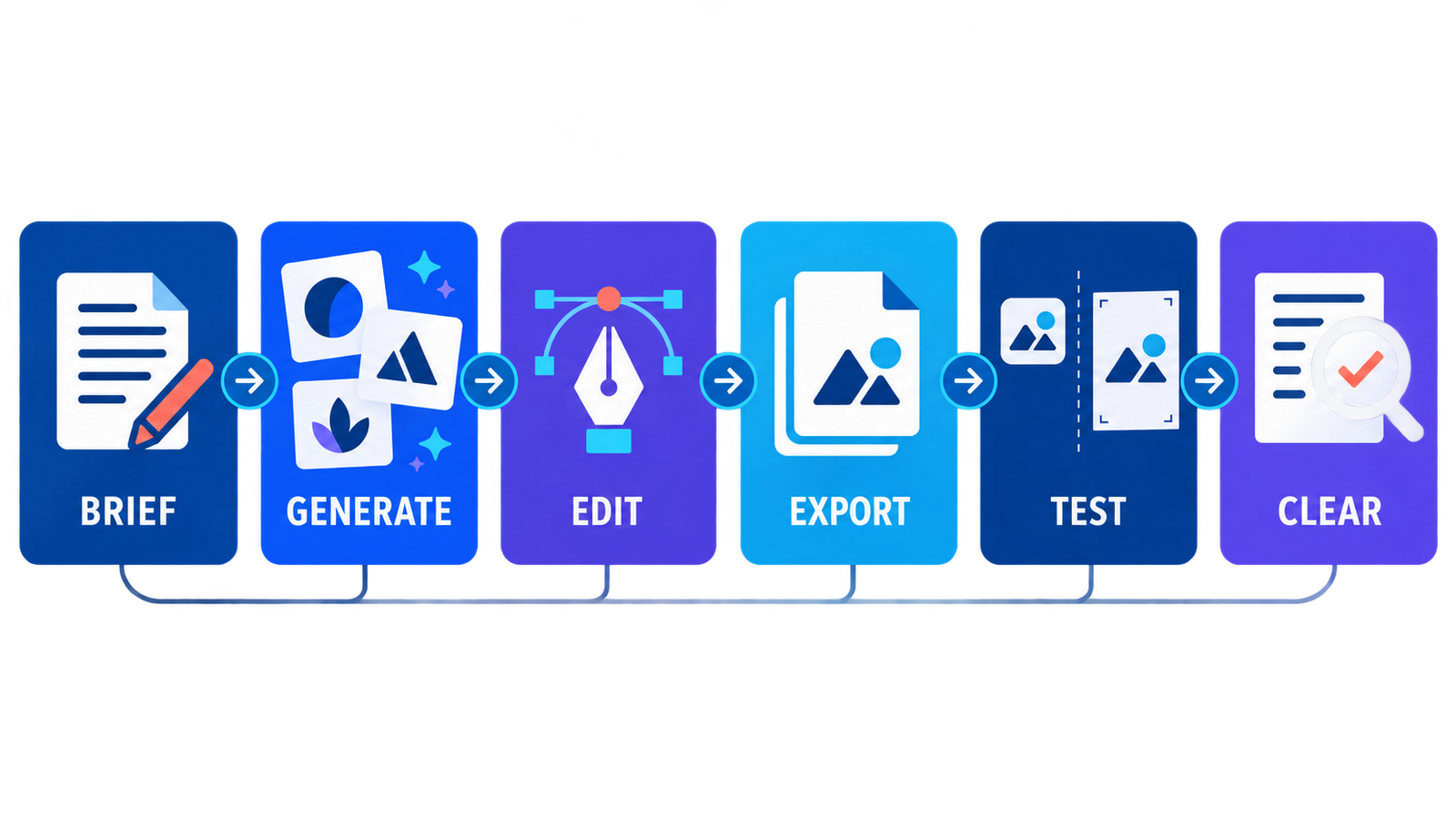
- Start with the required file: choose SVG for signs, print and long-term editing; use transparent PNG for websites and social profiles. A low-resolution JPG is only a draft.
- Keep text editable: let AI suggest a symbol or composition, but typeset the business name with a real font. Check spelling, kerning and readability at favicon size.
- Check asset rights: shared icons and templates may be usable commercially without being exclusive or trademarkable.
- Search before launch: the USPTO recommends a clearance search for confusingly similar names and design elements. Its database search is only one part of a comprehensive review.
- Save the source and terms: retain the SVG, font names, generation date, prompt, edits and a copy of the applicable license.
- Test in context: inspect the mark in black and white, at 32 pixels, on light and dark backgrounds, and on a printed page.
For broader concept generation, see our guide to a free AI image generator. Small teams comparing more than design software can use our list of free AI tools for small business owners. If the logo is part of a new site launch, our free AI website builder comparison explains publishing and domain limits. Newcomers can also review how generative AI works before relying on an automated creative workflow.
AI logos, copyright and trademark risk
A vendor’s permission to use a file is not the same as exclusive ownership. The US Copyright Office’s AI copyrightability report says AI-assisted work can qualify for protection when a human contributes sufficient expressive authorship, but prompts alone do not automatically establish that authorship. Copyright and trademark also protect different things.
For a serious business identity, use AI to explore directions, then make deliberate human choices: redraw the symbol, refine proportions, customize lettering and document those edits. Search the business name and visual elements, check domain and social availability, and consider a trademark attorney for a launch with meaningful legal or financial exposure. No generator can guarantee that a logo is unique, non-infringing or registrable.
Frequently asked questions
Which free AI logo generator gives SVG files?
VistaPrint AI Logomaker and Namecheap Logo Maker both advertise free SVG downloads. VistaPrint also includes PDF and transparent PNG files. Confirm the current export screen because plan terms can change.
Can I make a logo without creating an account?
Namecheap lets you design without signing in, but its current FAQ requires an account to save, share or download. VistaPrint provides four starter generations before sign-in and unlocks more with an account. Account boundaries can vary by region and session.
Can I trademark an AI-generated logo?
Possibly, but a generated file is not automatically exclusive or registrable. Shared templates and stock icons can prevent exclusivity, and conflicting marks may already exist. Add substantial original design work and complete a clearance search before filing.
Is a transparent background free?
VistaPrint includes transparent PNG and SVG files for free, and Namecheap includes SVG and PNG output. Adobe’s AI logo page advertises transparent PNG. Canva’s current help documentation places transparent-background download on paid plans.
Bottom line
Use VistaPrint when you want genuine generative AI plus a complete free file package. Choose Namecheap when a guided icon-and-type system is enough and dependable SVG matters. Adobe Express is the better editing environment, while Canva is convenient for shared concept work but needs extra care around transparency and trademark use. Whichever tool you choose, the safest final logo is one you can edit, clear and explain—not merely the first image an AI returns.


