
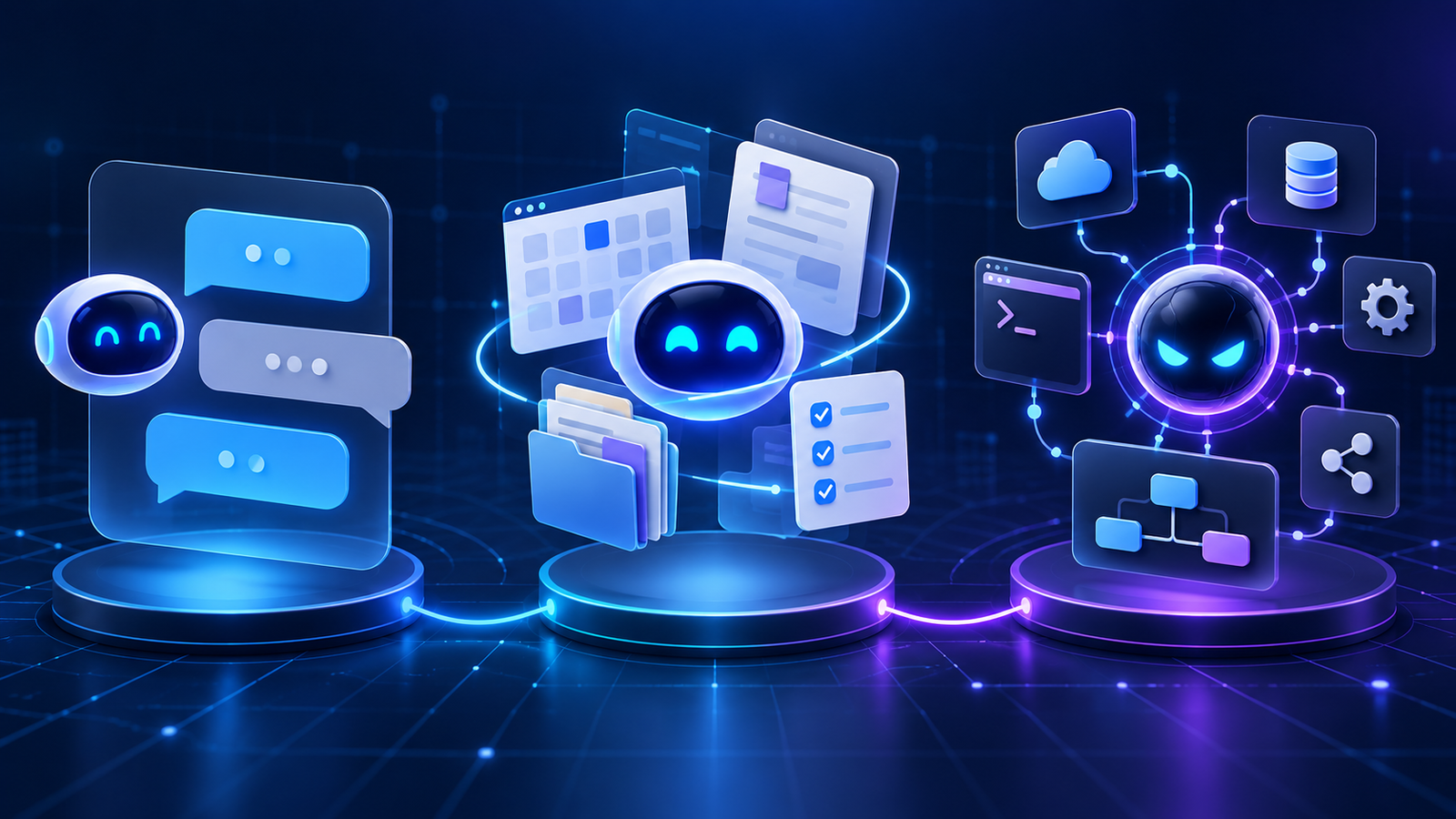

AI agents, AI assistants, and chatbots differ mainly in who controls the workflow and what the software can do. A chatbot primarily answers within a conversation. An AI assistant helps a person complete work by retrieving information, drafting, organizing, and sometimes invoking approved functions. An AI agent can pursue a goal across multiple steps, choose tools, inspect results, adapt its plan, and take permitted actions with less moment-to-moment direction.
The labels are not standardized. Vendors sometimes call the same product a bot, assistant, copilot, or agent. The reliable way to classify a system is to inspect its behavior: Does it only respond, does it support a user-led task, or does it control part of the workflow?
Table of contents
- Quick comparison
- What each term means
- A practical capability test
- How the difference appears in real work
- Which one should you build?
- Security and governance differences
- Frequently asked questions
AI agent vs AI assistant vs chatbot: quick comparison
| Capability | Chatbot | AI assistant | AI agent |
|---|---|---|---|
| Primary job | Hold a conversation and answer | Help a person complete a task | Pursue a goal through a workflow |
| Workflow control | Mostly scripted or user-led | User-led with AI recommendations | Partly system-led within defined limits |
| Typical scope | One turn or a bounded dialog | One user session or work context | Multiple steps, tools, and checkpoints |
| Tool use | Optional lookup or handoff | Search, retrieval, drafting, scheduling, approved functions | Dynamic tool selection, API calls, code or workflow execution |
| State and memory | Conversation history | User preferences and task context | Task state, intermediate results, plans, and execution history |
| Ability to act | Usually limited | Often proposes or performs narrow user-approved actions | Can take sequenced actions under policy and approval gates |
| Best fit | FAQs, routing, structured support | Research, drafting, personal productivity | Incident triage, coding workflows, operations, multi-system work |
| Main risk | Wrong or misleading answer | Bad advice or inappropriate data access | Incorrect actions, excessive permissions, or runaway execution |
A more capable product may include all three modes. A support agent can expose a chat interface, behave like an assistant while gathering details, and then run an agentic workflow after a person approves the action.
What each term means
What is a chatbot?
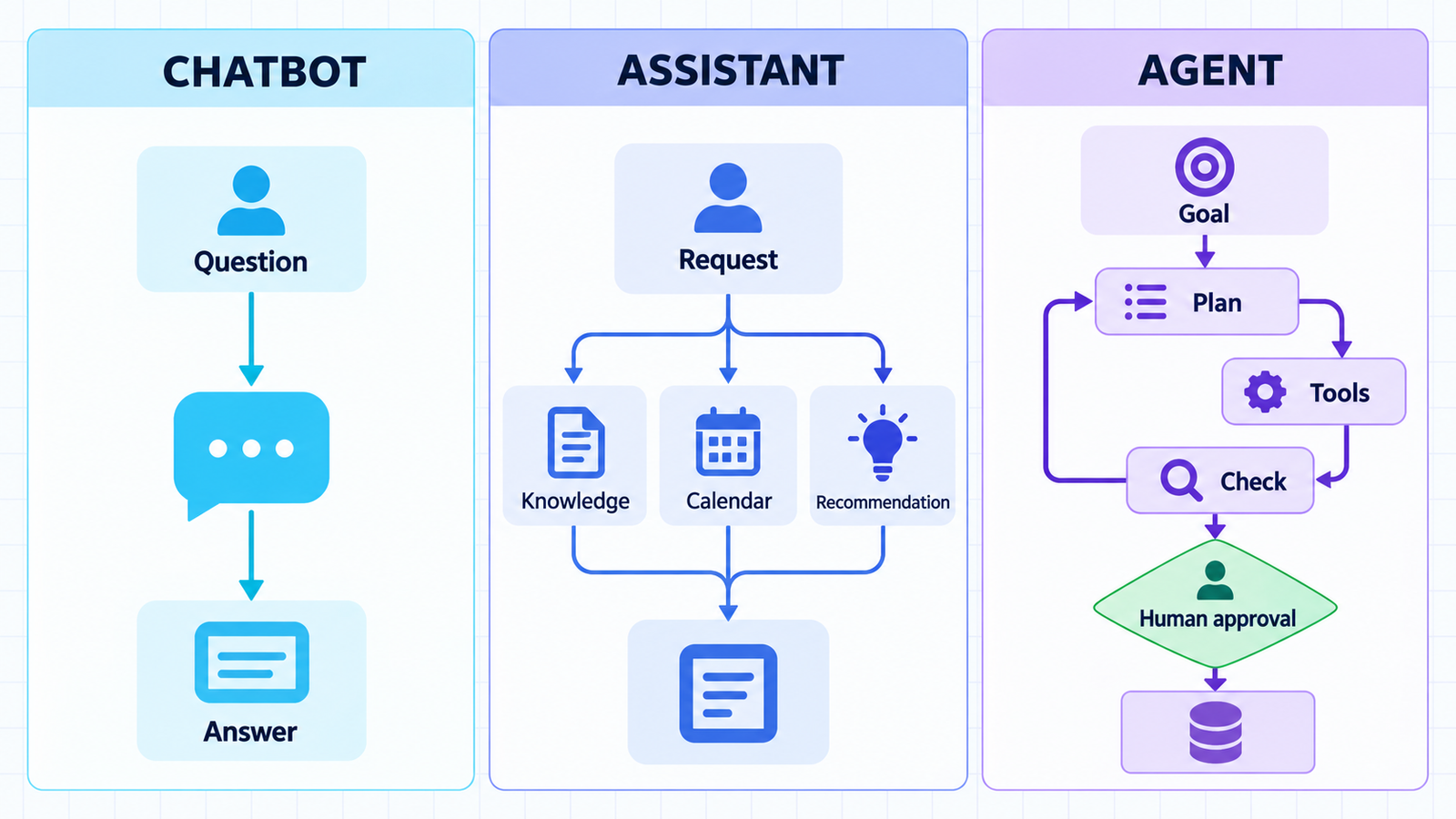
A chatbot is a conversational interface designed to interpret a message and return an appropriate response. Traditional chatbots often match intents, collect fields, follow a decision tree, retrieve an answer, or hand the conversation to a person. Generative chatbots can produce more flexible responses, but conversation remains the primary interaction model.
Chatbot does not automatically mean simple or outdated. Google Cloud’s Dialogflow documentation notes that “virtual agent,” “bot,” and “chat bot” can be synonymous in a contact-center context. A well-designed chatbot can authenticate users, query a knowledge base, and trigger a narrow back-end function. It still behaves like a chatbot when the conversation or a defined flow controls each next step.
Choose this pattern when the job is predictable: answer product questions, collect a support request, check an order status, guide a user through troubleshooting, or route a conversation.
What is an AI assistant?
An AI assistant supports a person’s work across a wider context. It may summarize documents, draft messages, search connected knowledge, prepare a meeting agenda, suggest code, or recommend the next action. The user usually remains the workflow owner: they decide what to ask, review the result, and initiate or approve consequential steps.
“Assistant” is a product and experience label rather than a strict architecture. An assistant can be a simple conversational application, or it can contain agentic features. Microsoft, for example, describes Copilot Studio agents as AI-powered assistants that combine knowledge and actions. That overlap is why the name alone cannot reveal the system’s autonomy.
A useful assistant reduces cognitive and clerical work without hiding control. It should show its sources when possible, identify uncertainty, and make clear when a suggestion becomes an external action.
What is an AI agent?
An AI agent is a software system that uses a model and a surrounding control loop to pursue a goal. It can break work into steps, select tools, observe results, update its state, and continue until it reaches a stopping condition or needs human help. Google Cloud highlights reasoning, planning, memory, decisions, and adaptation. OpenAI’s practical guide draws an important boundary: a simple chatbot or single-turn model is not an agent if the model does not manage workflow execution.
Tools are what turn an answer generator into an actor. An agent might search documentation, inspect a repository, query monitoring data, call a ticketing API, or prepare a pull request. The strongest designs do not give every tool unlimited authority. They expose narrow functions, constrain inputs, separate read and write permissions, and require approval for high-impact actions.
For a deeper explanation of the agent loop, memory, tools, and guardrails, read AI Agents Explained: Agentic AI in 2026.
A practical test: chatbot, assistant, or agent?
Use these six questions instead of trusting the product name.
- Who chooses the next step? A scripted flow or the user points toward a chatbot or assistant. A model that selects the next step from a goal is more agentic.
- Can the system call tools? Retrieval alone does not prove agency. Look for dynamic selection among APIs, code execution, browser actions, files, or other agents.
- Can it inspect the result and try again? Agents operate in a loop. They compare an observation with the goal, then continue, revise, stop, or escalate.
- Does it maintain task state? Conversation history remembers what was said. Agent state also tracks plans, completed steps, tool outputs, errors, approvals, and pending work.
- Can it change an external system? Drafting a ticket is assistance. Creating the ticket through an API is an action. Merging code or changing production is a higher-risk action that should require stronger controls.
- Can it work without a new prompt for every step? The more steps a system can sequence within a defined goal, the more agentic its behavior.
These capabilities form a spectrum, not three sealed boxes. A chatbot may use one API. An assistant may run a short agent loop. An agent may present every important decision in chat. Classification should describe the deployed behavior and permissions, not the marketing category.
How the difference appears in real work
Customer support
A chatbot answers “Where is my order?” after collecting an order number. An AI assistant summarizes the customer’s history, drafts a response, and recommends a refund policy to a support representative. An AI agent verifies eligibility, checks inventory, proposes the refund, waits for approval, calls the payment system, updates the CRM, and records an audit trail.
The agent is not better for every case. A deterministic bot may be safer and cheaper for high-volume status questions. Use agency only when flexible, multi-step execution creates enough value to justify the added risk and testing.
Software delivery
A chatbot explains a CI error. An assistant reads the error and suggests a patch. An agent checks the failing job, inspects recent commits, edits code in an isolated branch, runs tests, and opens a pull request. It should not merge its own change or deploy to production unless policy explicitly allows that action.
See AI Agents for CI/CD for a fuller delivery workflow and the review gates needed around it.
Operations and incident response
A chatbot retrieves a runbook. An assistant correlates an alert with documentation and recommends diagnostic commands. An agent queries logs and metrics, checks deployment history, forms a hypothesis, runs read-only diagnostics, and proposes a rollback. Production changes remain behind a human approval gate.
This pattern also needs traces, evaluations, cost tracking, and failure alerts. The AI Agent Observability for DevOps guide explains what teams should monitor.
Which one should you build?
Build a chatbot when the conversation is the product and the supported paths are known. This is often the right choice for FAQs, lead qualification, simple support, and information routing. Website teams can compare concrete options in our guide to free AI chatbots for websites.
Build an assistant when a person should remain in control but needs better retrieval, drafting, prioritization, or recommendations. Assistants fit work where context matters and the output benefits from human judgment.
Build an agent when the task is multi-step, success can be checked, tools can be scoped, and the cost of human coordination is meaningful. Good first agent use cases have a narrow goal, reversible actions, strong test coverage, observable state, and clear escalation rules.
Do not build an agent merely because the term is popular. If a rules-based workflow can complete the task reliably, conventional automation may be easier to test and operate. If the user needs an explanation or draft, an assistant may be enough.
Security and governance differences
The risk increases as the system moves from words to actions. A wrong chatbot answer may confuse a user. A wrong agent action can change data, expose secrets, spend money, disrupt infrastructure, or send an external message.
NIST’s work on agent tool use distinguishes read-only, constrained-write, and write access across trusted and untrusted environments. That is a practical starting point for architecture reviews. Classify every tool by what it can read, what it can change, and which environment supplies its input.
- Use least privilege. Give each workflow only the data and actions it needs. Prefer task-specific credentials over a user’s broad account token.
- Separate read from write. Let an agent gather evidence before it receives permission to change state.
- Require approval at consequential boundaries. Payments, external messages, deployments, access changes, deletions, and merges need explicit policy and often a person.
- Treat retrieved content as untrusted. A web page, document, issue, or email can contain instructions intended to redirect the agent. Do not let arbitrary text directly determine a tool call.
- Validate inputs and outputs. Constrain tool parameters, check destinations, enforce schemas at the application boundary, and reject unexpected values.
- Keep an audit trail. Record the goal, model and policy version, tool calls, approvals, external effects, errors, and final outcome.
- Design rollback before autonomy. A workflow is not production-ready if the team cannot detect and reverse a bad action.
NIST’s 2026 agent identity and authorization work emphasizes authentication, delegated authority, least privilege, auditability, and defenses against prompt injection. These are not optional additions after launch. They define the safe operating boundary of the agent.
Common classification mistakes
- Calling every LLM application an agent. Text generation inside a chat box is not agency unless the model controls a workflow.
- Assuming tool use always means autonomy. A chatbot can call a weather or order-status API without planning a multi-step task.
- Equating memory with intelligence. Saved conversation history is useful context, but it is different from durable task state and verified progress.
- Measuring autonomy instead of reliability. More independent action is not automatically better. The objective is dependable completion within a controlled boundary.
- Hiding approvals inside vague settings. Teams should know exactly which actions are automatic, which need confirmation, and who owns failures.
Frequently asked questions
Is ChatGPT a chatbot, an assistant, or an agent?
It depends on the configured capabilities and task. A conversation that answers questions behaves like a chatbot or assistant. A system that is given tools, manages a multi-step workflow, checks results, and acts within defined permissions behaves more like an agent.
Is an AI assistant the same as a chatbot?
No, but they overlap. A chatbot describes a conversational interface. An assistant describes a helping role and usually works across more context, such as files, schedules, or applications. Many assistants use chat as their interface.
What makes an intelligent agent different from ordinary automation?
Ordinary automation follows rules and paths defined in advance. An intelligent agent uses a model to choose among possible steps based on the current goal and observations. That flexibility helps with variable work, but it also requires evaluation, permissions, monitoring, and stopping rules.
Can a chatbot become an AI agent?
Yes. Developers can add goals, tool access, task state, planning, result checks, and controlled action loops behind a chat interface. The interface may still look like a chatbot even when the underlying workflow is agentic.
Should an AI agent be fully autonomous?
Usually not. Autonomy should match the risk. Read-only research can run with fewer interruptions, while payments, deployments, data changes, or external communication should have stronger approvals and narrow permissions.


