
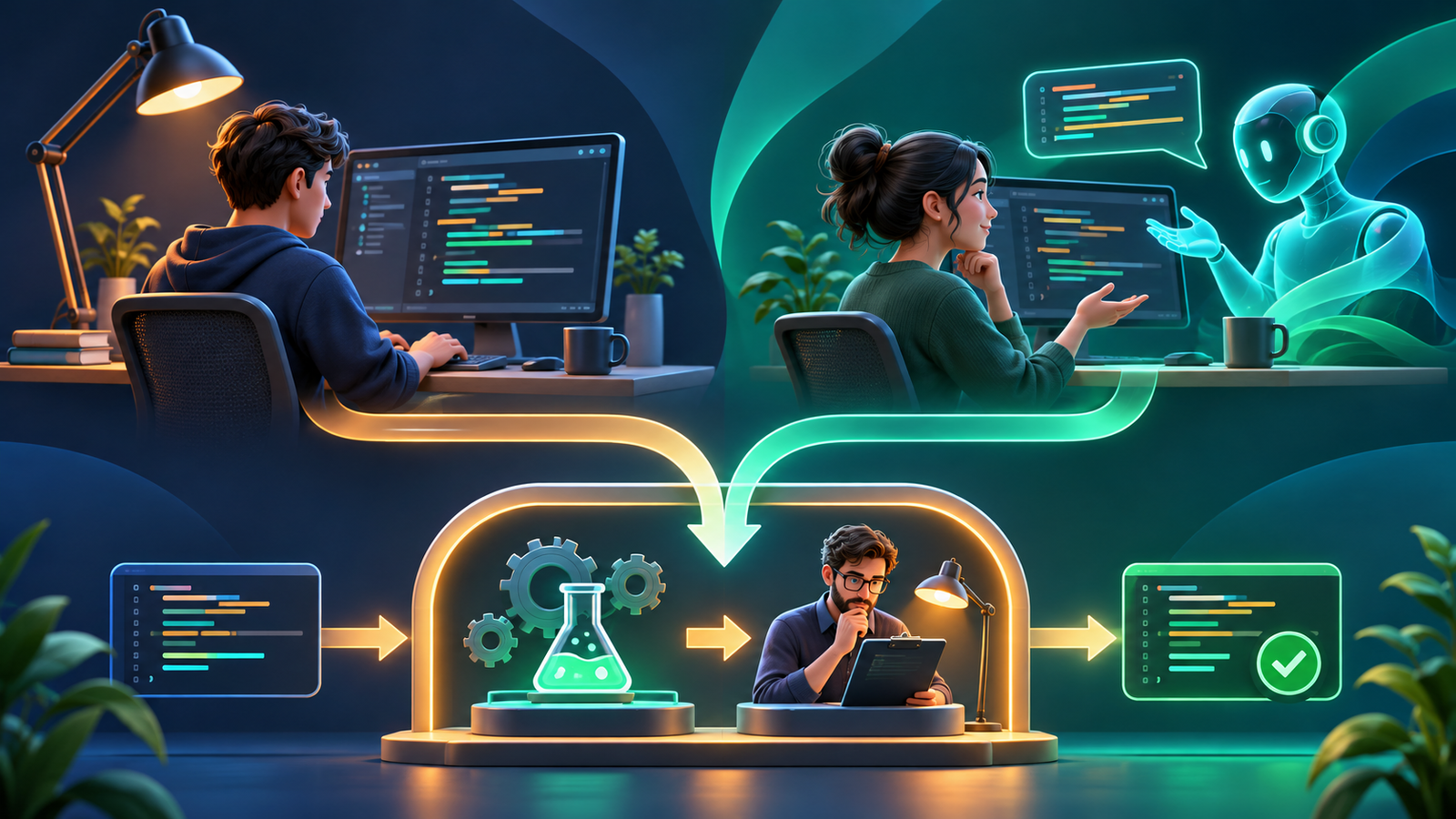

AI coding tools can reduce drafting and navigation work, while traditional coding keeps direct control over each implementation step. The best choice depends on the task, available context and verification cost. Compare the full path to an accepted, maintainable change, including review and rework, rather than how quickly code appears in an editor.
Most development teams use a hybrid workflow: people define requirements and review decisions, ordinary engineering tools provide repeatable checks, and AI assists with selected tasks. This comparison explains where each approach fits, what the evidence supports and how to measure the result on your own work. Sources were checked November 10, 2026.
AI coding tools versus traditional coding
Here, traditional coding means developers write and navigate code using documentation, search, debuggers, compilers, IDE refactorings and tests without a generative model producing the change. It already includes substantial automation. AI assistance adds probabilistic generation and, in agent modes, a loop that can edit files and invoke tools.
| Dimension | Traditional workflow | AI-assisted workflow | What to evaluate |
|---|---|---|---|
| Drafting | Developer writes the implementation | Model proposes code or a patch | Accepted output after review |
| Context | Developer searches and interprets evidence | Tool retrieves and summarizes selected context | Accuracy and missing dependencies |
| Execution | Developer chooses commands | Agent may select and run permitted commands | Permissions, logs and approval boundaries |
| Verification | Tests, scans and review validate the change | The same independent checks remain necessary | Defects, rework and reviewer effort |
| Cost | Engineering time and ordinary infrastructure | Additional seats, usage and agent execution | Total cost per accepted change |
| Learning | More direct practice constructing solutions | Fast examples and explanations with overreliance risk | Ability to explain and debug independently |
For the categories of tools behind these capabilities, see the AI coding tools guide. Product choice and process choice are related, but a more capable model does not automatically resolve a team’s review bottleneck.
What productivity evidence does and does not show
Productivity claims often mix different measurements: self-reported satisfaction, completion of a small exercise, accepted suggestions, pull-request throughput and customer outcomes. Each answers a different question. A developer can feel faster while spending extra time reviewing an almost-correct patch.
In its early-2025 randomized study, METR observed that 16 experienced open-source developers took 19% longer on the sampled tasks when AI was allowed. The result concerned specific tools, participants and mature repositories. It should not be generalized to all developers or treated as a current score for every coding agent.
METR’s February 2026 update reported problems estimating newer tools’ effects because participant and task selection had changed. The organization considered the later evidence too weak to establish the size of the current speedup. This is a reason to measure carefully, not to assume either permanent slowdown or a universal gain.
The 2026 Stack Overflow survey reports that 48% of respondents to its trust question trust AI when they can easily verify the output. That is respondent sentiment, not a controlled productivity result, and its question differs from earlier surveys. It supports the practical importance of verification without establishing causation.
For your own team, ask whether useful changes reach production reliably with less total effort. Local gains matter, but they may disappear when review queues, integration conflicts or operational incidents grow.
Which approach fits each development task?
Repetitive scaffolding and examples
AI is a reasonable candidate for routine test scaffolding, adapters, documentation drafts and examples when conventions are clear. The reviewer can compare the output with known patterns and run focused checks. Traditional templates or code generators may be even more predictable when the pattern is stable and frequently repeated.
Understanding an unfamiliar repository
AI can propose a map of modules, callers and data flow, but require file references and verify them with search and execution. A useful explanation reduces navigation work; an invented architecture increases it. Keep a list of unresolved assumptions rather than allowing a fluent summary to become the team’s source of truth.
Small bug fixes
Start with a reproducible failure and a reliable expected result. AI can suggest hypotheses and draft a small patch; a debugger and independent regression test establish what actually happens. If the requirement is unclear, additional generation usually compounds uncertainty. The AI debugging workflow gives a practical evidence loop.
Symbolic refactoring and broad rewrites
For a supported rename or extraction, a structure-aware IDE action can be more predictable than free-form generation. For a cross-file change, an agent may coordinate analysis and edits, but the reviewer still needs behavior-preserving tests. Large rewrites require migration design, compatibility checks and operational ownership beyond code generation.
Authentication, money and destructive changes
Security boundaries, billing rules, data migrations and production infrastructure need explicit contracts and specialist review regardless of authorship. AI may help enumerate cases, but its confidence should not determine release authority. Use direct human investigation when the cost of validating a generated solution exceeds writing the small change yourself.
Compare total cost and review burden
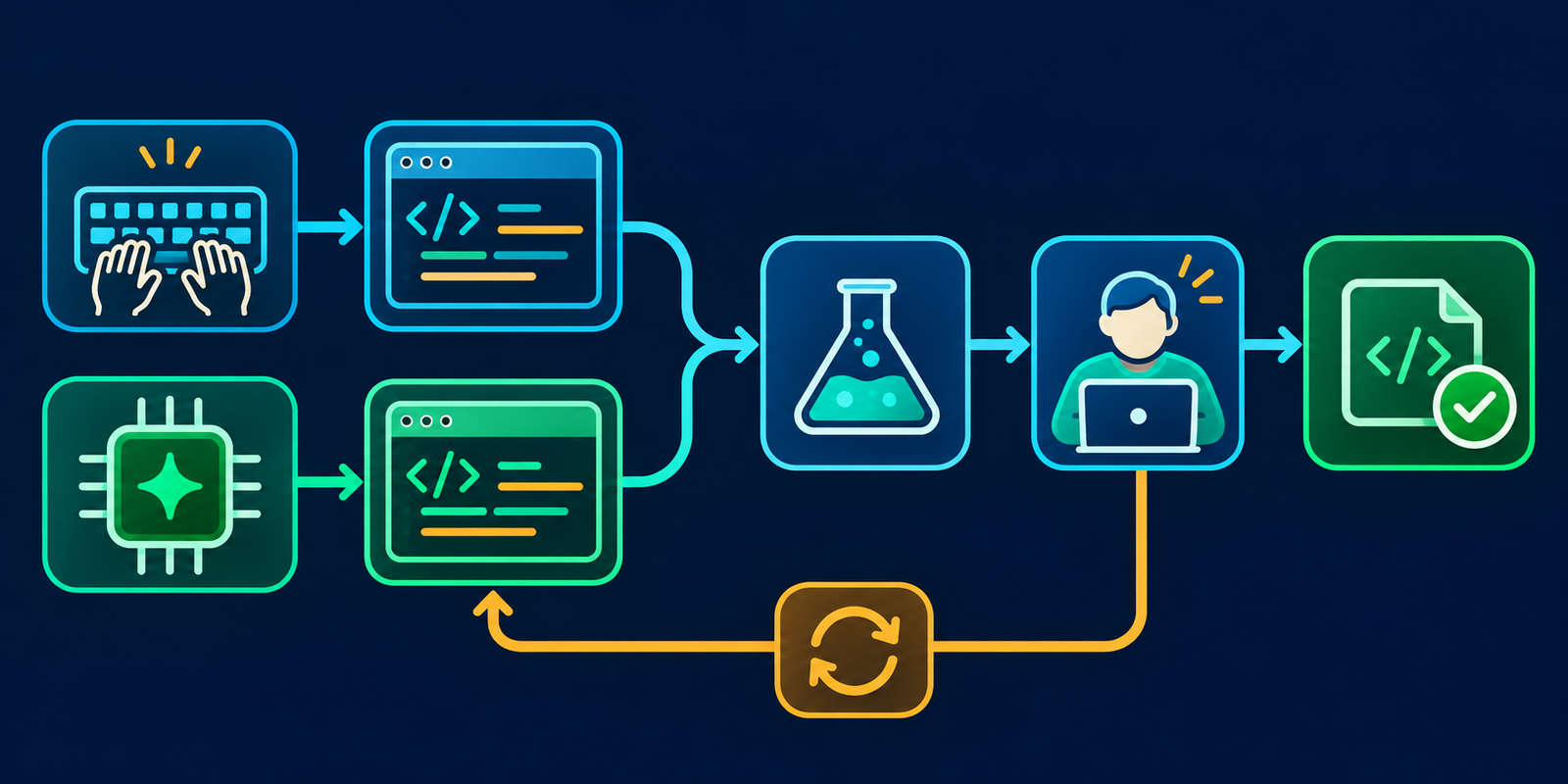
Calculate labor across the whole task: requirement clarification, investigation, drafting, prompting, waiting, tests, review and repair. Add subscriptions, metered usage and execution infrastructure. Keep the same quality threshold on both sides so a faster low-quality draft does not count as a completed task.
GitHub’s current Copilot plans separate subscription access from AI-credit consumption for agent features. Similar distinctions appear across the market, so a seat price alone cannot predict the cost of repeated autonomous attempts. Usage allowances and model choices can change during an evaluation.
Review capacity is often the limiting resource. If AI increases patch volume, reserve reviewer time and cap concurrent work. Small diffs with clear acceptance criteria are easier to validate than a stream of generated changes that each require reconstructing the original intent.
Count abandoned AI attempts as part of cost. Also count cases where an explanation helps even though no generated code is accepted. A fair measurement captures both benefits and failed experiments rather than using suggestion acceptance as the only proxy.
Quality, security and learning
Traditional coding can introduce insecure dependencies, logic errors and undocumented assumptions. AI adds failure modes such as fabricated APIs, invented requirements and correlated mistakes between an implementation and its generated tests. Use independent evidence appropriate to the change.
Agent modes also change the security boundary. An assistant that suggests a command and an agent that executes it have different authority. GitHub’s responsible-use guidance calls for reviewing generated code and commands. Enforce least privilege, restricted credentials and approval for sensitive operations.
Protect source and secrets in every tool path. Review retention and training settings, connected services and model-provider terms before sending proprietary code. Repository comments and external documentation may contain prompt injection, so task instructions must not inherit authority from arbitrary content.
For learning, use AI to ask for hints, alternatives and explanations, then implement or explain the result without copying it blindly. Developers need to retain the ability to investigate a failure when the assistant is unavailable. Teams should preserve mentoring, code reading and independent design practice.
The production-readiness checklist applies the same correctness and security standard to both paths. Generated output should enter the ordinary engineering process with clear ownership.
Run a fair comparison in your team
- Choose representative task classes and define what counts as accepted work.
- Record a baseline and provide adequate onboarding for the AI workflow.
- Allocate comparable tasks across approaches without giving one group only easy work.
- Measure total active effort, elapsed time, reviewer effort, rework and defects.
- Record product versions, model choices, context and permissions.
- Review results by task type and developer experience rather than relying only on an average.
- Adopt the tool where evidence supports it and retain a fallback for unsuitable tasks.
Include a follow-up period for regressions. Do not require developers to claim a saving on every task; that encourages hidden failures and biased reporting. The purpose is to identify useful operating conditions. Our team selection framework expands the procurement and rollout process.
As a practical example, compare two small API changes with similar acceptance tests. Record investigation, implementation, review and repair separately for each. If the AI-assisted change saves drafting time but requires extra review, preserve both observations in the result. Repeat across enough representative work to see variation. A single successful task can justify further experimentation, but it cannot establish the team’s long-term return or the reliability of a different autonomous mode.
Frequently asked questions
Is AI coding always faster?
No. Benefits depend on task complexity, context, tool familiarity and verification effort. Measure accepted outcomes on representative work.
Is traditional coding more secure?
Neither origin guarantees security. Apply the same threat modeling, scanning, tests and review, while adding controls for AI data processing and agent permissions.
Should beginners avoid AI?
Beginners can use it for hints and explanations while retaining direct practice. They should be able to explain and debug any code they submit.
What is a sensible default workflow?
People define the requirement and risk boundary, AI assists with bounded tasks, and independent tools and reviewers validate the result before release.


