
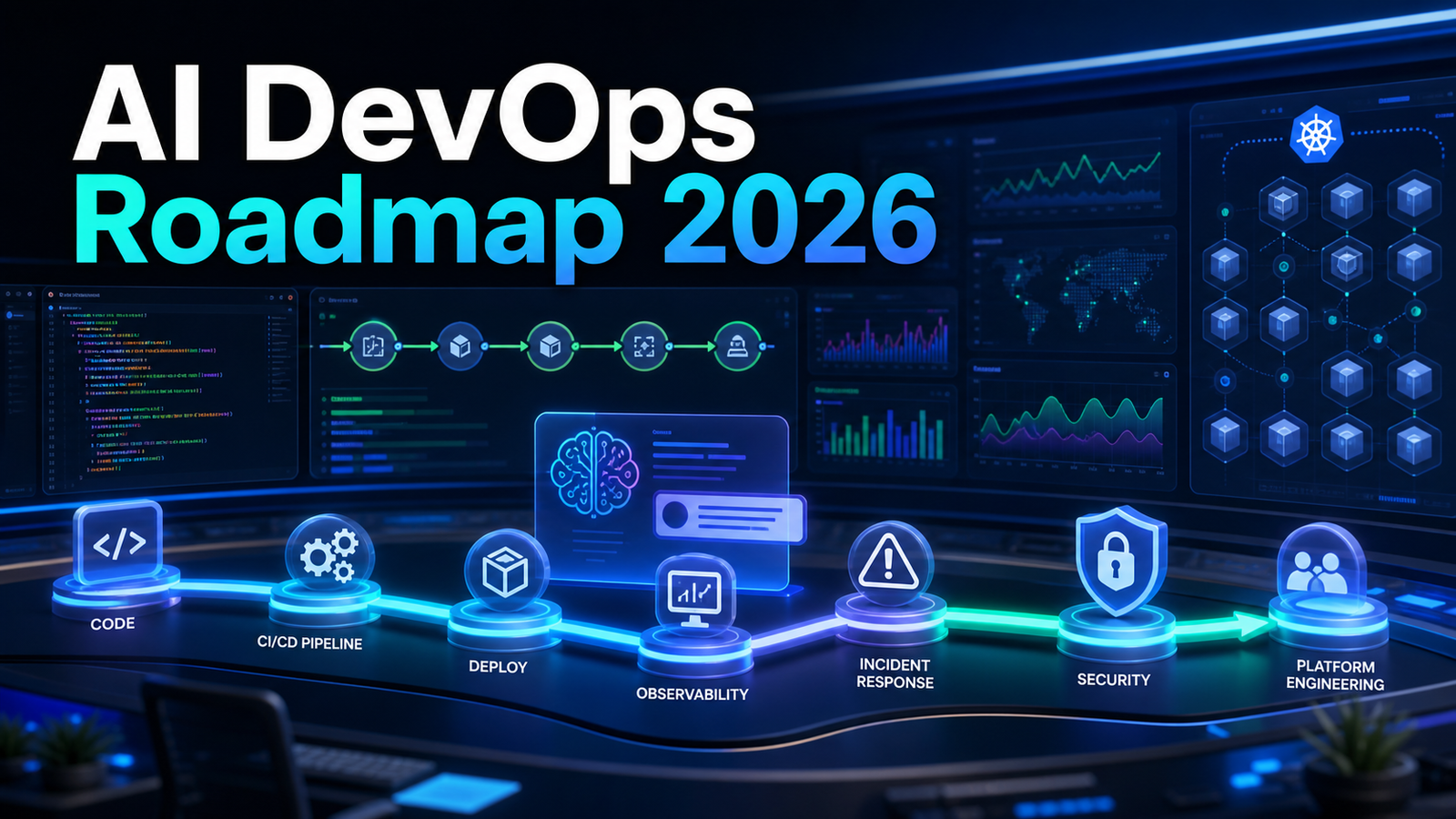

AI is now part of almost every DevOps conversation, but the useful question is not “should we use AI?” The better question is: “where will AI reduce real delivery friction without making production less reliable?”
Search interest around AI and DevOps keeps clustering around practical topics: AI in CI/CD, AIOps, DevSecOps automation, Kubernetes for AI workloads, incident response, testing, platform engineering, and whether AI agents can safely operate pipelines. This guide turns those questions into a roadmap for beginners and practitioners.
Quick Answer
AI in DevOps is most useful when it assists repeatable, evidence-heavy work: summarizing incidents, finding log patterns, drafting runbook steps, generating test cases, reviewing infrastructure changes, explaining CI failures, and improving developer self-service. It becomes risky when teams let AI directly change production without policy checks, observability, approvals, and rollback paths. A practical 2026 roadmap starts with read-only AI assistants, then controlled recommendations, then narrow automated actions behind guardrails.
Why AI DevOps Matters in 2026
Three shifts are driving adoption.
First, developers already use AI assistants for code, tests, documentation, and debugging. That changes CI/CD because teams must validate more generated code and catch fragile changes earlier.
Second, operations data is too large for manual triage. Logs, traces, metrics, alerts, deployments, feature flags, security findings, and cloud billing signals live in separate tools. AI can summarize and correlate that evidence during incidents.
Third, platform engineering has become the natural home for AI adoption. Instead of every team inventing prompts and tools, platform teams can offer approved workflows, golden paths, self-service templates, policy checks, and internal documentation search.
Research from DORA and Google Cloud describes AI as an amplifier: it can improve strong delivery systems, but it can also magnify weak review, testing, and operations practices. That is the right mindset for DevOps. AI does not replace fundamentals. It raises the value of fundamentals.
1. What Is AI in DevOps?
AI in DevOps means using machine learning, generative AI, and agents to support software delivery and operations.
| Area | Useful AI assistance | What still needs engineering judgment |
|---|---|---|
| CI/CD | Explain failed builds, draft pipeline templates | Whether a fix is safe |
| Testing | Generate test cases, summarize flaky history | Which user behaviors matter |
| Observability | Group alerts, summarize logs | Incident severity and impact |
| DevSecOps | Prioritize vulnerabilities | Risk acceptance |
| Infrastructure | Review Terraform or Kubernetes diffs | Blast radius and rollback |
| Platform engineering | Power self-service and docs search | Standards and ownership |
The best early use cases are copilots, not autopilots. A copilot helps engineers understand, decide, or draft. An autopilot takes action. Most teams should earn automation by proving recommendations are accurate, auditable, and reversible.
2. Is AIOps the Same as AI DevOps?
No. AIOps usually focuses on operations: alert correlation, anomaly detection, root-cause analysis, event noise reduction, and incident response. AI DevOps is broader. It includes code review, testing, CI/CD, release management, infrastructure as code, security, and developer experience.
If the pain is “we receive too many alerts and cannot find the cause quickly,” evaluate AIOps. If the pain is “our whole path from idea to production has friction,” think in terms of AI DevOps.
3. Where Should Teams Start?
Start where AI can read more than it can write. Connect it to documentation, runbooks, service catalogs, incident history, and observability data. Ask it to summarize failures and suggest likely next checks, while keeping production actions manual.
Example Kubernetes evidence collection:
kubectl get pods -n payments
kubectl describe deployment payments-api -n payments
kubectl logs deploy/payments-api -n payments --since=30m
kubectl get events -n payments --sort-by=.lastTimestamp
A safer prompt:
You are assisting with Kubernetes incident triage.
Use only the logs, events, and deployment output below.
List the top three likely causes, evidence for each, and the safest next command.
Do not suggest a production change unless rollback is included.
This keeps the assistant grounded in evidence and the engineer in control.
4. How Can AI Improve CI/CD?
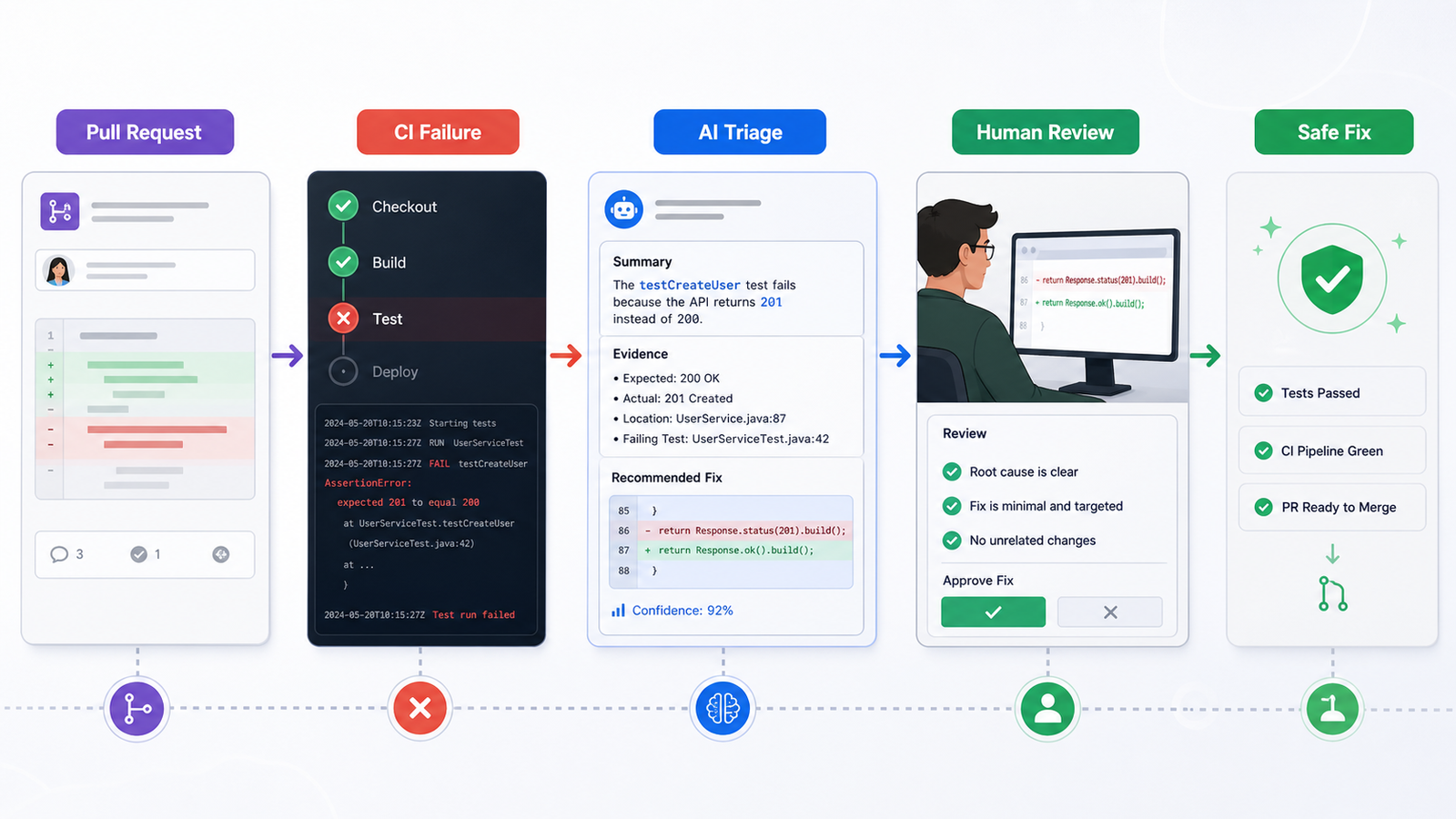
The most practical CI/CD use cases are build failure explanations, pipeline template generation, missing test suggestions, release note drafts, and deployment risk summaries.
| Use case | Example | Risk level |
|---|---|---|
| Failure explanation | Summarize a failed GitHub Actions or Jenkins job | Low |
| Pipeline generation | Draft a workflow for Node, Python, Docker, or Terraform | Medium |
| Test suggestion | Recommend tests from a code diff | Medium |
| Release notes | Turn merged PRs into user-readable notes | Low |
| Deployment decision | Recommend promote, pause, or rollback | High |
Here is a simple CI workflow that AI can help debug when it fails:
name: ci
on: [pull_request]
jobs:
  test:
    runs-on: ubuntu-latest
    steps:
      - uses: actions/checkout@v4
      - uses: actions/setup-node@v4
        with:
          node-version: 22
      - run: npm ci
      - run: npm test -- --runInBand
Give the assistant the failing command, relevant logs, package versions, and changed files. Do not send secrets, tokens, production data, or unrelated repository history.
5. Can AI Agents Run Pipelines?
AI agents can operate parts of a DevOps workflow, but they need boundaries.
An agent can triage a failed build, open a pull request with a proposed fix, add missing tests for a narrow bug, update documentation, or create an incident summary. It should not independently disable security checks, rotate production credentials, delete cloud resources, promote a failed release, or change IAM, networking, or database settings.
A good rule: AI prepares changes; policy decides whether changes can run; humans approve high-risk actions.
6. How Does AI Fit Into DevSecOps?
AI can make security findings easier to understand, especially when scanners produce long lists of dependency issues. A useful prompt is:
Summarize these dependency vulnerabilities for a service owner.
Group by exploitability and production exposure.
Recommend the smallest safe upgrade path.
Call out breaking changes and tests to run.
But AI should not become a vulnerability waiver machine. If an assistant recommends postponing a fix, the record should include evidence, affected asset, exposure, compensating control, owner, and review date.
For infrastructure as code, ask AI to review intent:
Review this Terraform diff.
Identify public exposure, privilege expansion, data persistence changes, cost impact, and rollback risk.
Return review comments only.
7. What About Kubernetes and AI Workloads?
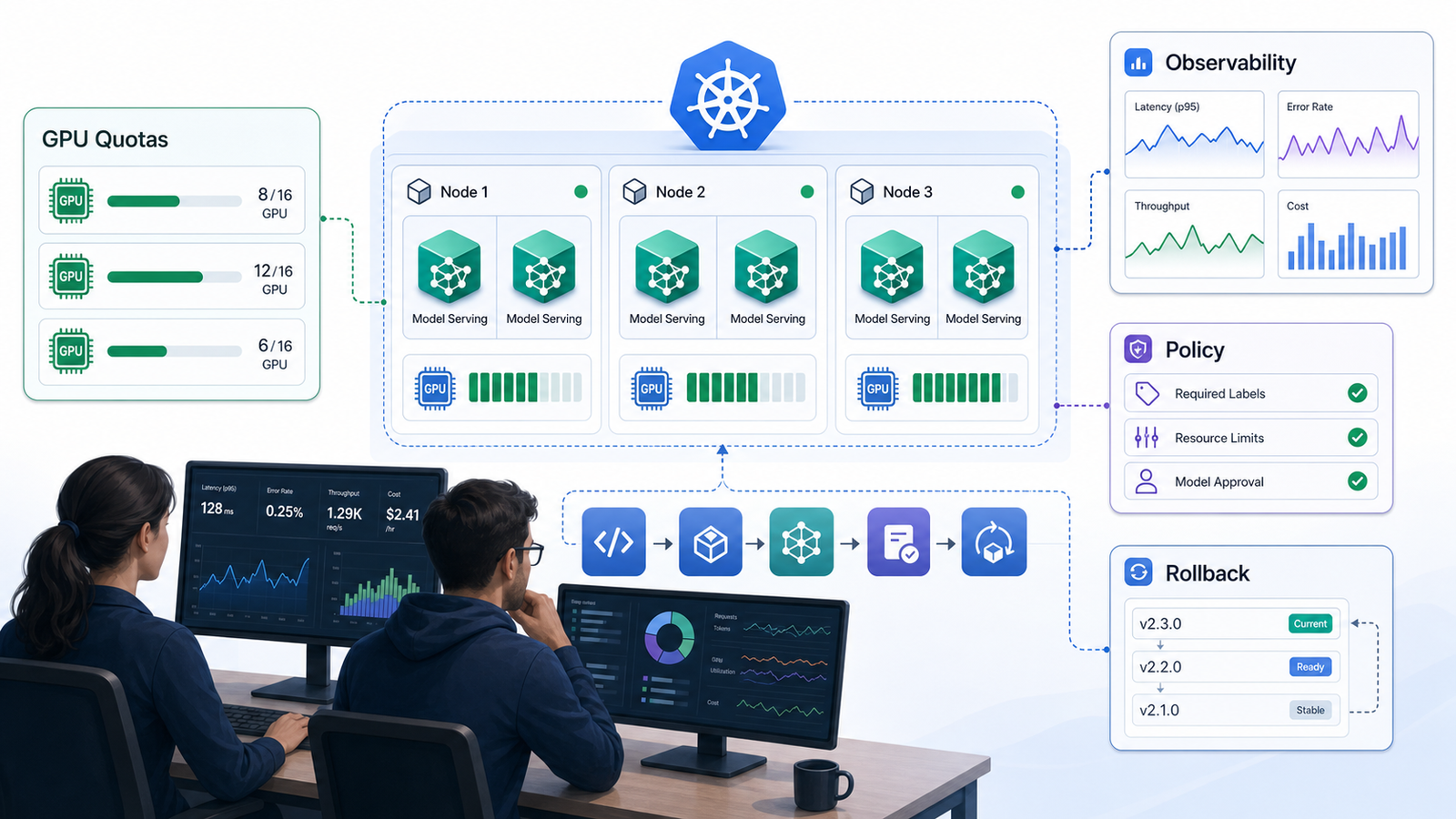
Kubernetes is increasingly used as the operational layer for AI workloads because teams already understand scheduling, scaling, service discovery, secrets, ingress, policy, and observability. AI workloads add extra concerns.
| Concern | Why it matters | DevOps response |
|---|---|---|
| GPU scheduling | Expensive resources can sit idle | Track utilization and quotas |
| Model serving | Latency and cold starts affect users | Load test and tune autoscaling |
| Data access | Models may use sensitive context | Enforce least privilege |
| Observability | Quality failures may not look like 500 errors | Monitor latency, cost, and answer quality |
| Rollbacks | Model behavior can change without code changes | Version prompts, models, and datasets |
If you are starting now, begin with a small service that calls an approved model API, logs cost and latency, and has clear fallback behavior.
8. How Should Teams Choose AI DevOps Tools?
Do not buy the tool with the largest feature list. Buy or build around a workflow your team can govern.
| Criteria | Questions to ask |
|---|---|
| Integrations | Does it connect to Git, CI/CD, observability, incident, and ticketing tools? |
| Permissions | Can it separate read and write actions? |
| Auditability | Can you see prompts, evidence, decisions, and actions? |
| Data controls | Can sensitive code, logs, and tickets be restricted? |
| Customization | Can it use your runbooks and service catalog? |
| Evaluation | Can you measure accuracy and false positives? |
| Pricing | Is pricing per seat, action, token, incident, or connector? |
Pricing deserves attention. AI tools often look cheap in a pilot and become expensive at scale because of seats, token usage, log volume, or premium integrations.
Build vs Buy Recommendation
| Option | Pros | Cons | Best fit |
|---|---|---|---|
| Built-in AI from existing DevOps tools | Fast, familiar, vendor-supported | Less control | Small teams and pilots |
| AIOps platform | Strong incident features | Can be expensive | High-alert operations teams |
| Internal AI workflows | Custom and governable | Needs ownership | Mature platform teams |
| Hybrid | Balances speed and control | Needs architecture | Most growing teams |
Neutral recommendation: use built-in AI for narrow problems, then build internal glue only where your process is unique. Do not create a custom platform just to summarize build logs. Do build governed workflows when AI needs your service catalog, deployment rules, compliance constraints, and incident history.
Metrics That Prove AI DevOps Is Working
Track outcomes, not demos:
- CI failure diagnosis time.
- Incident acknowledgement and resolution time.
- Alert grouping accuracy.
- Pull request review time and escaped defect rate.
- Change failure rate and rollback frequency.
- Security finding time-to-remediate.
- Developer satisfaction with internal tools.
- AI recommendation acceptance and false recommendation rate.
If AI saves build-debugging time but increases incidents, the program is failing. If it reduces repetitive investigation while keeping quality stable, it is working.
Common Mistakes
The first mistake is automating unclear processes. If humans disagree about incident handling, AI will not fix that disagreement.
The second mistake is giving AI too much tool access too early. Read-only access is enough for many valuable workflows.
The third mistake is ignoring data boundaries. Build logs and incident tickets can contain secrets, customer identifiers, internal URLs, and security details.
The fourth mistake is measuring only speed. DevOps is about reliable flow, so measure safety and recovery too.
A 90-Day AI DevOps Roadmap
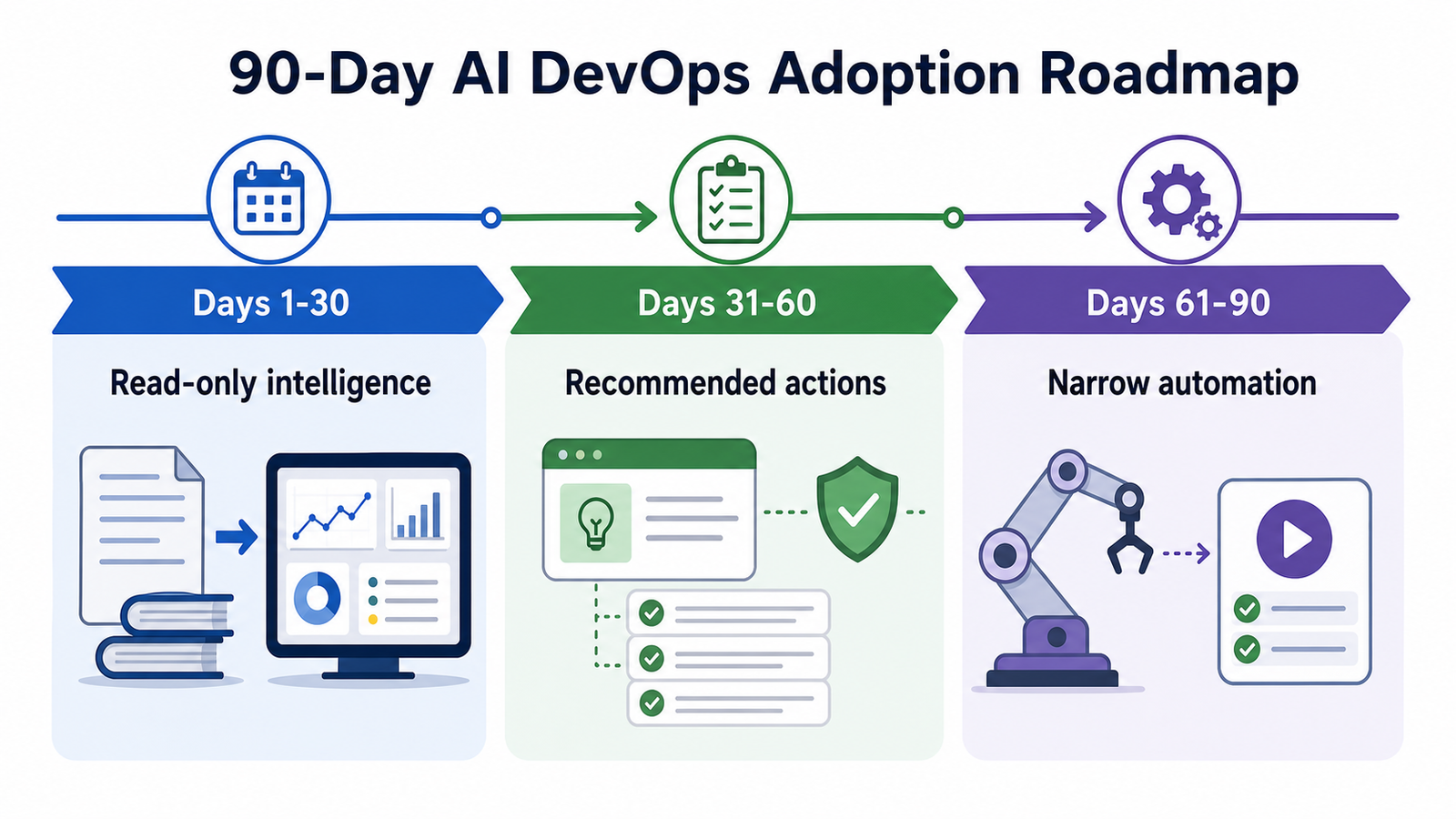
Days 1-30: pick one workflow such as CI failure explanation, incident summaries, or vulnerability triage. Connect only minimum data. Require humans to take all actions. Measure accuracy and usefulness.
Days 31-60: let AI suggest commands, tests, rollback plans, or review comments. Add policy checks for IAM, networking, production databases, and secrets. Track false recommendations.
Days 61-90: automate only low-risk actions such as drafting incident updates, opening tickets, tagging flaky tests, or creating documentation updates. Require approval for production changes and review outcomes weekly.
Internal Links to Read Next
- Beginner foundation: What is Generative AI? A Beginner's Guide
- CI/CD comparison: Best CI/CD Tools 2026 Compared
- Related cluster ideas: AIOps tools, agentic CI/CD, DevSecOps tutorials, Kubernetes monitoring, and platform engineering roadmap.
FAQ
Is AI replacing DevOps engineers?
No. AI is changing DevOps work, but it is not replacing engineers who understand systems, reliability, security, deployment risk, and business impact.
What is the easiest AI DevOps use case to start with?
CI failure explanation is often the easiest starting point because it has clear input, clear output, low production risk, and measurable time savings.
What is the biggest risk of AI in DevOps?
The biggest risk is letting AI take production action without context, permission boundaries, policy checks, observability, and rollback.
Do DevOps teams need AIOps tools?
Teams with high alert volume and slow incident triage may benefit from AIOps. Smaller teams should improve observability basics, runbooks, alert quality, and ownership first.
Can AI help with Kubernetes troubleshooting?
Yes. AI can summarize pod events, logs, deployment changes, and alerts, but engineers should verify commands before applying changes.
How should AI-generated infrastructure changes be reviewed?
Review them like any production-impacting change, with extra attention to IAM, public exposure, stateful resources, cost, compliance, and rollback.
Schema-Ready FAQ Structure
{
  "@context": "https://schema.org",
  "@type": "FAQPage",
  "mainEntity": [
    {"@type": "Question", "name": "Is AI replacing DevOps engineers?", "acceptedAnswer": {"@type": "Answer", "text": "No. AI is changing DevOps work, but it is not replacing engineers who understand systems, reliability, security, deployment risk, and business impact."}},
    {"@type": "Question", "name": "What is the easiest AI DevOps use case to start with?", "acceptedAnswer": {"@type": "Answer", "text": "CI failure explanation is often the easiest starting point because it has clear input, clear output, low production risk, and measurable time savings."}},
    {"@type": "Question", "name": "What is the biggest risk of AI in DevOps?", "acceptedAnswer": {"@type": "Answer", "text": "The biggest risk is letting AI take production action without context, permission boundaries, policy checks, observability, and rollback."}},
    {"@type": "Question", "name": "Do DevOps teams need AIOps tools?", "acceptedAnswer": {"@type": "Answer", "text": "Teams with high alert volume and slow incident triage may benefit from AIOps. Smaller teams should improve observability basics first."}},
    {"@type": "Question", "name": "Can AI help with Kubernetes troubleshooting?", "acceptedAnswer": {"@type": "Answer", "text": "Yes. AI can summarize pod events, logs, deployment changes, and alerts, but engineers should verify commands before applying changes."}},
    {"@type": "Question", "name": "How should AI-generated infrastructure changes be reviewed?", "acceptedAnswer": {"@type": "Answer", "text": "Review them like any production-impacting change, with extra attention to IAM, public exposure, stateful resources, cost, compliance, and rollback."}}
  ]
}

