

SEO excerpt: Learn what AI agents are, how agentic AI works in 2026, where developers and DevOps teams can use agents safely, and how to design tool-using AI workflows with practical guardrails.
Quick Answer: AI agents are software systems that use an AI model to plan tasks, call tools, inspect results, and continue working toward a goal with limited human prompting. In 2026, agentic AI is most useful when the task has clear boundaries, trusted tools, observable state, and human approval for high-risk actions. Good agents are not just chatbots with bigger prompts. They need workflow design, tool permissions, memory strategy, evaluation, monitoring, and rollback plans.
AI agents have become one of the most important software architecture patterns around generative AI. The basic idea is simple: instead of asking a model one question and receiving one answer, you give a system a goal, a set of tools, and a process for deciding what to do next.
That shift matters for developers, DevOps teams, platform engineers, and technology leaders. A chatbot can explain a deployment failure. An agent can inspect logs, query metrics, compare recent commits, draft a rollback plan, open a change request, and ask for approval before executing it. The value is not magic autonomy. The value is a controlled loop that connects reasoning, tools, and verification.
This guide explains agentic AI in practical terms: how agents work, where they fit, what can go wrong, and how to design AI agents that are useful without handing them uncontrolled access to production systems.
What Is an AI Agent?
An AI agent is an application that uses an AI model to decide actions and interact with its environment. The environment may be a code repository, a ticket queue, a cloud account, a Kubernetes cluster, a customer support system, a spreadsheet, or a set of internal APIs.
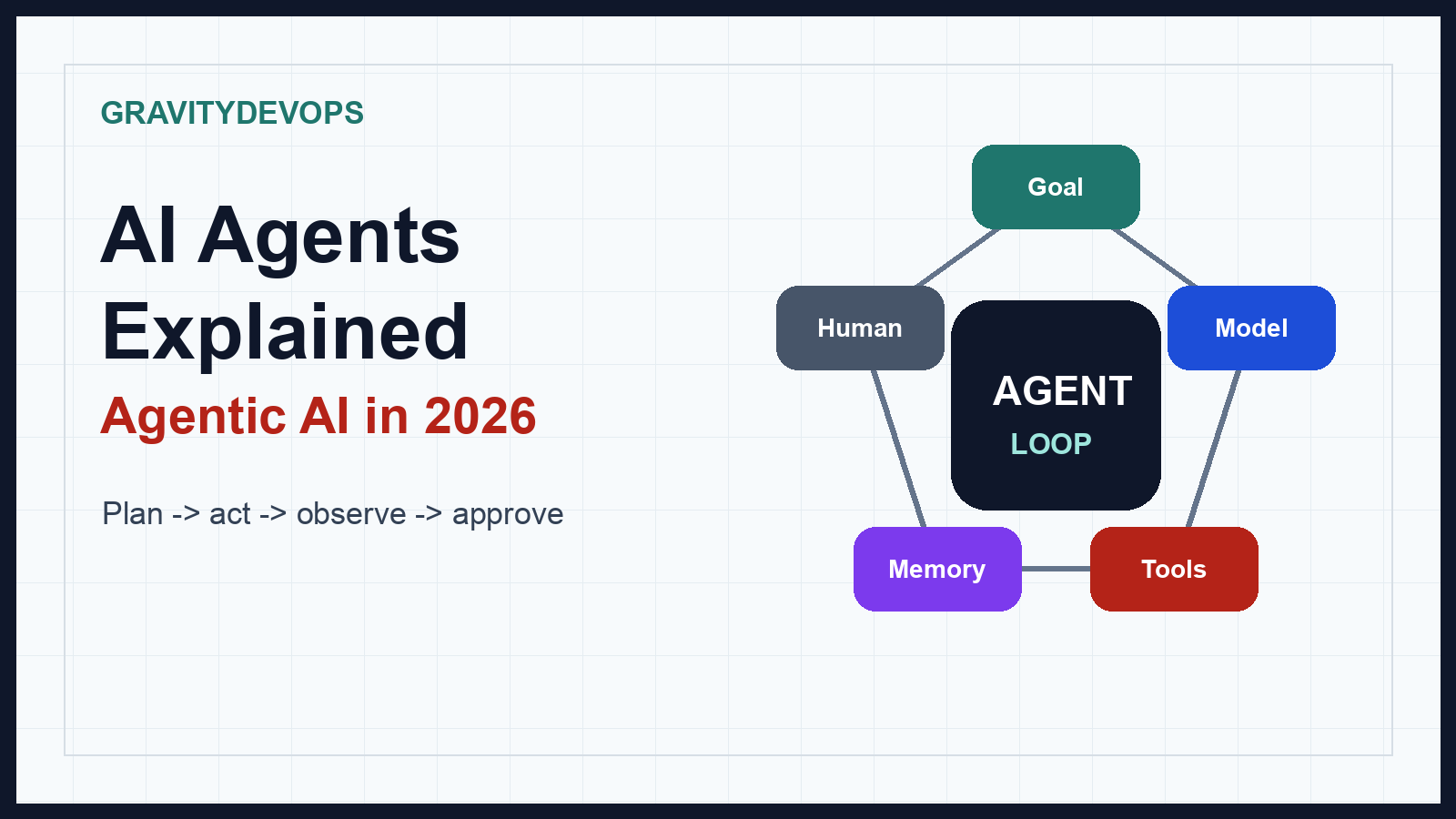
A simple agent usually has five parts:
- Goal: The task the agent is trying to complete, such as “summarize this incident” or “create a pull request that fixes this failing test.”
- Model: The language or multimodal model used for reasoning, planning, classification, extraction, or generation.
- Tools: Functions the agent can call, such as search, database queries, shell commands, API calls, browser actions, or ticket updates.
- Memory and context: Short-term task context, retrieved documents, prior observations, user preferences, or system state.
- Control loop: The logic that lets the agent plan, act, observe results, and decide whether to continue, stop, or ask for help.
IBM describes AI agents as systems that can use tools and available data to perform tasks on behalf of users, while cloud and AI platform vendors increasingly describe them as workflow systems that combine models, tool calls, retrieval, and orchestration. The important engineering point is that the agent is not only the model. The agent is the whole system around the model.
Agentic AI vs Chatbots vs Automation
It helps to separate three related ideas:
| Pattern | How it works | Best use case | Main risk |
|---|---|---|---|
| Chatbot | User asks, model answers. | Explanation, Q&A, drafting, summarization. | Confident but incomplete answers. |
| Traditional automation | Predefined rules execute a known workflow. | Repeatable tasks with stable inputs. | Brittle when inputs or conditions change. |
| AI agent | Model selects steps, calls tools, observes results, and adapts. | Tasks that need judgment, context, and tool use. | Unsafe actions if permissions and evaluation are weak. |
Traditional automation is still better when a deterministic script will do the job. Do not replace a reliable cron job, CI/CD pipeline, or Terraform workflow with an agent just because agents are fashionable. Use agentic AI when the workflow has enough variation that judgment matters, but enough structure that the system can be evaluated.
How AI Agents Work in 2026
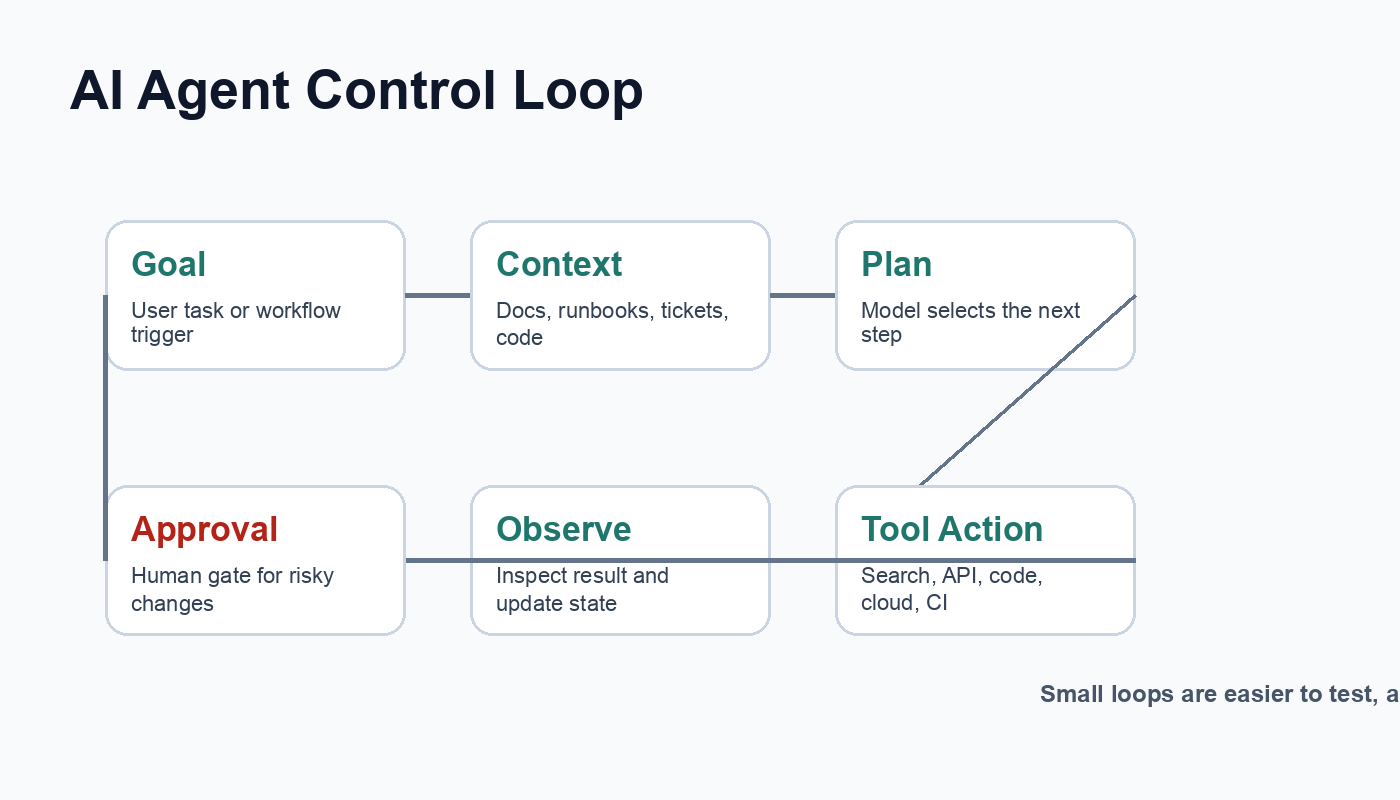
Most production-style agents follow a loop like this:
- Receive a goal: A user, workflow, ticket, alert, or scheduled job gives the agent a task.
- Load context: The system retrieves relevant documentation, prior tickets, runbooks, code, metrics, or user preferences.
- Plan: The model proposes the next step or a short sequence of steps.
- Act: The agent calls a tool, such as a search API, code tool, cloud API, database query, or browser action.
- Observe: The tool returns output. The agent inspects whether the result was useful, failed, or changed the state.
- Decide: The loop continues, stops, or asks a human for approval.
- Report: The agent summarizes what it did, what changed, and what still needs attention.
The best agents keep each loop small. They do not make a 40-step plan and blindly execute it. They inspect after every meaningful action. This makes failures easier to catch and approvals easier to place at the right moments.
Common Types of AI Agents
Agent architectures vary, but most practical implementations fit into a few patterns.
1. Tool-Using Agents
These agents call external tools to complete work. Examples include searching documentation, querying a database, creating tickets, running tests, editing files, or calling a cloud API.
For developers, this is the most important category. A model that can call tools can move from “suggest a command” to “run a command, inspect the output, and decide what to do next.” That power requires permission boundaries. A documentation search tool is low risk. A production database write tool is high risk.
2. Retrieval-Augmented Agents
These agents combine retrieval-augmented generation with tool use. They pull relevant context from documents, runbooks, architecture decision records, knowledge bases, or code repositories before acting.
If you are new to the retrieval side, read What Is Generative AI? A Beginner’s Guide first, then extend the concept into retrieval and agents. In many enterprise systems, retrieval is what keeps agents grounded in current internal knowledge instead of relying only on model memory.
3. Workflow Agents
Workflow agents operate inside a structured process. For example, an incident response agent may always follow the same phases: classify alert, gather evidence, compare recent changes, suggest mitigation, request approval, document timeline.
This pattern is often safer than a fully open-ended agent because the workflow limits what the model can decide. The model handles judgment inside each step, while the application controls the process.
4. Multi-Agent Systems
Multi-agent systems use more than one specialized agent. For example, one agent may inspect code, another may write tests, and another may review security risk. This can help with separation of concerns, but it can also create overhead and confusing failure modes.
Start with one well-instrumented agent before designing a swarm. Most teams need better tool permissions, tests, and observability before they need more agents.
Practical Examples for Developers and DevOps Teams
Agentic AI becomes clearer when you look at realistic workflows.
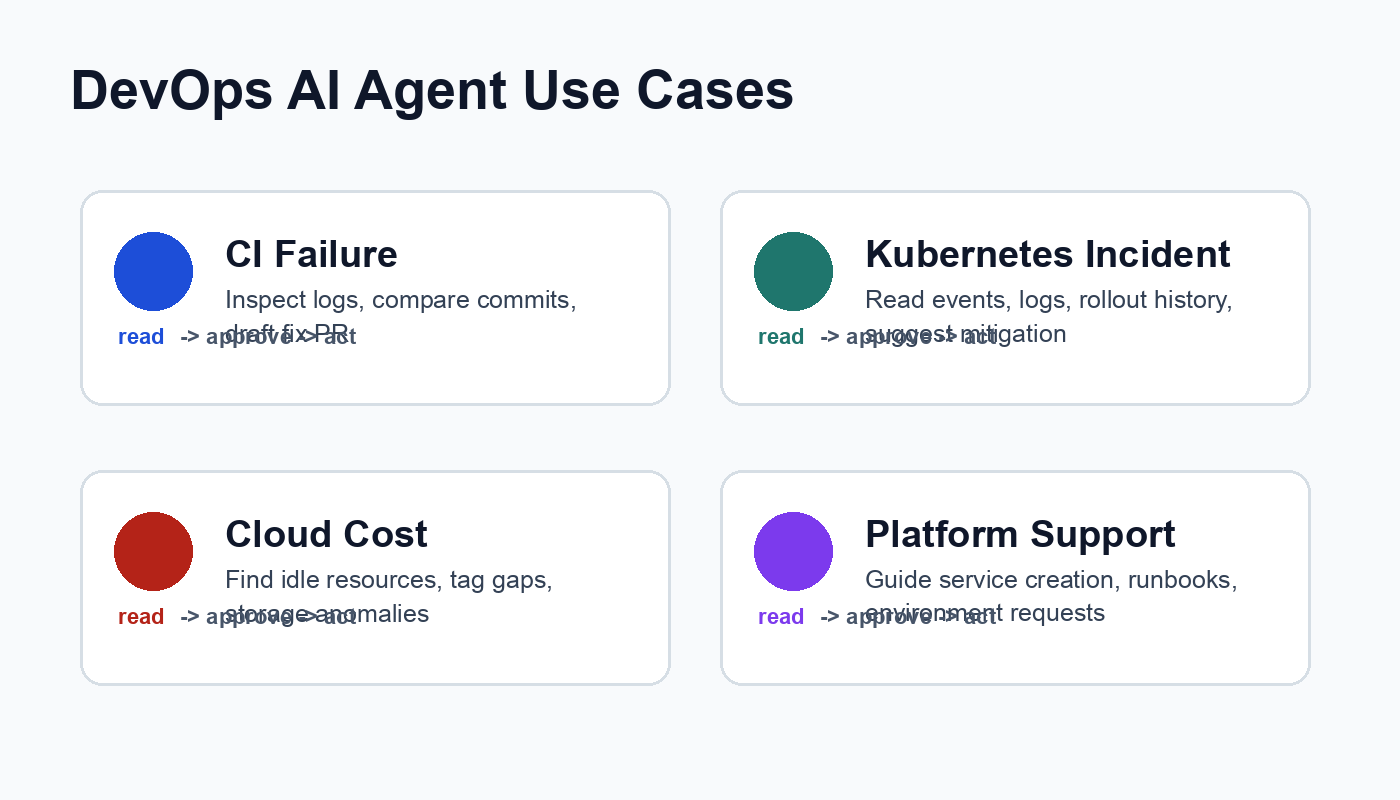
Example 1: CI Failure Investigator
A CI failure agent can watch a failed pipeline, inspect the failing job logs, compare recent commits, identify likely causes, and draft a fix. It may create a pull request only after tests pass locally or in a sandbox branch.
A good version of this agent has limited repository permissions, cannot merge its own pull request, and includes a clear explanation of the logs it used. For teams evaluating pipeline tooling, the related GravityDevOps guide Best CI/CD Tools in 2026 Compared is a useful companion.
Example 2: Kubernetes Incident Assistant
A Kubernetes agent can inspect pod status, deployment history, events, logs, service endpoints, and recent configuration changes. It can suggest commands such as:
kubectl get pods -n payments
kubectl describe deploy checkout-api -n payments
kubectl logs deploy/checkout-api -n payments --tail=200
kubectl rollout history deploy/checkout-api -n payments
The safe pattern is read-first. Let the agent collect evidence and draft a recommendation. Require human approval before it scales workloads, restarts services, rolls back deployments, or changes configuration.
Example 3: Cloud Cost Review Agent
A cloud cost agent can inspect usage reports, tag coverage, idle resources, reserved instance utilization, storage tiers, and month-over-month anomalies. It can produce a prioritized list of savings opportunities with estimated impact and risk.
This is a strong agent use case because the work involves many small observations and practical judgment. The agent should still separate recommendations from execution. Deleting resources, changing instance families, or modifying retention settings should require approval.
Example 4: Internal Developer Platform Assistant
Platform engineering teams can use agents to help developers create services, find runbooks, request environments, troubleshoot pipeline failures, and understand deployment standards.
The agent should work through approved platform APIs rather than directly improvising infrastructure. This keeps the platform team in control of golden paths while still giving developers a faster support experience.
A Beginner-Friendly AI Agent Architecture
If you are building your first agent, keep the architecture boring:
- User interface: CLI, chat UI, ticket command, Slack bot, or internal portal.
- Orchestrator: Application code that controls the agent loop, limits iterations, validates tool calls, and stores audit logs.
- Model: The AI model used to reason over the current step.
- Retrieval layer: Search over documentation, runbooks, issues, code, or knowledge bases.
- Tool layer: Approved APIs and functions with narrow permissions.
- Policy layer: Rules for approvals, blocked actions, sensitive data, and rate limits.
- Observability: Logs, traces, metrics, evaluations, and user feedback.
Here is a minimal pseudocode loop:
goal = receive_task()
context = retrieve_relevant_context(goal)

for step in range(MAX_STEPS):
    decision = model.plan_next_action(goal, context)

    if decision.needs_human_approval:
        request_approval(decision)
        break

    result = call_allowed_tool(decision.tool, decision.arguments)
    log_step(decision, result)
    context = update_context(context, result)

    if decision.is_done(result):
        break

return summarize_work(context)
This loop is intentionally simple. The hard parts are not the loop itself. The hard parts are choosing safe tools, validating inputs, handling failures, evaluating output quality, and knowing when the agent must stop.
Where AI Agents Are Useful
AI agents are most useful when a task has these properties:
- The goal is clear enough to evaluate.
- The system can access reliable context.
- The available tools are well-defined and permissioned.
- The task benefits from judgment rather than fixed rules only.
- Failures can be observed, reversed, or contained.
- Humans can approve high-impact actions.
Strong use cases include incident triage, support ticket summarization, codebase navigation, test generation, runbook assistance, cloud cost analysis, compliance evidence gathering, knowledge base maintenance, and developer onboarding.
Where AI Agents Are a Bad Fit
Agents are not the right answer for every workflow. Be careful with:
- Irreversible production actions: Deleting data, rotating critical secrets, or changing financial records.
- Tasks without clear success criteria: If nobody can tell whether the agent did well, evaluation will be weak.
- Highly regulated decisions: Credit, hiring, medical, legal, or safety-critical decisions need strict governance.
- Simple deterministic jobs: If a script, policy, or pipeline already solves the problem reliably, keep it deterministic.
- Untrusted tool access: Agents should not receive broad admin permissions just because setup is easier.
For high-impact systems, align your design with risk management practices such as the NIST AI Risk Management Framework: map the use case, measure risk, manage controls, and govern the lifecycle. In plain terms: know what the agent can do, test it, monitor it, and keep humans accountable for sensitive decisions.
Security and Governance Checklist
Before deploying an AI agent, review this checklist:
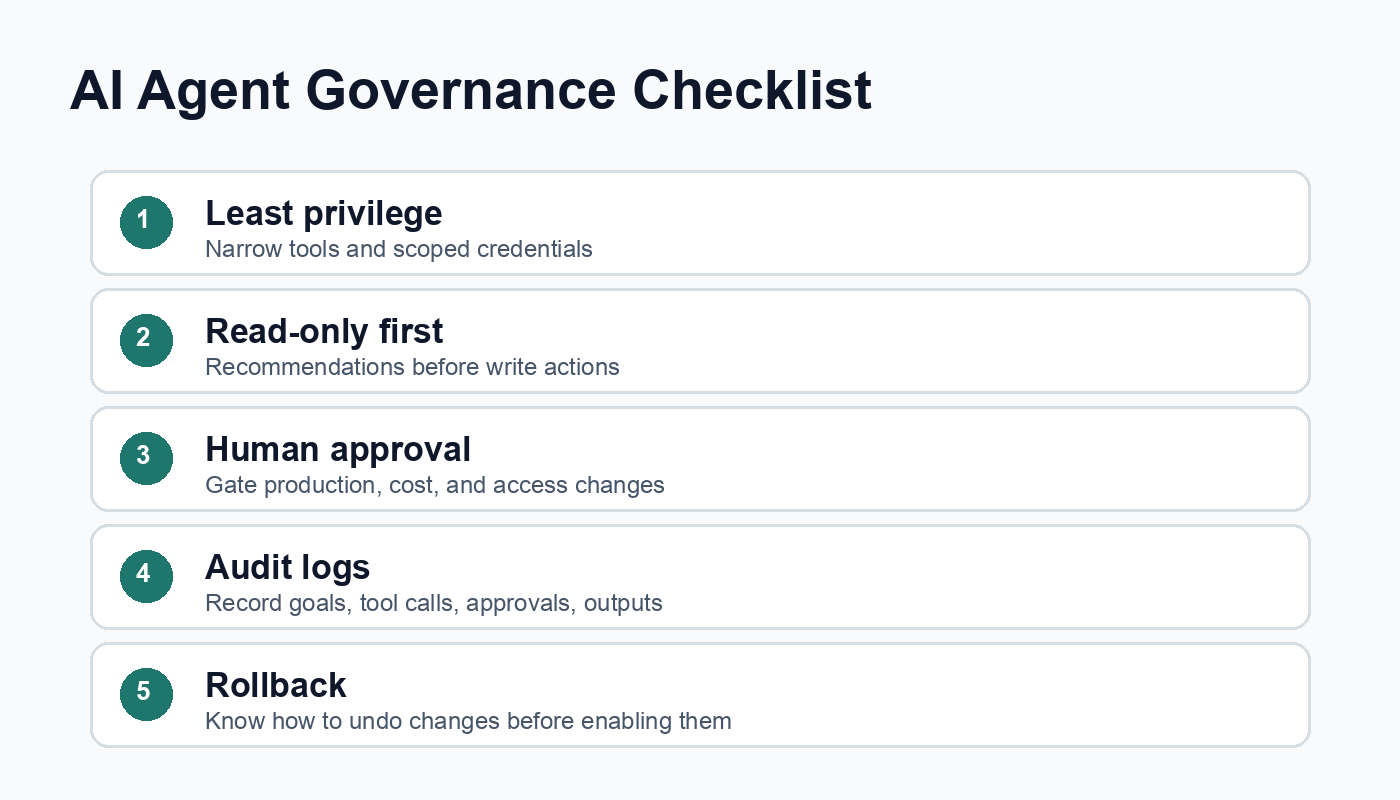
- Least privilege: Give each tool the smallest permission set required.
- Read-only first: Start with analysis and recommendation before allowing write actions.
- Human approval: Require approval for production changes, spending changes, access changes, and customer-impacting actions.
- Input validation: Validate tool arguments before execution.
- Prompt injection defense: Treat retrieved text, web pages, tickets, and logs as untrusted input.
- Secrets handling: Never expose credentials to the model unless absolutely necessary; prefer brokered tools.
- Audit logs: Record goals, tool calls, approvals, outputs, and final changes.
- Rate limits and budgets: Prevent runaway loops and unexpected cloud or API cost.
- Rollback: Know how to revert changes before enabling the agent to make them.
- Evaluation: Test against realistic tasks, edge cases, and adversarial inputs.
How to Build an AI Agent Safely: Step-by-Step
Step 1: Pick a Narrow Use Case
Do not start with “an agent that manages our cloud.” Start with something like “summarize failed deployment logs and suggest the next runbook step.” Narrow scope makes evaluation possible.
Step 2: Define Allowed Tools
Write down exactly what the agent can call. For example:
- Search internal docs.
- Read CI logs.
- Read Kubernetes events in a staging namespace.
- Create a draft ticket.
- Open a pull request, but not merge it.
Each tool should have a schema, permission model, timeout, and error handling path.
Step 3: Add Retrieval
Connect the agent to runbooks, service ownership data, incident history, architecture docs, or API references. Retrieval helps the agent answer using current operational truth instead of generic model knowledge.
Step 4: Add Guardrails
Guardrails should live in code, not only in prompts. Examples include allowed command lists, blocked namespaces, maximum loop counts, approval gates, data classification rules, and output validators.
Step 5: Evaluate With Real Tasks
Create a test set from past incidents, failed builds, support tickets, or known troubleshooting scenarios. Score the agent on correctness, evidence quality, unnecessary tool calls, unsafe recommendations, and time saved.
Step 6: Monitor in Production
Track tool calls, failure rates, user overrides, approval rejection rates, latency, token cost, and incident outcomes. If users frequently reject the agent’s recommendations, that is product feedback, not just model noise.
Common Mistakes
- Giving the agent too many tools: More tools create more ways to fail. Start small.
- Skipping evaluation: Demo success does not prove production reliability.
- Trusting retrieved text blindly: Logs, tickets, and web pages may contain instructions that should not control the agent.
- No stop condition: Agents need maximum iterations, timeouts, and clear done criteria.
- No audit trail: If you cannot explain what the agent did, you cannot operate it responsibly.
- Confusing autonomy with value: The best agent may be one that saves 30 minutes and asks for approval at the right time.
Troubleshooting Agent Behavior
| Problem | Likely cause | Practical fix |
|---|---|---|
| Agent loops without finishing | No clear stop condition or weak observations | Add max steps, explicit done criteria, and better tool result summaries. |
| Agent calls the wrong tool | Ambiguous tool descriptions or too many similar tools | Rename tools, narrow schemas, and add examples. |
| Agent gives generic answers | Weak retrieval or missing operational context | Improve document indexing and include service-specific runbooks. |
| Agent recommends unsafe actions | Permissions and policies are too broad | Move guardrails into code and require approvals for risky actions. |
| Agent is too expensive | Large context, too many retries, or unnecessary model calls | Use smaller models for classification, cache retrieval, and limit loops. |
AI Agent Tools and Platforms in 2026
The agent ecosystem is moving quickly. Developers commonly evaluate a mix of model APIs, orchestration frameworks, retrieval systems, workflow engines, observability tools, and cloud-native services. The right choice depends less on hype and more on your operating model.
When comparing tools, ask:
- Can the framework enforce tool schemas and permissions?
- Does it support human approval steps?
- Can you trace every model call and tool call?
- Does it integrate with your existing identity, secrets, and audit systems?
- Can you run evaluations before and after model or prompt changes?
- Can you keep sensitive data inside approved boundaries?
For many teams, the best starting point is not a large agent platform. It is a small service with one model, three to five tools, a retrieval layer, approval workflow, and strong logging.
FAQ: AI Agents and Agentic AI
What is agentic AI?
Agentic AI is an approach where AI systems can pursue goals through planning, tool use, observation, and iteration. Instead of only producing a single response, an agentic system can take steps, inspect results, and adapt its next action.
Are AI agents the same as chatbots?
No. A chatbot mainly responds to user messages. An AI agent can call tools, use external data, update state, and continue working through a task. Some chat interfaces contain agents, but the interface is not the agent architecture.
Can AI agents replace DevOps engineers?
AI agents are better viewed as assistants for repetitive investigation, documentation, and workflow support. They can reduce toil, but production operations still need human ownership, system design, incident judgment, security review, and accountability.
What is the safest first AI agent use case?
A read-only assistant is usually safest. Examples include summarizing CI failures, searching runbooks, explaining alerts, or preparing incident timelines. Add write actions only after evaluation, logging, and approval controls are mature.
What are the biggest risks of AI agents?
The biggest risks are unsafe tool use, prompt injection, data leakage, incorrect assumptions, runaway loops, weak audit logs, and overtrust by users. These risks are manageable only when guardrails are implemented in the application and operations process.
Do AI agents need vector databases?
Not always. Agents need useful context. A vector database can help with semantic search over documents, but some use cases work with keyword search, SQL, graph queries, or direct API lookups. Choose retrieval based on the data and task.
FAQ Schema-Ready Structure
Internal Link Suggestions
- What Is Generative AI? A Beginner’s Guide for readers who need the AI foundation before agents.
- Best CI/CD Tools in 2026 Compared for readers applying agents to software delivery workflows.
- Future internal links to add when published: What is RAG, What is LLMOps, MCP Explained, GitOps with Argo CD, and AIOps tools.


