
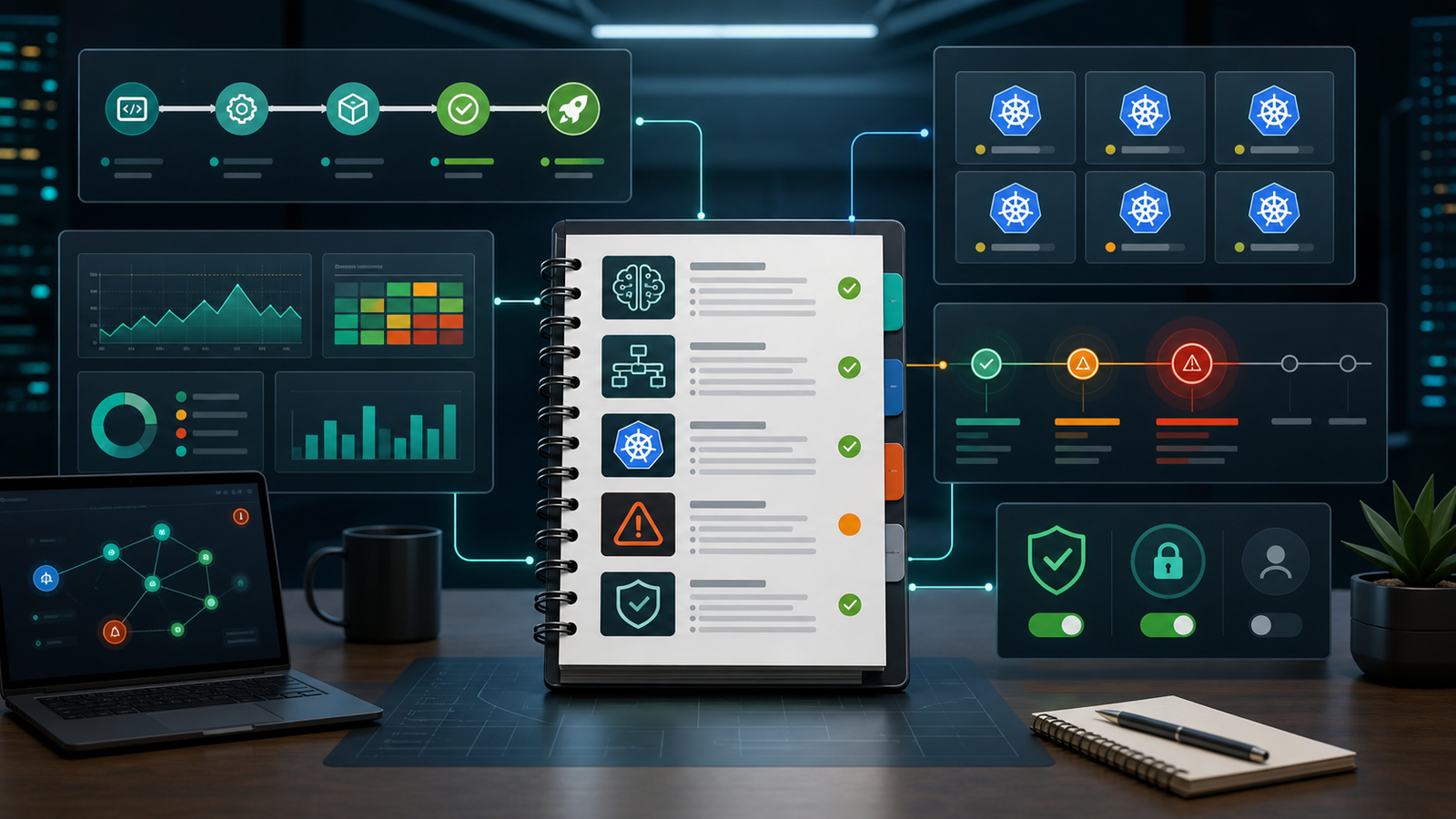

Quick Answer: The most useful AI DevOps runbooks in 2026 are not generic chatbot prompts. They are controlled workflows for four high-search, high-pressure questions: how to use AI in CI/CD, how AIOps helps incident response, how to troubleshoot Kubernetes with AI, and how to let agents assist without giving them unsafe production access. Start with read-only diagnosis, require evidence links from logs and metrics, keep deployment authority behind human approval, and measure whether the runbook reduces time to understand, not just time to generate text.
Search interest around AI and DevOps keeps clustering around the same practical concerns: “Will AI replace DevOps?”, “How do I use AI in CI/CD?”, “What is AIOps?”, “Can AI troubleshoot Kubernetes?”, and “Which AI DevOps tools should we use?” Those are reasonable questions, but they are too broad to run a production system. The better question is: what repeatable runbook can help engineers use AI during real work without creating new risk?
This guide turns those search-driven questions into usable runbook templates. It is written for beginners and practitioners who manage CI/CD, Kubernetes, logs, incidents, and release gates. JetBrains’ 2026 CI/CD overview notes that GitHub Actions, Jenkins, and GitLab CI remain the dominant CI choices in organizations, so AI DevOps advice has to fit existing pipelines. Recent research is equally sober: a 2026 study of agentic pull requests found that CI/CD files were only 3.25% of agent changes, and DevOps-Gym reported that agents still struggle with full-cycle DevOps tasks such as monitoring, build configuration, and issue resolution. That does not mean “avoid AI.” It means “use AI where the runbook is bounded, observable, and reversible.”
Related reading: What Is Generative AI? A Beginner’s Guide, Best CI/CD Tools 2026 Compared, AI-Powered CI/CD Pipelines in 2026, and AI Kubernetes Troubleshooting 2026.
What People Are Really Asking About AI and DevOps
Most AI DevOps searches are phrased as tool questions, but the underlying intent is operational. “AI DevOps tools” usually means “where does AI save time today?” “AIOps vs DevOps” means “does incident triage change?” “AI CI/CD pipeline” means “can we automate safely?”
The pattern is clear: teams want less toil, faster diagnosis, better test selection, and fewer release surprises. The risk is skipping the runbook layer and pasting production logs into a model with no scope, privacy filter, or decision boundary. A runbook says what data the AI can see, what question it should answer, how the answer must cite evidence, and who approves the next action.
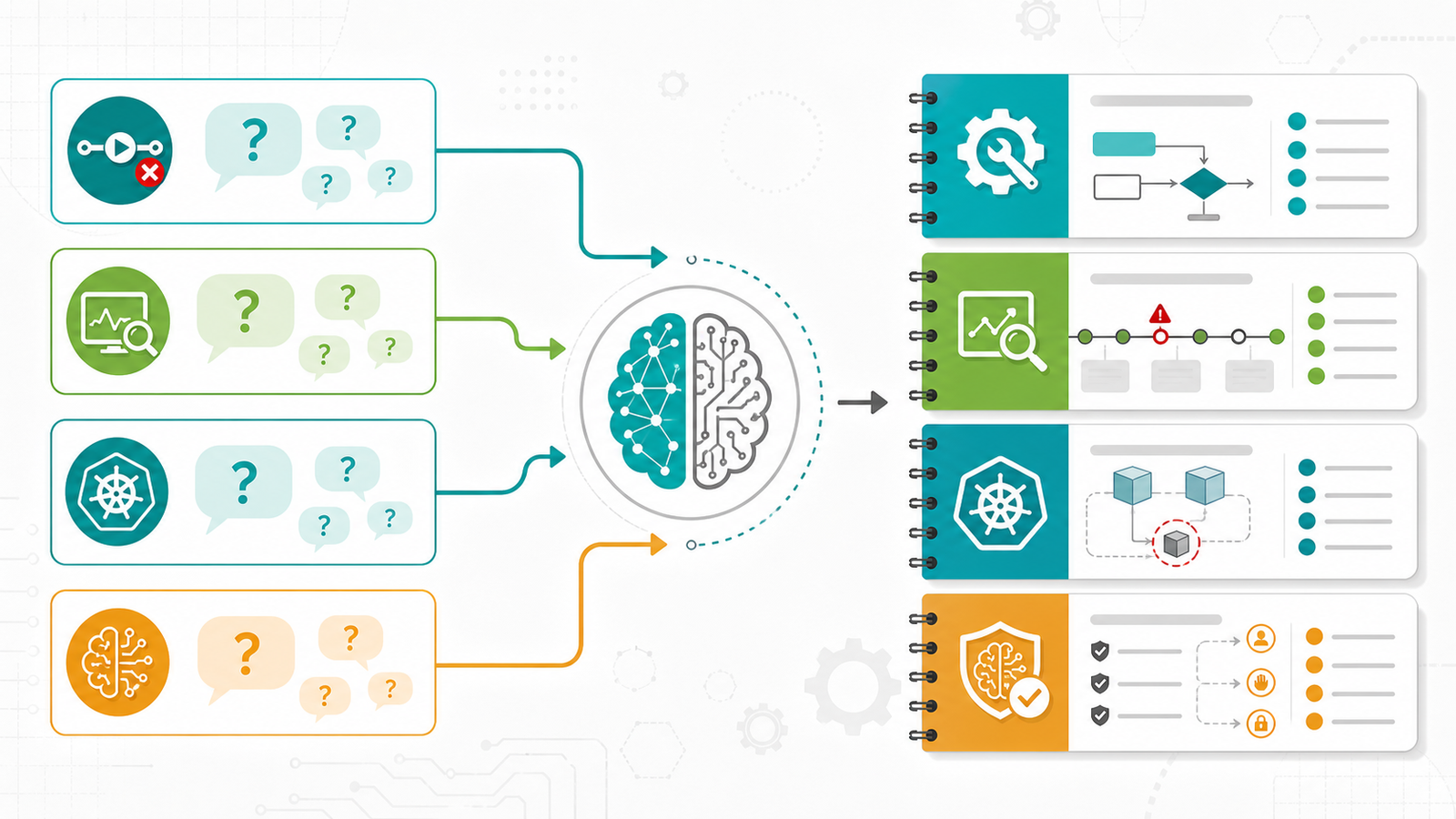
Runbook 1: AI-Assisted CI/CD Failure Triage
Use this when: a pipeline fails and the engineer needs to identify the failure class quickly.
Do not use this for: automatically rewriting deployment policy, secrets handling, branch protection, or production approval gates.
The safest first CI/CD use case is read-only failure triage. The AI reads a limited bundle: job name, commit range, failing step, redacted logs, changed files, dependency lockfile diff, and recent successful run metadata. Its job is to classify the failure, cite evidence, and propose a small next command.
AI task:
You are assisting with CI/CD failure triage.
Use only the provided logs and diff summary.
Return:
1. failure category: test, build, dependency, infrastructure, secret, flaky, unknown
2. exact evidence from logs
3. likely changed file or package
4. safest next command to run locally
5. what you cannot determine from the available data
Do not suggest changing deployment gates or secrets.
A beginner version can run manually: copy the redacted failing step and ask for classification. A practitioner version can run as a comment-only bot that collects the last 300 log lines, redacts token patterns, and posts a summary to the pull request. It should not push commits unless a human requests a patch.
| Failure type | AI can help with | Human still owns |
|---|---|---|
| Unit test failure | Summarizing assertion mismatch and likely changed code | Deciding whether behavior or test expectation is wrong |
| Dependency failure | Spotting lockfile or version changes | Approving upgrades, pins, or rollback |
| Flaky test | Comparing recent failures and timing patterns | Quarantine policy and test ownership |
| Deployment gate | Explaining why a gate blocked | Changing the gate or bypassing approval |
Runbook 2: AIOps Incident Triage Without Hallucinated Root Cause
Use this when: alerts are noisy and the on-call engineer needs a ranked hypothesis list.
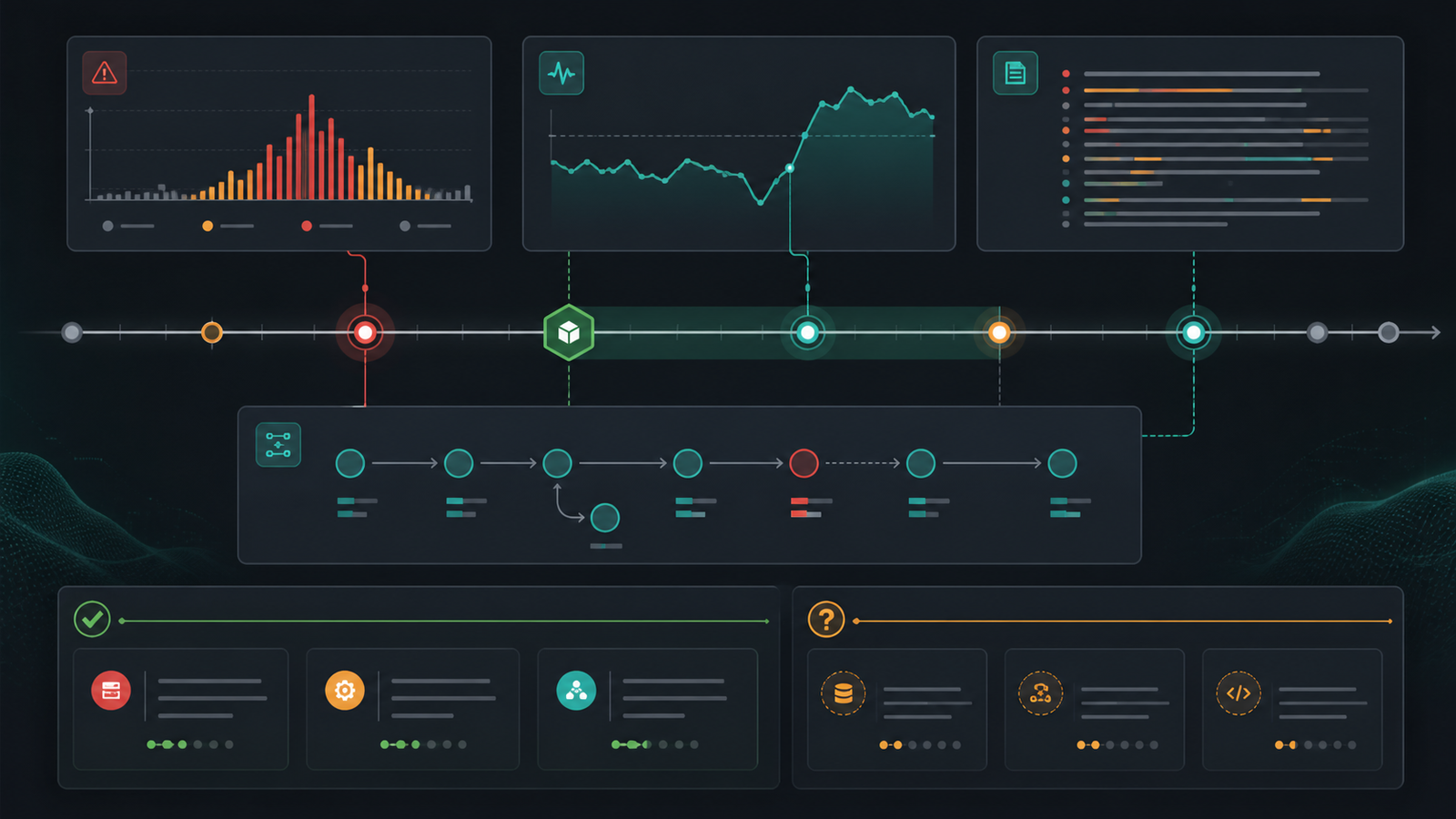
AIOps is most useful when it correlates signals that humans already trust: metrics, logs, traces, deploy events, feature flags, Kubernetes events, and incident history. It becomes dangerous when it invents a root cause from weak context. Your runbook should force the model to separate evidence from inference.
Incident prompt:
Given the alert, timeline, deploy events, metrics, logs, and traces below:
- Build a minute-by-minute timeline.
- List the top 3 hypotheses.
- For each hypothesis, cite supporting evidence and contradicting evidence.
- Recommend the next read-only check.
- Do not declare root cause unless one hypothesis has direct evidence.
For a production team, the most valuable output is often not “the answer.” It is a better incident timeline with timestamps, service names, error rates, saturation signals, recent deploys, and blast radius. Then ask for the smallest next check, such as comparing error rate by version or reviewing a Kubernetes event stream.
Runbook 3: Kubernetes Troubleshooting With AI
Use this when: a pod is crash looping, pending, throttled, or failing readiness checks.
Kubernetes is a strong AI DevOps candidate because the diagnostic data is structured. You can give the model bounded outputs from commands instead of broad system access.
kubectl get pod -n payments
kubectl describe pod payments-api-7c9d -n payments
kubectl logs payments-api-7c9d -n payments --previous --tail=200
kubectl get events -n payments --sort-by=.lastTimestamp | tail -40
kubectl top pod -n payments
Then use a prompt like this:
Analyze this Kubernetes evidence.
Classify the issue as image pull, scheduling, resource pressure, config, dependency, app crash, probe failure, or unknown.
Quote the exact event or log line that supports the classification.
Give one safe read-only command and one possible fix for a human to review.
Do not suggest deleting resources unless rollback has been approved.
Common mistakes are easy to avoid: do not paste secrets from ConfigMaps or environment dumps, do not give the AI cluster-admin access, and do not let it run destructive commands during an incident. If you later automate remediation, keep actions narrow: restart a known safe job, scale within a predefined range, or roll back after policy checks pass.
Runbook 4: AI Agent Guardrails for Pull Requests
AI agents are now part of real software delivery, but guardrails matter more than novelty. The 2026 research on AI agents touching CI/CD configuration found that most CI/CD changes targeted GitHub Actions, and build success rates were broadly comparable between CI/CD and non-CI/CD changes in the dataset. That is promising, but not a license to let agents alter release controls freely.
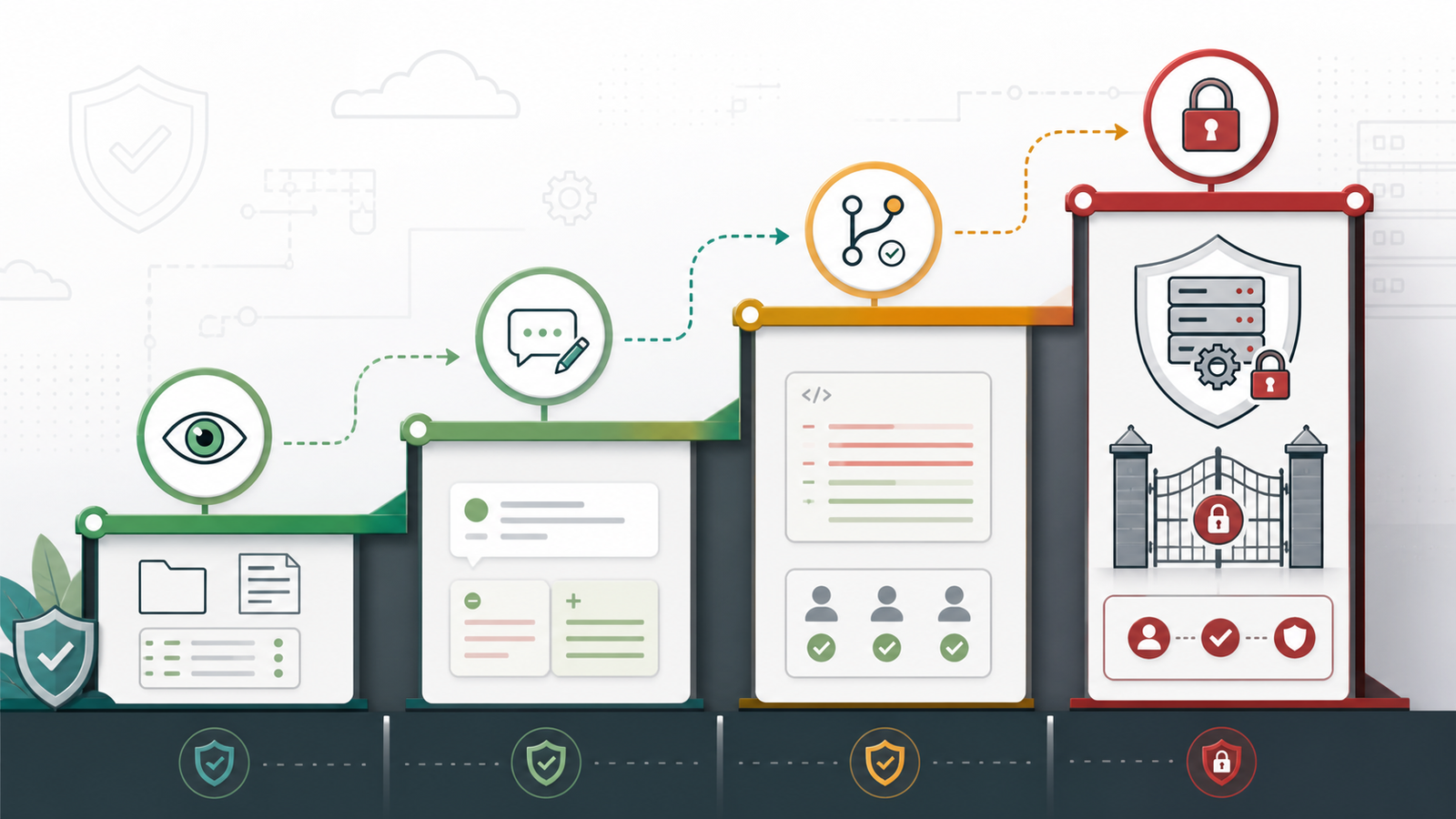
A practical agent runbook should separate four permissions:
- Read: repository files, CI logs, test output, docs, and non-secret observability data.
- Suggest: comments, patch drafts, test plans, and rollback options.
- Change: code or tests in a branch with required review.
- Control: deployment policy, secrets, approvals, production rollbacks, and infrastructure state.
Most teams should allow read and suggest first. Change can come later for low-risk files. Control should remain behind explicit human approval and policy-as-code.
Build vs Buy: Which AI DevOps Path Fits?
| Path | Best for | Pros | Caveats |
|---|---|---|---|
| Use AI features in your existing CI/CD or code platform | Small teams and fast pilots | Low setup cost, familiar workflow | May be limited in observability context and policy controls |
| Add an AIOps or observability assistant | Teams with noisy alerts and mature telemetry | Better correlation across logs, metrics, and traces | Pricing often depends on data volume, seats, or events |
| Build custom runbooks with an LLM API | Regulated or platform-heavy teams | Strong control over prompts, redaction, evals, and permissions | Requires engineering ownership and ongoing evaluation |
| Use autonomous agents for code changes | Teams with strong tests and review discipline | Can reduce repetitive patch work | Needs strict repo permissions and clear rollback paths |
Pricing and licensing deserve special attention. Some tools charge per user, some by event volume, some by token usage, and some bundle AI features into higher platform tiers. Before buying, test with your own failed builds and incident data. A demo with clean sample logs is not enough.
A 7-Day Starter Plan
Day 1: pick one workflow: CI failure triage, Kubernetes pod troubleshooting, or incident timeline creation. Do not start with autonomous remediation.
Day 2: define allowed inputs. Redact secrets, customer data, tokens, private keys, and unnecessary payloads.
Day 3: write a prompt that forces evidence, uncertainty, and next read-only checks.
Day 4: test against five historical failures. Compare the AI output with the real resolution.
Day 5: add an evaluation checklist: correct failure class, useful evidence, no unsafe command, no fabricated service, no secret exposure.
Day 6: publish the runbook internally with examples and known limits.
Day 7: measure one outcome: time to first useful hypothesis, time to reproduce, or percentage of incidents with a complete timeline.
FAQ
What is the best first AI DevOps use case?
Start with read-only CI/CD failure triage or incident timeline generation. These workflows have clear inputs, clear outputs, and low blast radius.
Can AI fix CI/CD pipelines automatically?
It can draft fixes, explain failures, and suggest test commands, but production gates, secrets, and deployment policy should remain human-approved.
Is AIOps different from DevOps automation?
Yes. DevOps automation executes predefined workflow steps. AIOps focuses on correlation, anomaly detection, incident context, and operational recommendations from telemetry.
What data should not be sent to an AI DevOps tool?
Avoid secrets, tokens, private keys, customer data, raw personally identifiable information, proprietary incident payloads, and unrestricted production access.
How do you know an AI DevOps runbook is working?
Measure whether it improves time to first useful hypothesis, reduces repeated manual checks, cites correct evidence, and avoids unsafe recommendations.
Final Recommendation
AI belongs in DevOps when the workflow is narrow, evidence-based, and reversible. Use it to summarize logs, classify failures, build incident timelines, propose next checks, and draft small patches. Be slower with anything that changes deployment policy, secrets, infrastructure state, or production traffic. The teams that win with AI DevOps in 2026 will not be the ones with the longest prompts. They will be the ones with the clearest runbooks, the best telemetry, and the discipline to keep automation inside well-tested boundaries.


