


Choose Claude Code when you want a terminal-first coding agent with explicit, repository-level permission rules and a workflow built around shell tools. Choose GitHub Copilot when you want one AI layer across IDEs, the terminal, GitHub issues, pull requests, code review and cloud delegation. For most teams, that operating-model difference matters more than which model wins a temporary leaderboard.
Both products can inspect repositories, edit multiple files, run commands and prepare changes for review. But they package those abilities differently. Claude Code starts from an agent working close to your local development environment, then extends into IDE, desktop, web and CI workflows. Copilot starts from the wider GitHub development platform and offers several local and cloud agent experiences. This comparison uses current US-facing official documentation as of October 20, 2026. It does not claim independent hands-on testing, benchmarks or guaranteed productivity gains.
Claude Code vs GitHub Copilot at a glance
| Decision factor | Claude Code | GitHub Copilot |
|---|---|---|
| Best fit | Developers who prefer terminal-centered, agent-led repository work | Teams that want AI across existing IDE and GitHub workflows |
| Primary experience | CLI plus VS Code, JetBrains, desktop, web and other integrations | IDEs, CLI, GitHub website, Copilot app, mobile and cloud agents |
| Local execution | File tools and shell commands on the developer environment, bounded by permission rules and optional sandboxing | IDE agent mode and Copilot CLI can edit files and run commands locally or in supported sandboxes |
| Cloud delegation | Remote Claude Code sessions and GitHub-connected workflows | GitHub-native cloud agent starts from issues, pull requests or chat and returns a pull request |
| Permission model | Allow, ask and deny rules; manual, plan, auto and other modes; managed settings | Controls vary by IDE, CLI, cloud-agent and organization surface |
| Free access | Claude Code requires a paid Claude plan or metered platform account | Free plan includes limited completions, chat and agent usage |
| Team strength | Transparent shell workflow, versioned instructions, hooks and granular tool policy | GitHub identity, repository policy, pull-request lifecycle, audit and broad IDE coverage |
| Main tradeoff | Terminal and agent workflows require disciplined permissions and cost controls | Capabilities and control boundaries differ across many Copilot surfaces |
This is a direct product decision, not a general tool ranking. Start with the AI coding tools guide for the broader market. If you are comparing an AI-native editor rather than a terminal-first agent, see Cursor vs GitHub Copilot.
How we compared Claude Code and Copilot
We compared the products by the boundary around real software work:
- Environment: where the developer works, what must be installed and how much workflow migration is required.
- Context: which files, instructions, repository facts, terminals and connected tools the agent can use.
- Authority: file writes, shell commands, network calls, MCP tools, credentials and cloud execution.
- Verification: visible diffs, tests, static analysis, review, branch protection and rollback.
- Commercial model: usable free access, subscriptions, included usage, overage and organizational billing.
- Governance: retention, model training, identity, policy enforcement, auditability and deployment options.
We did not score model intelligence because both offerings evolve quickly and Copilot supports multiple models. A controlled test on your repositories is more useful than a generic benchmark. Build time, test quality, dependency graph, developer experience and task design can change the result.
The biggest difference is where the workflow starts
Claude Code starts with the repository and shell
Claude Code is strongest when the terminal is already the control plane for development. It can inspect files, search a repository, plan changes, edit code and run the same build, test, lint and Git commands a developer would use. That makes it natural for backend work, monorepos, build failures, migrations and operational code where the truth lives in commands and logs.
It is no longer CLI-only. Anthropic’s official VS Code documentation describes a native interface with inline diffs, plan review, file mentions, checkpoints and multiple conversations. JetBrains, desktop, web and GitHub-connected surfaces broaden access. Even so, Claude Code’s core mental model remains an agent operating against a working directory with tools.
Copilot starts with the development platform
Copilot is a collection of connected experiences. GitHub’s surface guide spans supported IDEs, the CLI, GitHub website, Copilot app, mobile and SDK. A developer can write interactively in an IDE, ask the CLI to run a task, delegate an issue to a cloud agent, then review the resulting pull request on GitHub.
This breadth is valuable for mixed-tool organizations. Java developers can remain in JetBrains IDEs, .NET teams in Visual Studio and frontend teams in VS Code while sharing GitHub identity and repository policy. The tradeoff is that feature parity is not automatic. Context, permissions, available models and agent behavior depend on the chosen surface and current IDE version.
Copilot can also route work to third-party agents
GitHub now documents third-party coding agents working through its pull-request workflow, and its current individual plans advertise access to agents including Claude Code on eligible paid tiers. That does not make the two purchases interchangeable. Direct Claude Code access, GitHub-routed agent access, plan allowances, identity, retention and administrative settings can differ. Confirm the exact path your team will use rather than assuming that the same agent name means the same operating boundary.
Context, permissions and execution
Claude Code exposes detailed local controls
Claude Code’s permission documentation separates allow, ask and deny rules and applies deny before ask and allow. In manual mode, file modifications and most shell commands require approval, while plan mode explores without editing source. Auto mode uses a classifier for routine actions; bypass mode removes most prompts and is intended only for isolated environments. Teams can place shared rules in version control and enforce higher-priority managed settings.
That transparency is useful, but permission text alone is not a complete security boundary. Broad shell rules can authorize more than expected, and repository instructions can be malicious. Anthropic’s Bash sandbox documentation describes operating-system-enforced filesystem and network limits for shell processes on macOS, Linux and WSL2. The sandbox is off by default, covers shell commands rather than every tool, and needs explicit configuration. Native Windows commands are unsandboxed unless Claude Code runs inside WSL2.
Copilot offers several execution locations
GitHub’s agent overview distinguishes closely guided work from delegation. IDE agent mode can identify files, propose edits and run commands in the local environment. Copilot CLI can work locally or in supported sandboxes. Copilot cloud agent works asynchronously on a branch and opens a pull request. Automated workflows can respond to recurring or event-driven triggers.
The benefit is flexibility; the risk is assuming all surfaces share one permission model. A local IDE session, CLI sandbox, cloud agent and connected MCP server have different identities and reachable resources. Define approved task classes for each. Keep production credentials out of developer workspaces, scope GitHub tokens to required repositories, restrict network egress and require pull-request review for delegated changes.
Context quality beats context volume
Both products can use repository instructions, files and connected services. Neither automatically knows which convention is authoritative or whether retrieved text is safe. Put build commands, architecture boundaries and acceptance criteria in versioned documentation. Exclude generated artifacts and secrets. Treat issue text, documentation, web pages and tool output as untrusted input because an agent can follow hidden or malicious instructions from those sources.
Claude Code vs Copilot pricing and access
Vendor prices and usage accounting change frequently. Check the linked pages before purchase.
As of October 20, 2026, Anthropic’s pricing page includes Claude Code with paid Claude plans. Pro is $20 monthly or $17 per month when billed annually. Max starts at $100 per month, with higher-capacity options. Team offers standard and premium seats with different included usage. New Enterprise plans combine an annual seat charge with usage billed at API rates and add controls such as spend limits, role-based access, SCIM, audit logs and custom retention. Individual usage is shared across Claude and Claude Code, and limits reset on rolling windows with additional weekly constraints.
GitHub’s current Copilot plans list Free at $0, Pro at $10 per month, Pro+ at $39 and Max at $100 for individuals. Free includes 2,000 completions plus limited chat and agent use. Paid plans keep code completion and next-edit suggestions unlimited, while chat, agents, CLI, review and other features use GitHub AI Credits. Business and Enterprise are per-seat organization plans with pooled included credits and administrative controls.
Do not compare only seat price. Measure model or credit overage, CI minutes, cloud execution, failed runs, review time, security administration and migration cost. Claude Code may be economical for command-heavy developers who use its capacity well. Copilot may reduce adoption cost for a mixed-IDE organization. Either can become expensive when autonomous tasks are poorly scoped or repeatedly consume large repository context.
Privacy, security and governance
Claude Code data policy depends on account type
Anthropic’s Claude Code data-use documentation says consumer users can choose whether their data is used to improve future models. When that setting is on, consumer Claude Code data may be used for training; when it is off, the documented retention period is 30 days rather than five years. Under commercial Team, Enterprise, API and qualifying third-party terms, Anthropic says it does not train generative models on code or prompts unless the customer explicitly opts into a program. Standard commercial retention is documented as 30 days; zero-data retention is available only to qualified Enterprise accounts and is not automatically included.
Local execution does not mean prompts stay local. Repository context needed for inference is sent to the configured model service. Teams should match the account, provider and contract to their data classification, then control feedback submission, telemetry, gateway routing and retention rather than relying on the word “local.”
Copilot policy depends on plan and surface
GitHub says Business and Enterprise customer data is not used to train its models. For individual Free, Pro, Pro+ and Max plans, current documentation says eligible GitHub interactions may be used for model improvement unless the user opts out. Copilot also spans third-party models and agents, so validate the data path, retention and contractual terms for the chosen feature rather than generalizing from code completion to every agent surface.
Organization plans add centralized license, model, feature and spending policies, along with audit and repository controls. However, a setting that applies to one surface may not cover another. Test the exact combination of IDE agent, CLI, cloud agent, MCP servers and third-party agent that will reach private code.
Minimum security controls for either product
- Grant only the repositories, directories, commands, network hosts and MCP tools required for the task.
- Use short-lived, narrowly scoped credentials; never paste production secrets into prompts or repository files.
- Begin with planning or read-only exploration, then approve a bounded edit scope.
- Review every dependency, generated file, migration, infrastructure change and external action.
- Run compilation, tests, secret scanning, dependency review and static analysis outside the model’s own judgment.
- Merge through branch protection and human ownership; preserve checkpoints, commits and a tested rollback.
For a deeper control framework, use the AI agent security guide. Teams centered on Microsoft’s editor can also compare extension behavior in the AI coding tools for VS Code guide.
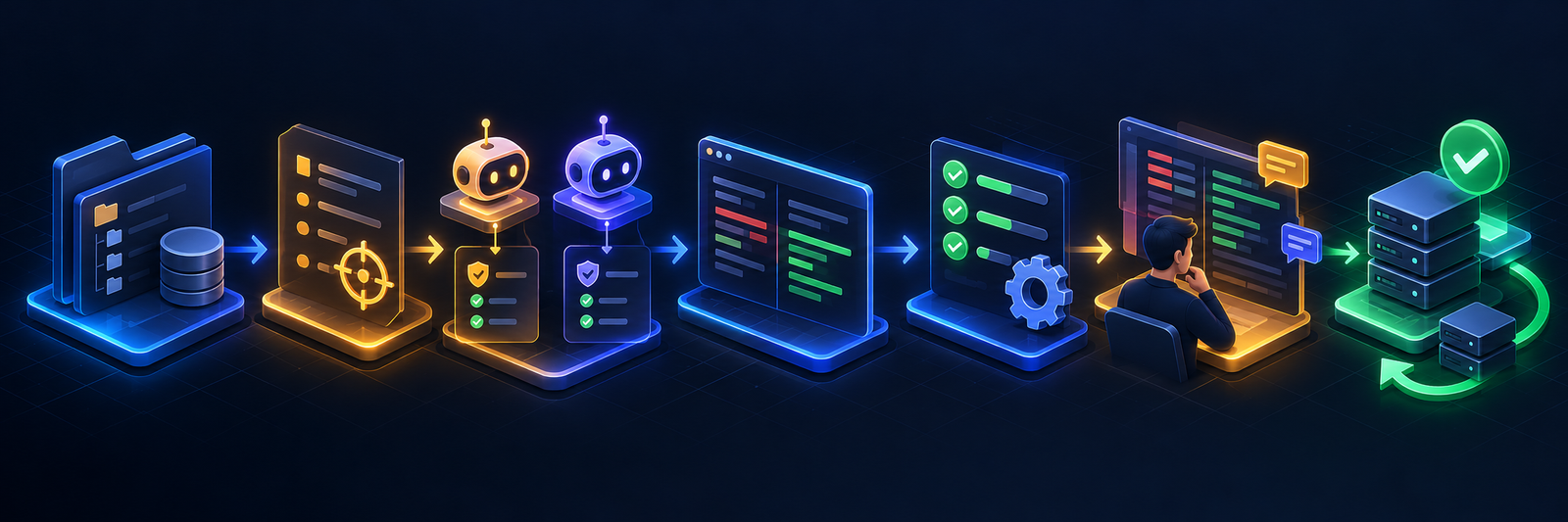
A safe equal-task team pilot
- Select representative repositories. Use one routine service and one realistic monorepo or legacy application without production credentials.
- Define the same task set. Include a bounded bug fix, test addition, refactor and dependency update with written acceptance criteria.
- Normalize authority. Give each assistant equivalent repository scope, network access, command permissions and model class.
- Start with a plan. Require both tools to explain the change, risks and validation commands before edits.
- Capture real cost. Record subscription allocation, credits or tokens, CI usage, failed attempts and human review time.
- Verify independently. Run canonical builds, tests and security checks; inspect the complete diff and dependency lockfiles.
- Measure outcomes. Compare completion, escaped defects, rework, review burden and security findings—not generated lines.
- Roll out gradually. Approve modes and tools by repository class, document exceptions and keep token revocation and rollback ready.
Which one should you choose?
- Choose Claude Code when your developers are comfortable in the terminal and want detailed control over commands, files, hooks and agent instructions.
- Choose GitHub Copilot when IDE breadth, GitHub-native issues and pull requests, centralized repository policy and lower workflow migration matter most.
- Choose Claude Code for command-heavy repository work such as migrations, test repair, build debugging and coordinated multi-file changes.
- Choose Copilot for a mixed enterprise toolchain where developers use several IDEs and work already begins and ends in GitHub.
- Use both only with explicit roles. Overlapping completions and agents complicate permissions, telemetry, spend and ownership.
- Choose neither yet if the team cannot keep secrets out of context, constrain tool access, run reliable tests or review generated diffs.
If a permanent zero-dollar plan is essential, review the free AI coding tools guide. Claude Code itself is not included in Claude Free, while Copilot Free has explicit usage limits.
Frequently asked questions
Is Claude Code better than GitHub Copilot?
Claude Code is often the better fit for terminal-first, agent-led work with explicit permission rules. Copilot is often the better fit for teams that want AI across existing IDEs and GitHub’s issue-to-pull-request workflow. Neither is universally better.
Can GitHub Copilot use Claude models or Claude Code?
Copilot supports multiple models, and eligible paid plans currently advertise third-party agents including Claude Code. Access through Copilot is still governed by GitHub’s plan, surface and agent integration. It should not be assumed to match a direct Claude subscription or Claude Platform deployment.
Does Claude Code run entirely on my computer?
No. Local Claude Code sessions use local files and tools, but relevant prompts and context are sent to the configured model service for inference. Shell sandboxing constrains commands on the machine; it does not make model processing offline.
Is Copilot only for VS Code?
No. Copilot supports multiple IDEs, a CLI, GitHub web experiences, mobile, the Copilot app and cloud agents. Check the current feature matrix because capabilities and controls vary by surface.
Which is safer for private repositories?
Safety depends on account terms, configuration and authority. Commercial Claude plans and Copilot Business or Enterprise publish strong training commitments, but neither removes prompt injection, secret exposure, dependency risk or unsafe command execution. Compare contracts, then enforce least privilege, sandboxing, CI and human review.
Bottom line
Claude Code versus GitHub Copilot is a choice between two centers of gravity. Claude Code centers the repository, terminal and explicit tool policy. Copilot centers the developer platform, multiple IDEs and GitHub’s collaborative workflow. Run both on equal tasks with equal permissions, measure total cost and review burden, and let verified results—not brand familiarity—decide.

