


Choose Cursor if you want an AI-first editor built around repository-wide agent work. Choose GitHub Copilot if you want AI inside the IDEs and GitHub workflow your team already uses. Cursor makes the agent the center of the coding environment; Copilot spreads completion, chat, local agents, cloud delegation and review across VS Code, Visual Studio, JetBrains IDEs, Eclipse, Xcode, the CLI and GitHub.
That distinction matters more than a model leaderboard. Both products can complete code, explain a repository, edit multiple files and run tools. The practical decision is whether you will change editors, where an agent runs, how much authority it gets, which repositories and services become context, what usage actually costs, and which controls administrators can enforce. This comparison uses current US-facing official documentation as of October 19, 2026. It does not claim independent hands-on testing or benchmark results.
Cursor vs GitHub Copilot at a glance
| Decision factor | Cursor | GitHub Copilot |
|---|---|---|
| Best fit | Developers willing to adopt an AI-native editor for agent-heavy work | Developers and organizations that want AI across existing IDE and GitHub workflows |
| Primary experience | Cursor desktop editor, plus CLI, cloud agents and integrations; paid ACP access in JetBrains | Extensions and native surfaces across IDEs, CLI, GitHub, desktop app and cloud agent |
| Local agent | Edits workspace files and runs tools under configurable run modes and sandbox controls | Agent mode in supported IDEs; edits files and runs commands with the controls of that surface |
| Cloud delegation | Cloud Agents use isolated VMs and return branches or pull requests | Copilot cloud agent works from GitHub issues and related entry points, then opens a pull request |
| Model access | Cursor models in plan pools; third-party models on eligible plans with separate usage charges | Multiple models under plan-specific access and GitHub AI Credit accounting |
| Free access | Limited Agent and Chat; third-party models unavailable on the current Free plan | 2,000 completions per month plus limited chat and agent usage |
| Team strength | AI-editor standardization, privacy-mode enforcement, SSO and configurable agent controls | GitHub-native identity, repositories, policies, audit and pull-request lifecycle |
| Main tradeoff | Editor migration and a more agent-centric operating model | Capabilities and policy coverage vary across IDEs and other Copilot surfaces |
This is a focused two-product decision, not a general ranking. For the wider market, start with the AI coding tools guide. If your question is whether to replace an IDE at all, see the AI code editor versus traditional IDE comparison.
How we compared Cursor and Copilot
We compared the products by the work they can perform and the boundary around that work:
- Environment: editor and operating-system fit, migration cost and supported development surfaces.
- Context: open files, repository indexes, instructions, memories and connected tools.
- Authority: suggestions, file edits, terminal commands, network access, MCP tools and cloud execution.
- Verification: diffs, checkpoints, tests, pull requests, review gates and rollback.
- Commercial model: durable free access, subscription price, included usage, metered overage and organizational controls.
- Data governance: retention, training, repository scope, identity, policy enforcement and auditability.
A large context window or long feature list does not prove better results. Repository type, dependency graph, build time, test quality, developer skill and task design all affect usefulness. Teams should run the same representative tasks under the same permissions and checks before choosing.
The biggest difference is the development environment
Cursor puts the agent at the center of an editor
Cursor is a dedicated coding editor and agent environment. Its official documentation presents repository understanding, planning, multi-file feature work, debugging and review as one connected workflow. That cohesion is attractive when developers want to move fluidly from a question to a plan, a diff, terminal execution and verification without assembling several extensions.
The tradeoff is adoption. Even when an editor resembles a familiar workflow, teams still need to validate extension compatibility, keybindings, remote development, debugging, accessibility, regulated plugins and workstation management. Cursor now also offers its agent through Agent Client Protocol in JetBrains IDEs, but the official JetBrains guide requires a paid Cursor plan and JetBrains AI Assistant 2025.1 or later. That is useful access, but it is not the same as the full Cursor editor experience.
Copilot follows developers across existing tools
Copilot is the lower-migration choice. GitHub’s surface guide spans supported IDEs, the CLI, GitHub website, mobile, desktop and a dedicated Copilot app. The current feature matrix documents code completion, chat and agent-mode support across current VS Code, Visual Studio, JetBrains, Eclipse and Xcode integrations, while individual features still vary by IDE and version.
This breadth favors mixed-tool organizations. A Java team can stay in IntelliJ, a .NET team in Visual Studio and a frontend team in VS Code while sharing GitHub identity and administration. The cost is inconsistency: a policy or feature supported in one surface may be absent, in preview or implemented differently in another. Validate the exact IDE versions and modes you will deploy.
Agents, context and execution
Cursor: tightly integrated local and cloud agents
Cursor’s local agent can search and edit the workspace and invoke terminal, fetch and MCP tools. Its current run-mode documentation recommends Auto-review, which combines allowlisted actions, shell sandboxing where supported and a classifier for other calls. Cursor explicitly says the classifier is not a security boundary. “Run Everything” removes those review and sandbox layers and should not be a team default.
Cloud Agents are more autonomous. Cursor says they run in isolated VMs, clone authorized repositories, execute tools, push a branch and can open a draft pull request. Because they auto-run terminal commands, the risk shifts toward repository scope, secrets and network egress. Use allowlisted outbound domains, short-lived credentials and branch protection; do not place production secrets in the environment simply because execution is isolated.
Copilot: several agent experiences around GitHub
GitHub separates collaborative and delegated experiences. Its agent overview describes IDE agent mode for closely guided local work, Copilot CLI for terminal work, a desktop app for parallel sessions, and Copilot cloud agent for delegated changes that return through a pull request. That makes Copilot compelling when work begins with an issue and ends in GitHub review.
Do not treat all Copilot agents as one permission model. An IDE session can run against a developer workstation; a cloud agent runs elsewhere; the CLI may use local or sandboxed execution. Connected MCP servers, web access and repository policies also differ by surface. Define the approved path for each task class instead of granting every surface by default.
Context quality is not the same as context volume
Both products use workspace and repository signals to improve responses. The practical question is whether the agent sees the right architecture, tests and conventions—not whether it can ingest the most tokens. Put build commands, validation steps and repository-specific rules in versioned instructions. Exclude generated files and secrets. When an agent retrieves issue text, documentation or tool output, treat that material as untrusted because it can contain prompt injection.
Cursor vs Copilot pricing and free access
Prices and included usage change often, so confirm the vendor pages before purchase. As of October 19, 2026, Cursor’s official pricing documentation lists Free at $0, Plus at $8 per month, Premium at $30, Super at $100 and Ultra at $200. Teams use $30, $100 or $200 per-seat tiers; Enterprise is custom. Paid plans include a weekly pool for Cursor models. Premium and higher can use third-party models at API list price from prepaid credit; team and enterprise third-party usage also carries a documented Cursor token rate. Legacy plans keep separate terms.
GitHub’s current Copilot plans list Free at $0, Pro at $10 per month, Pro+ at $39 and Max at $100 for individuals. Free currently includes 2,000 completions per month and limited chat and agent use. Paid plans provide unlimited completions and next-edit suggestions, while chat, agent, CLI, review and other interactions consume GitHub AI Credits. Included credits and paid overage vary by plan; organization administrators can control whether overage is allowed.
Do not compare only the seat price. Run the same four-week pilot and include model or credit overage, cloud-agent usage, review time, CI minutes, editor migration, administration, support and security work. A cheaper plan that creates noisy diffs or unpredictable agent spend can cost more overall. Conversely, a high-priced tier is not justified without a task mix that uses its capacity.
Privacy, security and team controls
Cursor data and controls
Cursor’s data-use overview, updated September 3, 2026, says Privacy Mode prevents customer data from being used for training and uses zero-data-retention arrangements with providers, subject to documented abuse-detection exceptions and separately designated non-ZDR models. Team plans add privacy-mode enforcement, centralized billing, usage analytics, SAML/OIDC SSO and configurable chat retention; Enterprise adds controls such as SCIM and granular spend policy.
Privacy settings do not replace execution security. Cursor’s agent security guide says workspace edits can occur without approval, terminal commands require approval under default controls, and MCP calls need approval unless allowlisted. Version control, sandbox boundaries, network restrictions and explicit review remain necessary.
Copilot data and controls
GitHub states on its current plans page that Business and Enterprise data is not used to train GitHub’s models. For IDE chat and code completion under those plans, the published default says prompts and suggestions are not retained, while engagement and feedback data have separate retention. Confirm the exact surface, plan, contract and configuration because cloud agents, code review, the website and individual plans are not necessarily governed identically.
Organization offerings add license and policy management and IP indemnity. GitHub also exposes policies for models, agents, CLI, MCP and other surfaces. However, content exclusion has important gaps: GitHub’s content-exclusion documentation says it is not currently supported in VS Code Edit and Agent modes and may receive semantic information indirectly from an excluded file. Keep credentials outside repositories rather than trusting exclusion as a secret-management system.
Security rules for either tool
- Use least-privilege repository, filesystem, network, cloud and MCP access.
- Keep production credentials out of local workspaces and use short-lived scoped secrets for cloud runs.
- Assume repository text, issues, fetched pages and tool output may contain malicious instructions.
- Require review for dependency installs, migrations, Git operations, infrastructure changes and deployment commands.
- Run formatting, compilation or type checks, tests, dependency review, secret scanning and static analysis outside the model’s own judgment.
- Merge only through normal branch protection, CI and human ownership; preserve a rollback path.
For a deeper control model, use the AI agent security guide. If you specifically work in VS Code, the VS Code AI coding tools comparison covers extension-level choices and workspace safeguards.
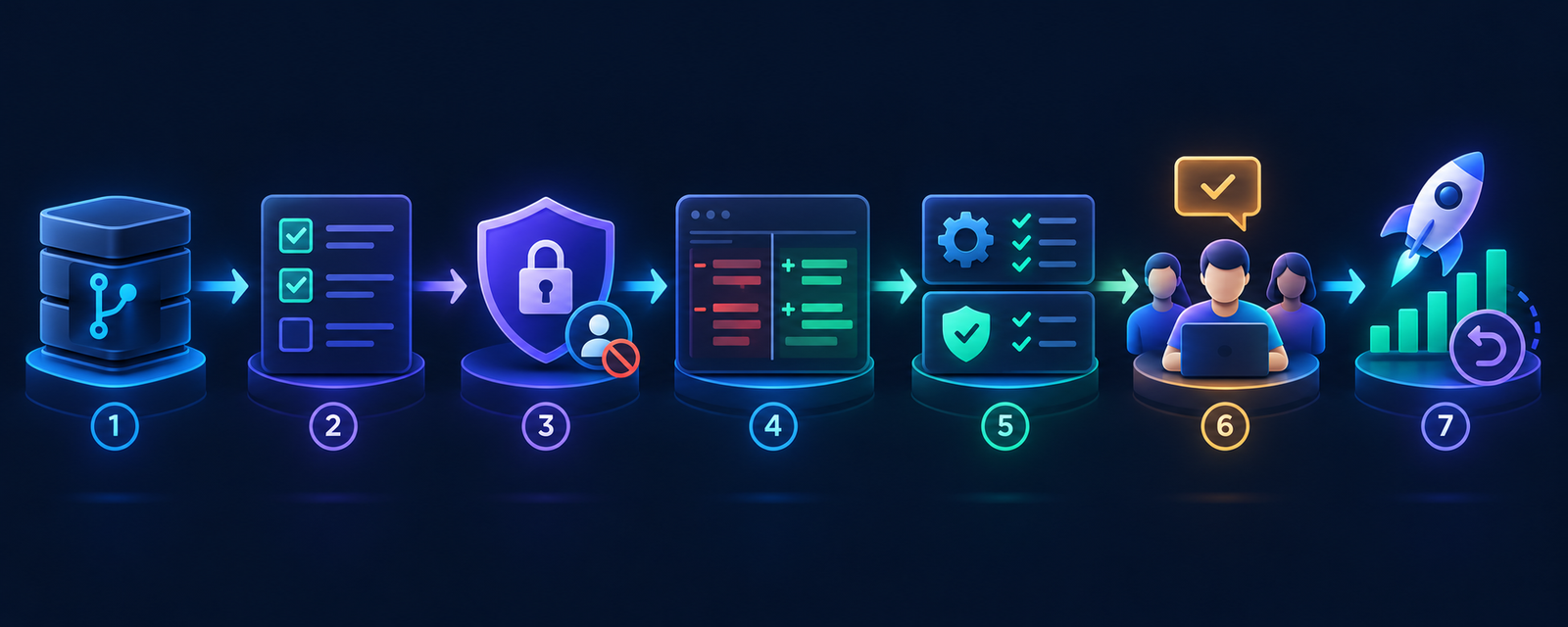
A safe team evaluation workflow
- Select representative repositories. Include one routine service and one realistic monorepo or legacy codebase, but no production credentials.
- Define the same task set. Use a bounded bug fix, test addition, multi-file refactor and dependency update with written acceptance criteria.
- Normalize authority. Give each product the same repository scope, model class, network policy and command-approval boundary.
- Start locally and read-only. Ask for explanation and a plan before enabling edits; add cloud delegation only after the team understands the diff workflow.
- Capture full cost. Record plan, credits or model usage, cloud execution, CI consumption and human review time.
- Verify independently. Run the canonical build, tests, security scans and policy checks; inspect all changed and generated files.
- Measure useful outcomes. Compare task completion, escaped defects, rework, review burden, security findings and developer satisfaction—not accepted lines of code.
- Roll out by repository class. Document approved modes, models, MCP servers and exceptions; keep token revocation and editor rollback ready.
Which tool should you choose?
- Choose Cursor when an AI-first editor and tightly connected local or cloud agent workflow justify changing the development environment.
- Choose GitHub Copilot when IDE choice, GitHub-native delegation, centralized repository policy and lower migration cost matter most.
- Choose Cursor for a small agent-heavy team if everyone can standardize on its editor and you will actively configure privacy, run modes and spend.
- Choose Copilot for a mixed enterprise toolchain when developers use several IDEs and pull requests, identity and administration already live in GitHub.
- Choose neither yet if you cannot keep secrets out of context, constrain tools, run reliable tests or review generated changes.
Individual developers with a hard zero-dollar constraint should also compare the limitations and local-client options in the free AI coding tools guide. “Free plan” does not mean unlimited agents or zero infrastructure cost.
Frequently asked questions
Is Cursor better than GitHub Copilot?
Cursor is usually the better fit for developers who want an agent-first editor and are comfortable adopting it as their primary environment. Copilot is usually better for teams that want AI across existing IDEs and a GitHub-centered issue, branch, pull-request and policy workflow. Neither is universally better.
Can I use Cursor and Copilot together?
Yes, but overlapping completions, agents, indexes, telemetry and tool permissions make cost and behavior harder to attribute. During evaluation, enable one primary assistant at a time. Keep both only when each has a clearly documented job.
Does Cursor work outside its own editor?
Cursor documents CLI, cloud and integration surfaces, including paid ACP access through JetBrains AI Assistant. The most cohesive experience remains its own editor, so validate which features and controls carry into the specific integration you plan to use.
Is GitHub Copilot only for VS Code?
No. GitHub supports several IDEs plus CLI, GitHub website, mobile, desktop and cloud-agent workflows. Feature parity is not complete, so consult the current matrix for the precise IDE version and capability.
Which is safer for private repositories?
Safety depends on the plan, configuration and authority granted. Cursor Privacy Mode and Copilot Business or Enterprise publish strong data-use commitments, but neither removes prompt-injection, secret, dependency or command-execution risk. Compare contracts and settings, then enforce repository scope, sandboxing, egress controls, CI and human review.
Bottom line
Cursor versus Copilot is mainly an operating-model decision. Cursor asks whether you want to make an AI-native editor and its agents the center of development. Copilot asks whether you want to add assistance and delegation across the tools and GitHub controls you already have. Pick with a controlled pilot, not a demo: equal tasks, equal permissions, measured cost, independent tests and a human-owned merge.


