


Choose an AI coding tool for your team by testing a specific workflow against explicit quality, privacy, permission and cost requirements. A convincing demo or a developer’s favorite model is useful input, but the purchase decision should rest on representative tasks, independent review and an operating plan for the whole team.
This guide gives engineering managers, platform leads and security reviewers a practical procurement method. It covers the decision brief, rejection criteria, weighted scorecard, 30-day pilot, commercial review and rollout. It is a selection framework based on current official documentation checked November 10, 2026, not a vendor ranking or invented hands-on evaluation.
Write a one-page decision brief
Describe the problem before naming a product. “Developers need AI” is too broad to evaluate. “Our Java maintainers spend several hours writing regression tests for small changes” creates a task, a user group and an outcome that can be measured.
Include the target workflow, developer population, IDEs, languages, operating systems, repository sizes, build tools and data sensitivity. State whether the tool may suggest text, edit files, run commands, access external services or work asynchronously. These are separate capabilities with separate operational costs.
Name the accountable owner and the people who can reject a rollout. Engineering owns workflow fit and maintainability; security owns required controls; procurement checks commercial terms; platform engineering owns deployment and support. A small company can combine these roles, but it still needs the decisions recorded.
Set a baseline using recent comparable work: elapsed time, review effort, defect rate, test reliability and developer friction. Use the AI coding tools overview to identify categories, then shortlist only the categories that can address the stated bottleneck.
Set mandatory gates before scoring features
A product that fails a mandatory requirement should not recover through a high completion-quality score. Typical gates include approved data processing, supported environments, enforceable access control, reviewable diffs, budget controls and a way to revoke access.
- Data: identify which source, prompts, logs and repository metadata leave the machine; where they are stored; retention and deletion rules; and whether they are used for training.
- Identity: verify organizational accounts, SSO and provisioning requirements. Confirm that personal subscriptions cannot quietly bypass required policy.
- Permissions: document allowed files, commands, network destinations and connected tools. Keep production deployment and administrative credentials outside the initial pilot.
- Evidence: require complete diffs, test output and attribution of agent actions to an initiating user or task.
- Compatibility: verify the exact IDE, language, build system and repository layout. General language support does not guarantee a specialized migration or test feature.
- Exit: confirm that the team can export useful instructions, remove integrations, revoke tokens and continue building without the product.
For example, GitHub documents subscription-based network routing that can distinguish enterprise and personal plan access on supported surfaces. That is a concrete control to verify in a pilot, rather than assuming an organization license governs every developer interaction.
Cursor’s data-use overview illustrates why settings matter: Privacy Mode changes training and retention handling, own-key requests still traverse its backend, and exceptions are described for abuse investigations and some models. Read the applicable terms for each enabled model and mode. A blanket “private” label is insufficient evidence for procurement.
Build a scorecard around outcomes
The following weights are an illustrative starting point, not measured industry norms. Change them before the pilot to match the team. Record a short explanation and evidence link for every score so reviewers can distinguish observed behavior from vendor claims.
| Dimension | Illustrative weight | Evidence to collect |
|---|---|---|
| Correctness and maintainability | 30% | Accepted changes, independent tests, reviewer findings and rework |
| Workflow and context fit | 20% | Successful repository navigation, IDE compatibility and framework understanding |
| Security and administration | 20% | Enforced permissions, identity, audit records and revocation tests |
| Total cost | 15% | Seats, usage, CI compute, support and reviewer effort |
| Developer experience and support | 10% | Setup friction, latency, accessibility and support response |
| Portability and exit | 5% | Instruction export, standard diffs and integration removal |
Use a simple scale with defined anchors. A correctness score of five might mean the patch passes independent checks and is accepted with minor changes; a score of one might mean it introduces a serious defect or cannot complete the task. Keep disqualifying events visible alongside the average score.
A single impressive task can distort the result. Evaluate several classes: a routine test addition, an unfamiliar-module explanation, a bounded bug fix, a cross-file change and a task with incomplete requirements. The last case tests whether the tool asks for evidence or confidently invents it.
Run a controlled 30-day pilot
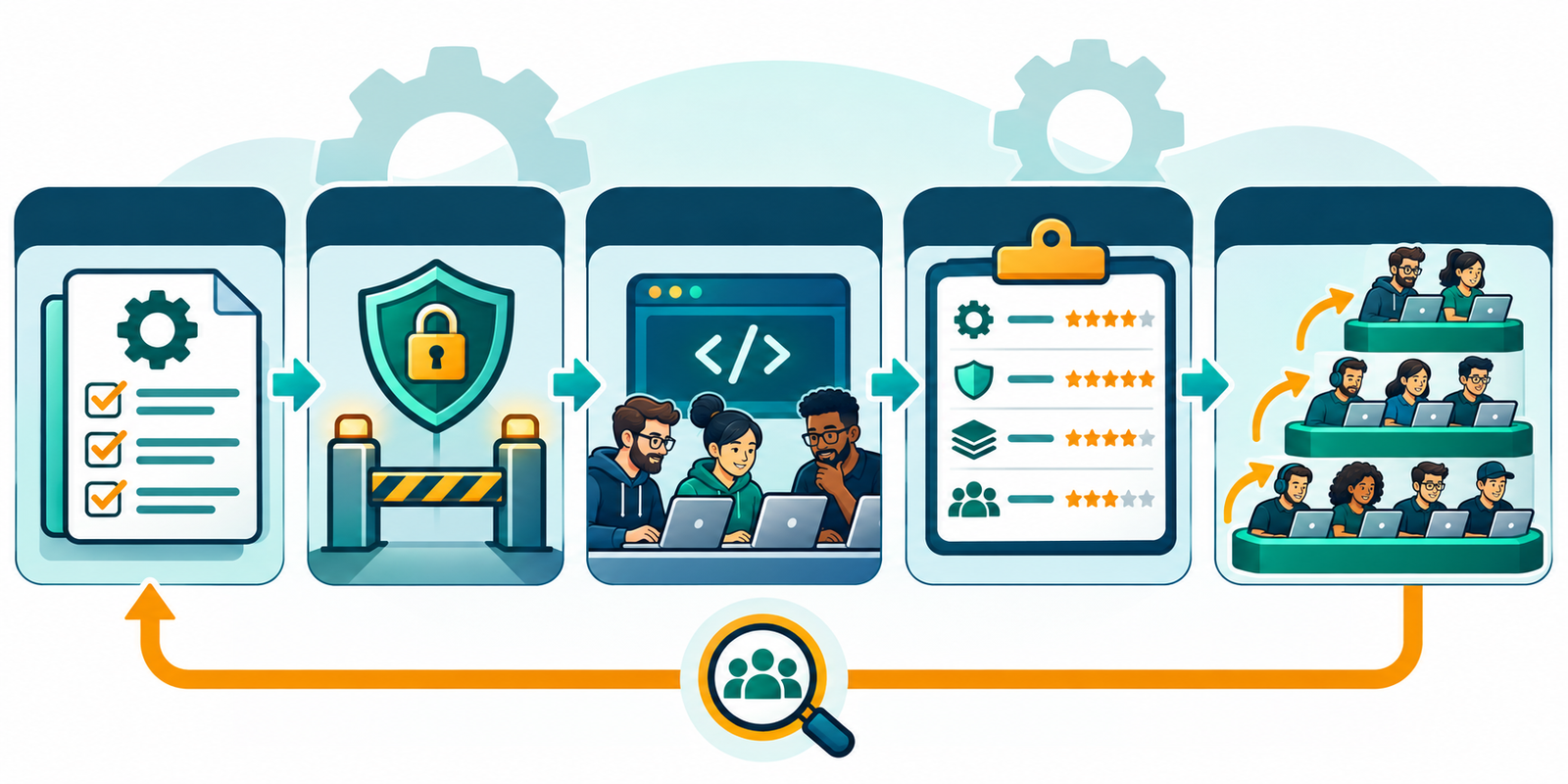
Week 1: prepare the environment and baseline
Choose representative repositories and developers, including someone outside the enthusiast group. Establish approved commands, protected paths, test fixtures and review rules. Give participants equivalent onboarding time so the result does not simply measure prior familiarity with one tool.
Record the product version, model, plan, settings and integration permissions. Use a baseline from comparable tasks or alternate assisted and unassisted work where practical. Avoid assigning the same task twice to the same developer and treating the second attempt as a fair comparison.
Weeks 2 and 3: observe real work
Capture time spent prompting, waiting, understanding output, running checks, reviewing and repairing. Developers should record abandoned attempts as well as successful completions. A tool that produces a patch quickly but consumes another engineer’s afternoon may move work rather than remove it.
Test context deliberately. Ask the tool to identify the real test command, locate callers and explain a repository convention using file references. For a monorepo, check whether it selects the correct package and avoids unrelated workspaces. Do not infer usable context from a model’s advertised context-window size.
Run administrative checks: revoke one test user, disable a connected tool, exhaust a small spending limit and inspect audit visibility. Verify behavior with a harmless repository instruction that conflicts with policy. These checks establish whether controls work outside a sales demonstration.
Week 4: review evidence and decide
Have reviewers assess changes without relying on the agent’s summary. Compare acceptance rate, rework, quality, review burden and cost by task class. Include developer feedback, but keep perceived speed separate from measured outcomes. Agree on adoption, restricted adoption, another bounded pilot or rejection.
DORA’s AI-assisted software development report frames adoption as an organizational systems issue. Treat that as a reason to inspect feedback loops and delivery constraints. It does not supply a guaranteed gain for your repositories.
Compare total cost and commercial terms
For US procurement, collect a dated quote in USD for the expected user count and usage. Distinguish seats, included credits, purchased credits, request limits, model multipliers, concurrency and cloud execution. Verify whether idle seats can be reassigned and whether credits pool across users.
GitHub’s current plans page demonstrates the distinction between code-completion access and metered agent features. A free tier, a free trial and a paid plan with a small allowance are different evaluation conditions. Test under the plan you intend to deploy, including organization policies.
Estimate monthly cost as licenses plus consumption, execution infrastructure, administration, training and review effort. Track cost per accepted change rather than per generated line. Add the cost of running extra tests and security scans when agents create more pull requests.
Review output licensing, public-code references, indemnity conditions, acceptable-use restrictions, support commitments and contract termination. Clarify whether model-provider or subcontractor changes trigger notice. Get answers for cloud agents, editor assistance and third-party integrations separately when their terms differ.
Make the decision and roll out gradually
Write a short decision record with the chosen workflow, evidence, rejected alternatives, controls, owner and review date. Preserve unresolved limitations. Expand access in waves, monitor review queues and make it easy for developers to report mistakes without hiding usage.
Start with low-risk repositories and narrow permissions. Use the production-readiness checklist for merge and release gates and the code-review tools guide if review capacity becomes the bottleneck. Reassess when models, pricing, retention terms or supported environments materially change.
For example, a team might approve IDE assistance for internal services while requiring separate review before enabling cloud agents on customer-sensitive repositories. Record both decisions explicitly. A successful pilot in the first environment does not authorize the second. The rollout record should identify the approved plan, settings, repository scope, budget owner and next review date so administrators can implement the actual decision.
Frequently asked questions
Should every developer use the same AI tool?
A standard default simplifies administration, but a documented exception may be appropriate for a distinct language, privacy requirement or specialist workflow. Avoid buying overlapping products without evidence of additional value.
How many tools should we pilot?
Usually a small shortlist is easier to evaluate fairly. Choose candidates with meaningfully different workflow fit, then use the same task classes and acceptance criteria.
Can we use individual free accounts for a company pilot?
Only if the organization’s data policy and required controls permit it. A free personal plan may have different training terms, access controls and audit visibility from the intended enterprise plan.
What should trigger a rollback?
Examples include policy bypass, unexpected source exposure, unacceptable regressions, sustained review overload or uncontrolled spending. Define thresholds and the responsible owner before expansion.


