

Direct answer: Descript is the best free AI podcast editing tool for transcript-led cuts, while Clipchamp is the strongest ongoing free option for video podcasts. Adobe Podcast is easier for a simple audio show, Riverside is better when recording and editing belong together, and Auphonic is the practical choice for final loudness and cleanup. Every free route has a meaningful limit.
AI podcast editors can turn speech into an editable transcript, remove pauses and filler words, reduce noise, balance levels, create captions and extract social clips. They do not replace editorial judgment: an automatic cut can remove context, damage timing or make speakers sound unnatural. This comparison was reviewed on September 8, 2026; plans, quotas and US availability can change.
Best free AI podcast editing tools at a glance
| Tool | Best for | Current free route | Main limitation |
|---|---|---|---|
| Descript | Transcript-based episode editing | 1 media hour and 100 AI credits per month | Limited AI use; video export stops at 720p |
| Microsoft Clipchamp | Ongoing video-podcast editing | Free AI subtitles, silence removal and noise suppression; 1080p exports | Not a multitrack podcast recorder; Microsoft account required |
| Adobe Podcast | Simple browser-based audio shows | 30-minute projects and two project downloads per day | No original, speaker-separated download; branded audiograms |
| Riverside | Remote recording plus editing | Unlimited single-track editing and two one-time multitrack recording hours | 720p video and Riverside watermark; key cleanup AI is paid |
| CapCut | Creator-style video podcasts | Free transcript editor, filler-word detection and speech-gap removal | No durable public quota; features vary by platform and region |
| Auphonic | Automated mastering and delivery | 2 processed hours each month | Free productions include an audible Auphonic jingle |
| Kapwing | Short podcast clips | 30 export minutes monthly and 50 lifetime AI credits | Each video is capped at 4 minutes, 720p and watermarked |
Free-plan facts come from current vendor documentation. The “best for” labels are GravityDevOps editorial analysis, not vendor claims.
How we selected and ranked these free AI podcast editors
We screened 11 credible options: Descript, Microsoft Clipchamp, Adobe Podcast, Riverside, CapCut, Auphonic, Kapwing, VEED, Cleanvoice, Podcastle and Audacity with Intel’s OpenVINO AI plugins. Seven made the ranked list because they offer a documented ongoing free plan or a substantial no-cost workflow for editing a podcast or its promotional video.
The ranking considers transcript and timeline editing, multitrack support, noise and filler-word tools, captions, clip creation, audio-only and video export, free allowance, account and card requirements, watermarks, project retention, privacy, rights clarity and the amount of human review required. A full episode editor ranks differently from a mastering service or clip maker because each solves a different part of production.
This is a documentation-based comparison. GravityDevOps did not run the same multitrack episode through every product and does not claim a controlled audio-quality or transcription-accuracy benchmark. TechRadar’s independent testing supports Descript’s strength in transcript-led work and Clipchamp’s beginner-friendly editing, but results still depend on microphone quality, accents, crosstalk and room noise.
1. Descript: best free AI podcast editor for transcript-based cuts
Descript treats a podcast like a document: delete words in the transcript and the corresponding audio or video is removed. It combines recording, a conventional timeline, speaker detection, captions, clips and AI-assisted cleanup in one project. That makes it the most complete free starting point for a spoken-word show whose editor would rather work from text than waveforms.
The current Free plan includes one media hour and 100 AI credits per month, limited use of Underlord and tools such as Studio Sound and filler-word removal, and watermark-free video export at up to 720p. An account is required. One hour is enough to test or edit a short monthly show, but a weekly interview podcast will reach the media or AI limit quickly.
Pros: unusually cohesive transcript and timeline workflow; audio and video support; watermark-free export. Cons: small recurring allowance; advanced cleanup and automation are constrained; not designed for frame-perfect effects or detailed music mixing.
2. Microsoft Clipchamp: best ongoing free editor for video podcasts
Microsoft Clipchamp is the most generous ongoing free choice here for editing a video podcast. Its free personal plan includes core timeline tools, automatic transcripts and subtitles, AI silence removal, noise suppression, audio-only MP3 export, unlimited projects and exports, and watermark-free video at up to 1080p. A personal Microsoft account is required, but no payment is needed.
Microsoft’s current feature comparison lists auto cut, captions and noise suppression on the free personal tier. The editor can import local files and separate embedded audio from video, but it is not a purpose-built remote multitrack recorder. It works best after each speaker’s tracks have already been captured and synchronized elsewhere.
Pros: no published monthly export cap; 1080p without a watermark; practical audio-only and video tools. Cons: weaker long-form transcript workflow than Descript; no native podcast hosting; adding premium stock can block a free export until it is removed.
3. Adobe Podcast: best free browser editor for a simple audio show
Adobe Podcast combines remote recording, automatic transcription, transcript-based editing and its well-known Enhance Speech cleanup in a browser. The workflow is approachable for a solo podcast or a lightly edited conversation: record or upload, remove unwanted text, enhance speech, then download the result.
Under Adobe’s current Free plan, Studio projects can run for up to 30 minutes and users can download two projects per day. Transcription and transcript editing are included. Free users cannot download original speaker-separated recordings, and audiograms carry Adobe Podcast branding. Enhance Speech separately allows audio-only files up to 30 minutes and 500 MB, with one enhanced hour per day, one file at a time and no strength adjustment.
Pros: easy recording-to-editing path; useful recurring cleanup allowance; no desktop installation. Cons: 30-minute project ceiling; no separate original tracks on Free; aggressive enhancement still needs a careful A/B listen.
4. Riverside: best free option for recording and editing together
Riverside is strongest when the podcast begins as a remote interview. It records participants locally, keeps separate tracks, creates a transcript and offers text-based cuts, layouts, captions and Magic Clips in the same service. That reduces handoffs between a recorder, editor and social-clipping tool.
The Free plan includes two hours of separate-track recording as a one-time allowance, unlimited single-track recording and editing, Magic Clips, 44.1 kHz audio and video up to 720p. Free video exports carry a Riverside watermark. Riverside’s own current plan guidance puts Magic Audio, AI show notes, advanced transcription and some automatic speech cleanup on higher tiers, so do not assume every AI control shown in the editor is included for free.
Pros: recording and post-production in one place; separate source tracks; useful free text editing and clips. Cons: multitrack allowance does not renew; watermarked video; much of the advertised cleanup automation is paid.
5. CapCut: best free AI editor for creator-style video podcasts
CapCut’s transcript editor links text to audio or video so creators can find a phrase, remove detected filler words and delete speech gaps without scrubbing through a long timeline. The broader desktop and web editor adds captions, layouts, music, voice enhancement, noise reduction and social formats, making it useful for a podcast published primarily on YouTube or short-form platforms.
CapCut describes transcript-based editing as free and says it can export the result without a watermark, but its public product pages do not state a stable numeric AI allowance. Some tools are presented as a free trial, and availability can differ by platform, account and region. Check the export screen with a short sample before editing a full episode, and verify the license for any stock music, effects or templates used commercially.
Pros: transcript and visual editing in one creator-oriented app; captions and filler-word workflow; strong social output options. Cons: unclear quota boundaries; platform and region variation; a busy interface for audio-only work.
6. Auphonic: best free AI tool for podcast mastering
Auphonic is not a substitute for arranging an episode on a timeline. It is the better finishing tool once the editorial cuts are done. Its algorithms level speakers and music, reduce noise and reverb, filter troublesome frequencies, target delivery loudness and encode final files. It can also remove fillers, coughs and silences automatically, although those edits require review.
The Free plan provides two processed hours each month without a credit card. Credits do not roll over, and each job consumes at least three minutes. Free productions include an audible Auphonic jingle. Multitrack productions are limited to projects under 20 minutes, while speech recognition, automatic show notes and chapters are not included on Free.
Pros: recurring allowance; strong loudness and level controls; audio, video, metadata and publishing workflows. Cons: jingle prevents many final professional uses; not a full conversational editor; free transcription and show notes are absent.
7. Kapwing: best free AI podcast editor for short promotional clips
Kapwing combines a browser timeline with automatic subtitles, transcript-based editing, audio cleanup, resizing and collaborative visual tools. It is a sensible free choice when the deliverable is a short trailer, quote card or social excerpt rather than the full hour-long episode.
The current Free plan allows 30 minutes of exports per month, but each finished video is capped at four minutes, 720p and a Kapwing watermark. Free uploads are limited to 250 MB. Kapwing also documents 50 lifetime credits for smart and AI tools, with subtitle transcription costing one credit per minute. Free projects are subject to deletion after three days, so keep source media and final exports elsewhere.
Pros: useful short-form editing and captions; collaborative browser workflow; documented limits. Cons: too short for full episodes; watermark and 720p cap; nonrenewing AI credits and short project retention.
Why VEED, Cleanvoice, Podcastle and Audacity did not rank
VEED offers a capable browser editor, but its current free route limits exports to 720p with a watermark and describes key AI editing tools as one-time trials. Cleanvoice provides 30 free minutes for automated cleanup, transcription and summaries, but that is a trial credit rather than a renewable free plan. Podcastle’s public plan material did not make the current free editing and export boundaries as clear as the ranked tools.
Audacity remains an excellent free manual audio editor. Intel’s OpenVINO AI plugins add local noise suppression and Whisper transcription, but the packaged release path is Windows-focused, version-sensitive and more technical than the browser services above. It is worth considering when local processing matters more than easy setup.
How to choose a free AI podcast editing tool
Start with the actual bottleneck. Choose Descript when finding and rearranging spoken content takes the most time. Use Clipchamp or CapCut when the show is video-first. Pick Adobe Podcast for a short, simple audio production, Riverside when remote capture and editing must stay together, and Auphonic after manual cuts when loudness and speaker balance matter.
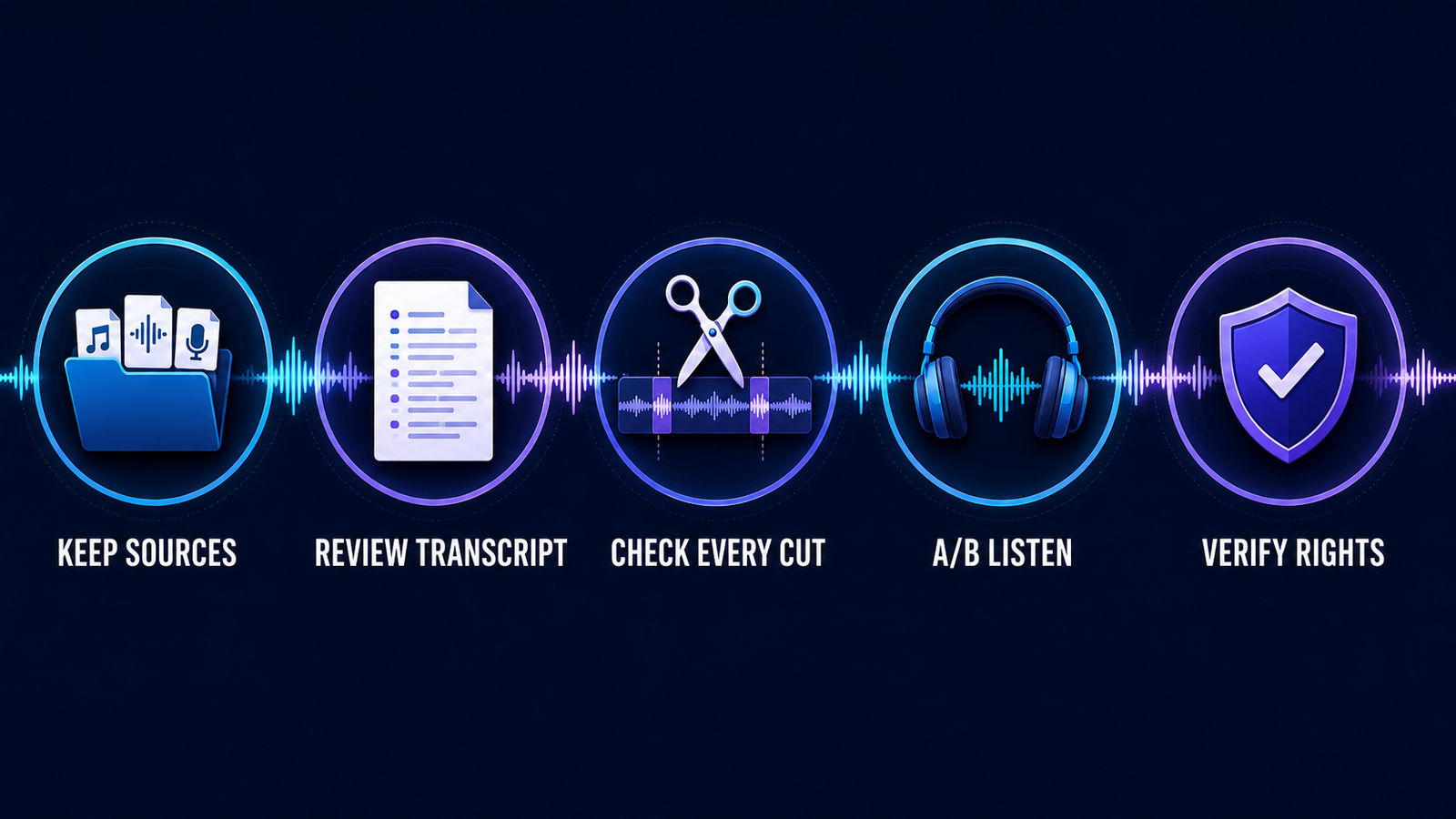
Then run a representative test before committing an episode. Include crosstalk, a quiet speaker, a proper noun, a pause you want to preserve and a noisy section. Review every transcript deletion against the waveform and listen across each cut. Automatic silence removal often shortens thoughtful pauses, while filler-word removal can clip consonants or make a guest sound less natural.
Keep original tracks outside the editing service and export an intermediate master before adding music or aggressive enhancement. For a closer comparison of cleanup-only products, see our guide to free AI audio enhancers for voice recordings.
Privacy, consent and rights checks
A podcast recording can contain private names, workplace information, health details and biometric voice data. Get consent from participants before cloud processing, confirm whether guests agreed to clips and synthetic corrections, and review the vendor’s retention, deletion and model-training controls. Sensitive interviews may be better suited to a local workflow with organization-approved storage.
AI overdubbing and voice cloning require especially careful permission. Never replace a guest’s words or imitate their voice without explicit approval, and disclose material synthetic edits where listeners could be misled. Keep a human-reviewed transcript because automatic captions can misstate names, technical terms or legally important claims.
Music and sound effects carry separate licenses from the editor itself. Check whether an asset permits podcast distribution, monetization and reuse across platforms. Our comparisons of free AI music generators, free AI sound-effect generators and free AI voice generators explain the additional commercial-use and consent boundaries.
FAQ
What is the best free AI podcast editing tool?
Descript is the best first choice for transcript-based editing, but its free monthly allowance is small. Clipchamp is better for ongoing free video-podcast editing, while Adobe Podcast is simpler for short audio-only episodes.
Can AI edit an entire podcast automatically?
It can create a rough cut, remove pauses, reduce noise and generate clips, but a person should still review context, pacing, speaker identity, factual wording and every cut. Automatic editing is most reliable as a first pass, not a final editorial decision.
Which free podcast editor has no watermark?
Descript exports free video up to 720p without a watermark, and Clipchamp exports up to 1080p without one. Riverside, Kapwing and VEED watermark free video exports. Audio-only branding differs: Auphonic adds an audible jingle to free productions.
Do these tools require a credit card?
The ranked ongoing free plans do not require a card, although they require accounts. Product pages and checkout flows can change, so confirm that you are joining a free tier rather than starting an auto-renewing trial.
Bottom line
Begin with Descript if transcript editing is the main job, or Clipchamp if you need a genuinely useful ongoing free video editor. Adobe Podcast is the easiest short-form audio workflow, Riverside is the better recording hub, and Auphonic is the better final mastering step. Whatever you choose, preserve the source tracks and treat every AI cut as a suggestion that needs human review.


