
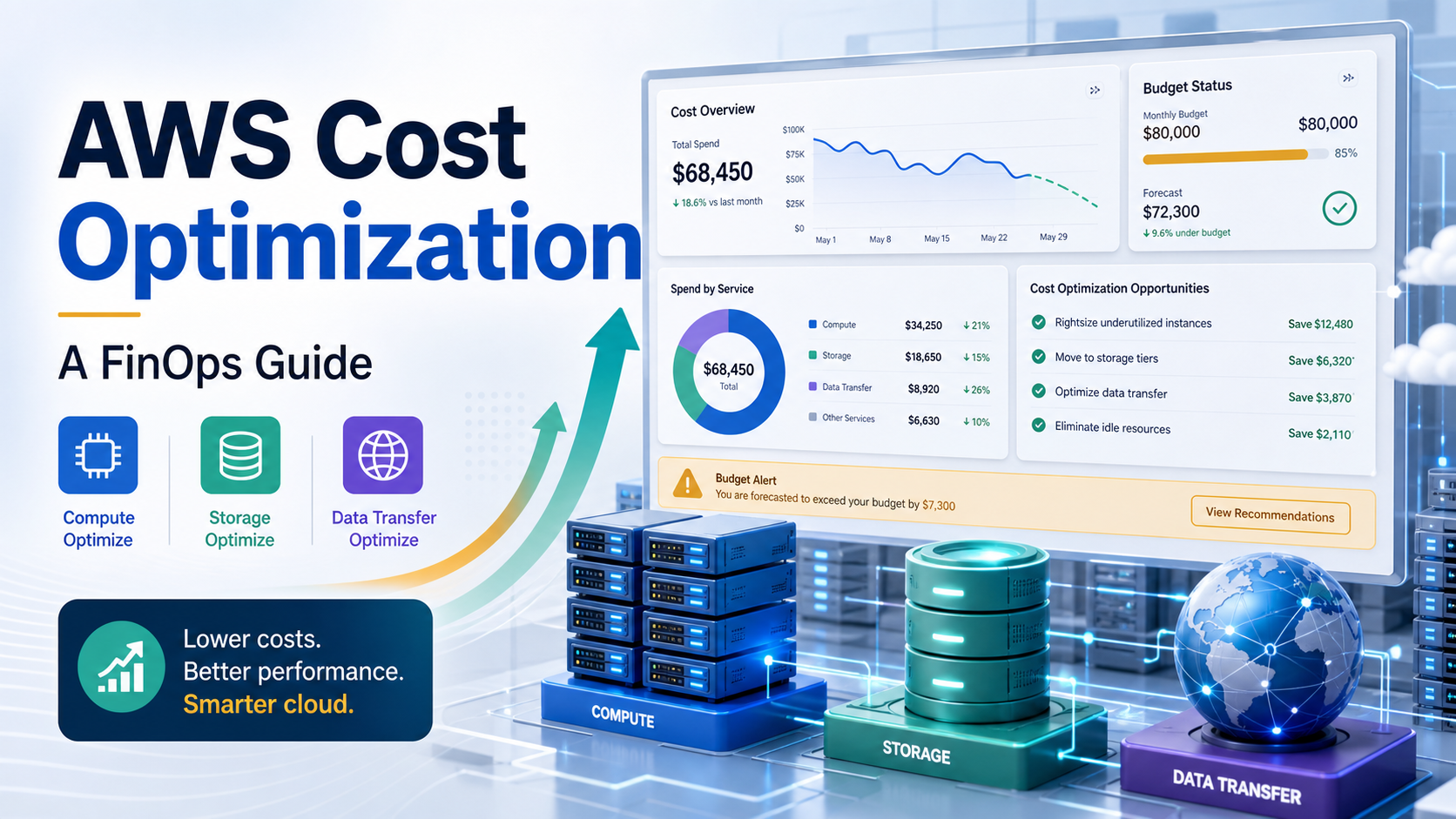

Quick Answer: AWS cost optimization is the practice of reducing avoidable AWS spend while keeping the reliability, security, and performance your workload actually needs. A good FinOps program starts with visibility through tagging, account structure, budgets, and CUR 2.0 data; then prioritizes high-impact actions such as deleting idle resources, rightsizing EC2 and databases, using Savings Plans carefully, moving suitable data to lower-cost S3 tiers, and controlling data transfer. The durable win is not a one-time bill cleanup. It is a repeatable loop where engineering, finance, product, and platform teams review cost signals, act on recommendations, and measure unit economics every month.
AWS cost optimization can feel messy because the bill is not one thing. It is compute hours, storage classes, requests, snapshots, NAT gateway processing, inter-region transfer, logs, marketplace subscriptions, support charges, and discounts that apply only when usage matches a commitment. That is why the best AWS cost optimization work is not just “turn things off.” It is FinOps: a shared operating model for deciding where cloud spend creates value and where it creates waste.
This guide is written for DevOps engineers, platform teams, cloud engineers, and technical managers who need a practical AWS FinOps playbook. It covers what to inspect first, which tools to use, when Savings Plans help, when they can hurt, and how to turn cost optimization into an engineering habit instead of a quarterly panic.
What AWS Cost Optimization Means in FinOps
In a FinOps model, cost optimization means making cloud spending visible, attributable, and continuously improved. The FinOps Foundation describes the lifecycle as three iterative phases: Inform, Optimize, and Operate. In AWS terms, that means you first collect accurate cost data, then act on waste and purchasing opportunities, then build guardrails so the same waste does not return.
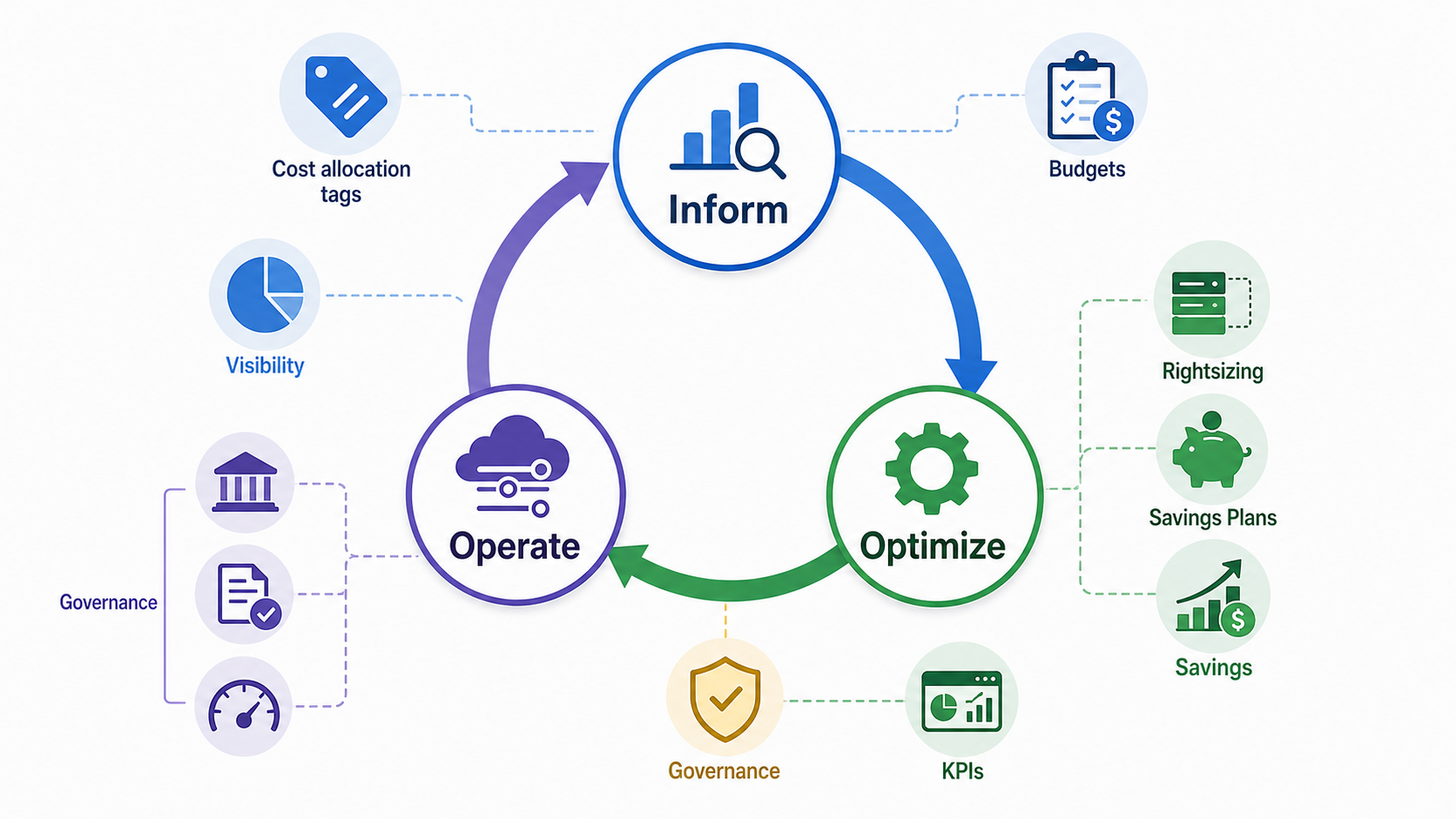
The important shift is accountability. Finance should not be the only team looking at the AWS invoice, and engineering should not be asked to cut spend blindly. A useful FinOps process gives each service owner enough context to answer three questions:
- Which application, team, customer, or environment created this cost?
- Was the spend expected, useful, and proportional to business value?
- What change can reduce waste without breaking the workload?
Start With Visibility: Tags, Accounts, Budgets, and CUR 2.0
Before buying discounts or resizing instances, fix visibility. Without allocation, teams will argue about the bill instead of improving it.
1. Use AWS Organizations and account separation
Separate production, staging, sandbox, security, shared services, and data workloads where possible. Account-level separation makes blast radius, access control, and cost ownership easier. For small teams, a simple structure is enough: production, non-production, shared tooling, and security/logging. For larger teams, align accounts to products or business units.
2. Standardize cost allocation tags
Use a short required tag set and enforce it through infrastructure-as-code, CI checks, and service control policies where appropriate. A practical starting set is:
Application: product or service name.Environment: prod, staging, dev, sandbox.Owner: team or email alias.CostCenter: finance allocation code.ManagedBy: terraform, cloudformation, eks, manual.
Do not create twenty mandatory tags on day one. Missing tags are common when the standard is too complex. Start small, report untagged spend weekly, and raise the bar once teams comply.
3. Export cost data for real analysis
AWS Cost Explorer is useful for quick views, but durable FinOps reporting needs detailed data. AWS now recommends Data Exports with Cost and Usage Report 2.0 for detailed cost and usage exports. CUR 2.0 gives teams a consistent dataset for Athena, QuickSight, dashboards, chargeback/showback, and custom unit-cost metrics.
4. Add budgets and anomaly detection
Budgets catch expected thresholds; anomaly detection catches unusual changes. Use both. AWS Budgets can alert when a team is tracking above forecast, while AWS Cost Anomaly Detection uses machine learning to flag abnormal spend patterns. Route alerts to owners, not only to a central finance inbox.
AWS Native Tools Worth Using
| Tool | Best For | Practical Caveat |
|---|---|---|
| AWS Cost Explorer | Quick trend analysis, service breakdowns, forecasts | Good for investigation, less ideal as the only reporting backend. |
| Cost Optimization Hub | Centralized recommendations across accounts and Regions | You must opt in, then review recommendations against workload context. |
| AWS Compute Optimizer | Rightsizing EC2, EBS, Lambda, ECS services, Auto Scaling groups, RDS/Aurora | Recommendations improve when metrics such as memory are available. |
| AWS Budgets | Planned spend thresholds and alerts | Budgets need owners and response workflows, not just email noise. |
| AWS Cost Anomaly Detection | Unexpected spikes and unusual spend | It is a detection tool, not an automatic remediation system. |
| Trusted Advisor | Checks across cost, performance, security, reliability, and service limits | Available checks depend on support plan and service coverage. |
AWS Cost Optimization Hub is especially useful because it consolidates recommendations such as rightsizing, idle resource deletion, Savings Plans, and Reserved Instances. Treat it as a prioritized inbox, not an autopilot. A database that looks oversized over seven days may still be correctly sized for month-end processing. A compute workload that looks idle may be a disaster recovery standby. Context matters.
The Highest-Impact AWS Cost Optimization Plays
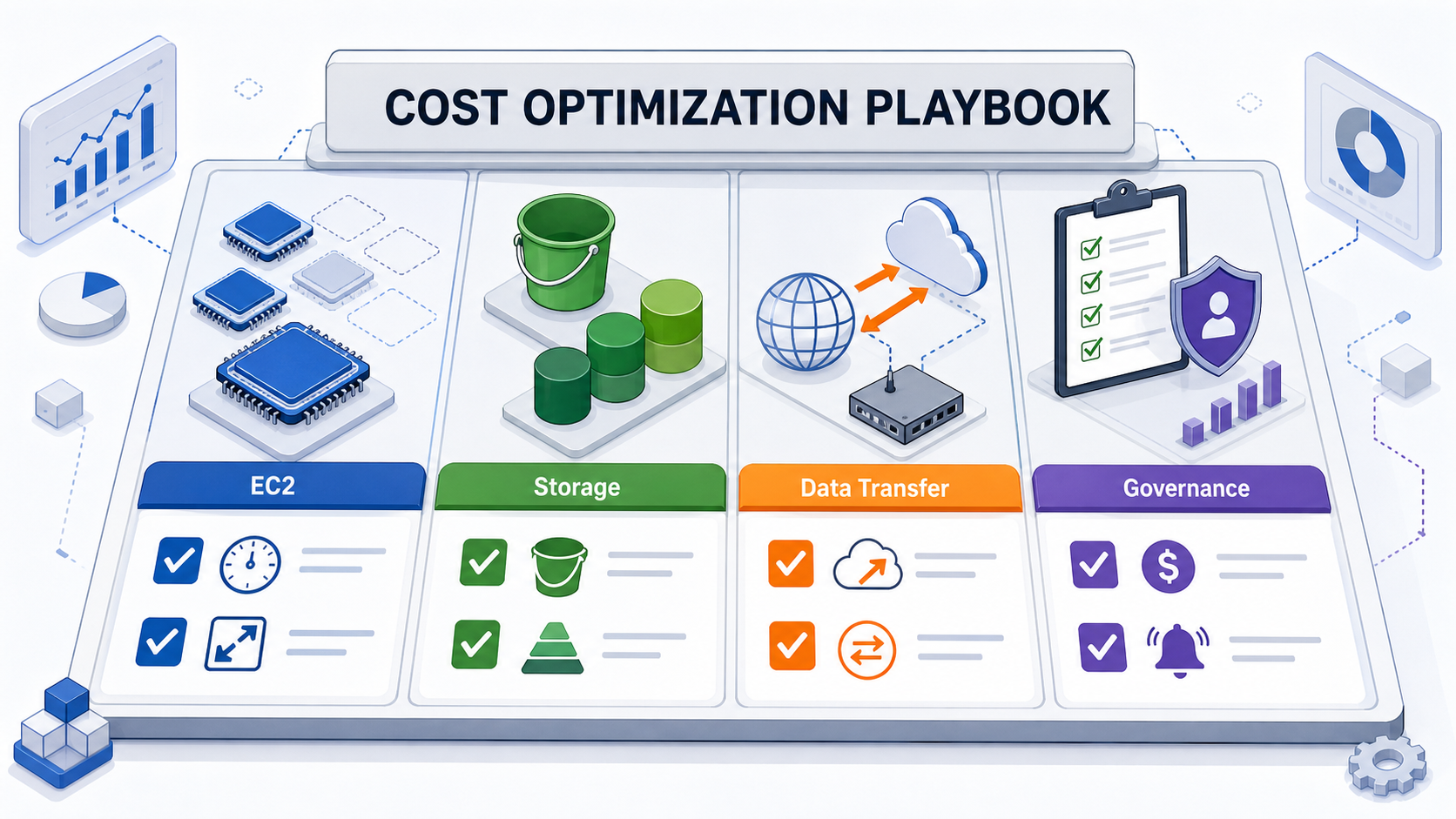
1. Delete idle resources first
Idle resources are the cleanest savings because they usually reduce cost without changing performance. Look for unattached EBS volumes, old snapshots, idle load balancers, unused Elastic IPs, stopped development instances with expensive disks, orphaned NAT gateways, stale AMIs, unused RDS snapshots, and test Kubernetes clusters left running after experiments.
A beginner-friendly monthly cleanup query is simple: list resources by account, owner tag, age, and last activity; ask the owner to confirm deletion; then automate deletion after an agreed grace period. For production accounts, require approvals. For sandbox accounts, use expiration tags such as ExpiresOn.
2. Rightsize EC2, RDS, EBS, ECS, and Lambda
Rightsizing means matching capacity to real demand. AWS Compute Optimizer can generate recommendations and lets you adjust preferences such as CPU and memory headroom. Start with non-production and stateless workloads because rollback is simpler.
Example EC2 rightsizing workflow:
- Find instances with low CPU, low network, and low memory over a representative window.
- Check whether the workload has batch spikes, monthly peaks, or failover requirements.
- Move one environment or one Auto Scaling group first.
- Measure latency, error rate, saturation, and cost after the change.
- Roll the pattern out through Terraform, CloudFormation, or launch templates.
Do not rightsize from CPU alone. Memory-bound services can look idle in CPU graphs and still fail after a downsize. Install the CloudWatch agent where memory metrics matter.
3. Modernize instance families and evaluate Graviton
Old instance generations often cost more for worse performance. When applications support ARM64, AWS Graviton can be a strong optimization path. The best candidates are containerized services, stateless web APIs, Java, Go, Node.js, Python, NGINX, Redis-compatible caches, and many managed database workloads. The risky candidates are proprietary binaries, legacy agents, and workloads with untested native dependencies.
For Kubernetes users, test Graviton with a separate node group, node selectors, and a canary deployment. If you are still building your Kubernetes foundation, see the GravityDevOps Amazon EKS tutorial and Kubernetes monitoring tools guide.
4. Use Savings Plans carefully
Savings Plans can reduce compute costs substantially, but they are commitments. AWS documentation describes Savings Plans as one-year or three-year commitments to a consistent amount of usage, with potential savings up to 72% depending on plan type and workload. Compute Savings Plans are more flexible and can apply across EC2, Fargate, and Lambda. EC2 Instance Savings Plans can offer higher savings but are tied to an instance family in a Region.
| Option | Best Fit | Pros | Cons |
|---|---|---|---|
| On-Demand | Unpredictable workloads, experiments, migrations | No commitment, maximum flexibility | Highest unit cost for steady compute. |
| Compute Savings Plan | Stable baseline across EC2, Fargate, Lambda | Flexible across instance families, sizes, OS, tenancy, and Regions for EC2 usage | Lower maximum discount than the most restrictive options. |
| EC2 Instance Savings Plan | Stable usage in a known instance family and Region | High discount potential | Less flexible if architecture, Region, or instance family changes. |
| Reserved Instances | Specific legacy purchasing models or services where RIs still fit | Can match predictable capacity needs | More operational overhead and less flexible than many Savings Plan scenarios. |
| Spot Instances | Fault-tolerant batch, CI, workers, stateless autoscaled jobs | Can be very cost effective | Interruptions require resilient architecture. |
A neutral recommendation: cover only the boring baseline first. If a service runs at a steady $40/hour around the clock, do not immediately commit to $40/hour. Consider a smaller initial commitment such as 50-70% of the baseline, then review utilization after 30-60 days. Avoid buying long commitments right before migrations, major refactors, Region moves, or architecture changes.
5. Optimize S3 storage and lifecycle policies
S3 bills grow quietly because storage is cheap per GB until the footprint is huge. Review object age, access patterns, replication, versioning, incomplete multipart uploads, and lifecycle rules. S3 Intelligent-Tiering can automatically move objects to lower-cost access tiers for data with unknown or changing access patterns, with monitoring and automation charges. It is useful for data lakes, analytics, user-generated content, and workloads where access patterns are hard to predict.
Use lifecycle rules for predictable data: logs to S3 Standard-IA or Glacier classes, old artifacts to archive, and expired noncurrent versions deleted after a policy window. For hands-on basics, connect this guide with the GravityDevOps AWS S3 tutorial.
6. Review data transfer and NAT gateway costs
Data transfer is often the surprise line item. Common causes include cross-AZ traffic, inter-Region replication, internet egress, NAT gateway processing, chatty service-to-service calls, public endpoints used from private workloads, and logging pipelines that move large volumes.
Practical fixes include using VPC endpoints for supported AWS services, keeping highly chatty services in the same Availability Zone where reliability design allows, reducing unnecessary replication, compressing large payloads, and reviewing NAT architecture. Do not trade away resilience blindly; document the cost and reliability impact before changing network topology.
7. Control Kubernetes and CI/CD spend
Kubernetes cost optimization is partly AWS optimization and partly platform hygiene. Right-size node groups, use Cluster Autoscaler or Karpenter carefully, set resource requests that match real usage, clean up preview environments, and watch persistent volumes. CI/CD systems can also create hidden cost through oversized runners, idle build agents, duplicate test pipelines, and artifact retention. The GravityDevOps CI/CD tools comparison is a useful companion when evaluating platform tradeoffs.
Buyer-Intent Guide: Native AWS Tools vs Third-Party FinOps Platforms
Many teams can start with AWS-native tooling. A third-party platform becomes more attractive when you need multi-cloud reporting, richer allocation workflows, commitment automation, Kubernetes cost allocation, executive dashboards, or finance-grade chargeback across many teams.
| Selection Criteria | AWS Native Tools | Third-Party FinOps Platform |
|---|---|---|
| AWS-only environment | Usually enough to start | May be useful for advanced workflows. |
| Multi-cloud cost reporting | Limited | Often a stronger fit. |
| Detailed CUR analysis | Possible with Athena/QuickSight/custom dashboards | Usually packaged and easier for non-engineers. |
| Kubernetes allocation | Requires extra tooling and tagging discipline | Often built in or easier to integrate. |
| Commitment management | Manual review through AWS tools | Some vendors automate recommendations or purchases. |
| Pricing/licensing | Native tools may still incur charges for storage, queries, dashboards, and notifications | Vendor pricing varies; check whether it is percentage-of-spend, asset-based, seat-based, or flat contract. |
For a small AWS account, do not buy a platform before fixing tags, budgets, idle resources, and obvious rightsizing. For a larger organization, the right platform can pay for itself if it improves allocation accuracy, reduces engineering toil, or prevents bad commitments. Ask vendors for a proof of value using your real AWS bill, not a generic demo.
30-Day AWS Cost Optimization Plan
Days 1-7: Build the cost map
- Enable or review AWS Organizations account structure.
- Define required tags and report untagged spend.
- Set up CUR 2.0 through AWS Data Exports.
- Create budgets for major teams or products.
- Enable Cost Anomaly Detection monitors and route alerts to owners.
Days 8-15: Remove obvious waste
- Delete unattached EBS volumes and stale snapshots after owner review.
- Find idle load balancers, unused Elastic IPs, old NAT gateways, and abandoned dev resources.
- Set expiration tags for sandbox and preview environments.
- Reduce log retention where compliance allows.
Days 16-23: Rightsize and modernize
- Review Compute Optimizer recommendations.
- Pick low-risk EC2, RDS, Lambda, ECS, and EBS changes.
- Test newer instance families or Graviton where compatible.
- Update IaC modules so savings are repeatable.
Days 24-30: Commit and govern
- Calculate stable compute baseline.
- Buy conservative Savings Plan coverage only for durable usage.
- Create a monthly cost review with engineering and finance.
- Track savings realized, avoided waste, unit cost, and open recommendations.
Common AWS Cost Optimization Mistakes
- Buying commitments before cleanup: Savings Plans should cover optimized baseline usage, not waste.
- Using average CPU only: Percentiles, memory, network, disk, latency, and business cycles matter.
- Ignoring data transfer: Network cost can erase savings from compute changes.
- Deleting without owners: Cost work needs accountability and safe rollback paths.
- Making dashboards nobody reads: Every alert and report needs an owner and decision cadence.
- Optimizing only once: Cloud bills drift whenever teams ship, scale, test, and forget resources.
Recommended Internal Reading
- AWS S3 Tutorial: The Complete Guide for storage concepts and lifecycle planning.
- Amazon EKS Tutorial: Kubernetes on AWS for container platform cost context.
- Best Kubernetes Monitoring Tools in 2026 for observability that supports rightsizing.
- Best CI/CD Tools 2026 Compared for delivery-platform cost and automation tradeoffs.
- What Is Generative AI? Beginner’s Guide if AI workloads are driving new cloud spend.
FAQ
What is AWS cost optimization?
AWS cost optimization is the process of reducing unnecessary AWS spend while preserving required performance, reliability, and security. It includes visibility, tagging, rightsizing, storage tiering, data transfer review, commitment planning, and governance.
What is FinOps in AWS?
FinOps in AWS is a collaborative operating model where engineering, finance, product, and leadership teams use AWS cost data to make better tradeoffs between speed, cost, and business value.
Which AWS cost optimization tool should beginners use first?
Start with Cost Explorer, AWS Budgets, and Cost Anomaly Detection. Then enable Cost Optimization Hub and Compute Optimizer when you are ready to review rightsizing, idle resource, and commitment recommendations across accounts.
Are AWS Savings Plans always worth it?
No. Savings Plans are valuable for stable baseline compute usage, but they can waste money if purchased before cleanup, before migrations, or for workloads that may shrink or move. Start conservatively and review utilization regularly.
How often should teams review AWS costs?
Production teams should review service-level cost trends at least monthly. High-growth teams, platform teams, and teams running expensive data or AI workloads should review weekly and use anomaly alerts for unexpected spikes.
What is the fastest way to reduce an AWS bill?
The fastest low-risk wins are usually deleting idle resources, fixing oversized non-production environments, reducing excessive log retention, cleaning old snapshots, and reviewing NAT gateway or data transfer surprises.
Schema-Ready FAQ Structure
{
  "@context": "https://schema.org",
  "@type": "FAQPage",
  "mainEntity": [
    {"@type": "Question", "name": "What is AWS cost optimization?", "acceptedAnswer": {"@type": "Answer", "text": "AWS cost optimization is the process of reducing unnecessary AWS spend while preserving required performance, reliability, and security."}},
    {"@type": "Question", "name": "What is FinOps in AWS?", "acceptedAnswer": {"@type": "Answer", "text": "FinOps in AWS is a collaborative operating model where engineering, finance, product, and leadership teams use AWS cost data to make better tradeoffs."}},
    {"@type": "Question", "name": "Which AWS cost optimization tool should beginners use first?", "acceptedAnswer": {"@type": "Answer", "text": "Start with Cost Explorer, AWS Budgets, and Cost Anomaly Detection, then add Cost Optimization Hub and Compute Optimizer."}},
    {"@type": "Question", "name": "Are AWS Savings Plans always worth it?", "acceptedAnswer": {"@type": "Answer", "text": "No. Savings Plans are best for stable baseline compute usage and should be purchased conservatively after cleanup."}},
    {"@type": "Question", "name": "How often should teams review AWS costs?", "acceptedAnswer": {"@type": "Answer", "text": "Most production teams should review monthly, while fast-growing or expensive workloads should review weekly."}},
    {"@type": "Question", "name": "What is the fastest way to reduce an AWS bill?", "acceptedAnswer": {"@type": "Answer", "text": "Common quick wins include deleting idle resources, fixing oversized non-production environments, reducing log retention, cleaning old snapshots, and reviewing data transfer costs."}}
  ]
}
Final Recommendation
Do AWS cost optimization in this order: visibility, cleanup, rightsizing, storage and network review, then commitments. That order prevents a common FinOps mistake: locking in discounts for infrastructure you should have deleted or redesigned. Start with AWS-native tools, add third-party platforms only when scale or multi-cloud complexity justifies them, and make cost review part of the same engineering rhythm as reliability and security.


