
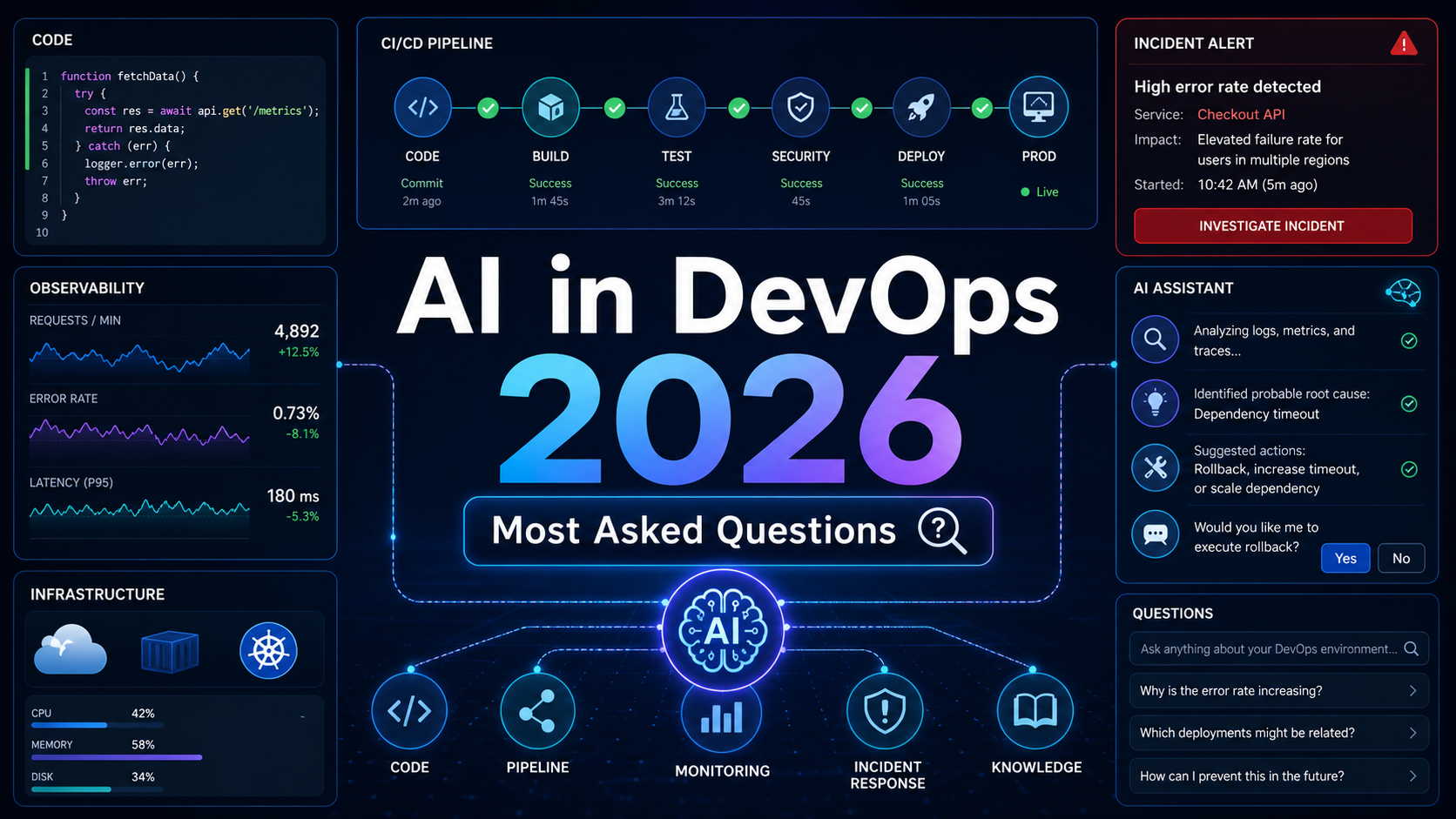

Quick Answer: AI in DevOps means using machine learning, generative AI, and software agents to improve delivery, operations, security, and incident response. The most searched questions in 2026 are practical: how AI fits into CI/CD, what AIOps does, whether AI will replace DevOps engineers, which tools are worth learning, and how teams can use AI safely without breaking production. The useful answer is not “replace the DevOps team.” It is “use AI for noisy, repetitive, evidence-heavy work while keeping humans accountable for architecture, approvals, security, and rollback decisions.”
Why AI and DevOps Are Being Searched Together
Search interest around AI and DevOps has grown because engineering teams have hit a familiar bottleneck. Developers can generate code faster with assistants, but the delivery system still has to build, test, scan, deploy, observe, secure, and recover that code. If the platform cannot absorb the new speed, AI simply moves the bottleneck from writing code to reviewing pull requests, fixing pipelines, and handling incidents.
That is why the strongest AI DevOps use cases are operational rather than flashy: fewer alert storms, faster root cause analysis, smarter test selection, better release notes, safer infrastructure changes, and more useful runbooks. AIOps vendors describe this as anomaly detection, event correlation, predictive operations, and automated remediation.
This article answers the questions people ask about AI in DevOps, with a practical bias toward safe adoption.
Most Searched AI and DevOps Questions in 2026
Search results, vendor documentation, reports, and interview topics point to these recurring questions:
- What is AI in DevOps?
- What is AIOps, and how is it different from DevOps?
- How is AI used in CI/CD pipelines?
- Can AI replace DevOps engineers?
- What are the best AI DevOps use cases?
- Which AI tools should DevOps engineers learn?
- How do you use AI safely in production operations?
- What skills are needed for an AI DevOps engineer?
The pattern is clear: people want to know what to automate first, where the risk is, and how their role changes.
What Is AI in DevOps?
AI in DevOps is the use of AI systems to support software delivery and operations. That can include classic machine learning for anomaly detection, generative AI for explanations and summaries, and agentic AI for multi-step tasks such as investigating a failed deployment or drafting a pull request fix.
A simple example is a failed CI job. A traditional pipeline tells you that a test failed. An AI-assisted pipeline can summarize the failure, compare it with recent commits, identify whether the error looks flaky, suggest the most likely file, and draft a pull request comment.
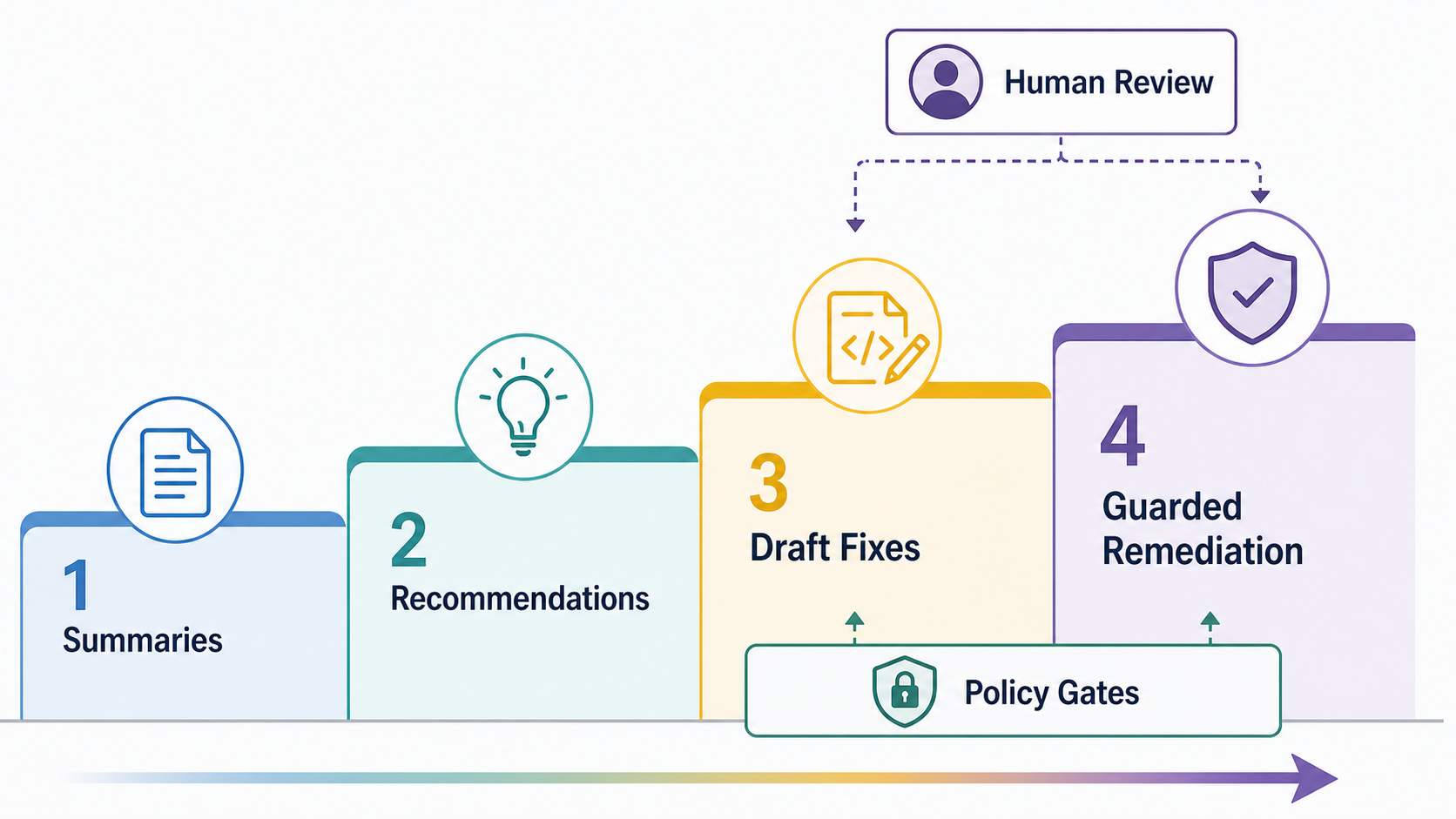
That does not mean every pipeline needs an autonomous agent. Most teams should start with assistive AI: summarize, classify, explain, compare, and recommend. Automated changes should come later.
What Is AIOps?
AIOps stands for artificial intelligence for IT operations. In practical terms, it means applying AI to monitoring data, logs, traces, events, alerts, incidents, and configuration changes. AWS frames AIOps around service quality, proactive operations, and operational insight. IBM highlights root cause analysis, anomaly detection, performance monitoring, cloud migration, and DevOps adoption.
The beginner mistake is thinking AIOps is just “AI monitoring.” Monitoring collects signals. AIOps tries to reason across signals. A Kubernetes node pressure alert, HTTP 500 spike, deployment event, and database warning may be separate alerts in different tools. A useful AIOps layer correlates them into one probable incident story.
If you are new to the topic, start with What is AIOps? AI for IT Operations Explained.
How Is AI Used in CI/CD Pipelines?
AI can help CI/CD in five ways:
- Failure explanation: summarize logs and show the likely cause.
- Test selection: predict which tests are most relevant to a change so teams can run fast checks first and full suites before release.
- Security triage: group duplicate findings and suggest safe remediation steps.
- Change risk scoring: flag deployments that touch sensitive services or risky migrations.
- Release communication: draft release notes, rollback notes, and incident timelines.
Here is a practical starter pattern for GitHub Actions, GitLab CI, Jenkins, or similar systems:
pipeline fails
  - collect job logs, changed files, test reports, dependency changes
  - send only the relevant snippets to an AI summarizer
  - post a pull request comment with:
      likely cause
      affected command
      suggested next step
      confidence level
  - require a human to apply or approve the fix
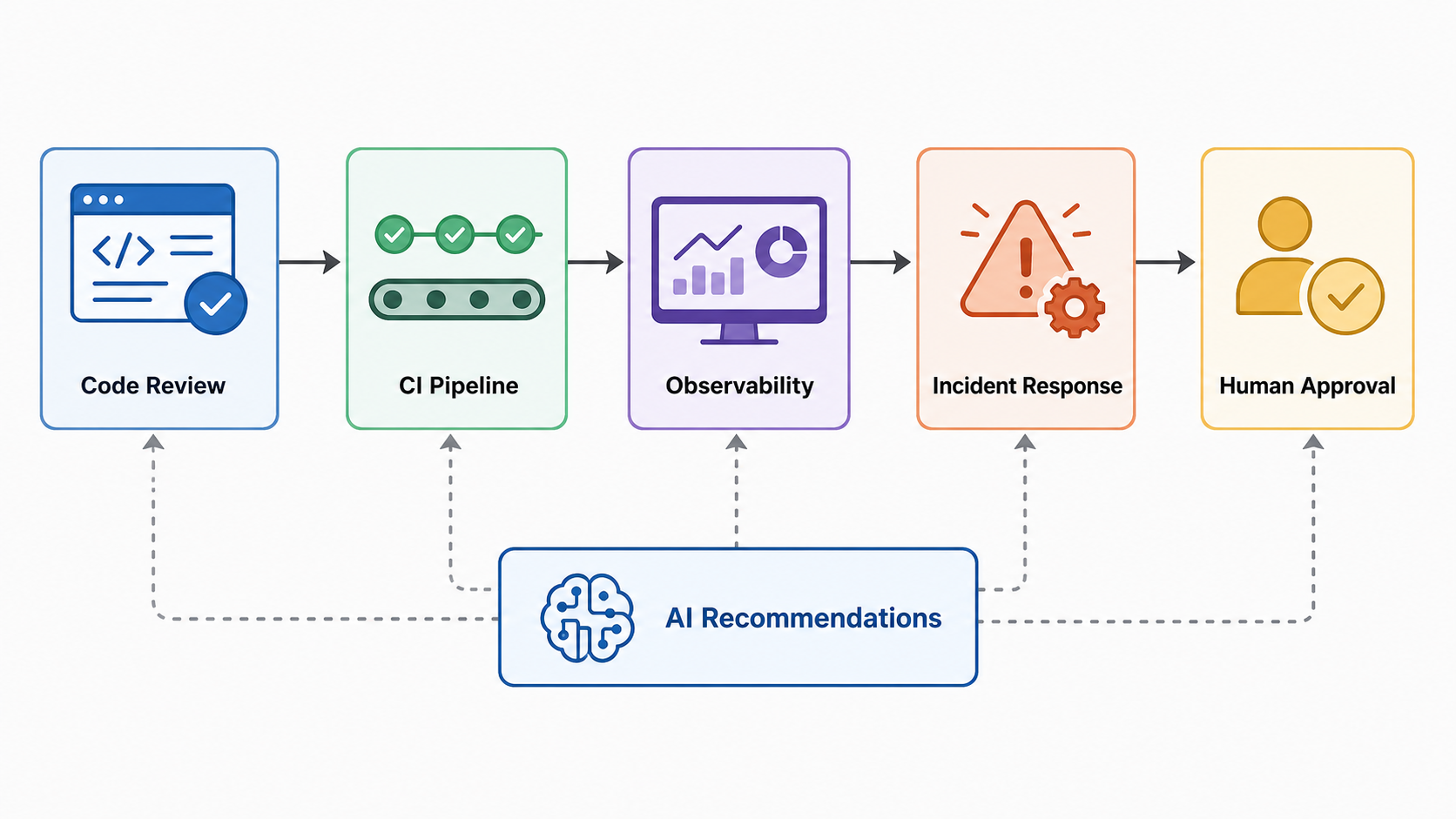
This pattern improves speed without giving the AI direct production authority. Once the team trusts the summaries, add automation such as opening a draft fix branch or creating a ticket.
Can AI Replace DevOps Engineers?
No, not in the way people usually mean. AI can replace some manual tasks, but DevOps engineering is not one task. It combines systems design, automation, security judgment, cost management, incident command, developer enablement, and organizational coordination.
AI is strong when work is repetitive, text-heavy, pattern-based, or constrained by examples. It is weaker when the missing context is business impact, compliance boundaries, production history, hidden dependencies, or the cost of being wrong.
The realistic shift is this: DevOps engineers who use AI well will outperform engineers who only use manual workflows. The valuable skill is knowing what context to provide, how to validate output, when to automate, and when to stop.
Best AI DevOps Use Cases to Start With
| Use case | Beginner-friendly? | Business value | Main risk |
|---|---|---|---|
| CI failure summaries | Yes | Faster debugging | Wrong root cause |
| Incident summaries | Yes | Cleaner handoffs | Missing timeline details |
| Alert deduplication | Yes | Less noise | Hiding a real alert |
| Security finding triage | Medium | Faster remediation | Understating severity |
| Automated rollback suggestions | Medium | Lower MTTR | Bad recommendation |
| Autonomous remediation | No | Potentially high | Production damage |
The safest first projects are read-only or advisory. Let AI summarize, group, explain, and recommend. Do not let it mutate infrastructure, rotate secrets, change firewall rules, or deploy to production until strict permissions and rollback are proven.
A Beginner Project: AI CI Failure Assistant
If you want a hands-on project, build a CI failure assistant. It should not fix code automatically at first. Its job is to collect evidence and produce a useful summary.
Step 1: Capture the right context
git diff --name-only origin/main...HEAD
git log --oneline -5
tail -n 300 build.log
cat test-results.xml
Do not send entire repositories or secret-filled logs to an AI model. Strip tokens, passwords, customer data, and unnecessary noise.
Step 2: Ask for structured output
Return:
1. Most likely cause
2. Evidence from logs
3. Changed files that may be related
4. Suggested command to reproduce locally
5. Confidence: low, medium, or high
Structured output is easier to review and paste into a pull request comment. It also reduces confident explanations without evidence.
Step 3: Keep humans in the loop
The assistant can explain a failure and suggest a next step, but a maintainer should still decide whether to change code, rerun tests, revert a dependency, or roll back a release.
Which AI DevOps Tools Should You Learn?
Do not start by buying the biggest platform. Map the workflow you want to improve, then choose a tool category.
| Need | Tool category | Examples to compare |
|---|---|---|
| AI coding and pull request help | Developer assistant | GitHub Copilot, Cursor, JetBrains AI Assistant |
| Pipeline automation | CI/CD platform | GitHub Actions, GitLab CI, Jenkins, Azure DevOps |
| Incident intelligence | AIOps or service management | PagerDuty, Atlassian Jira Service Management, IBM Cloud Pak for AIOps |
| Observability context | Monitoring and tracing | Prometheus, Grafana, Datadog, New Relic, OpenTelemetry-based stacks |
| Secure AI-generated code | DevSecOps scanning | Snyk, Black Duck, GitHub Advanced Security, cloud-native scanners |
For CI/CD tool selection, read Best CI/CD Tools in 2026 Compared. For the AI foundation, see What is Generative AI? A Beginner’s Guide and AI Agents Explained: Agentic AI in 2026.
Pricing and Licensing Caveats
AI DevOps tooling can become expensive through per-seat pricing, usage-based AI credits, and observability data volume. AIOps tools may charge by events, hosts, services, users, or data ingest. Some preview features can also change pricing before general availability.
Before purchasing, ask these questions:
- Is pricing per user, per host, per event, per token, or per workflow?
- Are AI features included or billed as credits?
- Can the tool redact secrets before sending data to an AI system?
- Does it support audit logs for AI actions and recommendations?
- Can you restrict write actions to non-production environments?
- Does it integrate with your current CI/CD, observability, and incident tools?
The neutral recommendation: pay first for visibility and developer workflow improvements. ROI is easier to prove when the tool saves review time, reduces alert noise, or shortens incident handoffs.
Pros and Cons of AI in DevOps
| Pros | Cons |
|---|---|
| Faster log and incident summaries | Can hallucinate causes if context is weak |
| Better prioritization of noisy alerts | May hide rare but important signals |
| More consistent runbooks and release notes | Needs maintenance as systems change |
| Helps beginners understand failures | Can create overconfidence in weak recommendations |
| Can improve security triage speed | Requires strict handling of secrets and private data |
Common Mistakes When Adding AI to DevOps
- Starting with autonomous remediation: begin with summaries and recommendations, then expand carefully.
- Sending too much data: logs often contain secrets, customer identifiers, and irrelevant noise.
- Ignoring evaluation: track whether AI recommendations were correct, useful, and acted on.
- Skipping access control: AI agents should have least-privilege permissions like any other automation.
- Buying before mapping workflows: tools do not fix unclear ownership, poor observability, or fragile pipelines.
AI DevOps Skills Roadmap
If you want to become useful in AI DevOps, learn in this order:
- DevOps fundamentals: Linux, Git, containers, CI/CD, networking, cloud basics, and infrastructure as code.
- Observability: metrics, logs, traces, SLOs, alert design, and incident timelines.
- AI basics: prompts, retrieval, model limits, hallucinations, token costs, and evaluation.
- Security: secrets handling, dependency scanning, access control, and audit logs.
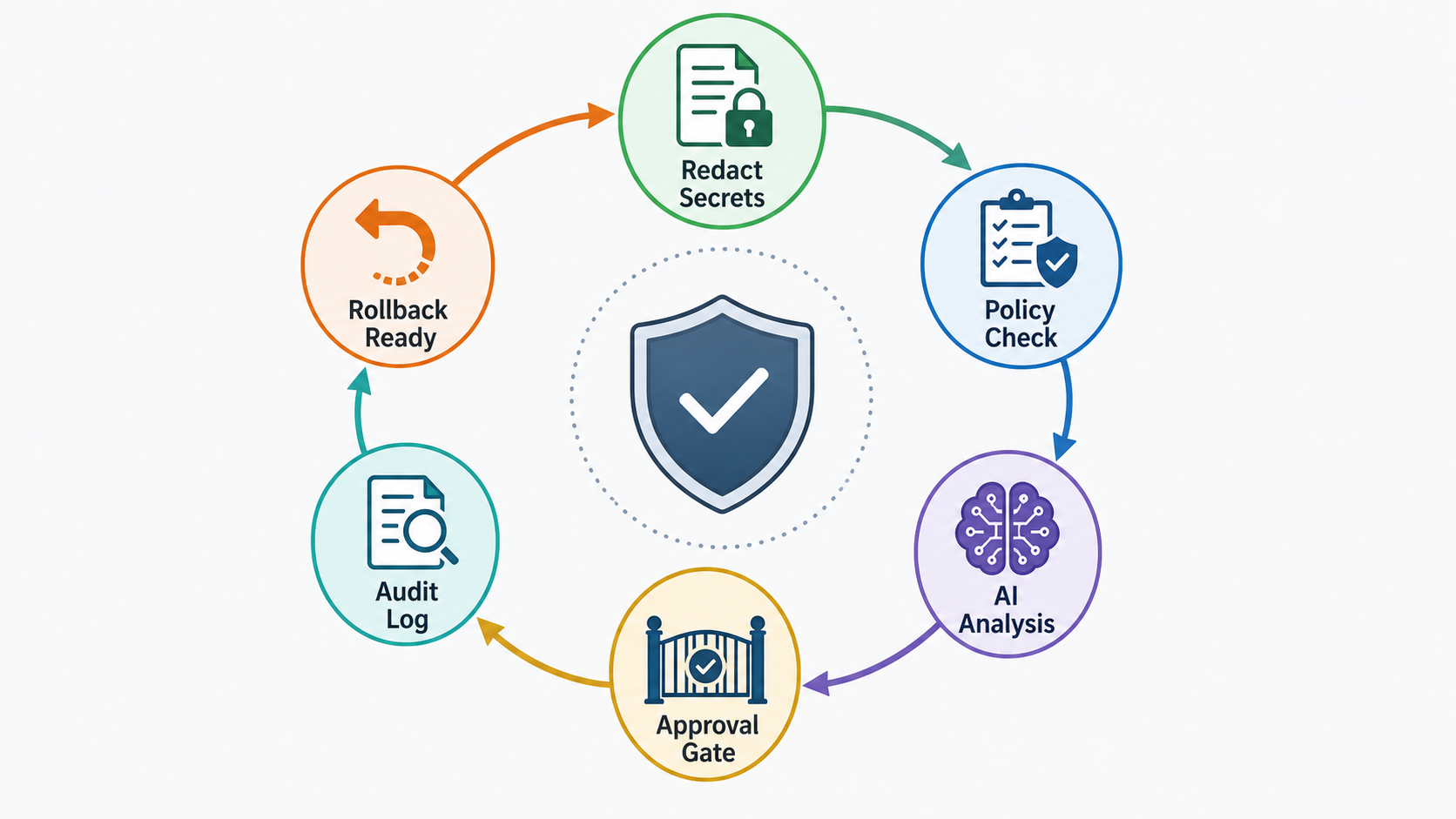
- Agent workflows: tool calling, approvals, sandboxes, rollback, and policy gates.
A good portfolio project is better than a generic certificate list. Build a CI failure assistant, incident summarizer, log anomaly detector, or runbook recommender. Show inputs, outputs, evaluation results, and guardrails.
FAQ: AI and DevOps
What is AI in DevOps?
AI in DevOps is the use of AI to improve software delivery and operations, including CI/CD failure analysis, AIOps, incident summaries, test prioritization, security triage, release notes, and controlled remediation workflows.
What is the difference between AIOps and DevOps?
DevOps is a culture and engineering practice for improving collaboration between development and operations. AIOps is a set of AI techniques used to improve IT operations, observability, incident response, and operational decision-making.
How is AI used in CI/CD?
AI can summarize failed jobs, recommend likely fixes, prioritize tests, detect risky changes, group security findings, draft release notes, and create clearer deployment reports. The safest starting point is advisory automation, not direct production changes.
Will AI replace DevOps engineers?
AI will automate some repetitive DevOps tasks, but it will not replace the full DevOps role. Teams still need engineers for architecture, reliability trade-offs, security review, incident command, platform design, and production accountability.
What is the best AI DevOps project for beginners?
A CI failure assistant is a strong beginner project. It collects changed files, recent commits, test results, and build logs, then produces a structured failure summary with evidence and suggested next steps.
How do you use AI safely in production DevOps?
Use least-privilege access, redact secrets, keep audit logs, require human approval for high-risk actions, test recommendations in lower environments, and make rollback easy before allowing any automated remediation.
Next Steps
Start with one workflow where the pain is obvious and the risk is contained. CI failure summaries, incident handoff summaries, and alert grouping are good candidates. Measure whether the assistant saves time, whether engineers trust its output, and where it fails.
For a broader learning path, read the DevOps Roadmap, compare CI/CD tools, and review Generative AI basics.


