
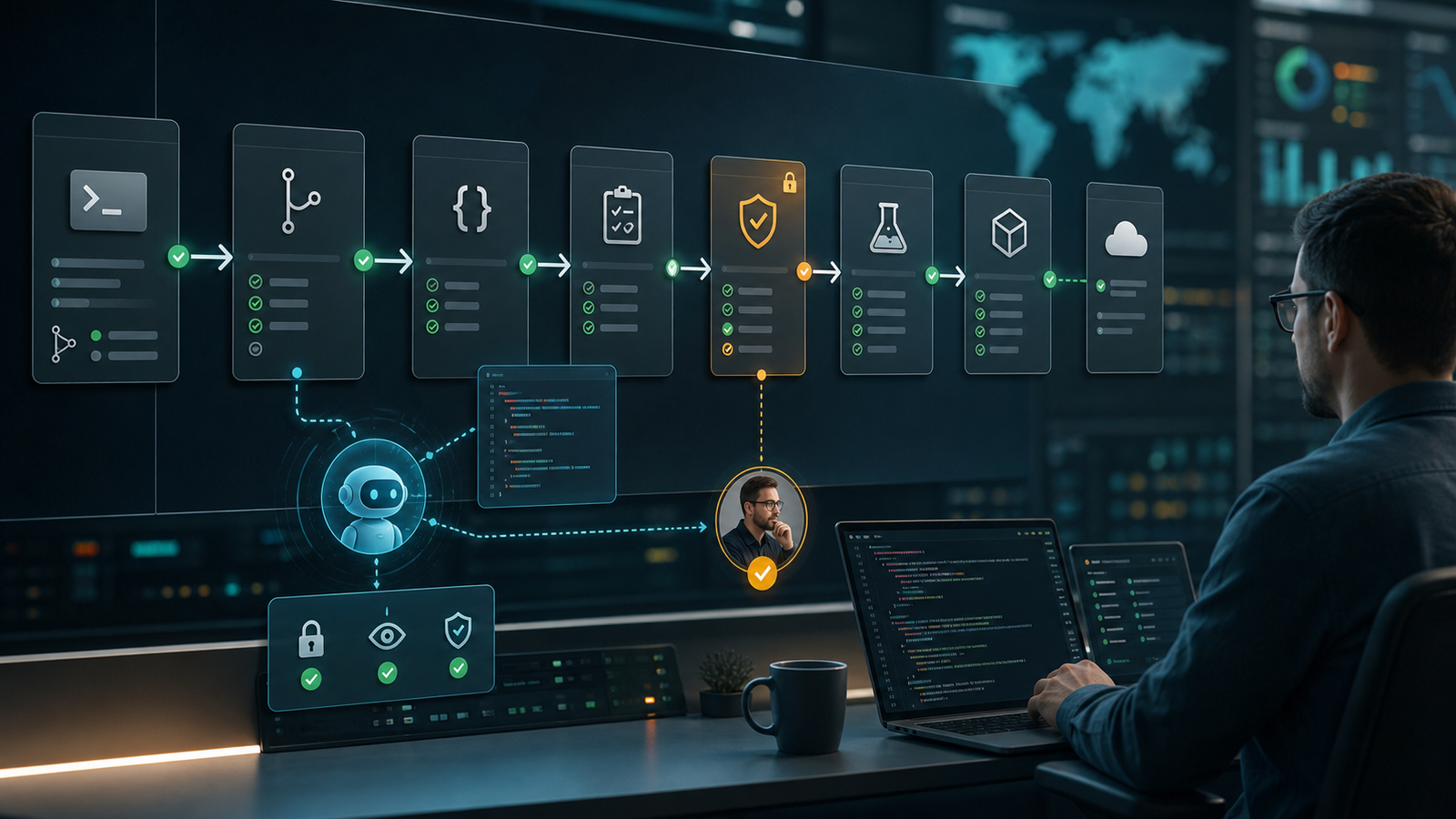

AI agents can help throughout CI/CD, but their safest role changes as code moves toward production. In code review, an agent can inspect diffs, explain workflow changes, and propose tests. During CI, it can summarize failures and identify flaky-test patterns. Before deployment, it can assemble evidence and flag missing controls. Production changes should remain behind deterministic checks, narrowly scoped credentials, human approval, and a tested rollback path.
The practical rule is simple: let the agent read, analyze, and propose before it can write, approve, or deploy. An agent that processes untrusted pull-request text should not also hold repository write access, package-publishing credentials, or production secrets.
If you need the underlying architecture first, read how AI agents plan, use tools, and inspect results. This guide focuses on the delivery pipeline: code review, testing, security checks, release evidence, deployment, and rollback.
Table of contents
- Where agents fit in CI/CD
- From code review to deployment
- A safe operating architecture
- Permissions and event safety
- A practical adoption plan
- How to evaluate an AI CI/CD tool
- Frequently asked questions
Where AI agents fit in CI/CD
An AI CI/CD agent is a model-powered component that can inspect delivery context, choose from approved tools, and return a result such as a review comment, failure diagnosis, test plan, patch proposal, release summary, or deployment-risk report. The agent is not the pipeline itself. Normal automation still owns reproducible builds, tests, scans, approvals, artifact publication, deployment, and rollback.
| Pipeline stage | Useful agent task | Evidence the agent should cite | Control that remains authoritative |
|---|---|---|---|
| Code review | Explain a diff, identify likely defects, or suggest focused tests | Changed lines, repository rules, test ownership, dependency files | Human review, branch protection, required checks |
| Build and test | Summarize the first meaningful failure or group flaky-test patterns | Job logs, stack traces, retry history, runner details | Build scripts, test framework, pass/fail result |
| Security review | Triage findings and connect them to affected code | SAST, SCA, secrets, IaC, container, and policy results | Scanner output, policy-as-code, security exception process |
| Release readiness | Draft a risk summary and identify missing evidence | Approvals, test results, artifact digest, migration and rollback notes | Release policy and environment approval |
| Deployment | Recommend a rollout or summarize canary signals | Health checks, error rate, latency, deployment events | Deployment controller, SLO gates, authorized approver |
| Post-deployment | Correlate symptoms and prepare a rollback recommendation | Logs, metrics, traces, recent changes, incident timeline | Incident command, rollback procedure, audit log |
This division keeps the model useful without making its prose a source of truth. An agent can rank possibilities, but a test result, policy decision, artifact digest, or production health check should decide whether a stage passes.
From code review to deployment
1. Code review: explain and propose
A review agent can map changed files to service ownership, summarize behavior changes, check whether tests cover the affected path, and flag edits to workflow or infrastructure files. It can also draft a small patch. The patch should arrive as a reviewable proposal, not a silent commit to a protected branch.
Require the agent to point to exact files and lines, distinguish evidence from inference, and say when repository context is incomplete. A polished comment without traceable evidence is not a useful review.
2. CI: diagnose failures and prioritize tests
Failed-build summarization is a strong first use case because the agent can add value without changing state. Give it the failing command, relevant log window, changed dependencies, runner image, and recent failure history. Ask for the first meaningful error, supporting evidence, uncertainty, and the next safe checks.
For test selection, use the agent to prioritize fast feedback rather than to remove required coverage. A targeted suite can run early, while the full regression or release suite remains a deterministic gate. Flaky-test classification should produce an owner, evidence, issue link, and expiry date; otherwise quarantine becomes a place to hide quality debt.
3. Security: triage, do not waive
An agent can group duplicate findings, explain why a vulnerable path is reachable, and draft remediation steps. It should not approve its own security exception or suppress a scanner. Generated code and infrastructure changes still need secrets detection, dependency review, SAST, IaC checks, container scanning, and policy enforcement. The AI DevSecOps pipeline guide shows how those controls fit around AI-assisted changes.
4. Release readiness: assemble evidence
Before deployment, an agent can create a release brief from approved pull requests, test results, security findings, artifact attestations, database migrations, feature flags, service ownership, and rollback instructions. The useful output lists what is known, what is missing, and why the change is low, medium, or high risk.
Artifact provenance matters here. SLSA treats provenance as verifiable information about how software was produced, while GitHub artifact attestations can associate a build with its workflow, repository, commit, event, and other identity claims. An agent may summarize that evidence, but the pipeline should verify it.
5. Deployment: keep execution bounded
Deployment is where recommendation and authority must separate. The agent can propose canary, blue-green, staged, or delayed rollout based on change risk and current health. A deployment controller should execute the approved strategy with explicit environment permissions, health checks, timeouts, and rollback rules.
Do not let free-form model output flow directly into a shell, cloud CLI, Kubernetes command, Terraform apply, package publish step, or deployment target. Convert a recommendation into a validated, allowlisted action with typed parameters. High-impact changes should show the target, proposed effect, approver, and rollback path before execution.
A safe operating architecture
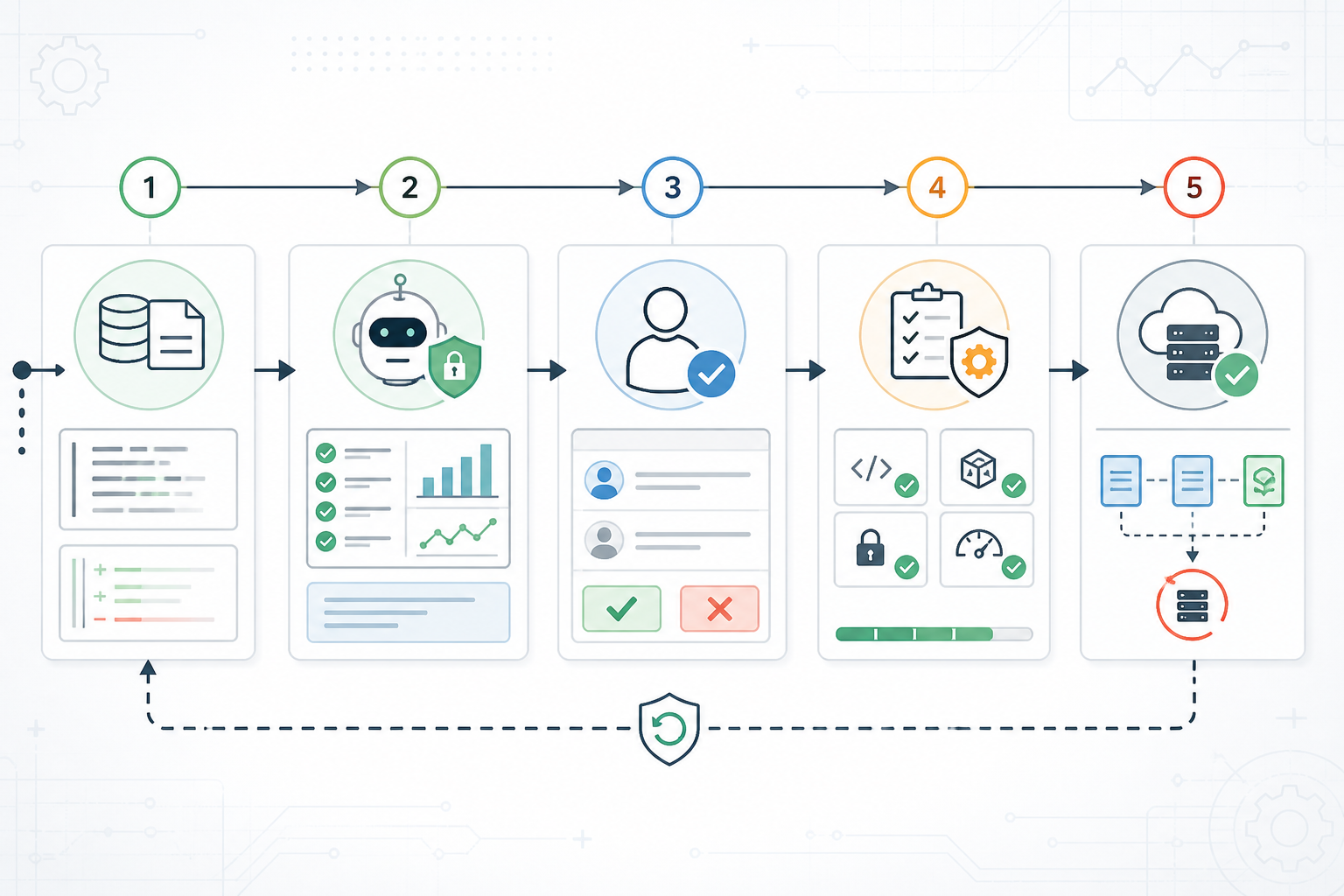
A safe agent workflow has five boundaries:
- Collect: gather the minimum logs, diffs, test results, policies, and ownership data needed for the task.
- Sanitize: remove secrets and sensitive records, bound input size, and label pull-request text, issue comments, files, and external pages as untrusted.
- Analyze: run the agent with read-only tools, an iteration limit, structured output, and no direct path to production credentials.
- Review: require a person or deterministic policy to approve any write, merge, exception, publication, deployment, or rollback.
- Execute and observe: let established automation perform the approved action, record an audit trail, verify the result, and stop or roll back when health gates fail.
The audit record should capture the task, input sources, model and policy version, tool calls, approvals, external effects, errors, and final outcome. For the monitoring layer, use the AI agent observability guide to separate model quality, tool reliability, cost, and operational risk.
Permissions, secrets, and event safety
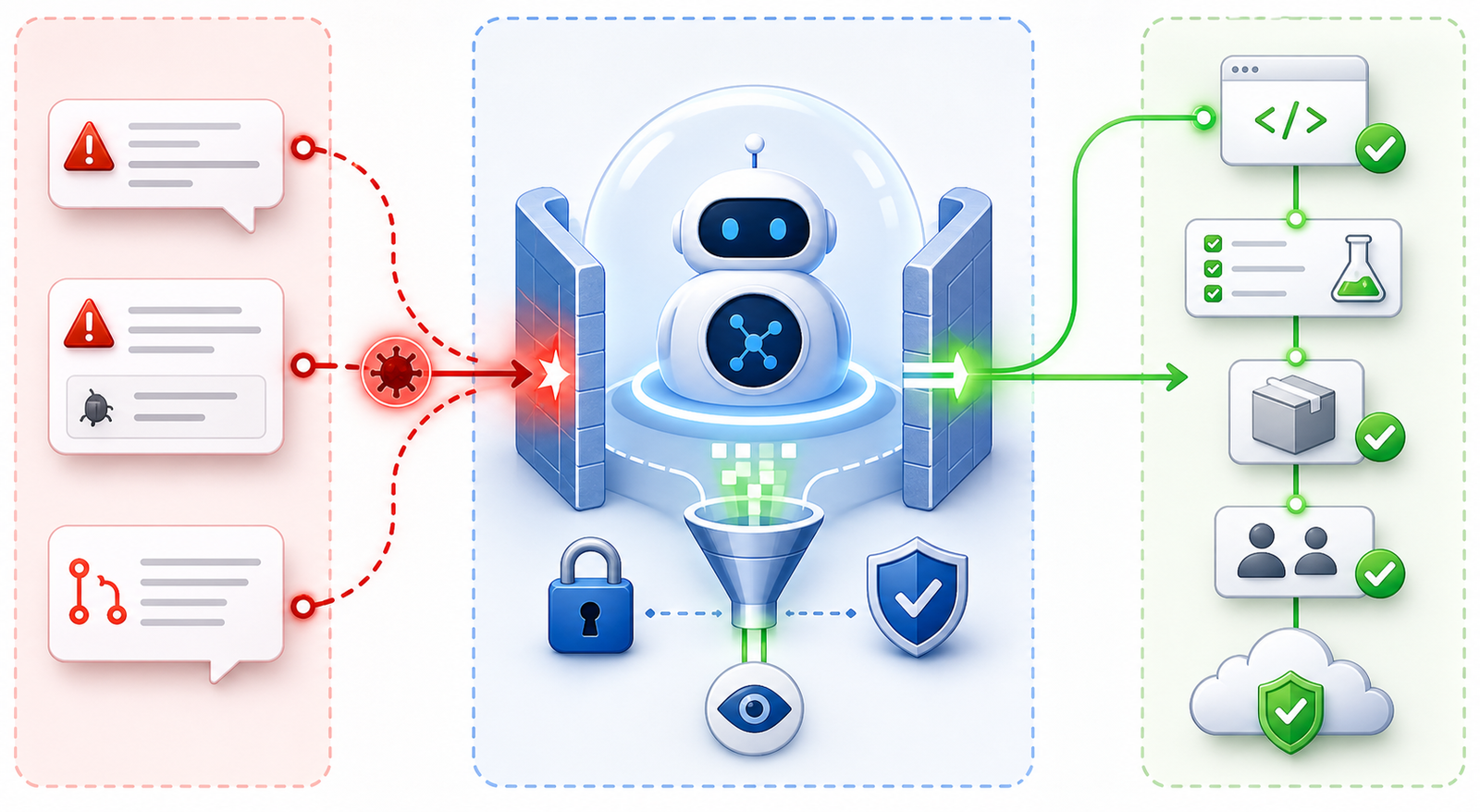
GitHub’s secure-use guidance recommends granting the GITHUB_TOKEN the minimum permissions needed and warns that untrusted pull-request content can create script-injection and workflow risks. Start an analysis job with read access only, then isolate any later job that genuinely needs to create a comment or pull request.
Treat pull_request_target as a privileged event. GitHub specifically warns against checking out and running untrusted pull-request code with repository secrets or a privileged token. If the workflow only needs analysis, prefer an event and permission model that cannot expose privileged context to forked code.
| Capability | Starting permission | Escalation condition |
|---|---|---|
| Read repository and workflow files | Repository contents read | No escalation needed for analysis |
| Post a review summary | Separate job with narrowly scoped pull-request permission | Only after sanitization and policy checks |
| Open a patch pull request | Dedicated automation identity on a branch | Tests pass and a human reviews the diff |
| Publish an artifact | Protected release job | Required checks, provenance, signing, and approval pass |
| Deploy production | Protected environment identity | Authorized approval, health gates, and rollback readiness |
Do not copy raw secrets into prompts or logs. Prefer short-lived workload identity such as OIDC where the platform supports it, separate development and production identities, and deny-by-default tool policies. NIST’s work on software and AI agent identity and authorization highlights the difficulty of preserving least privilege when an agent’s actions are not fully predictable.
A practical adoption plan
- Choose one read-only task. Start with failed-build summaries or workflow review, not production remediation.
- Define success before rollout. Measure evidence accuracy, useful recommendations, false positives, review time, and cost per analyzed run.
- Clean the inputs. Improve log structure, ownership data, test history, artifact naming, and deployment metadata before adding an agent.
- Constrain the tools. Give each tool a narrow name, typed inputs, validation, a timeout, and the smallest permission set possible.
- Test hostile and incomplete inputs. Include prompt injection, oversized logs, malicious file names, missing evidence, tool failures, and stale context.
- Add a write path separately. If analysis is reliable, let a different job open a draft pull request. Keep merge and deployment approval outside the agent.
- Prepare rollback first. Define how to revoke credentials, stop a run, revert a patch, roll back a release, and preserve evidence for incident review.
Teams comparing platforms should first document their current pipeline and controls. The CI/CD tools comparison can help map those requirements before an AI feature becomes the deciding factor.
How to evaluate an AI CI/CD tool
| Criterion | Question to ask |
|---|---|
| Evidence | Can every recommendation link to a diff, log line, test, policy result, or deployment event? |
| Permission model | Can analysis run read-only, with write and deployment rights isolated by job and environment? |
| Input safety | How are pull-request text, issue comments, files, and retrieved pages labeled and sanitized? |
| Output control | Can the agent return a typed report rather than executable free-form text? |
| Data handling | What repository data is retained, where is it processed, and is it used for model training? |
| Auditability | Are prompts, context, tool calls, approvals, policy decisions, and external effects recorded? |
| Supply chain | Are actions pinned, dependencies reviewed, artifacts attested, and provenance verified? |
| Cost | Is billing based on seats, repositories, tokens, workflow runs, build minutes, or premium tiers? |
| Failure handling | What happens when the model, tool, API, or policy engine times out or returns an invalid result? |
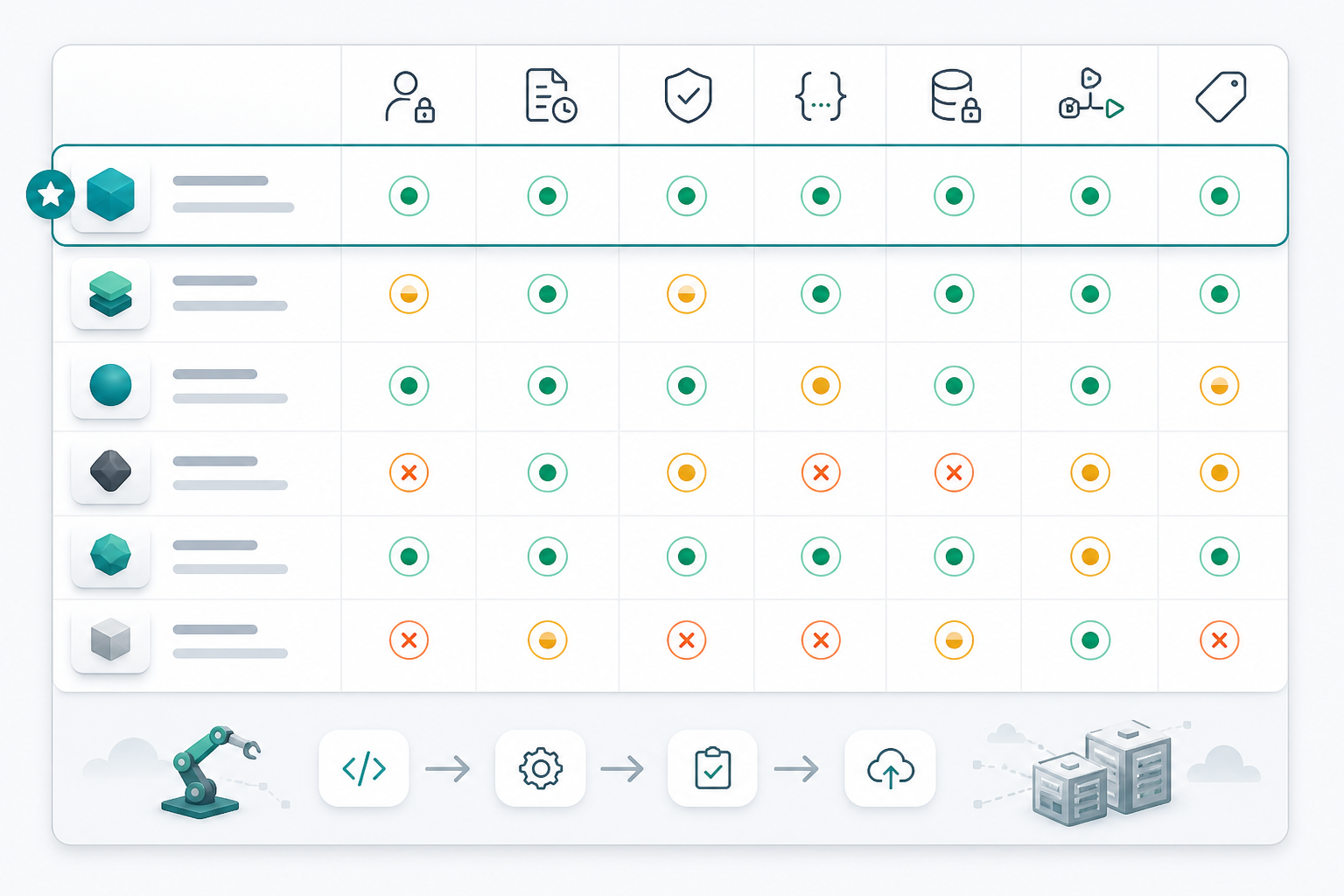
Choose the product that solves a measured bottleneck with controls your team can operate. A broad autonomous feature is not automatically better than a narrow failure-analysis tool with strong evidence, predictable permissions, and a clean audit trail.
Frequently asked questions
What is the best first AI-agent use case in CI/CD?
Failed-build summarization is usually the best starting point. It is read-only, easy to compare with an engineer’s diagnosis, and useful without granting the agent write or deployment access.
Can an AI agent review and edit workflow files?
Yes. Let it review workflow files and propose a patch on a separate branch. Require normal code review, tests, branch protection, and security checks before merging the change.
Should an AI agent have CI/CD secrets?
Most analysis tasks do not need them. Provide sanitized logs and read-only context. For an approved external action, use a separate job and short-lived, narrowly scoped credentials rather than placing long-lived secrets in the agent’s context.
Can an AI agent deploy to production?
Technically yes, but most teams should keep production deployment behind deterministic gates and an authorized approval. The agent can prepare the evidence and recommend a rollout; established deployment automation should execute it.
How do teams prevent prompt injection in CI/CD?
Treat pull-request text, issue comments, commits, files, logs, and retrieved pages as untrusted data. Keep policy outside the prompt, restrict tools in code, validate parameters, separate read and write jobs, and never execute free-form model output.
How should AI-agent activity be monitored?
Record task success, evidence quality, tool errors, permission denials, approvals, external changes, latency, cost, and rollback events. Monitoring should reveal whether the agent improves delivery outcomes, not merely how many suggestions it produces.
Related GravityDevOps guides
- AI Agents Explained: Agentic AI in 2026
- AI Agents vs AI Assistants vs Chatbots
- AI Agent Observability for DevOps
- AI DevSecOps Pipeline for AI-Generated Code
- Best CI/CD Tools Compared


