

Quick Answer: AI DevOps prompt engineering is the practice of giving AI assistants enough system context, logs, constraints, and safety rules to produce useful DevOps output: deployment risk reviews, Kubernetes troubleshooting steps, incident summaries, runbook drafts, test plans, and postmortem notes. The best prompts in 2026 do not ask AI to “fix production.” They ask AI to reason from evidence, list assumptions, propose reversible actions, and wait for human approval before changing infrastructure.
Search interest around AI and DevOps has moved from curiosity to implementation. People are asking how to use AI in CI/CD pipelines, whether AIOps can reduce alert noise, how to secure AI-generated code, what prompts work for Kubernetes troubleshooting, and how to stop agentic automation from creating new outages.
That change matters. A generic chatbot answer is not enough when a deployment is failing, a Kubernetes pod is crash-looping, or an incident channel is filling with guesses. DevOps work depends on context: service ownership, deployment history, logs, metrics, traces, infrastructure state, error budgets, and the difference between a reversible restart and a risky schema migration. AI can help, but only when the prompt forces it to work like a disciplined operator.
This guide gives beginners and practitioners a practical way to use AI prompts in DevOps without turning the model into an unsafe production actor. Use it alongside the GravityDevOps guides on generative AI basics, CI/CD tool selection, AI-powered CI/CD pipelines, and AI agent observability.
Why Prompt Engineering Matters in DevOps
In DevOps, a vague prompt usually produces a vague recommendation. “Why is my app down?” is not enough. A useful prompt says which service is affected, what changed, what telemetry is available, what actions are forbidden, and what output format the team needs.
Google Cloud describes AIOps as using AI and machine learning to support IT operations, including anomaly detection, event correlation, and automated incident workflows. OpenTelemetry defines a vendor-neutral way to generate, collect, and export traces, metrics, and logs. Those ideas connect directly: AI performs better when it receives structured evidence instead of screenshots and partial log snippets.
For DevOps teams, prompt engineering is less about clever wording and more about operational discipline. A good prompt tells the AI what it may inspect, what it must not change, how to rank evidence, and which recommendations require approval.
The Prompt Pattern That Works Best
Use this structure for most AI DevOps tasks:
Role:
You are assisting a DevOps/SRE team. You do not make production changes.

Context:
Service name, environment, recent deploys, cloud/Kubernetes details, known constraints.

Evidence:
Logs, metrics, traces, alerts, pipeline output, configuration snippets.

Task:
Analyze, summarize, compare, draft, or propose.

Rules:
State assumptions. Separate facts from guesses. Prefer reversible steps.
Do not suggest destructive commands unless explicitly marked as last resort.

Output:
Return findings, likely causes, next checks, safe actions, and escalation triggers.
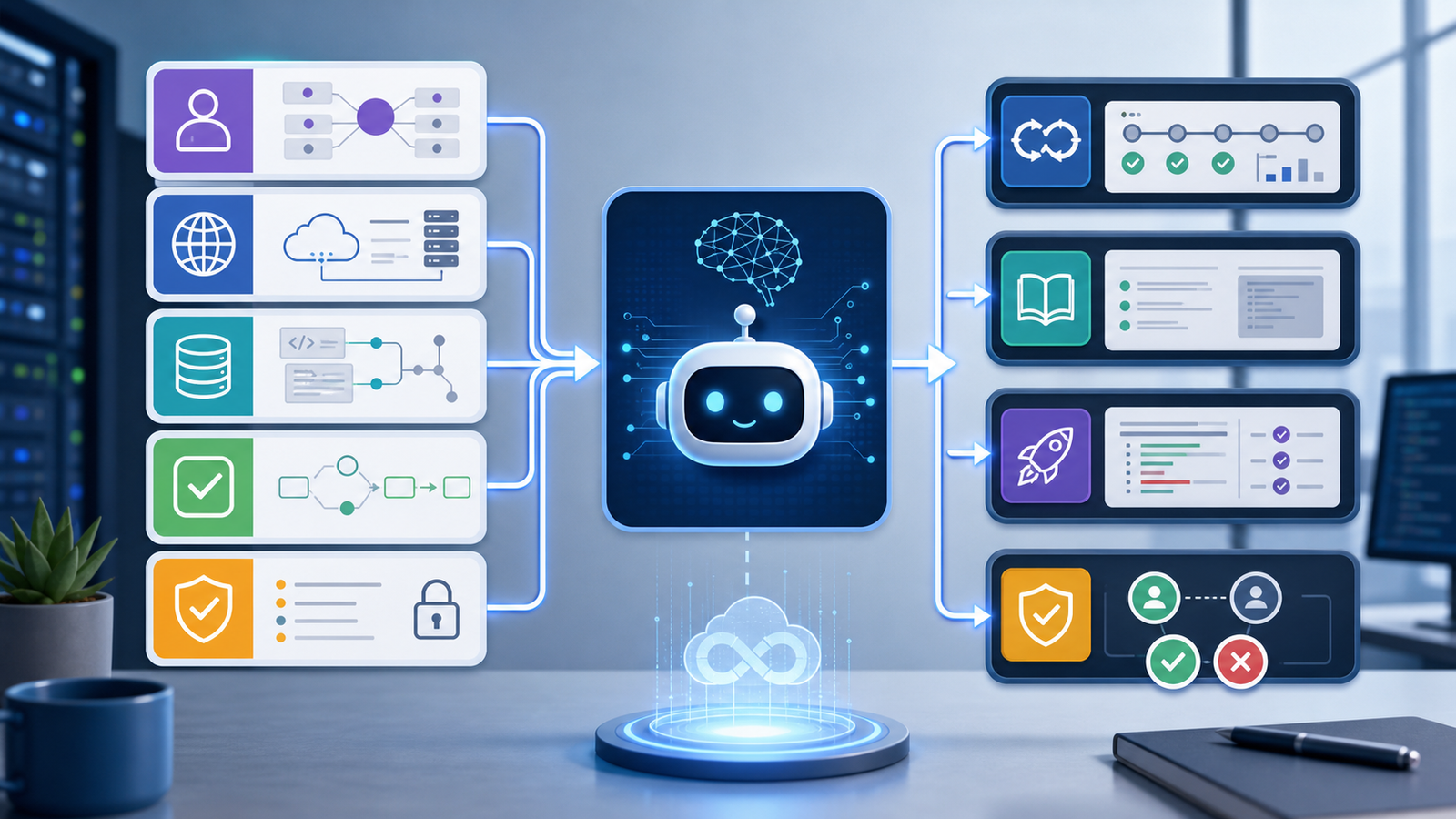
This template fixes the most common AI failure in DevOps: jumping from one error message to a confident fix without checking the surrounding system.
Prompt 1: CI/CD Failure Diagnosis
Use this when a build, test, security scan, or deployment job fails.
Act as a CI/CD failure analyst.

Context:
- Repository: <repo>
- Branch/PR: <branch or PR>
- Pipeline tool: <GitHub Actions/GitLab/Jenkins/Azure DevOps/etc.>
- Last successful run: <link or timestamp>
- Recent changes: <summary>

Evidence:
<paste the failing job log, test summary, and changed files list>

Task:
Find the likely cause. Return evidence, root cause, confirmation checks, safe fix, and deploy-blocking risk.

Rules:
Do not invent files or commands. If more data is needed, ask for it.
Example: if a Docker build fails after a base image update, the AI should compare the failing step, dependency output, lockfile changes, and image tag. The answer might be a changed package repository, a missing system library, or a pinned dependency that no longer builds.
Keep the AI in review mode first. Let it summarize risk, explain failures, suggest tests, and draft a patch. Do not let it auto-merge or deploy without branch protection and rollback rules.
Prompt 2: Kubernetes CrashLoopBackOff Troubleshooting
Kubernetes questions are common because the symptom is visible but the cause can hide in configuration, runtime, networking, or application code.
Act as a Kubernetes troubleshooting assistant.

Context:
- Cluster type: <EKS/GKE/AKS/self-managed>
- Namespace: <namespace>
- Workload: <deployment/statefulset/job>
- Recent deploy/change: <image tag, config change, rollout time>

Evidence:
kubectl get pod output:
<paste>

kubectl describe pod:
<paste relevant events>

kubectl logs --previous:
<paste>

Task:
Diagnose why the pod is failing. Rank likely causes.
Give read-only commands first, then low-risk remediation.

Rules:
Do not recommend deleting persistent volumes.
Do not recommend changing resource limits without evidence.
Mention when rollback is safer than live debugging.
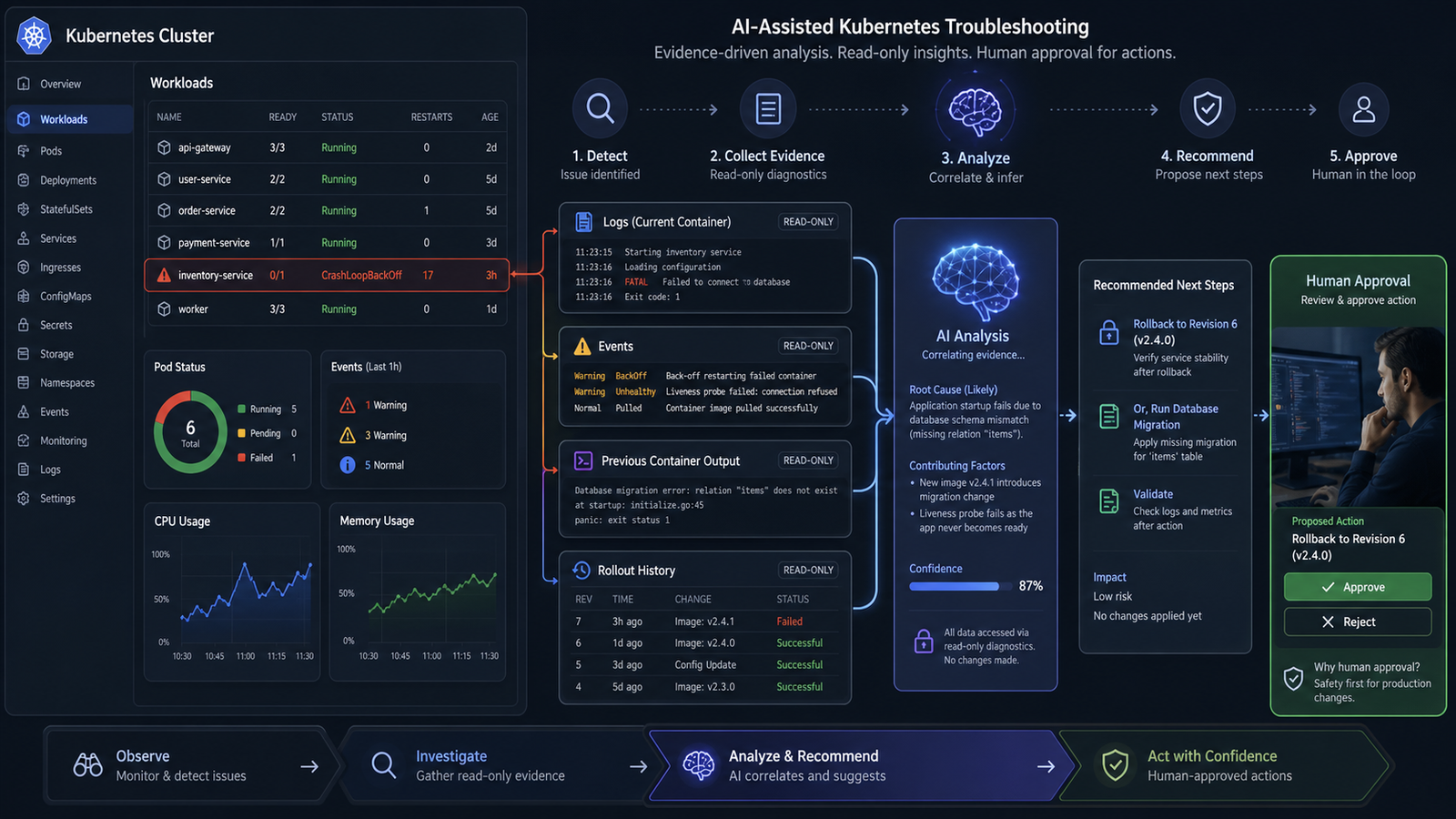
A beginner might see CrashLoopBackOff and assume Kubernetes is broken. A practitioner knows it often means the container process starts and exits repeatedly. A useful AI answer checks exit codes, probes, environment variables, secrets, config maps, image history, and startup logs before suggesting changes.
Read-only checks usually come first:
kubectl get pods -n app
kubectl describe pod <pod> -n app
kubectl logs <pod> -n app --previous
kubectl rollout history deployment/<deployment> -n app
kubectl get events -n app --sort-by=.lastTimestamp
The AI can organize these outputs, but the operator still decides whether to roll back, patch configuration, scale traffic away, or escalate.
Prompt 3: Incident Triage and Status Updates
AI is useful during incidents when it reduces coordination load. It should not become the incident commander. The best use is summarizing evidence, drafting customer-safe updates, identifying missing checks, and keeping the timeline clean.
Act as an incident scribe for an SRE team.

Context:
- Incident severity: <P0/P1/P2>
- Affected services: <services>
- Customer impact: <known impact>
- Incident start time: <time zone included>

Evidence:
<paste alert text, timeline notes, deploy history, key metrics>

Task:
Create:
1. Factual summary
2. Unknowns
3. Likely contributing factors
4. Next 15-minute actions
5. External status update

Rules:
Do not blame a team or vendor unless evidence proves it.
Label uncertain statements clearly.
Keep customer wording calm and factual.
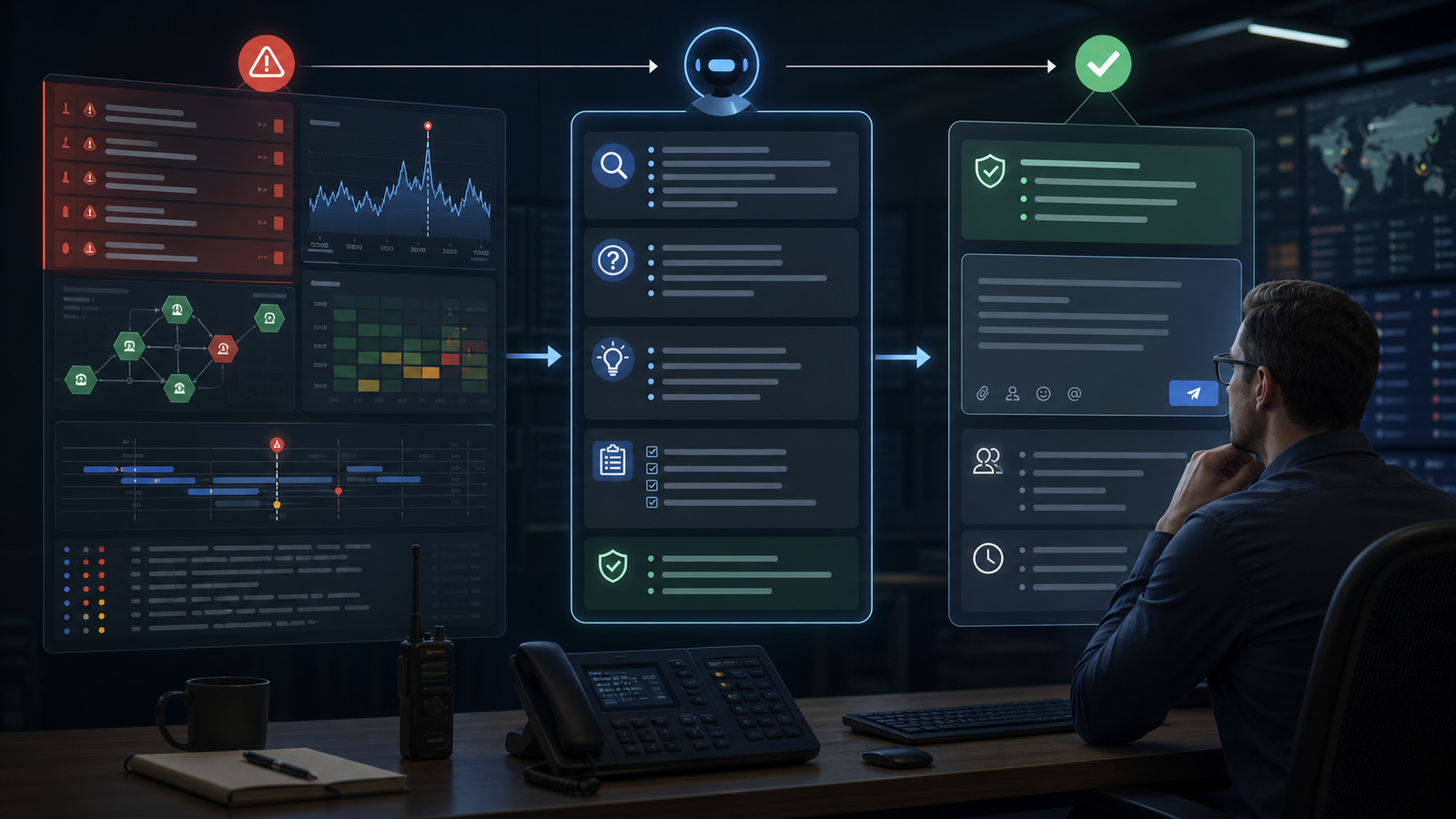
This prompt creates internal clarity and external communication. It also prevents a common incident mistake: mixing guesses with facts. If the team only has API latency and queue depth, the AI should say “database saturation is a hypothesis to check,” not “database saturation is the root cause.”
Prompt 4: Runbook Drafting From a Real Fix
One high-value AI DevOps workflow is turning a messy successful fix into a reusable runbook. This saves time without touching production.
Act as a runbook editor.

Context:
- Service: <service>
- Incident or issue: <summary>
- Audience: junior on-call engineer

Evidence:
<paste the commands used, timeline, decision notes, and final fix>

Task:
Create a runbook with:
- Symptoms
- Impact
- Read-only diagnosis steps
- Safe remediation steps
- Rollback plan
- Escalation conditions
- Verification checks

Rules:
Mark destructive or irreversible actions as "requires senior approval."
Use command placeholders instead of real secrets or customer data.
A good runbook is a decision aid. The AI should remove chatter, preserve the sequence that worked, and add guardrails where a future operator could make things worse.
Prompt 5: AI-Generated Code and Infrastructure Review
AI-generated code can create fast pull requests, but DevOps teams need stronger review habits, especially for Terraform, Kubernetes manifests, Helm charts, CI workflows, Dockerfiles, and IAM policies.
Act as a DevSecOps reviewer.

Context:
- Change type: <Terraform/Kubernetes/CI workflow/Dockerfile/IAM>
- Environment: <dev/stage/prod>
- Risk tolerance: production-safe, least privilege, reversible deploys

Evidence:
<paste diff>

Task:
Review the change for:
1. Security risk
2. Reliability risk
3. Cost and rollback risk
4. Missing tests or policy checks

Rules:
Do not rewrite the whole file.
Return only actionable findings with severity and suggested patch direction.
This is where AI can act like a second reviewer, not a replacement for the owner. It can spot broad IAM permissions, missing limits, unpinned images, privileged pods, secrets in logs, and deployment steps that skip approvals.
Common Mistakes
Giving the AI too little context. A single error line rarely explains a production failure. Include deploys, environment, logs, metrics, and what changed.
Asking for fixes before diagnosis. Prompt for likely causes, confidence, and confirmation checks before asking for remediation.
Allowing destructive suggestions. Forbid deleting volumes, rotating production secrets, changing IAM, or running migrations unless explicitly approved.
Ignoring data boundaries. Do not paste secrets, customer data, proprietary incident details, or regulated data into an AI tool unless your organization has approved that use.
Skipping measurement. Track whether AI reduces detection time, review time, failed deployments, and repeated incidents.
Final Recommendation
AI DevOps prompt engineering is useful when it makes operators more precise. It is risky when it encourages teams to skip evidence, approvals, and rollback thinking. The best teams in 2026 will use AI to read faster, summarize better, draft safer runbooks, and review risky changes while humans keep control of production decisions.
Start small. Use AI for CI/CD failure summaries, Kubernetes diagnosis, incident notes, and runbook drafts. Add automation only after the prompts prove reliable on real historical cases. For the broader roadmap, read AI DevOps Roadmap 2026, compare platforms in Best AI DevOps Tools 2026, and strengthen your delivery foundation with Best CI/CD Tools 2026 Compared.
FAQ
What is AI DevOps prompt engineering?
AI DevOps prompt engineering is the practice of structuring prompts so AI assistants can analyze DevOps evidence such as logs, metrics, traces, pipeline output, diffs, and incident notes. The goal is to get safer, more specific recommendations without giving the AI unchecked production control.
Can AI fix DevOps incidents automatically?
AI can help detect, summarize, and suggest fixes for incidents, but automatic remediation should be limited to well-tested, reversible actions with approval gates. High-risk actions such as database changes, IAM updates, and destructive Kubernetes operations should remain human-approved.
What are the best DevOps tasks for AI prompts?
The best starting tasks are CI/CD failure summaries, Kubernetes troubleshooting, incident timeline cleanup, runbook drafting, pull request risk reviews, and postmortem first drafts. These tasks improve speed without requiring the AI to directly control production.
How do I make AI DevOps prompts safer?
Include context, evidence, constraints, forbidden actions, and expected output. Ask the AI to separate facts from hypotheses, list assumptions, prefer reversible steps, and identify when more data or human approval is required.
Should beginners learn prompt engineering before DevOps basics?
No. Beginners should first learn Linux, networking, Git, CI/CD, containers, Kubernetes basics, monitoring, and cloud fundamentals. Prompt engineering becomes useful when you understand the system well enough to judge whether the AI output is correct.


