

The best free AI animation generators online are Adobe Express for talking characters, Canva for motion graphics, Animaker for editable cartoon scenes, Krikey AI for 3D avatars, Powtoon for short explainers and Renderforest for template-led animation. Every option has a real zero-cost path, but free credits, watermarks, export quality and commercial-use rules vary.
An AI animation generator can turn audio, text, images or a template into moving characters and scenes. That is narrower than a general free AI video generator, which may produce realistic or cinematic clips without giving you editable characters, props or motion paths. Choose the workflow first: talking character, 2D explainer, 3D avatar or animated design.
We checked current US-facing product pages, pricing and help documentation on September 25, 2026. Free plans change frequently. “Free” below means you can create and export or share a usable result without paying; it does not mean unlimited generation, no watermark or automatic commercial rights.
Free AI animation generators online at a glance
| Tool | Best for | What is free | Main limitation |
|---|---|---|---|
| Adobe Express | Audio-driven talking characters | Free character animation and download; recordings up to 2 minutes | Limited character and motion control; account required for the full editor |
| Canva | Animated social and presentation graphics | Free motion paths, effects and MP4 export with free assets | Magic Animate and some AI video features are paid or metered |
| Animaker | Editable cartoon explainers | 3 watermarked video downloads and 10 AI asset credits monthly | No listed free video resolution or commercial rights |
| Krikey AI | 3D avatars and motion capture | 20 one-time credits and standard exports | Credits do not renew; free exports retain a watermark |
| Powtoon | Short training and explainer videos | Basic templates, characters and 720p sharing | 3-minute cap, watermark and no free MP4 download |
| Renderforest | Template-led logo and explainer animation | Unlimited low-quality watermarked exports | Free output is watermarked and personal-use guidance is inconsistent |
How we ranked the best free AI animation generators
We screened eight credible browser tools: Adobe Express, Canva, Animaker, Krikey AI, Powtoon, Renderforest, Steve AI and Vyond. We compared the type of animation each tool makes, whether the no-cost path reaches a downloadable or shareable result, recurring versus one-time allowances, watermark, resolution, duration, character and scene control, audio and lip-sync features, account requirements, licensing, privacy signals and documentation clarity.
This is a documentation-based comparison, not a matched-prompt rendering benchmark. Animation quality depends heavily on the chosen template, source artwork, voice recording, prompt, timing and manual edits. We did not claim hands-on quality rankings. Independent 2026 testing from Zapier was used as broader market context, while plan limits and rights come from the providers’ own documentation.
1. Adobe Express: best free AI animation generator for talking characters
Adobe Express Animate Characters is the clearest free starting point when you already have dialogue. Choose a character and background, record or upload WAV, MP3 or audio from an MP4, and the tool automatically adds lip sync plus head, eye and arm movement. Adobe says recordings can be up to two minutes, and the result can be downloaded or opened in the Express editor.
The Adobe Express animation maker is particularly useful for a short lesson, announcement or narrated social clip. The Free plan also includes standard video editing, free templates and a library of royalty-free Adobe Stock assets. It requires an Adobe account for the full workflow and offers far less pose, rig or camera control than a dedicated animation package.
Pros: genuine free output, fast audio-to-character workflow, simple backgrounds and aspect ratios, and no need to animate mouth shapes manually.
Cons: one character and a small motion vocabulary can look repetitive; premium assets and advanced Firefly video generation have separate limits.
2. Canva: best free option for animated social graphics
Canva is less of an automatic cartoon director and more of an approachable motion-design canvas. Free users can animate text, photos, illustrations and entire pages, record custom motion paths, add transitions and download an MP4. Canva states that videos made entirely with free elements do not carry a watermark. Pro elements must be removed, licensed or replaced before a free download.
The Canva animation maker is strongest for product promos, classroom diagrams, title sequences and social posts where elements need to enter, move and exit on a timeline. Some features that sound fully automatic are not free: Magic Animate is Pro, while AI tools draw from a shared allowance that Canva currently estimates at up to 20 Standard or Premium uses a month under simple conditions.
Pros: watermark-free MP4 with free assets, flexible sizes, collaborative editing and strong template coverage.
Cons: free AI usage is shared and variable; it is not a full character-rigging or prompt-to-cartoon system.
3. Animaker: best for editable 2D cartoon explainers
Animaker combines AI-assisted video creation with an editor built around characters, props, scenes, whiteboards and voiceovers. Its current pricing page lists three video downloads a month, 10 generative AI asset credits, 40 minutes of text to speech and 15 minutes of Animaker voice generation on the Free plan.
The editor gives you more scene-level control than one-click generators, which matters when a safety step, product feature or classroom concept must be shown accurately. The tradeoff is substantial: free exports include an Animaker watermark, the comparison table does not promise a free video resolution, and commercial rights are listed only on the Pro tier. Treat Free as a learning and prototype plan, not a client-delivery license.
Pros: editable cartoon scenes, character tools, a meaningful recurring allowance and built-in narration.
Cons: watermark, tight export quota, premium-asset limits and no stated commercial rights on Free.
4. Krikey AI: best for free 3D avatar experiments
Krikey AI focuses on 3D characters. You can use a text prompt for movement, map a recorded performance to an avatar, add an AI script or voice and assemble the result in a browser editor. Its Free plan provides 20 one-time credits, a 3D character animation library and standard export formats. The help center says text-to-animation, video-to-animation, scripts, voice and image generation consume credits at rates shown inside the editor.
This is the most specialized option in the list, but “free” is a trial-sized pool rather than a renewable plan. Krikey lists watermark removal and FBX export under Pro, so free output should be expected to retain branding and is not intended for an external game-engine pipeline. Its terms allow limited commercial use subject to conditions, but creators should review the current license for characters, music and uploaded likenesses before publishing.
Pros: text-to-3D motion, video-based motion capture, avatar customization and a real export path.
Cons: one-time credits, watermarked output and paid FBX access; complex motion still needs cleanup and careful source footage.
5. Powtoon: best for short shareable explainers
Powtoon is a practical choice for a short training, onboarding or classroom explainer built from templates and animated characters. The current Free plan allows 720p video, projects up to three minutes, screen recording, basic templates and basic characters. Powtoon’s support documentation says free users can publish to YouTube and share their work.
The limitation is the finish line. Free work keeps the Powtoon watermark, and direct MP4 downloads start on the Lite plan. That makes Powtoon useful for testing a storyboard or publishing through its supported channels, but awkward if you need a clean local file for a client, learning platform or later edit.
Pros: accessible explainer workflow, clear duration and resolution boundaries, characters and screen recording.
Cons: visible branding, no free MP4 download and a three-minute ceiling.
6. Renderforest: best for template-led animation
Renderforest offers a wide template library for animated explainers, logo reveals, typography videos and simple character scenes. Its terms say free users can create and download unlimited low-quality videos with watermarks. The export help page currently describes the free option as HD 720 with a watermark, while the Renderforest pricing page simply calls the Free plan an HD, watermarked way to experiment.
That documentation mismatch is itself a caveat: verify the resolution shown in the export dialog before investing time. Renderforest’s current licensing guidance also says free AI-generated videos are for personal, noncommercial use, even though a broader terms page describes commercial uses for exported template videos. Until the provider clarifies the overlap, use free output for evaluation or a personal draft rather than a monetized campaign.
Pros: many polished templates, no stated cap on low-quality watermarked exports and easy logo or explainer formats.
Cons: watermark, limited customization and conflicting free-use language that makes commercial publishing risky.
Tools we screened but did not rank
Steve AI can generate cartoon and explainer previews at no cost, and its support center says Free includes limited HD downloads. However, its live pricing comparison currently shows no downloadable format or video resolution for Free while the main product page says limited local downloads are available. That contradiction is too important for a firm recommendation; check the export screen before building a project.
Vyond is a capable prompt-to-character platform, and Zapier’s 2026 testing highlights it for animated characters. Vyond offers a trial rather than a durable free plan, so it does not meet this article’s zero-cost-plan standard. A short trial may still be useful when you need to evaluate a paid training-video workflow.
Which free AI animation generator should you choose?
Choose Adobe Express when the voice recording is the core asset and a talking character is enough. It is the quickest route from dialogue to a finished short clip.
Choose Canva when you need text, icons, charts or product images to move in a social or presentation layout. Use only free assets if a clean export matters.
Choose Animaker when you want an editable 2D cast and multiple scenes. Budget for a paid plan before commercial delivery because Free is watermarked and lacks listed commercial rights.
Choose Krikey AI for 3D avatars or motion capture. Plan the first test carefully because the 20 credits are one-time, not monthly.
Choose Powtoon or Renderforest when a proven template is more valuable than granular animation control. Both are better for prototypes than clean free client exports.
If you instead want a realistic clip from a still image, use an image-to-video tool rather than a cartoon editor. Start with our broader guide to free AI video generators. If you need the character artwork first, compare free AI character generators and verify that the image license permits animation.
How to get a better animation from free tools
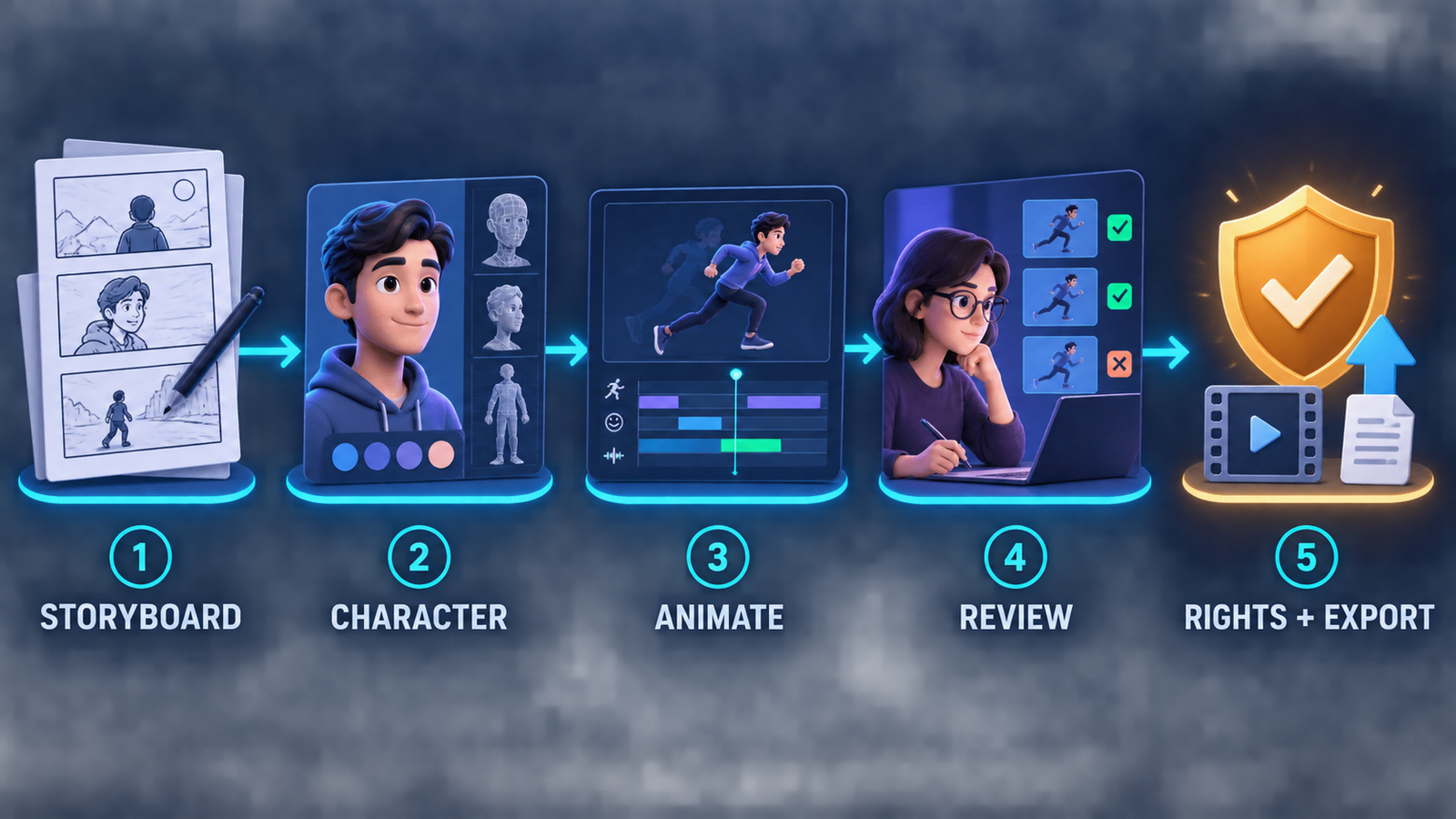
- Write a six-shot storyboard. Give each shot one action, one visual idea and one spoken point. Short scenes are easier to repair than a long automatic draft.
- Separate prompt tasks. Ask for the character, background, motion and narration independently when the tool allows it. Our prompt-engineering guide explains why explicit constraints improve repeatability.
- Lock the character design early. Reusing the same avatar or source image reduces visual drift across scenes.
- Use human timing. Trim pauses, hold important frames and leave enough time to read on-screen text. AI-generated movement does not automatically create good pacing.
- Preview the export boundary first. Confirm watermark, resolution, length, credits and download format with a 10-second test before producing the full video.
- Review every frame. Watch for distorted hands, unsafe instructions, mismatched lip sync, floating objects, spelling errors and abrupt cuts.
Copyright, consent and commercial-use checks
Animation does not avoid rights problems just because the output looks synthetic. Use only characters, logos, music, voices and reference images you own or are licensed to transform. Get permission before animating a real person’s likeness or voice, and do not present a synthetic character as a real endorsement.
Commercial rights can depend on the plan, asset and output. Canva free content has broad design uses, but Pro assets need a license. Animaker reserves commercial rights for Pro in its comparison table. Renderforest’s free-use documentation conflicts across pages. Krikey’s terms place conditions on commercial use. Save the applicable terms and your source-asset licenses when a project is approved.
For confidential training, product or customer material, review retention and model-training language before uploading. If the service cannot provide a suitable privacy boundary, use fictional sample content for the draft and replace it in an approved production system. A basic understanding of how generative AI works also helps teams separate model output from verified facts and licensed production assets.
Frequently asked questions
Is there a completely free AI animation generator?
Yes, but every service has boundaries. Adobe Express and Canva offer useful free creation and downloads; Animaker, Krikey, Powtoon and Renderforest apply credits, watermarks, duration limits, export restrictions or licensing caveats.
Can I create an AI animation without a watermark?
Canva can export a watermark-free MP4 when the design uses only free or user-owned assets. Adobe Express also offers free character-animation downloads. Animaker, Krikey, Powtoon and Renderforest identify watermark removal as a paid benefit or mark free exports.
Can I use free AI animation commercially?
Not automatically. Check the product plan, asset license, voice and likeness permissions, and current terms. A free editor can include assets or outputs limited to personal use, and a watermark-free file is not proof of commercial rights.
What is the easiest free tool for beginners?
Adobe Express is easiest for a talking character, while Canva is easiest for animated graphics. Animaker offers more cartoon-scene control but takes longer to learn and adds a watermark on Free.
Bottom line
Adobe Express is the best free starting point for an audio-driven character, and Canva is the most flexible choice for watermark-free motion graphics made with free assets. Animaker provides deeper 2D editing, Krikey AI handles 3D avatars, and Powtoon and Renderforest simplify template-based explainers. Test the export and licensing boundary before building the full project; the most attractive preview is not always the most usable free deliverable.


