
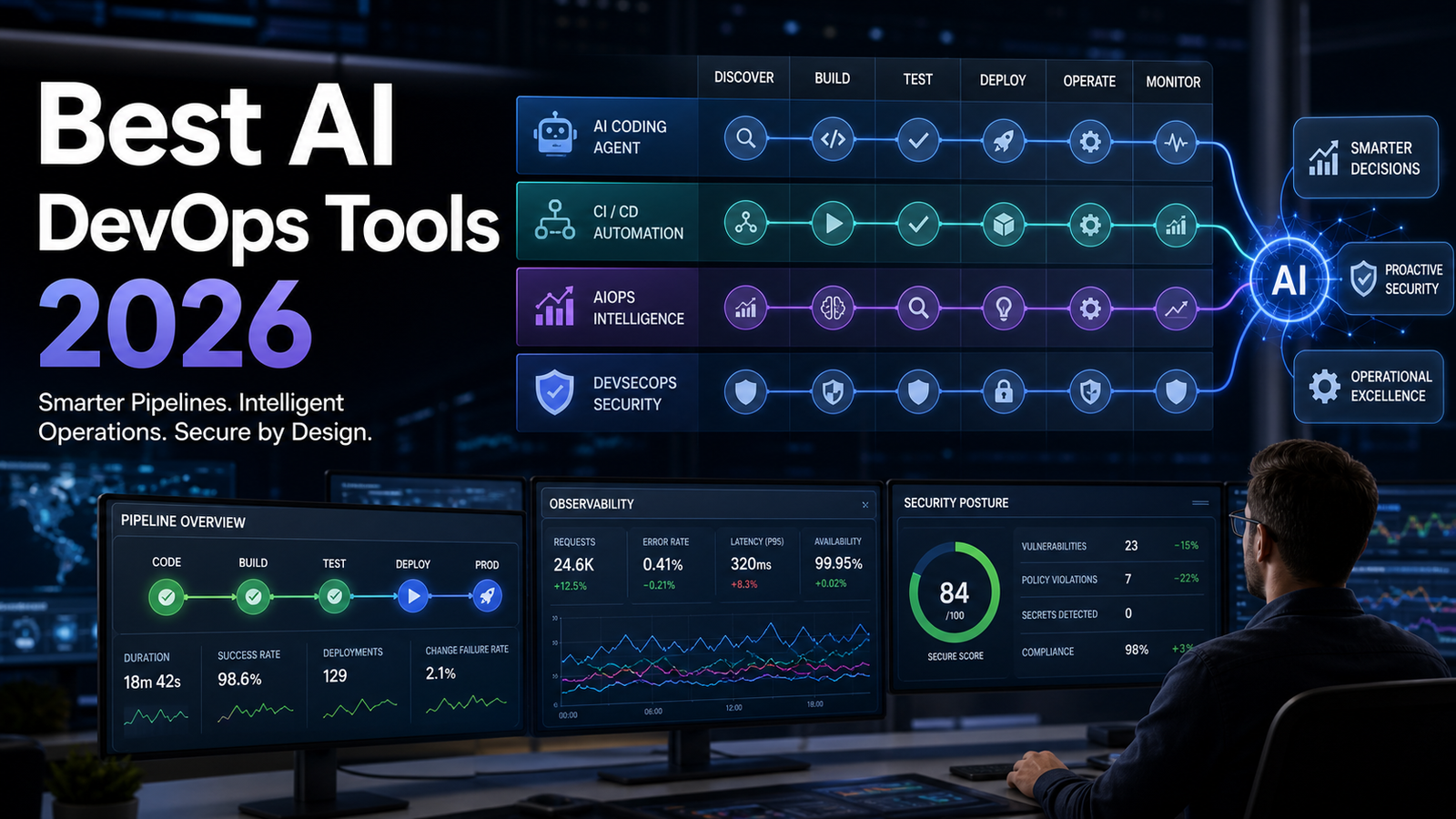

Best AI DevOps Tools 2026: Selection Framework, Pricing Caveats and Rollout Plan
SEO excerpt: A practical 2026 buyer guide for choosing AI DevOps tools across coding agents, CI/CD, AIOps, observability and security, with comparison tables, pricing caveats and a rollout checklist.
Quick Answer: The best AI DevOps tool in 2026 is the one that fits your narrowest bottleneck and can be governed inside your delivery process. Use coding agents for backlog, tests and documentation; CI/CD assistants for pipeline changes; AIOps tools for incident triage; and AI DevSecOps tools for secure review of generated code. Compare context access, permissions, audit logs, integrations, cost controls, human review gates and measurable outcomes before production rollout.
Search interest around AI and DevOps has moved past “what is generative AI?” and into practical buying questions: Which tools help DevOps engineers? Can AI fix CI/CD failures? Is AIOps the same thing as DevOps automation? Which tools are safe enough for production? The market is crowded, and a code assistant, cloud agent, incident copilot, AIOps platform and AI security scanner all solve different problems.
This guide gives you a selection framework before you spend budget. Start with the beginner guide to generative AI if you need AI basics, use the best CI/CD tools comparison when pipeline platform choice is the issue, and read the AIOps tools shortlist if incident operations are the biggest pain point.
What Counts as an AI DevOps Tool?
An AI DevOps tool uses machine learning, large language models or agentic automation to improve delivery work: writing, reviewing, testing, deploying, monitoring, securing and troubleshooting systems. Scope matters. Some tools assist inside the editor. Others act in the background, create branches, run tests or open pull requests. Observability platforms may summarize incidents, identify likely root causes or reduce alert noise.
GitHub’s documentation shows how quickly this category has widened. Copilot is no longer only autocomplete; GitHub describes cloud agent workflows that can research a repository, create a plan, make changes on a branch, run checks in an Actions-powered environment and let maintainers review the result before a pull request is created. GitHub also notes that usage can consume Actions minutes and AI credits, which matters for cost modeling.
Research is also becoming more sober. A 2026 field study of command-line coding agents at Microsoft found increased pull-request output among adopters, but warned that organizations must track adoption, retention and cost. Another 2026 benchmark, DevOps-Gym, found that current agents still struggle across parts of the real DevOps cycle, especially build configuration, monitoring, issue resolution and test generation. The lesson: AI can help, but DevOps teams still need verification, permissions and metrics.
AI DevOps Tool Categories Compared
| Category | Best For | Examples of Capabilities | Watch Outs |
|---|---|---|---|
| Coding assistants and agents | Backlog items, tests, refactors, documentation, scripts | Code suggestions, repository research, branch creation, PR drafts, test generation | Generated code can be wrong, over-complicated or under-tested; token and CI-minute usage can rise |
| CI/CD AI assistants | Pipeline maintenance and failed build diagnosis | Explain failed jobs, suggest YAML changes, summarize recent repository activity, generate release notes | Pipeline secrets, deployment permissions and artifact access need tight boundaries |
| AIOps and observability AI | Incident triage, alert reduction, root-cause hints | Correlate logs, metrics and traces; summarize incidents; identify anomalous services | Weak telemetry leads to weak AI; false confidence can hide missing instrumentation |
| AI DevSecOps tools | Secure review of code, dependencies and infrastructure changes | Explain vulnerabilities, prioritize findings, suggest remediation, review IaC and container risks | Must integrate with policy, SBOM, SAST, dependency scanning and human security review |
| Internal platform agents | Company-specific workflows and runbooks | Connect to tickets, docs, observability, deployment tools and internal APIs | Highest governance burden: identity, approvals, audit trail, data retention and blast-radius control |
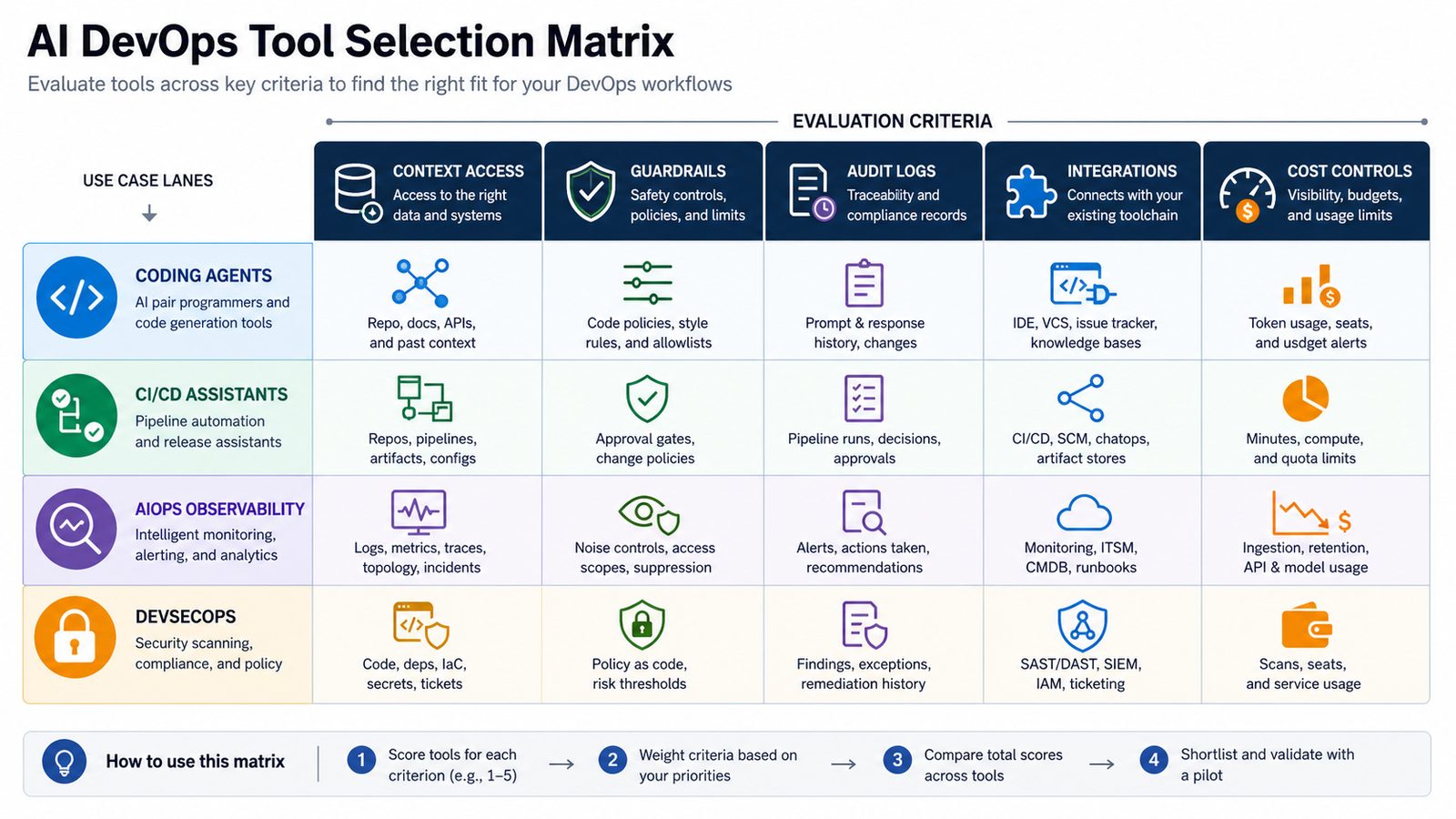
Selection Criteria: How to Shortlist Tools
1. Start with the workflow, not the model. A tool that writes excellent code may be useless for an operations team drowning in noisy alerts. A great incident assistant may not help a platform team repairing Terraform modules and CI pipelines. Write down your top three pain points first: failed builds, slow pull requests, incident duration, repetitive runbook steps, security backlog, cloud cost investigation or documentation drift.
2. Check context access. AI DevOps tools are only useful when they can see the right context. Coding agents need repository files, issues, pull requests, tests and style instructions. Incident tools need logs, traces, metrics, deployments, service ownership and recent change data. Security tools need source code, dependency manifests, IaC, container images and policy rules.
3. Demand permission boundaries. Ask exactly what the tool can read, what it can write and who approves each action. A safe first rollout may allow an AI assistant to comment on pull requests but not merge them; propose a pipeline fix but not deploy it; summarize an incident but not restart production services. The goal is useful assistance without hidden production write access.
4. Verify auditability. Every AI-generated change should be traceable. You should know which prompt, model, tool action, repository state and human approval produced the result. This is especially important for regulated teams and for any organization that needs to explain why a release, rollback or security exception happened.
5. Test integration depth. A shallow chat window is rarely enough for DevOps. The tool should fit your existing stack: GitHub or GitLab, Jira or Linear, Slack or Teams, Kubernetes, Terraform, cloud provider logs, observability platform, CI runner, secrets manager and security scanners. If integration requires brittle copy-paste, adoption will fade after the first week.
6. Measure cost drivers early. Pricing may include seats, credits, tokens, CI minutes, data ingestion, retention, custom models, premium connectors or enterprise security features. A tool can look cheap in a small pilot and become expensive when every pull request, incident and deployment creates extra AI work.
Buyer-Intent Recommendations by Team Type
| Team Situation | Recommended Starting Point | Why |
|---|---|---|
| Small startup with limited DevOps headcount | Use AI features inside your code host and CI/CD platform first | Lower setup cost, faster learning curve and fewer integration contracts |
| Growing SaaS team with frequent incidents | Evaluate AIOps or observability AI after improving telemetry quality | Incident AI needs clean service maps, logs, traces and deployment metadata |
| Enterprise platform team | Pilot coding agents plus governed internal platform agents | Large backlogs benefit from agents, but approvals and audit trails are mandatory |
| Security-heavy organization | Start with AI DevSecOps review and remediation suggestions | Generated code and infrastructure changes need policy-aware review before production |
| Team choosing a pipeline platform | Compare CI/CD fundamentals before AI add-ons | A weak pipeline platform will not become reliable just because an AI assistant explains failures |
For most teams, buy one tool for the biggest bottleneck, then expand only when you can prove usage and outcomes. Heavy GitHub users may start with an AI coding and pull-request workflow. Teams losing time to outages may get more value from observability AI. Security-constrained teams may benefit most from AI-assisted triage and remediation.
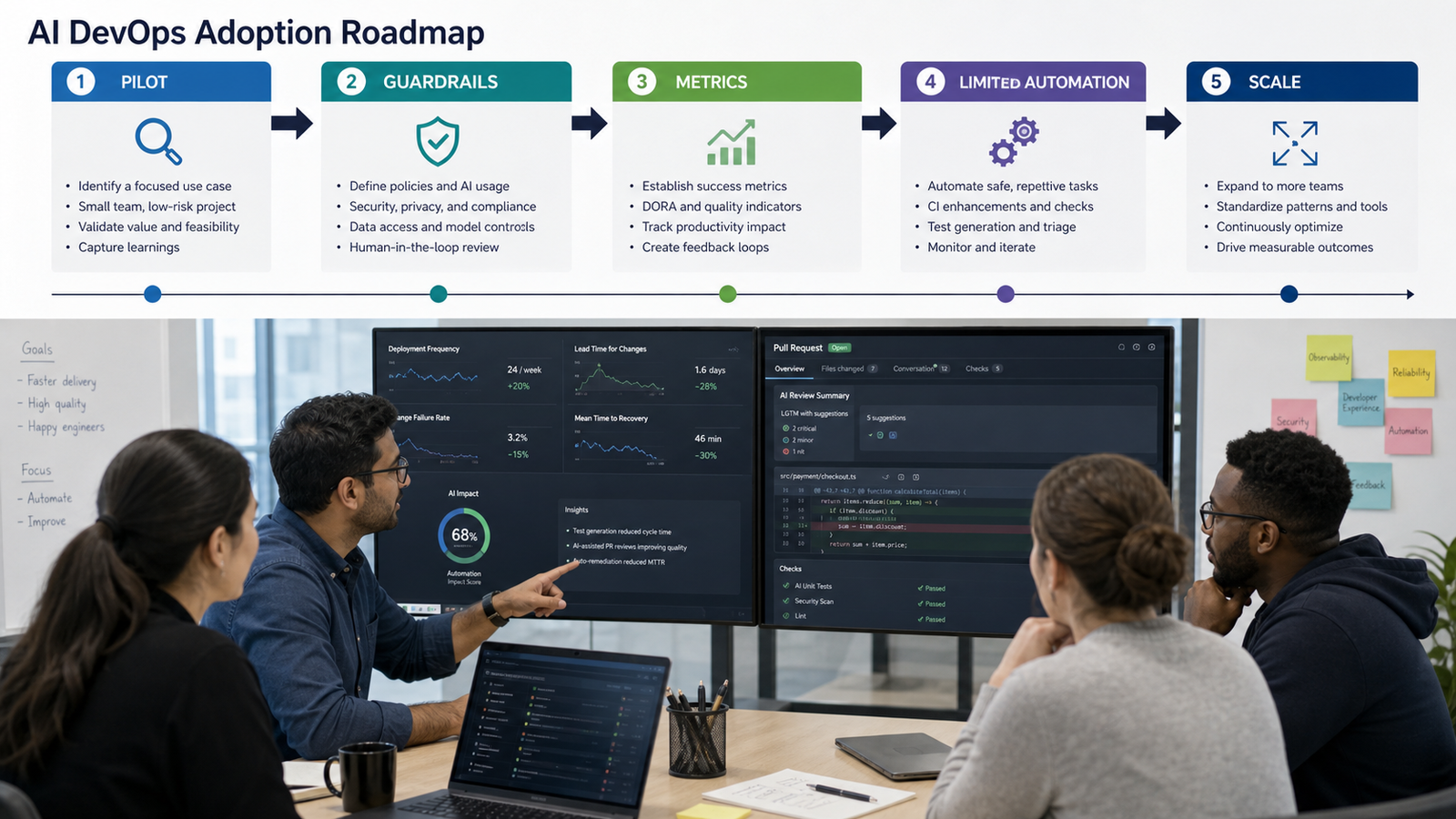
A Practical 30-Day Rollout Plan
Week 1: Pick the pilot boundary. Choose two or three repositories, one service owner, one security reviewer and one platform engineer. Avoid your most critical production service. Allow safe actions such as reading the repo, opening a branch, suggesting changes, running tests and commenting on pull requests. Keep merge and deploy authority with humans.
Week 2: Add guardrails and instructions. Tell the AI how to run tests, which files are sensitive, what conventions matter and what actions are forbidden. Label AI-generated pull requests. Keep branch protection, required reviews and CI checks active.
Week 3: Run real tasks. Use small but useful tickets: add missing tests, update documentation, fix flaky pipeline steps, improve logging or explain recurring build failures. Avoid vague prompts such as “make this better.” Good AI DevOps tasks have a clear outcome and an easy review path.
Week 4: Review metrics and decide. Track time to first useful draft, review time, test pass rate, human corrections, merged pull requests, reverted changes, security findings, AI spend and engineer satisfaction. If review burden rises, tighten task selection. If value appears in one team, expand through peer examples rather than mandates.
Common Mistakes to Avoid
The first mistake is letting AI touch production before it has earned trust in lower-risk workflows. The second is measuring output by lines of generated code. DevOps value is fewer broken builds, clearer incident response, safer changes and faster recovery. The third is ignoring data boundaries: logs can contain customer data, build output can leak secrets, and internal runbooks may expose sensitive architecture. Also avoid buying overlapping tools just because each vendor uses the word “agent.”
Another common problem is poor telemetry. AIOps tools cannot infer clean root causes from inconsistent service names, missing trace IDs and noisy alerts. Before buying a dedicated incident AI platform, fix ownership metadata, deployment events, SLOs and alert hygiene. The AIOps vs DevOps automation guide can help prioritize what to automate first.
Pricing and Licensing Caveats
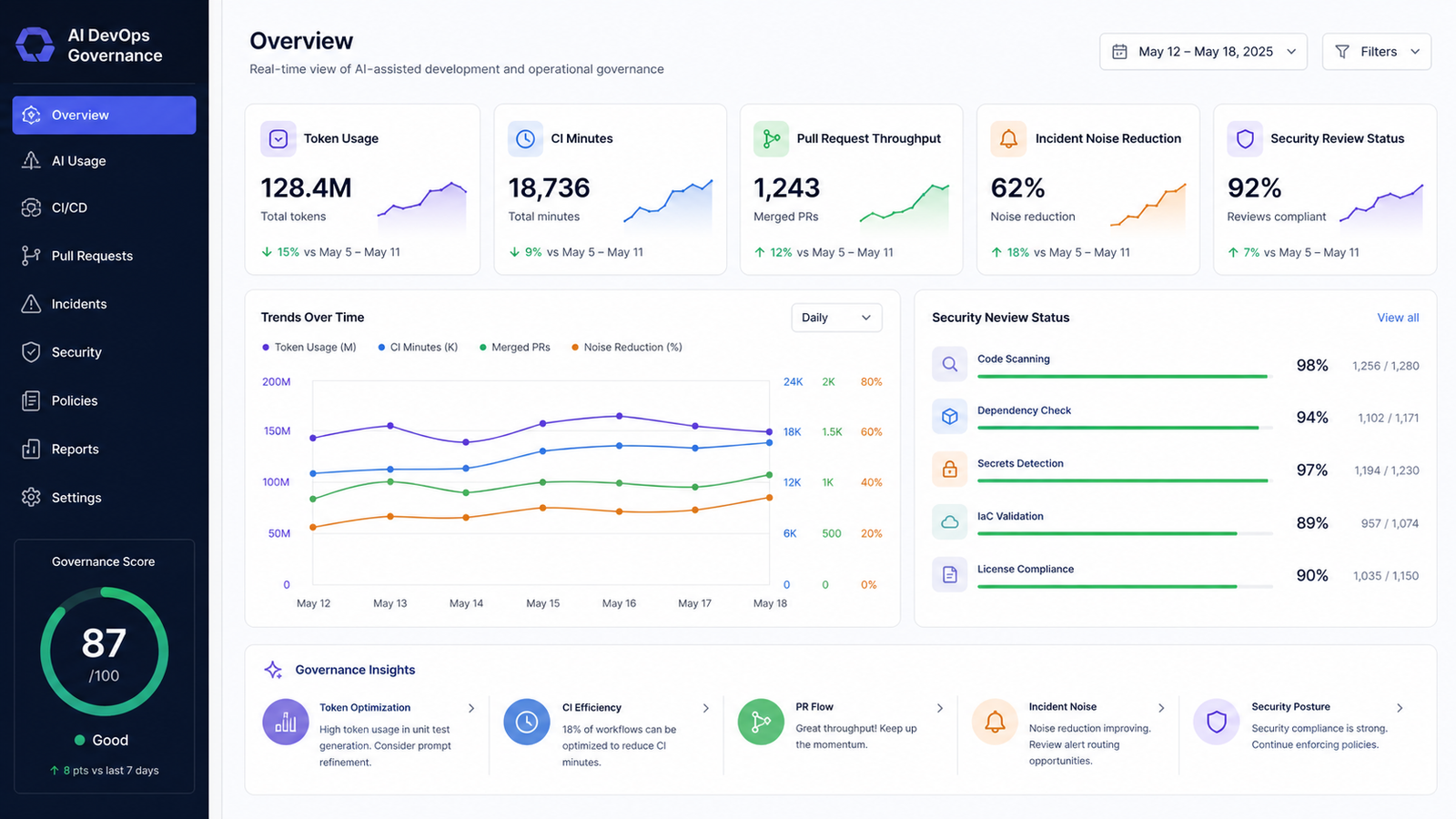
AI DevOps pricing is rarely just a monthly seat. For coding agents, check whether background sessions consume AI credits, tokens, CI runner minutes or premium model allowances. GitHub’s documentation, for example, says Copilot cloud agent uses GitHub Actions minutes and AI credits depending on the model and tokens processed. For observability AI, check whether the bill changes with ingested logs, retained traces, hosts, containers, custom metrics or incident events. For security AI, check whether license scope includes private repositories, dependency scanning, container scanning, IaC scanning and remediation workflows.
Ask vendors for a pilot cost model using your own numbers: repositories, developers, pull requests, CI minutes, incidents, log volume, retention and expected agent sessions. The best commercial answer is the plan whose cost you can forecast and govern.
Beginner Workflow: Try AI DevOps Without Risk
If you are new to AI-assisted DevOps, start with a local or non-production repository. Pick a small task such as explaining a Dockerfile, improving a GitHub Actions workflow, generating a README section or adding unit tests. Review every line. A safe prompt is: “Explain why this CI job fails and suggest the smallest YAML change. Do not modify deployment permissions.”
Practitioners can create a checklist for every AI-generated infrastructure change: What files changed? What tests ran? Did secrets, permissions or network access change? Is rollback documented? Does a human owner approve it? For application code, pair this with the AI DevSecOps pipeline guide so dependency checks and container security stay in the loop.
Final Verdict
The best AI DevOps tools in 2026 are not replacements for platform engineers. They are force multipliers for teams that understand their delivery process. The winning stack keeps humans in control, records every meaningful action and proves value with operational metrics.
If you are choosing today, do not ask “Which AI tool is best?” Ask “Which painful DevOps workflow can we safely improve in 30 days, and how will we know it worked?” That question leads to better pilots, cleaner budgets and fewer expensive shelfware decisions.
FAQ
What is the best AI DevOps tool in 2026?
There is no single best tool for every team. Start with your bottleneck: coding agents for backlog and test work, CI/CD assistants for pipeline maintenance, AIOps tools for incident triage, and DevSecOps AI for security review.
Are AI DevOps tools safe for production systems?
They can be safe when limited by permissions, logs, review gates and rollback plans. Do not give a new AI tool broad write access to production until it has passed a controlled pilot.
How should teams measure AI DevOps ROI?
Measure cycle time, time to first useful review, escaped defects, incident duration, alert noise, engineer adoption and total AI-related cost. Avoid judging ROI only by generated lines of code.
Should small teams buy a separate AIOps platform?
Small teams should first improve telemetry quality and use the AI features already available in their code host, CI/CD platform or observability tool. A separate AIOps platform makes more sense when incident volume and service complexity justify it.


